What is Zoom Webinars?
Zoom Webinars is a one-to-many video broadcast product from Zoom Communications for presentations, training sessions, town halls and virtual or hybrid events. Unlike a regular Zoom meeting, hosts and panelists control the stage while attendees mostly watch and take part through chat, polls, Q&A and reactions. It supports one-time webinars, recurring series and multi-session conferences, with capacity of up to 100,000 attendees depending on the plan.
The product comes in three tiers. Webinars covers the core broadcast, registration and recording tools. Webinars Plus adds simulive sessions, a private backstage, pro layouts and AI tools that turn recordings into new content. Events adds multi-day, multi-track conferences with ticketing, a lobby, networking and sponsor features. Because it runs on the same apps people already use for Zoom meetings, most attendees can join without learning a new tool.
Zoom Webinars at a glance
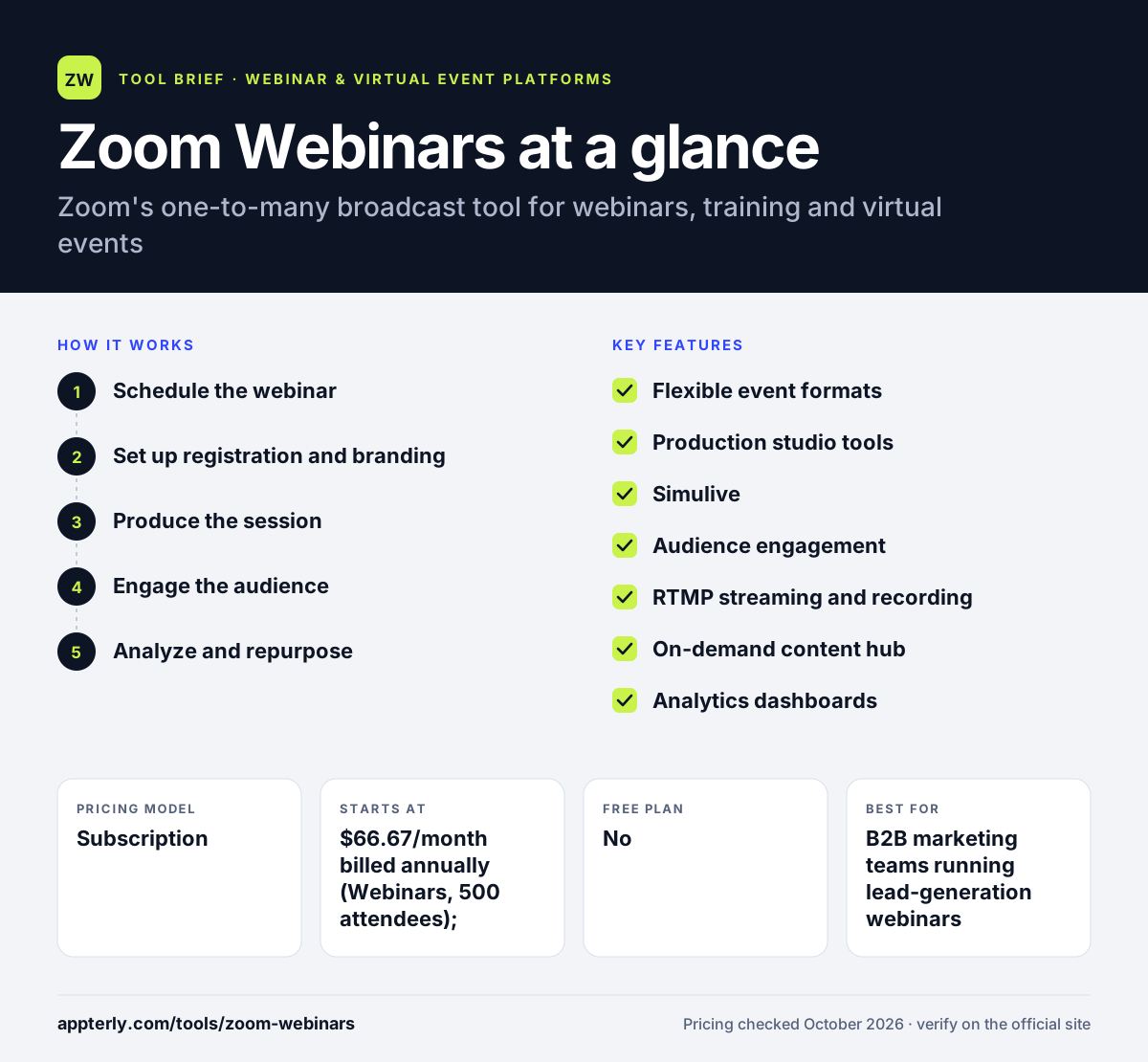
How does Zoom Webinars work?
- Schedule the webinar
Create a one-time or recurring webinar, add panelists and choose whether registration is required.
- Set up registration and branding
Build a branded registration page and confirmation emails, and set a registration limit if needed. Branded confirmation emails are sent automatically.
- Produce the session
Prepare in the backstage area, load videos, switch scenes and layouts, or schedule a pre-recorded session to play as if live.
- Engage the audience
Run polls, Q&A and chat during the broadcast and stream to YouTube, LinkedIn or Facebook at the same time.
- Analyze and repurpose
Review attendee and engagement dashboards, send data to your CRM and publish the recording with AI chapters and highlights.
Zoom Webinars key features
Flexible event formats
Host single webinars, recurring series or multi-session conferences, with the Events plan supporting up to 15 simultaneous tracks.
Production studio tools
Custom layouts, scene switching, pre-loaded videos and a private backstage help hosts run a polished show.
Simulive
Play pre-recorded content as if it were live, available on Webinars Plus and above.
Audience engagement
Polls, Q&A, chat, reactions, lobbies and AI captions in more than 20 languages keep viewers involved.
RTMP streaming and recording
Stream to social platforms and record isolated audio and video tracks for editing in tools such as Premiere or DaVinci Resolve.
On-demand content hub
Recordings become searchable on-demand videos with AI-generated chapters, highlights and social posts.
Analytics dashboards
Interactive reports show attendance and engagement, and participant data can flow into a CRM.
Why use Zoom Webinars?
- Most attendees already have Zoom installed, which lowers the barrier to joining.
- It scales from small sessions to very large audiences on the same platform.
- Simulive and on-demand libraries let teams reuse recordings instead of presenting live every time.
- The Events tier covers multi-day conferences with ticketing, so you can grow without switching tools.
- AI tools help turn one webinar into chapters, highlights and social posts.
Who is Zoom Webinars best for?
A good fit for
- B2B marketing teams running lead-generation webinars
- Companies hosting training sessions and town halls
- Organizations planning virtual or hybrid conferences
- Teams already standardized on Zoom for meetings
Less suited to
- Solo marketers who want built-in sales offers and evergreen funnels
- Very small budgets, since webinar plans cost more than basic meeting plans
- Highly interactive workshops where everyone needs to be on camera
Zoom Webinars pricing
| Pricing model | Subscription |
|---|---|
| Free plan | No |
| Free trial | Not confirmed |
| Starting price | $66.67/month billed annually (Webinars, 500 attendees); $89/month billed monthly |
Webinars Plus costs $82.50/month billed annually and Events $124.17/month billed annually. Price rises with attendee capacity, and monthly and pay-per-attendee options are also offered.
Prices checked October 2026. Vendors change plans often, so confirm on the official Zoom Webinars pricing page before you buy.
Zoom Webinars pros and cons
Pros
- Familiar interface for both hosts and attendees
- High capacity, up to 100,000 attendees on larger plans
- Strong production and repurposing tools on upper tiers
Cons
- No dedicated free trial for webinars
- Useful features such as simulive and backstage require Webinars Plus or higher
- Fewer built-in sales and conversion tools than marketing-focused webinar platforms
Zoom Webinars integrations and platforms
Works with
Available on
Zoom Webinars alternatives
See the full shortlist in Best Webinar Software.
Zoom Webinars FAQ
Is Zoom Webinars free?
No. Zoom Webinars is a paid product. The entry Webinars plan costs $66.67 per month when billed annually or $89 billed monthly for a 500-attendee tier. A free Zoom account covers basic meetings only, not the webinar format with registration, panelists and attendee controls.
What is the difference between a Zoom meeting and a Zoom webinar?
A Zoom meeting is built for collaboration, where every participant can usually speak and share video. A Zoom webinar is a broadcast format: hosts and panelists present while attendees watch and interact through chat, polls and Q&A. Webinars also add registration pages, larger capacity and event reporting.
How many people can attend a Zoom webinar?
Zoom Webinars supports up to 100,000 attendees, but the limit for your account depends on the capacity you buy. The listed entry plans are for up to 500 attendees, and larger capacities cost more. Unpaid events can have open registration or a registration cap you set.
Zoom Webinars vs WebinarJam: which is better?
Zoom Webinars suits companies that need reliable large-scale broadcasts, events and familiar apps for attendees. WebinarJam suits marketers who sell through webinars and want timed offers, reminder messages and evergreen automation built in. The better choice depends on whether your priority is scale and events or direct sales conversion.
Can Zoom Webinars run pre-recorded sessions?
Yes. The simulive feature plays pre-recorded content as if it were a live webinar, while hosts can still answer questions in chat and Q&A. Simulive is included in Webinars Plus and the Events plan, not in the base Webinars tier.
Sources
This overview is based on Zoom Webinars's official website and documentation, checked October 2026.