What is BigMarker?
BigMarker is a browser-based webinar and event platform that runs live webinars, simulive and automated webcasts, and virtual, hybrid and in-person events from one system. Attendees join without downloading software and can chat, ask questions, answer polls and click calls to action, with interactions syncing to your CRM. Large webcasts can be configured for very big audiences. It suits organizations that run webinars as an ongoing program.
Beyond webinars, BigMarker sells on-demand media hubs, learning hubs with courses and certificates, registration and ticketing, badge printing, check-in and mobile event apps. Its AI tools include an AI Content Studio, AI-generated video clips, lead scoring and personalization. Customers include associations, media publishers, financial services and life sciences firms. All current plans are priced through sales. Named customers include TED, Canva and The Wall Street Journal.
BigMarker at a glance
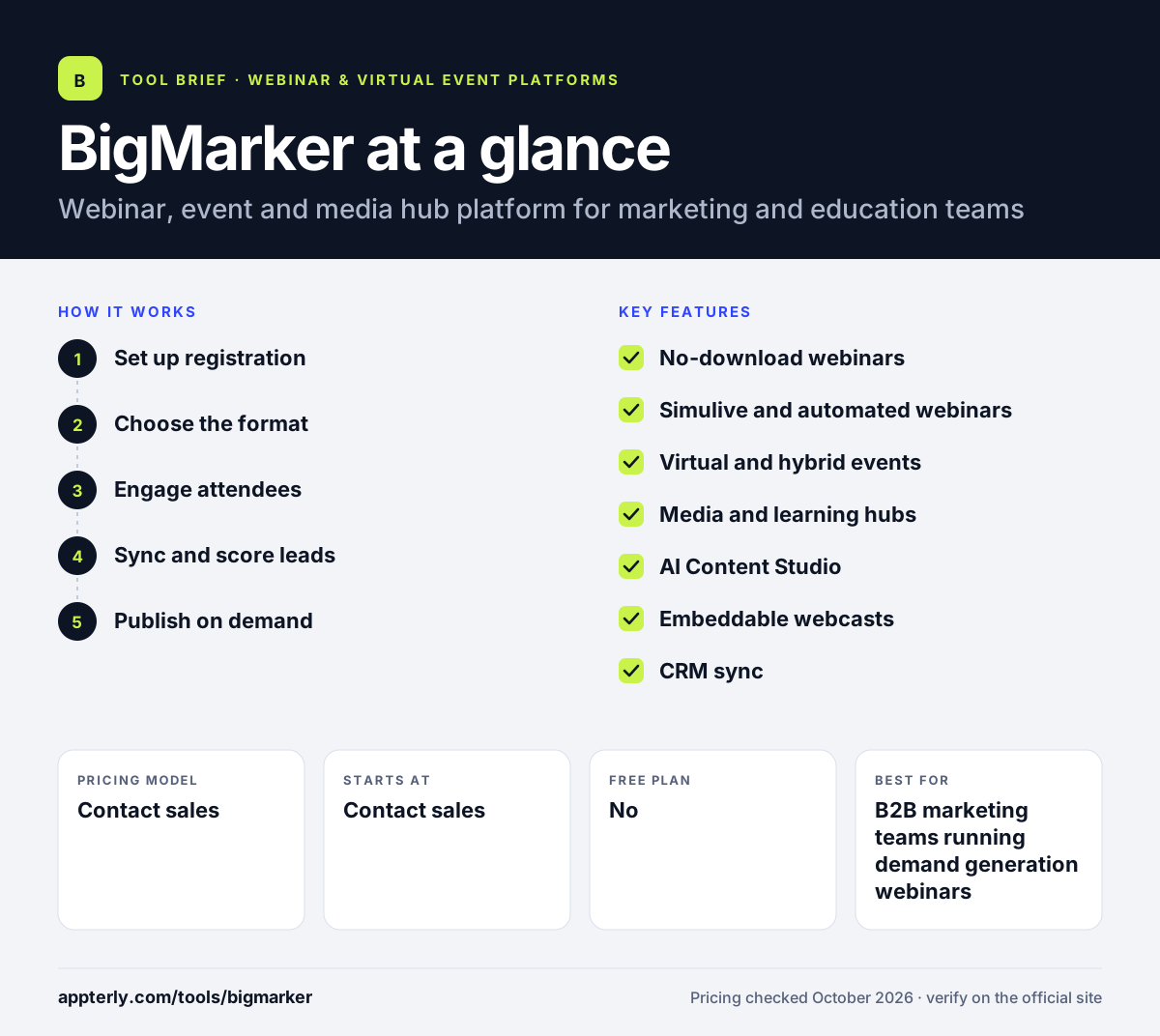
How does BigMarker work?
- Set up registration
Build a registration page with conditional logic, ticketing and branded emails. Branded confirmation and reminder emails go out automatically.
- Choose the format
Run the session live, as a simulive webcast, as an automated evergreen webinar or as a hybrid event.
- Engage attendees
Use chat, Q&A, polls, reactions, breakout rooms and calls to action during the session.
- Sync and score leads
Engagement data flows into your CRM, and AI lead scoring highlights the most interested attendees. Sales teams can see which attendees asked questions or clicked offers.
- Publish on demand
Add recordings to media or learning hubs and use AI tools to create clips and follow-up content.
BigMarker key features
No-download webinars
Hosts and attendees join in the browser, with up to 9 to 64 shared webcams depending on plan.
Simulive and automated webinars
Run pre-recorded sessions on a schedule or as evergreen funnels without a live host.
Virtual and hybrid events
Networking, sponsor activation, agendas, check-in with QR codes, badge printing and mobile apps.
Media and learning hubs
On-demand video, resource and community hubs, plus courses with assessments and certificates.
AI Content Studio
Generates clips and derivative content from sessions, with AI insights, enrichment and lead scoring.
Embeddable webcasts
Embed sessions on your own website and offer branded mobile apps.
CRM sync
Interactive data from polls, Q&A and CTAs syncs to connected CRM and marketing tools.
Registration and ticketing
Custom registration sites with conditional logic, ticketing and payments, plus full-service email for invitations and reminders. Recordings can also be published to media hubs after each live session ends.
Why use BigMarker?
- One vendor covers webinars, events, on-demand hubs and eLearning.
- Automated and evergreen webinars support always-on lead generation.
- Attendees join without downloads, which reduces drop-off.
- AI clipping and content tools shorten post-event work.
- Large webcast capacity suits big audiences, all-hands meetings and public broadcasts.
Who is BigMarker best for?
A good fit for
- B2B marketing teams running demand generation webinars
- Associations and certification bodies offering courses
- Media publishers running virtual summits
- Enterprises that host hybrid conferences and field events
Less suited to
- Freelancers or small teams that want transparent self-serve pricing
- Users who only need occasional simple video meetings
- Buyers who want to start without a sales call
BigMarker pricing
| Pricing model | Contact sales |
|---|---|
| Free plan | No |
| Free trial | Not confirmed |
| Starting price | Contact sales |
Webcast plans (Basic, Professional and Enterprise) differ by host licenses, shared webcams and on-demand video limits. Event, mobile app, badging and eLearning licenses are quoted per event or per platform, with volume pricing available.
Prices checked October 2026. Vendors change plans often, so confirm on the official BigMarker pricing page before you buy.
BigMarker pros and cons
Pros
- Wide feature set beyond webinars
- Browser-based with no attendee downloads
- Supports automated and evergreen webinars
- Strong learning and certification tools
Cons
- No public prices on the pricing page
- Breadth of products can feel complex for small teams
- No clearly advertised free trial
BigMarker integrations and platforms
Available on
BigMarker alternatives
See the full shortlist in Best Webinar Software.
BigMarker FAQ
Is BigMarker free?
No. BigMarker does not advertise a free plan, and its current pricing page lists every plan as request pricing. Webcast plans come in Basic, Professional and Enterprise tiers, while events, mobile apps and eLearning are licensed separately. You need to contact sales or book a demo for a quote. Expect pricing to depend on the number of hosts, audience size and which event modules you add. Ask sales about volume pricing if you run many events a year.
What is BigMarker used for?
BigMarker is used for live and automated webinars, large webcasts, virtual and hybrid conferences, on-demand video hubs and online courses. Marketing teams use it for lead generation, associations use it for education and certification, and publishers use it to host virtual summits.
Does BigMarker require a download?
No. BigMarker runs in the browser, so attendees and hosts can join without installing software. Native iOS and Android apps are available for events that need a mobile app experience. This browser-first approach helps reduce friction for audiences joining from work computers. Embeddable webcasts also let you host sessions directly on your own website.
BigMarker vs ON24: what's the difference?
Both target enterprise marketers with webinars, on-demand content and analytics. BigMarker also covers in-person event tools such as badge printing and check-in, plus eLearning platforms. ON24, now part of Cvent, focuses on its engagement platform, content hubs and AI content. Both use quote-based pricing.
Is BigMarker good for beginners?
BigMarker can work for beginners running straightforward webinars, since attendees join in the browser and engagement tools are built in. The full platform has many products, though, so new users usually rely on onboarding from the sales team to set up hubs, events and integrations. Teams that only need occasional webinars may find a simpler tool easier to manage.
Sources
This overview is based on BigMarker's official website and documentation, checked October 2026.