What is Demio?
Demio is a webinar platform for marketers that runs live, automated and on-demand webinars in the browser, so attendees join without downloading software. It focuses on engagement and lead capture, with polls, handouts, featured actions, chat with a Q&A mode and branded registration pages. Demio is part of Banzai, which lists Banzai International, Inc. as the operator.
Analytics track which attendees download handouts, answer polls and click offers, so sales teams can follow up with the most engaged leads. Higher plans add custom branding, Zapier, HubSpot and Salesforce connections, restreaming and Demio AI. Boost, a paid add-on, helps drive registrations. Pricing is per host with room sizes up to 3,000 attendees. Starter suits single hosts, while Growth and Premium are built for teams.
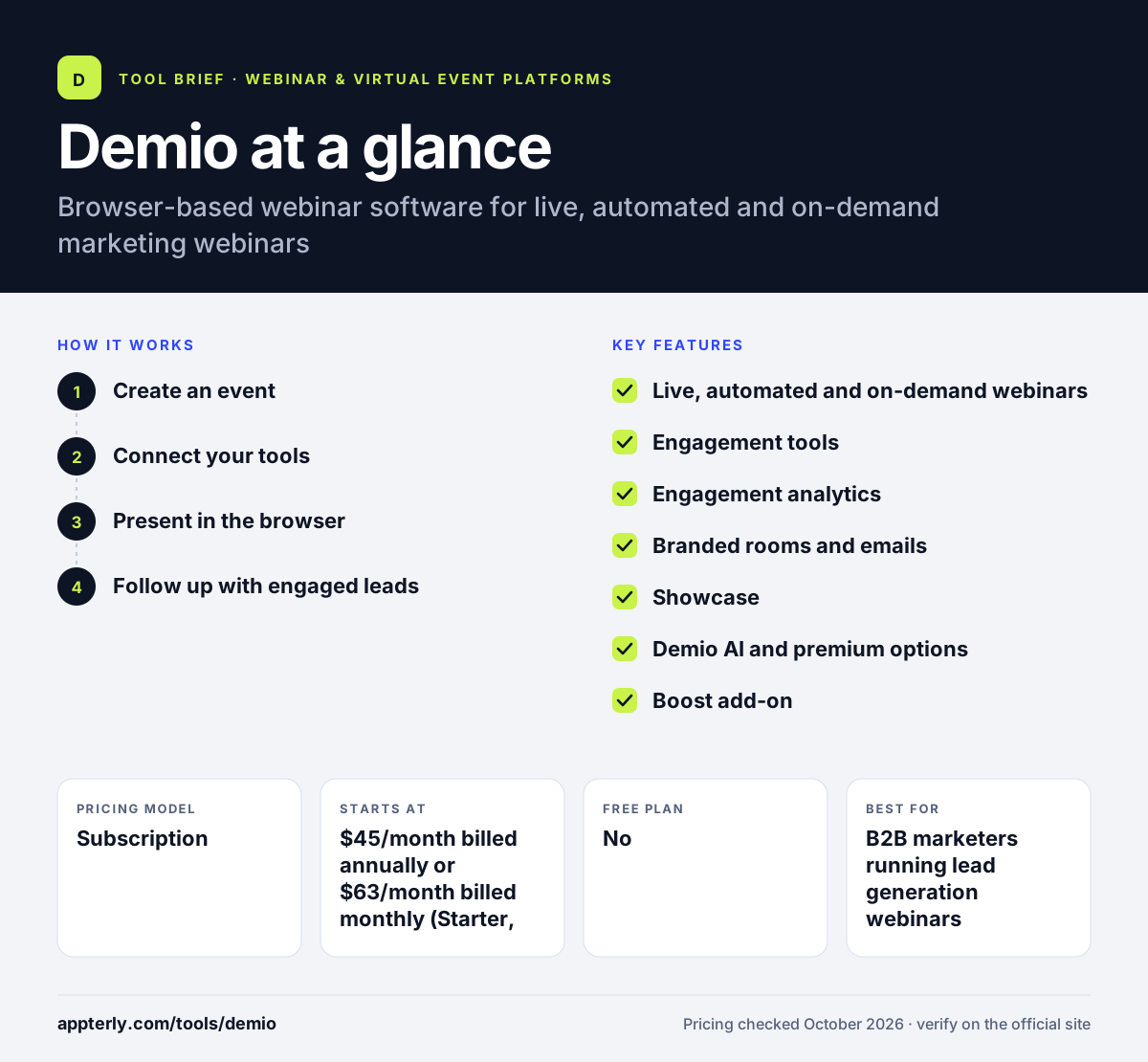
Demio at a glance
How does Demio work?
- Create an event
Choose a live, series, automated or on-demand webinar and set up a branded registration page with custom fields.
- Connect your tools
Send registrants and engagement data to HubSpot, Salesforce, Mailchimp or other apps through Zapier. Custom registration fields and source tracking help show which campaigns drive sign-ups.
- Present in the browser
Hosts and guests go live from the browser, inviting attendees on stage and using polls, handouts and featured actions. Sessions run up to 3, 8 or 10 hours depending on plan.
- Follow up with engaged leads
Review engagement analytics and pass the most active attendees to sales or nurture campaigns. Replays and handouts can be shared after the session ends.
Demio key features
Live, automated and on-demand webinars
Run sessions live, schedule pre-recorded automated webinars or offer them on demand on Growth and Premium.
Engagement tools
Polls, handouts, featured action buttons, attendee stage invites and chat with a dedicated Q&A mode.
Engagement analytics
Tracks poll answers, handout downloads, offer clicks and chat to score attendee interest.
Branded rooms and emails
Custom branding for webinar rooms and email notifications, plus custom form fields.
Showcase
Embed upcoming events on your website so visitors can register in place.
Demio AI and premium options
Premium adds Demio AI, 1080p streaming, restreaming, live captions and auto transcriptions.
Boost add-on
A separately priced add-on aimed at increasing webinar registrations.
Series and event admins
Run recurring event series and add event admins, from 15 on Starter to 50 on Premium, to help manage sessions. Polls and handouts can be prepared ahead of time so presenters can focus on the content during the session.
Why use Demio?
- No downloads for attendees reduces drop-off before sessions start.
- Engagement scoring helps sales prioritize follow-up.
- Automated webinars let small teams run evergreen demos and onboarding.
- Clear published pricing makes budgeting simple, with no long sales process needed to get started.
- HubSpot and Salesforce integrations keep lead data in sync.
Who is Demio best for?
A good fit for
- B2B marketers running lead generation webinars
- Sales teams offering automated product demos
- Customer success teams hosting onboarding sessions
- Small businesses that want simple, browser-based webinars
Less suited to
- Large virtual conferences with networking and booths
- Teams that need HubSpot or Salesforce sync on a small budget, since it sits on Premium
- Events with more than 3,000 attendees
Demio pricing
| Pricing model | Subscription |
|---|---|
| Free plan | No |
| Free trial | 14 days |
| Starting price | $45/month billed annually or $63/month billed monthly (Starter, 1 host, 50 attendees) |
Growth ($117/month per host, billed yearly) adds automated and on-demand webinars, branding and Zapier, with rooms from 150 to 3,000 attendees. Premium ($196/month per host) adds Demio AI, premium CRM integrations, captions and 1080p streaming.
Prices checked October 2026. Vendors change plans often, so confirm on the official Demio pricing page before you buy.
Demio pros and cons
Pros
- Clean browser-based experience for hosts and attendees
- Strong engagement and lead tracking features
- Automated and on-demand webinars on mid-tier plans
- Transparent published pricing
Cons
- Starter caps rooms at 50 attendees and 3-hour sessions
- CRM integrations like HubSpot and Salesforce require Premium
- Not built for multi-track conferences
Demio integrations and platforms
Works with
Available on
Demio alternatives
See the full shortlist in Best Webinar Software.
Demio FAQ
Is Demio free?
Demio has no free plan, but it offers a 14-day free trial with Growth features, limited to 20 attendees and one-hour sessions. Paid plans start with Starter at $45 a month billed annually or $63 billed monthly, for one host and rooms of up to 50 attendees. Annual billing saves about 30% compared with monthly payment. Room sizes can be raised as your audience grows.
What is Demio used for?
Demio is used to run marketing webinars, automated product demos, onboarding sessions and on-demand training. Its engagement tools and analytics help marketing and sales teams identify interested attendees and follow up, which makes it popular for B2B lead generation. Sales teams also use automated demos to show products to prospects at any time without a live presenter.
Does Demio integrate with HubSpot?
Yes. Demio is a HubSpot certified app, and the native HubSpot integration is included on the Premium plan. Growth plans can connect to HubSpot and many other tools through Zapier. Premium also adds native Salesforce, Marketo and Pardot integrations.
Demio vs Livestorm: what's the difference?
Both are browser-based webinar tools for marketers. Demio uses per-host subscriptions with fixed room sizes, and focuses on engagement tracking and automated webinars. Livestorm prices by annual attendee credits and offers a free evaluation plan. Teams with steady, predictable audiences often prefer Demio's flat pricing. Compare the cost at your expected audience size before deciding.
Is Demio good for beginners?
Yes. Demio is one of the simpler webinar tools to learn, since everything runs in the browser and room setup takes a few steps. Beginners can start on Starter for small live sessions and move to Growth when they want automated webinars and branding.
Sources
This overview is based on Demio's official website and documentation, checked October 2026.