What is GoTo Webinar?
GoTo Webinar is webinar software from GoTo that lets organizations host live, pre-recorded and simulive webinars, webcasts and training sessions. Hosts build branded registration pages, send automated invitations and reminders, and engage attendees with polls, live Q&A and breakout rooms. After each session, reports show attendance and engagement so teams can follow up with leads or learners. It is a long-running product used by marketing and training teams.
The product sits alongside GoTo Meeting, GoTo Training and GoTo Connect in the GoTo product family. Recent additions include AI summaries and transcripts, Practice Mode for rehearsals, paid events and certification courses. Plans are named Reach, Elevate and Complete, and differ mainly by audience size, recording and branding options. A free trial lasts 7 days and does not need a credit card.
GoTo Webinar at a glance
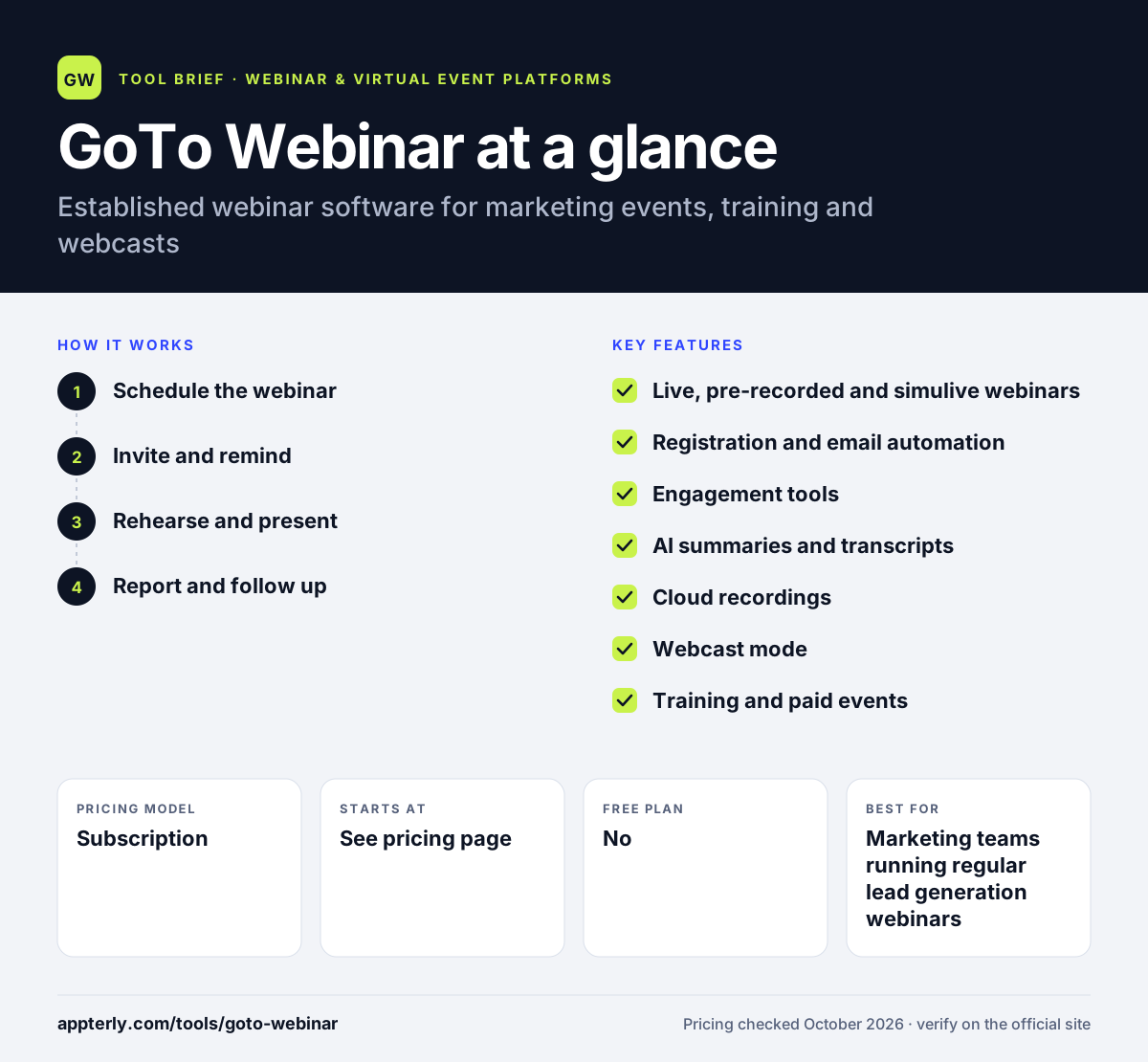
How does GoTo Webinar work?
- Schedule the webinar
Pick a live, pre-recorded or simulive format and create a branded registration page with custom questions. Recorded sessions can be scheduled to play as if live while hosts answer questions.
- Invite and remind
Send automated invitations, confirmations and reminders, and track registration sources on higher plans.
- Rehearse and present
Use Practice Mode to rehearse with panelists, then go live with polls, Q&A and breakout rooms. Breakout rooms on Elevate and above let attendees work in smaller groups.
- Report and follow up
Review analytics and post-session reports, send follow-up emails and push data to HubSpot or Marketo.
GoTo Webinar key features
Live, pre-recorded and simulive webinars
Present live or run recordings as scheduled events with live interaction on the side.
Registration and email automation
Branded registration forms, custom URLs and automated invitations, reminders and follow-ups.
Engagement tools
Polls, live Q&A and breakout rooms help keep audiences involved. Hand raising and chat are available too.
AI summaries and transcripts
On the Elevate plan and above, sessions can be transcribed and summarized automatically.
Cloud recordings
Record sessions to the cloud for replays and on-demand viewing.
Webcast mode
The Complete plan can stream to unlimited attendees for large company-wide broadcasts.
Training and paid events
Certification courses, closed captioning and payments for paid events support education use cases.
Analytics
Attendance and engagement reports, with registration source tracking on Complete.
Why use GoTo Webinar?
- It is a long-established webinar tool that many attendees already know.
- Practice Mode lets presenters rehearse before going live.
- Integrations with HubSpot, Marketo and Salesforce Pardot connect webinars to marketing systems.
- Accessibility features like captioning and screen reader support help training teams.
- The 7-day trial needs no credit card and does not renew automatically.
Who is GoTo Webinar best for?
A good fit for
- Marketing teams running regular lead generation webinars
- Corporate training and education programs
- Companies already using other GoTo products
- Organizations hosting large webcasts and all-hands meetings
Less suited to
- Teams that want networking lounges and sponsor booths
- Buyers who need public pricing for the largest plan, which is quoted
- Creators who mainly want to stream to social platforms
GoTo Webinar pricing
| Pricing model | Subscription |
|---|---|
| Free plan | No |
| Free trial | 7 days |
| Starting price | See the official pricing page |
Reach supports up to 500 participants with one organizer, Elevate up to 1,000 with branding, cloud recording and AI summaries, and Complete up to 3,000 plus unlimited-attendee webcasts at custom pricing. Plans can be billed monthly or annually.
Prices checked October 2026. Vendors change plans often, so confirm on the official GoTo Webinar pricing page before you buy.
GoTo Webinar pros and cons
Pros
- Mature, reliable webinar product
- Good registration and email automation
- Webcast mode for very large audiences
- Rehearsal and accessibility features
Cons
- Exact prices did not display on the official pricing page during review
- Lighter on networking features than event platforms
- AI summaries and branding require Elevate or higher
GoTo Webinar integrations and platforms
Works with
Available on
GoTo Webinar alternatives
See the full shortlist in Best Webinar Software.
GoTo Webinar FAQ
Is GoTo Webinar free?
No. GoTo Webinar has no free plan, but it offers a 7-day free trial that does not need a credit card and does not renew automatically. After the trial you choose a paid plan, either Reach, Elevate or Complete, to keep hosting webinars. Exact plan prices were not shown on the official pricing page when it was checked, so confirm the current rate in the sign-up flow. Monthly billing is also available if you prefer not to commit for a year.
What is GoTo Webinar used for?
Organizations use GoTo Webinar for marketing webinars, product launches, customer education, employee training and large company webcasts. It handles registration, reminders, live engagement and reporting, so teams can run the full event and follow up with attendees afterward. Education teams also use it for certification courses with captioning and accessibility support.
How many people can join a GoTo Webinar?
It depends on the plan. Reach supports up to 500 participants, Elevate up to 1,000 and Complete up to 3,000. Complete also includes a webcast mode that streams to an unlimited number of attendees, which suits large all-hands meetings and public broadcasts. Each plan includes polls, Q&A and reporting regardless of size.
GoTo Webinar vs Zoom Webinars: what's the difference?
Both are established webinar products from video meeting companies. GoTo Webinar puts more weight on registration, email automation, rehearsal mode and training features such as certification courses. Zoom Webinars appeals to teams already using Zoom Meetings. Your existing meeting tool often decides which is simpler to adopt.
Does GoTo Webinar integrate with HubSpot?
Yes. GoTo Webinar integrates with HubSpot, Marketo and Salesforce Pardot, so registrants and attendance data can flow into your marketing automation system. It also connects with Prezi for presentations and Interprefy for live interpretation. Lead data can then be used for scoring and nurture campaigns.
Sources
This overview is based on GoTo Webinar's official website and documentation, checked October 2026.