What is Zoho Forms?
Zoho Forms is an online form builder that lets businesses create, share and manage data collection forms without coding. It offers a drag-and-drop editor, conditional logic, payments and multi-level approvals, plus mobile apps that can collect data offline in the field. Forms can be shared by link, email or social media, or embedded on a website, and submissions trigger real-time notifications.
Zoho Forms is part of the Zoho suite, so it connects closely with Zoho CRM, Desk, Campaigns, Sign, Creator and other Zoho apps, as well as tools like Google Workspace and Microsoft 365. Zia, Zoho's AI assistant, can generate a form from a prompt or turn a PDF or image into a live form. A free plan supports small needs, and paid plans add users, submissions and storage. Paid plans scale up to 100 users and 150,000 submissions a month.
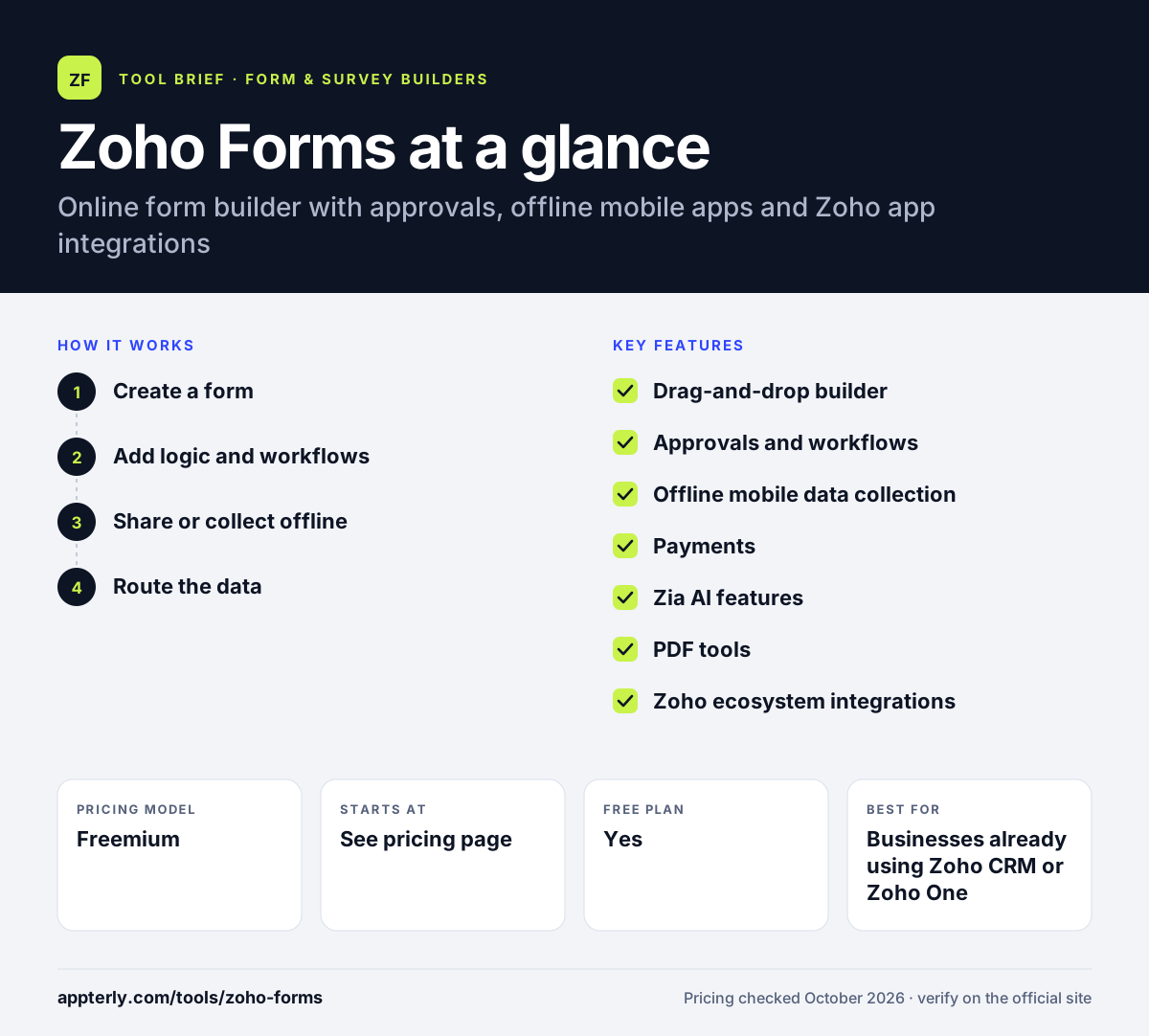
Zoho Forms at a glance
How does Zoho Forms work?
- Create a form
Build with drag and drop, start from a template, or let Zia generate a form from a prompt, PDF or image. Subforms help capture repeating groups of data.
- Add logic and workflows
Set conditional and skip logic, approval steps, payment fields and automated actions.
- Share or collect offline
Share the form online or use the iOS and Android apps to collect data offline, in kiosk mode or with geolocation.
- Route the data
Push submissions into Zoho CRM and other Zoho apps, Google Sheets or third-party tools through integrations. Real-time notifications alert your team to each new entry.
Zoho Forms key features
Drag-and-drop builder
Create forms with custom themes, fonts, logos and backgrounds, in standard, card or PDF styles.
Approvals and workflows
Set up multi-level approvals and automated rules based on form responses.
Offline mobile data collection
Collect submissions without internet on mobile, with geolocation, QR scanning, signatures and kiosk mode.
Payments
Accept payments in forms through PayPal, Stripe and 2Checkout.
Zia AI features
Generate forms from prompts, convert PDFs and images into forms, prefill fields with OCR and draft notification emails.
PDF tools
Build PDF forms and merge submission data into documents.
Zoho ecosystem integrations
Native links to Zoho CRM, Desk, Campaigns, Bigin, Sign, Creator and Analytics.
Security and compliance
Encryption at rest and stated support for GDPR, HIPAA and CCPA requirements.
Why use Zoho Forms?
- Zoho Forms works offline on mobile, which suits field teams and events.
- Approval workflows turn forms into simple business processes.
- Deep links to Zoho CRM and other Zoho apps reduce manual data entry.
- A free forever plan covers small projects.
- Zia AI speeds up converting paper and PDF forms into online forms.
Who is Zoho Forms best for?
A good fit for
- Businesses already using Zoho CRM or Zoho One
- Field teams collecting data offline on mobile
- Operations teams that need form-based approvals
- Healthcare and regulated teams needing HIPAA support
Less suited to
- Brands that want highly designed, conversational forms
- Teams outside the Zoho ecosystem who need many native third-party connectors
- Heavy users on the free plan, which allows 3 forms and 500 submissions a month
Zoho Forms pricing
| Pricing model | Freemium |
|---|---|
| Free plan | Yes |
| Free trial | Not confirmed |
| Starting price | See the official pricing page |
Free allows 1 user, 3 forms and 500 submissions a month. Basic, Standard, Professional and Premium raise users (up to 100), submissions (up to 150,000 a month) and storage; check the official pricing page for current dollar amounts.
Prices checked October 2026. Vendors change plans often, so confirm on the official Zoho Forms pricing page before you buy.
Zoho Forms pros and cons
Pros
- Offline mobile apps with field features
- Built-in approvals and workflows
- Tight Zoho suite integration
- Free forever plan
Cons
- Design options are more limited than design-first form tools
- Free plan has low form and submission limits
- Most value comes when you also use other Zoho apps
Zoho Forms integrations and platforms
Works with
Available on
Zoho Forms alternatives
See the full shortlist in Best Form Builders.
Zoho Forms FAQ
Is Zoho Forms free?
Yes. Zoho Forms has a free forever plan for one user with up to 3 forms, 500 submissions per month and 200 MB of file storage. It includes skip logic and rules. Paid plans named Basic, Standard, Professional and Premium add more users, unlimited forms, higher submission limits and more storage.
What is Zoho Forms used for?
Zoho Forms is used for lead capture, event registrations, order forms, surveys, field inspections and internal requests that need approval. Field teams use its mobile apps to collect data offline, and businesses on Zoho CRM use Zoho Forms to send new leads and records straight into their CRM. Its approval steps make it handy for internal requests like leave or purchase forms.
Does Zoho Forms integrate with Zoho CRM?
Yes. Zoho Forms has a native Zoho CRM integration that can create or update leads, contacts and other records from submissions. It also connects with Zoho Desk, Campaigns, Bigin, Sign, Creator and Analytics, plus outside tools like Google Sheets, Microsoft 365, Slack and Zapier.
Zoho Forms vs Google Forms: what's the difference?
Google Forms is free and simple, with responses sent to Google Sheets. Zoho Forms adds business features such as payments, approvals, offline mobile collection, PDF forms and native Zoho CRM integration, though its free plan has tighter limits. Zoho Forms suits business processes, while Google Forms suits quick surveys.
Is Zoho Forms good for beginners?
Yes. Zoho Forms uses a drag-and-drop editor and templates, and Zia AI can draft a form from a prompt, so beginners can publish forms quickly. Approvals, workflows and integrations add depth that takes more time to learn, especially for users new to the Zoho ecosystem.
Sources
This overview is based on Zoho Forms's official website and documentation, checked October 2026.