What is Google Forms?
Google Forms is an online form and survey builder that lets you create questionnaires, sign-up forms and quizzes, then collect answers from any device. It is part of Google Workspace and works inside a browser, so there is nothing to install. Responses appear as live charts inside the form, and the raw data can be sent to Google Sheets for deeper analysis or sharing with a team.
The tool is popular with teachers, small businesses and internal teams because it is simple and costs nothing with a personal Google account. Work and school users get Google Forms as part of a paid Workspace plan, which adds admin controls, custom email and more storage. Because it sits inside the Google ecosystem, forms can be extended with add-ons, Apps Script and AppSheet when you need extra behavior.
Google Forms at a glance
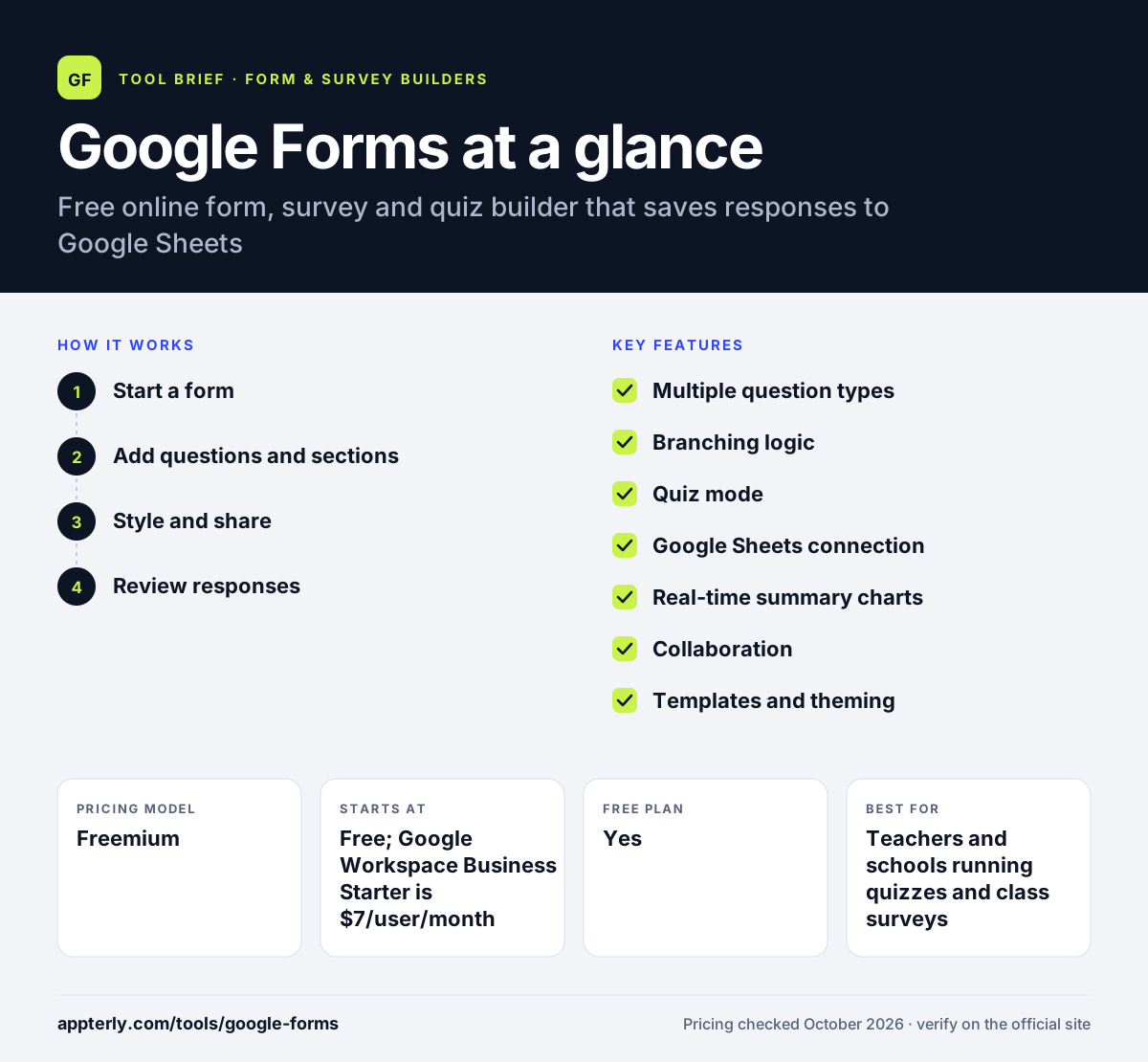
How does Google Forms work?
- Start a form
Open Google Forms and pick a blank form or one of the premade survey and questionnaire templates.
- Add questions and sections
Choose from several question types and arrange them with drag and drop. Add sections and logic so people only see questions that apply to them.
- Style and share
Set colors, fonts and a header image, then share the form by link, email or social media, or embed it on a website. You can also require sign-in or limit each person to one response.
- Review responses
Watch summary charts update as answers arrive, or link the form to Google Sheets to filter, analyze and share the raw data.
Google Forms key features
Multiple question types
Several question formats for choices, ratings and written answers, arranged with a drag-and-drop editor.
Branching logic
Send respondents to different sections based on their earlier answers, which keeps long surveys shorter and more relevant.
Quiz mode
Turn any form into a graded quiz with answer keys, point values and feedback. Locked mode can limit distractions during a quiz.
Google Sheets connection
Send every response to a spreadsheet automatically so you can sort, chart or combine it with other data.
Real-time summary charts
Built-in charts summarize answers as they come in, with no export needed for a quick overview.
Collaboration
Invite editors to build and review a form together, just as you would in Google Docs.
Templates and theming
Ready-made templates for surveys and event sign-ups, plus color, font and image options to match your brand.
Add-ons and Apps Script
Extend Google Forms with Marketplace add-ons or Apps Script for tasks like custom notifications or response limits.
Why use Google Forms?
- Google Forms is free with a personal Google account, so small projects cost nothing.
- The editor is easy to learn, so most people can publish a form within minutes.
- Responses flow straight into Google Sheets, which makes analysis and sharing simple.
- Quiz grading saves teachers and trainers time on assessments.
- Security features such as encryption in transit and at rest come built in, and drafts are saved for 30 days for signed-in respondents.
Who is Google Forms best for?
A good fit for
- Teachers and schools running quizzes and class surveys
- Small businesses collecting feedback, RSVPs or orders on a budget
- Teams already using Google Workspace
- Anyone who needs a quick internal survey
Less suited to
- Brands that want highly designed, fully white-labeled forms or custom domains
- Businesses that need built-in payments, e-signatures or advanced workflows
- Marketers who need detailed conversion tracking or lead routing
Google Forms pricing
| Pricing model | Freemium |
|---|---|
| Free plan | Yes |
| Free trial | 14 days (Google Workspace) |
| Starting price | Free; Google Workspace Business Starter is $7/user/month |
Forms is included in every Google Workspace plan. Higher Workspace tiers such as Business Standard ($14) and Business Plus ($22) add more storage, admin and security features rather than extra form features.
Prices checked October 2026. Vendors change plans often, so confirm on the official Google Forms pricing page before you buy.
Google Forms pros and cons
Pros
- Free and very easy to use
- Tight connection with Google Sheets and Workspace
- Quizzes with automatic grading
- Real-time collaboration on forms
Cons
- Limited design and branding control
- No native payments or advanced automation
- Analytics are basic compared with dedicated survey tools
Google Forms integrations and platforms
Works with
Available on
Google Forms alternatives
See the full shortlist in Best Form Builders.
Google Forms FAQ
Is Google Forms free?
Yes. Google Forms is free to use with a personal Google account, and you can create forms, quizzes and surveys without paying. Businesses and schools often use it through a paid Google Workspace plan, which starts at $7 per user per month for Business Starter and adds admin controls, custom email and more storage.
What is Google Forms used for?
Google Forms is used to build surveys, feedback forms, event registrations, order forms and quizzes. Teachers use it for graded tests, while businesses use it for customer feedback, job applications and internal requests. Answers can be viewed as charts or sent to Google Sheets for analysis.
Is Google Forms good for beginners?
Yes. Google Forms is one of the easiest form builders to learn. You add questions with a few clicks, pick a theme and share a link. There are templates for common forms, and branching logic is simple to set up, so beginners rarely need tutorials to get started.
Google Forms vs Typeform: what's the difference?
Google Forms is free, simple and tied closely to Google Sheets, but it offers limited design control. Typeform focuses on polished, conversational forms with stronger branding, logic and marketing integrations, and its paid plans start at a monthly fee. Choose Google Forms for quick, low-cost data collection and Typeform for customer-facing forms.
Does Google Forms integrate with Google Sheets?
Yes. Google Forms can send every response to a linked Google Sheets spreadsheet, where you can filter, chart and share the raw data with your team. Summary charts inside Google Forms also update in real time, so you can choose a quick overview in the form or deeper analysis in Sheets.
Sources
This overview is based on Google Forms's official website and documentation, checked October 2026.