What is Formstack?
Formstack is a no-code platform for building online forms, generating documents and collecting eSignatures, so organizations can turn paper and email processes into digital workflows. Its form builder handles everything from lead capture to applications and patient intake, with routing, conditional logic and payment fields. The company was founded in 2006, is based in Denver and says more than 32,000 organizations use its products. Teams use it to replace PDFs and email back-and-forth.
In June 2025 the company rebranded as Intellistack and launched Streamline, an AI-driven process automation product, but Formstack products remain on sale under their own name. The Formstack Suite bundles Forms, Documents and Sign, and Salesforce-native versions are available for teams that work inside Salesforce. Formstack is popular in healthcare, higher education and financial services, where HIPAA options and security controls matter.
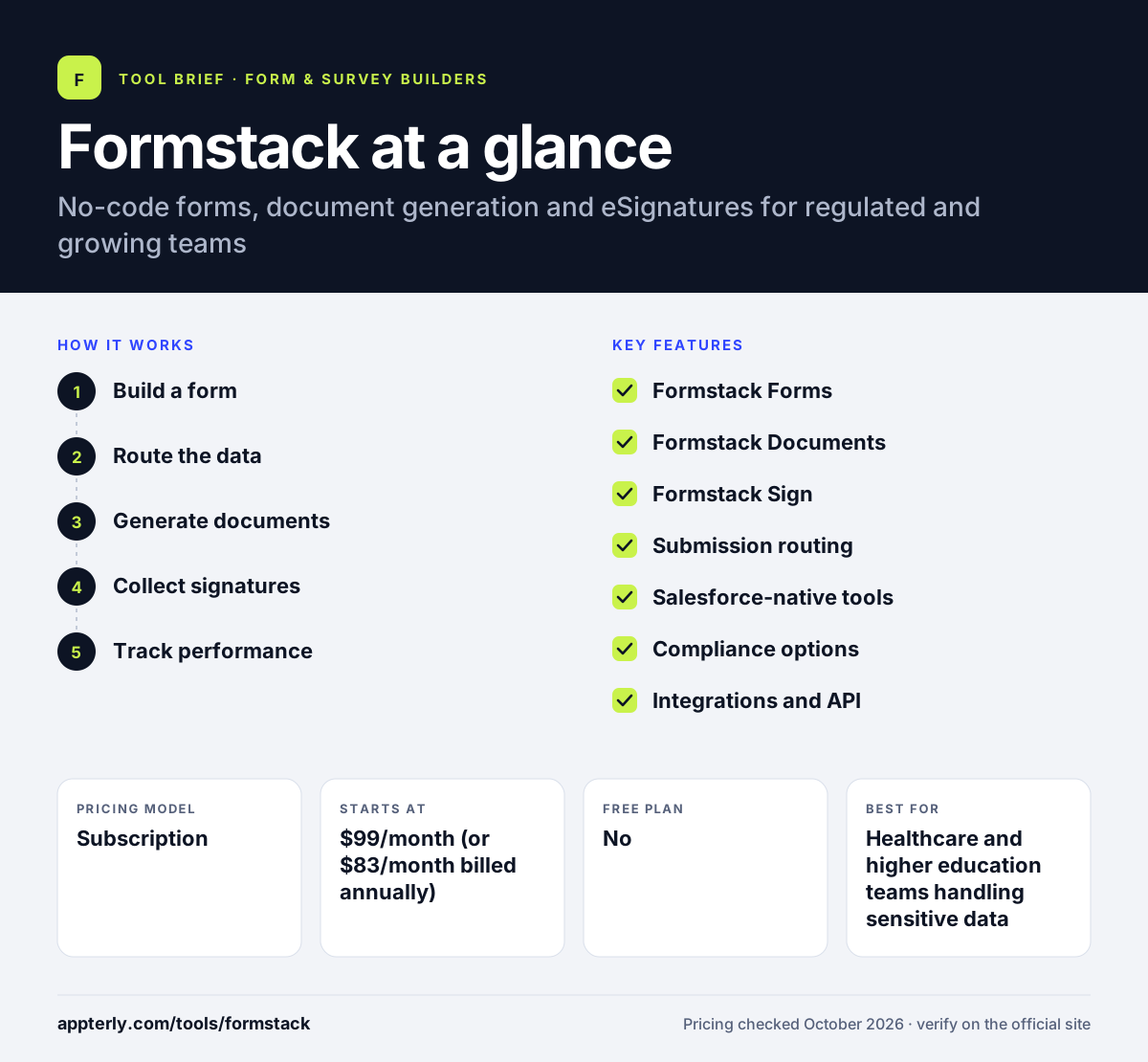
Formstack at a glance
How does Formstack work?
- Build a form
Use the drag-and-drop or AI-assisted builder and a template to create a branded form with logic and payments. Payment fields can connect to Stripe or PayPal.
- Route the data
Send submissions to a CRM, spreadsheet or storage tool through 100+ integrations, or route them to the right reviewer. Integrations include Salesforce, HubSpot, Google Sheets and Dropbox.
- Generate documents
On the Suite plan, merge form data into contracts, letters or PDFs automatically. Suite includes 250 document deliveries per month.
- Collect signatures
Send documents for eSignature without per-envelope fees on the Suite plan. Signed copies are stored with the submission.
- Track performance
Monitor form views, conversions and submissions to improve completion rates. Support includes an AI assistant and live agents on weekdays.
Formstack key features
Formstack Forms
No-code and AI-assisted form builder with templates, conditional logic, payment fields and branding.
Formstack Documents
Automated document generation that fills templates with form or CRM data.
Formstack Sign
Built-in eSignatures marketed without per-envelope fees.
Submission routing
Sends each submission to the right person or system, included on the Suite plan.
Salesforce-native tools
Forms and documents that run inside Salesforce, with Experience Cloud and Shield support.
Compliance options
HIPAA compliance as an add-on or on Enterprise, plus SSO and advanced security controls.
Integrations and API
Connections to Salesforce, HubSpot, Stripe, PayPal, Google Sheets, Dropbox and more, plus a developer API.
Templates and tracking
Pre-built templates for common use cases plus form performance tracking to spot drop-offs.
Why use Formstack?
- Forms, documents and signatures can run in one connected workflow. Data flows from intake to signed document without retyping.
- HIPAA and security options suit healthcare, education and finance teams.
- Salesforce-native versions keep data inside Salesforce.
- A 14-day free trial needs no credit card.
- A wide integration library reduces manual data entry.
Who is Formstack best for?
A good fit for
- Healthcare and higher education teams handling sensitive data
- Salesforce admins who need native forms and documents
- Operations and HR teams digitizing paper processes
- Mid-sized organizations needing forms plus eSignatures
Less suited to
- Freelancers and small teams that need a free plan
- Simple surveys or contact forms, where cheaper tools are enough
- Teams wanting many builders on the entry plan, which includes one
Formstack pricing
| Pricing model | Subscription |
|---|---|
| Free plan | No |
| Free trial | 14 days |
| Starting price | $99/month (or $83/month billed annually) |
The Forms plan covers one builder, 25 forms and 1,000 submissions per form; Suite ($299, or $250 annually) adds three builders, documents, signatures and routing. Salesforce and Enterprise plans are quoted, and HIPAA is an add-on below Enterprise.
Prices checked October 2026. Vendors change plans often, so confirm on the official Formstack pricing page before you buy.
Formstack pros and cons
Pros
- Combines forms, document generation and eSignatures
- Strong security and HIPAA options
- Salesforce-native products
- Large integration library
Cons
- No free plan and a high entry price
- Entry plan is limited to one builder and 25 forms
- HIPAA costs extra below Enterprise
Formstack integrations and platforms
Works with
Available on
Formstack alternatives
See the full shortlist in Best Form Builders.
Formstack FAQ
Is Formstack free?
No. Formstack does not offer a free plan. It provides a 14-day free trial of its Forms product with no credit card required. After the trial, the Forms plan costs $99 per month, or $83 per month on annual billing, for one builder, 25 forms and 1,000 submissions per form. The Suite plan, which adds documents and signatures, costs $299 per month or $250 per month annually.
What is Formstack used for?
Formstack is used to digitize paperwork and data collection. Organizations build online forms for applications, registrations, patient intake, payments and lead capture, then generate documents such as contracts from that data and collect eSignatures. It is common in healthcare, education and financial services. The Suite plan adds documents, signatures and routing in one workflow.
Is Formstack now Intellistack?
The company behind Formstack rebranded as Intellistack in June 2025 and launched a process automation product called Streamline. Formstack products such as Forms, Documents and Sign continue to be sold and supported under the Formstack name, with the website labeling them Formstack by Intellistack. Formsite is also part of the same company.
Formstack vs Jotform: what's the difference?
Jotform has a free plan and lower entry prices, making it popular with small businesses and individuals. Formstack has no free plan and costs more, but it bundles document generation, eSignatures, Salesforce-native tools and stronger compliance options aimed at regulated and larger organizations. Both offer templates, logic and many integrations.
Does Formstack integrate with Salesforce?
Yes. Formstack offers standard Salesforce integration on its regular plans and a dedicated Salesforce Solutions plan with Salesforce-native forms and document generation, one-click documents, Experience Cloud support and Shield compatibility. That plan is priced by quote and includes a customer success manager. Regular plans also connect to HubSpot, Stripe and Google Sheets.
Sources
This overview is based on Formstack's official website and documentation, checked October 2026.