What is Jotform?
Jotform is an online form builder that lets you create forms, surveys, quizzes and payment pages without coding. You build forms with a drag-and-drop editor or start from a library of more than 20,000 templates, then share them by link, embed them on a site or collect submissions on a phone. Conditional logic, payment fields and file uploads are available even on the free plan.
Over the years Jotform has grown into a wider data collection suite. Jotform Tables stores submissions like a spreadsheet, Jotform Sign handles e-signatures, Jotform Apps turns forms into simple mobile apps, and the Report Builder and PDF Editor turn responses into charts and documents. Newer additions include Workflows for approvals and AI Agents that can answer customer questions. Plans are tiered by limits on forms, submissions and storage.
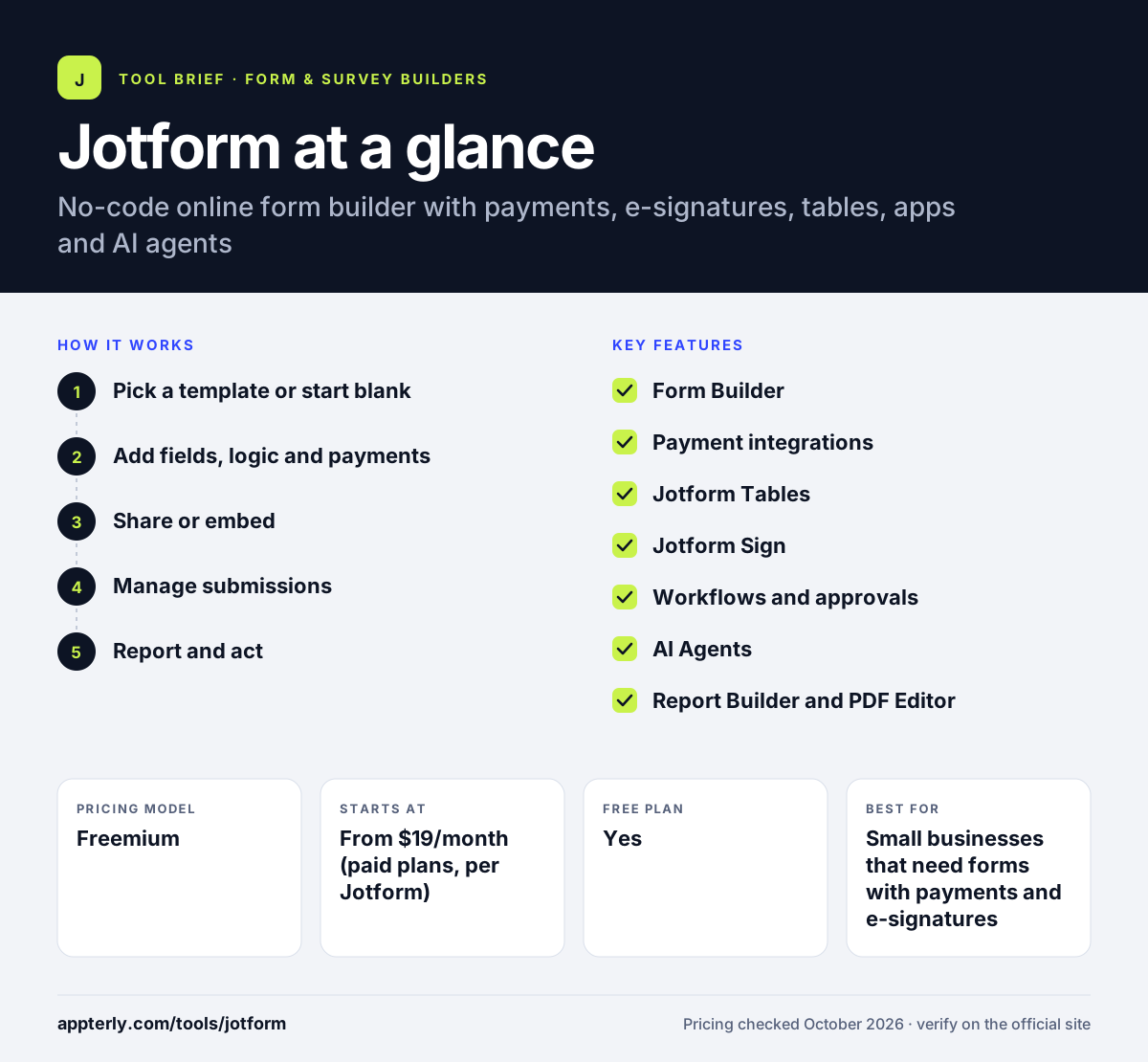
Jotform at a glance
How does Jotform work?
- Pick a template or start blank
Choose from thousands of templates, build from scratch with drag and drop, or ask the AI tools to generate a form. Templates cover common needs such as registrations, applications and order forms.
- Add fields, logic and payments
Insert question fields, widgets and payment integrations, then set conditional logic to show or skip questions.
- Share or embed
Publish with a link, embed the form on your website or WordPress, or use the mobile app to collect data in the field.
- Manage submissions
Review entries in Jotform Tables or Inbox, trigger approval workflows and send data to connected apps.
- Report and act
Build charts with the Report Builder, generate PDFs from submissions and route documents for e-signature.
Jotform key features
Form Builder
Drag-and-drop editor with conditional logic, widgets and over 20,000 templates.
Payment integrations
Accept payments, donations and orders through supported gateways, plus a Store Builder for simple online shops.
Jotform Tables
A spreadsheet-style workspace to organize, filter and share submission data.
Jotform Sign
Create and share documents, collect e-signatures and track signing status.
Workflows and approvals
Automate multi-step approvals and task routing triggered by form submissions.
AI Agents
Build AI agents that use your content to answer customer support questions on forms or sites.
Report Builder and PDF Editor
Turn responses into visual reports and branded PDF documents automatically.
Mobile app and Jotform Apps
Create forms and collect submissions on the go with the mobile app, and package forms into no-code apps.
Why use Jotform?
- Jotform offers a free Starter plan with logic, payments and widgets included.
- A very large template library speeds up almost any form project.
- Forms, data tables, e-signatures and approvals live in one platform.
- Its 150+ integrations connect forms with CRMs, storage and payment tools.
- The Gold plan offers optional HIPAA compliance features for regulated work, and Enterprise adds SSO and custom domains.
Who is Jotform best for?
A good fit for
- Small businesses that need forms with payments and e-signatures
- Healthcare and education teams needing compliant data collection
- Nonprofits collecting donations and registrations
- Freelancers and agencies building forms for clients
Less suited to
- Teams that want a minimal, distraction-free editor
- High-volume users on a tight budget, since submission limits rise with plan cost
- Brands that need forms with no third-party branding on a free plan
Jotform pricing
| Pricing model | Freemium |
|---|---|
| Free plan | Yes |
| Free trial | Not confirmed |
| Starting price | From $19/month (paid plans, per Jotform) |
Paid tiers are Bronze, Silver and Gold, each raising form, submission and storage limits, with Enterprise on a custom quote. Nonprofits and schools can get 50% off Bronze, Silver and Gold.
Prices checked October 2026. Vendors change plans often, so confirm on the official Jotform pricing page before you buy.
Jotform pros and cons
Pros
- Generous free plan with core features
- Huge template library
- Wide suite including Tables, Sign and Workflows
- Strong payment and compliance options
Cons
- Free forms carry Jotform branding
- No free trial of paid plans
- The number of products and settings can feel crowded
Jotform integrations and platforms
Works with
Available on
Jotform alternatives
See the full shortlist in Best Form Builders.
Jotform FAQ
Is Jotform free?
Yes. Jotform has a free Starter plan that includes form templates, payment integrations, conditional logic and widgets, with lower limits on forms and submissions. Forms on the free plan show Jotform branding and exclude HIPAA features. Jotform does not offer free trials of paid plans, but the free plan lets you test the core tools.
What is Jotform used for?
Jotform is used to build online forms, surveys, registrations, applications, order forms and payment pages. Teams also use it to store data in Jotform Tables, collect e-signatures with Jotform Sign, run approval workflows and generate PDF reports from submissions. Healthcare, education and nonprofit groups are common users. Field teams also use the mobile app to gather submissions on the go.
Is Jotform good for beginners?
Yes. Jotform is beginner friendly because of its drag-and-drop editor and very large template library. Most people can publish a working form in minutes. The wider suite has many products and settings, so learning workflows, tables and apps takes more time than basic forms.
Jotform vs Typeform: what's the difference?
Jotform focuses on breadth, with payments, e-signatures, tables, approvals and thousands of templates. Typeform focuses on conversational, one-question-at-a-time forms with a polished look and strong marketing integrations. Jotform suits operational data collection, while Typeform suits customer-facing surveys and lead capture where design matters most.
Does Jotform integrate with WordPress?
Yes. Jotform lists WordPress among its supported platforms, so you can place Jotform forms on a WordPress site. It also lists connections with ChatGPT, Claude and Canva, plus more than 150 other integrations, so submissions can flow into the CRMs, storage and payment tools you already use.
Sources
This overview is based on Jotform's official website and documentation, checked October 2026.