What is Fillout?
Fillout is an online form builder for creating forms, surveys and quizzes that send responses straight into the tools a team already uses. It offers a drag-and-drop editor with more than 50 field types, conditional logic, calculations, payments, scheduling and PDF generation. It is known for strong two-way connections with databases such as Airtable, Notion, Google Sheets and Salesforce, which let forms create and update records.
Fillout is made by Restly, Inc. and includes a broad free plan with unlimited forms, seats and questions plus 1,000 responses per month. Paid plans add branding removal, custom domains, analytics and higher response limits. Beyond forms, Fillout offers workflows, e-signatures, login-protected forms that let people edit past submissions, and AI tools that draft forms or convert a PDF into a form. It holds SOC 2 Type 2 compliance.
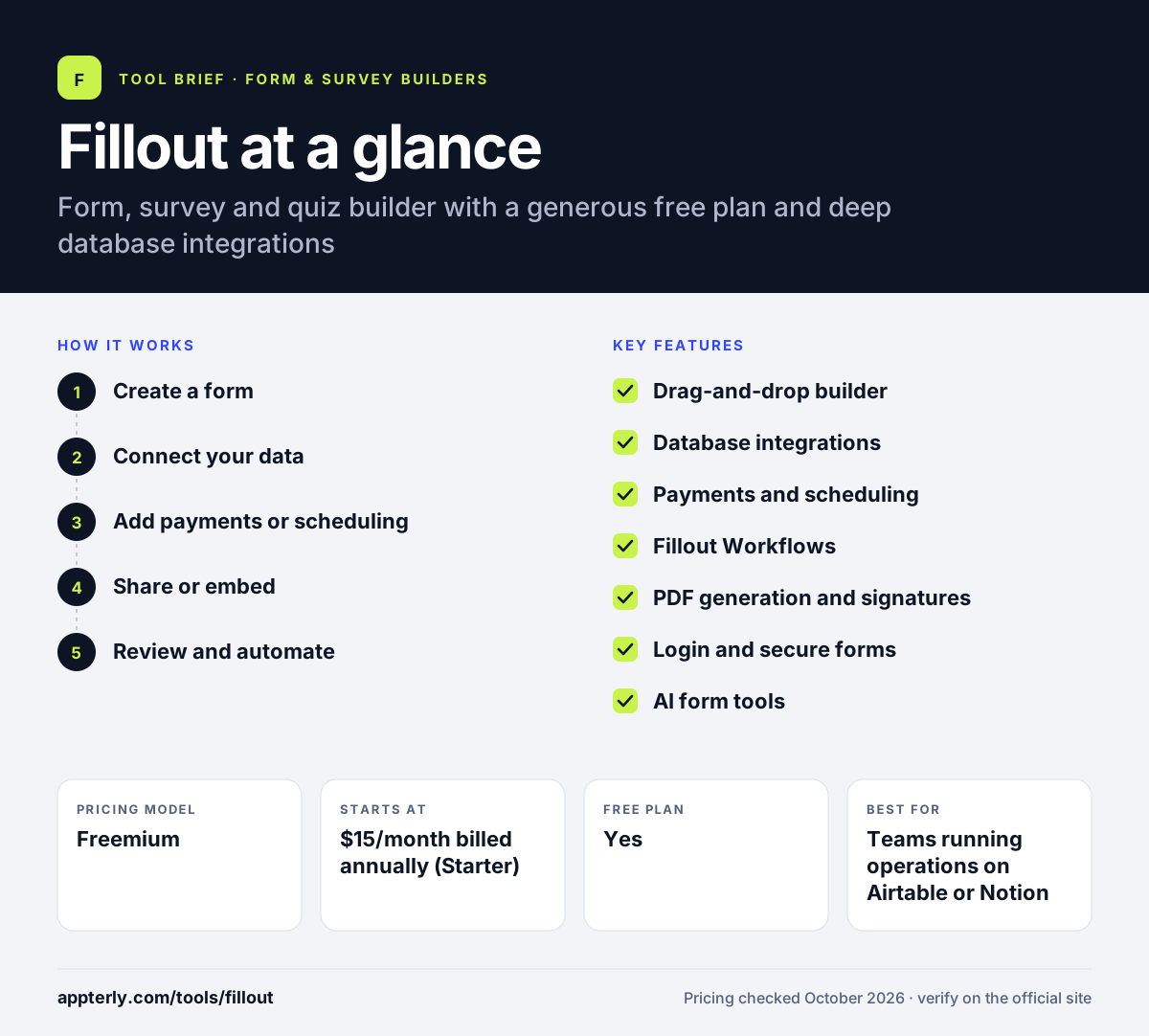
Fillout at a glance
How does Fillout work?
- Create a form
Start from scratch, a template or an AI prompt, and add fields, pages, logic and calculations. Multi-page forms, hidden fields and pre-fill options are all available.
- Connect your data
Link Airtable, Notion, Google Sheets, HubSpot or Salesforce so answers create or update records.
- Add payments or scheduling
Collect Stripe payments or book meetings inside the form when needed.
- Share or embed
Publish by link, QR code or embed as an inline form, popup, slider or side tab. Custom domains are available on Business.
- Review and automate
View responses and analytics, and trigger workflows, emails or PDFs after each submission. Partial submissions and drop-off rates are on Business.
Fillout key features
Drag-and-drop builder
More than 50 field types, multi-page forms, conditional logic, answer piping, calculations and scoring.
Database integrations
Native two-way connections to Airtable, Notion, Google Sheets, HubSpot and Salesforce that create and update records.
Payments and scheduling
Stripe payments and meeting booking, including Calendly, built into forms.
Fillout Workflows
Automations that run after submissions, available even on the free plan.
PDF generation and signatures
Turns responses into PDFs and collects e-signatures.
Login and secure forms
Login-protected forms that let respondents edit earlier submissions or restrict access to internal users.
AI form tools
AI helpers that create forms, quizzes and surveys and convert PDFs into online forms.
Analytics and partial submissions
Drop-off rates, partial submissions and Meta Pixel tracking on the Business plan.
Why use Fillout?
- The free plan is unusually generous, with unlimited forms and seats. Most integrations and the API are also free.
- Two-way database connections remove manual copying between tools.
- Payments, scheduling and PDFs are built in rather than added separately.
- Paid plans include unlimited seats, which keeps team costs down.
- Forms keep collecting responses even after you pass your monthly limit.
Who is Fillout best for?
A good fit for
- Teams running operations on Airtable or Notion
- Startups and small businesses that need many forms on a budget
- Marketers building lead forms, quizzes and surveys
- Agencies building client intake and application forms
Less suited to
- Teams that want a free plan with no branding
- Enterprises needing SSO without a custom contract
Fillout pricing
| Pricing model | Freemium |
|---|---|
| Free plan | Yes |
| Free trial | Not confirmed |
| Starting price | $15/month billed annually (Starter) |
Starter, Pro ($40) and Business ($75), at annual-billing rates, raise monthly responses from 2,000 to unlimited and add branding removal, custom domains and analytics. All plans include unlimited seats, and Enterprise is quoted. Discounts are available for nonprofits, students and startups.
Prices checked October 2026. Vendors change plans often, so confirm on the official Fillout pricing page before you buy.
Fillout pros and cons
Pros
- Generous free plan with most features
- Strong Airtable and Notion integrations
- Unlimited seats on every plan
- Payments, scheduling and PDFs built in
Cons
- Free plan shows Fillout branding
- Custom domains and form analytics require the Business plan
- The breadth of options takes time to learn
Fillout integrations and platforms
Works with
Available on
Fillout alternatives
See the full shortlist in Best Form Builders.
Fillout FAQ
Is Fillout free?
Yes. Fillout has a free forever plan with unlimited forms, questions and seats and 1,000 responses per month. It includes logic, payments, scheduling, PDF generation, workflows and most integrations, but shows Fillout branding. Paid plans start at $15 per month for Starter on annual billing. Discounts are available for nonprofits, students and startups.
What is Fillout used for?
Fillout is used to build online forms, surveys and quizzes such as lead forms, applications, order forms, intake forms and feedback surveys. Responses can go straight into Airtable, Notion, Google Sheets or a CRM, and forms can take payments, book meetings or generate PDFs. Its free plan makes it popular with startups and small teams. Login forms let people return and edit answers.
Fillout vs Typeform: what's the difference?
Both build conversational, good-looking forms. Fillout's free plan is much more generous, with 1,000 responses a month and unlimited seats, and it has deeper two-way connections with Airtable, Notion and Salesforce. Typeform is known for its one-question-at-a-time style and longer brand history. Teams that store data in Airtable or Notion often prefer Fillout.
Does Fillout integrate with Airtable and Notion?
Yes. Fillout has native integrations with Airtable and Notion that create and update records or database entries, and it can pre-fill forms with existing data. It also connects to Google Sheets, HubSpot, Salesforce, Stripe, Slack, Mailchimp, Zapier and Make. These connections can also pre-fill forms with existing record data.
How much does Fillout cost?
Fillout has a free plan and three paid tiers. On annual billing, Starter costs $15 per month for 2,000 responses, Pro costs $40 per month for 5,000 responses with no branding, and Business costs $75 per month for unlimited responses, custom domains and analytics. Monthly billing costs more, and Enterprise pricing is quoted.
Sources
This overview is based on Fillout's official website and documentation, checked October 2026.