What is Wrike?
Wrike is a work management platform that helps teams plan, run and report on projects in one place. It supports tasks, Gantt charts, boards, tables and dashboards, along with request forms, online proofing and workflow automation. Wrike AI adds AI agents, a Copilot that answers questions and summarizes work, and insights drawn from project data. An MCP server connects Wrike to outside AI assistants.
Wrike serves teams of many sizes but is especially strong for larger organizations that need control and visibility. Marketing, creative, PMO, product, operations and IT teams use templatized workspaces, custom item types and resource planning to run repeatable processes. Higher tiers add budgeting, advanced reporting, whiteboards, Wrike Integrate for connecting business apps and Wrike Sync. A free plan and a 14-day trial are available. Prices on the Team and Business plans are per user and billed annually.
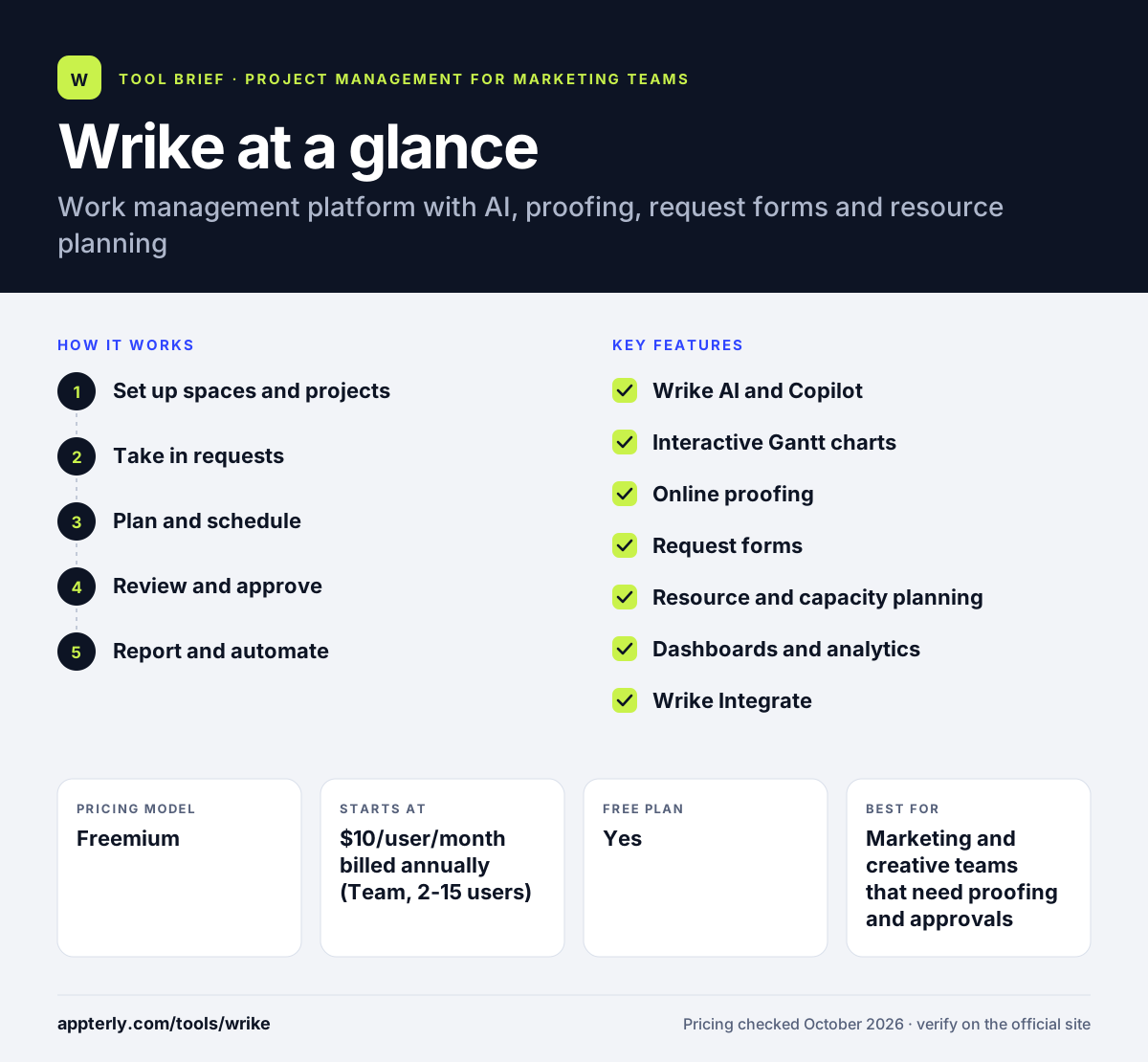
Wrike at a glance
How does Wrike work?
- Set up spaces and projects
Create spaces for each team, then build projects from templates with tasks, owners, dates and dependencies.
- Take in requests
Use request forms with conditional logic so incoming work arrives with the details your team needs.
- Plan and schedule
Map timelines on interactive Gantt charts and balance workloads with resource management tools. Dependencies update automatically when dates shift.
- Review and approve
Share files for online proofing so reviewers comment directly on designs and sign off in Wrike.
- Report and automate
Track progress on dashboards and let automations and AI agents handle routine updates.
Wrike key features
Wrike AI and Copilot
AI agents automate workflow steps, and Copilot answers questions and summarizes project status. AI action allowances grow on higher plans.
Interactive Gantt charts
Plan timelines with dependencies and milestones, available from the Team plan.
Online proofing
Reviewers mark up images, videos and documents and approve work without leaving Wrike. Version history keeps track of each round of feedback.
Request forms
Customizable forms with conditional logic turn requests into structured tasks.
Resource and capacity planning
Workload tools help managers balance assignments, with advanced capacity planning on Pinnacle.
Dashboards and analytics
Shareable dashboards show progress, and higher tiers add advanced reporting, BI and budgeting.
Wrike Integrate
Connects Wrike with other business apps and automates processes across them on the Apex plan.
Why use Wrike?
- Proofing, request forms and project tracking live in one tool, which suits marketing and creative teams. Fewer handoffs between apps also means fewer missed comments.
- Strong governance and permissions support enterprise use.
- More than 400 integrations cover common sales, file and communication tools.
- AI agents and Copilot reduce manual status work.
- A free plan and a 14-day trial lower the cost of evaluation.
Who is Wrike best for?
A good fit for
- Marketing and creative teams that need proofing and approvals
- PMOs and operations teams running many projects
- Mid-size and enterprise organizations
- Agencies and professional services firms
Less suited to
- Individuals who want a lightweight to-do app or a simple personal planner
- Teams over 15 people on a tight budget, since Business costs $25 per user
- Buyers wanting month-to-month billing on higher tiers
Wrike pricing
| Pricing model | Freemium |
|---|---|
| Free plan | Yes |
| Free trial | 14 days |
| Starting price | $10/user/month billed annually (Team, 2-15 users) |
Business costs $25 per user per month for 5 to 200 users and is sold only on annual terms. Pinnacle and Apex are quoted by sales and add advanced resourcing, budgeting, BI and more AI actions.
Prices checked October 2026. Vendors change plans often, so confirm on the official Wrike pricing page before you buy.
Wrike pros and cons
Pros
- Built-in proofing and request forms
- Strong enterprise controls and reporting
- Large integration library
- Free plan available
Cons
- Business and higher plans require annual billing
- Feature depth means a steeper learning curve
- Advanced resourcing and budgeting need custom-priced tiers
Wrike integrations and platforms
Works with
Available on
Wrike alternatives
See the full shortlist in Best Project Management Tools for Marketing Teams.
Wrike FAQ
Is Wrike free?
Yes. Wrike has a free plan with web, desktop and mobile apps, task and project management, and board and table views. It does not include AI Elite actions. Paid plans start at $10 per user per month on Team, and Wrike offers a 14-day free trial with no credit card required. The free plan works well for trying basic task tracking before committing a whole team.
What is Wrike used for?
Wrike is used to plan and manage projects, handle incoming requests, review creative work and report on progress. Marketing, creative, PMO, product, operations and IT teams use it to run repeatable workflows with templates, Gantt charts, proofing, dashboards and AI agents.
Wrike vs Asana: what's the difference?
Both are work management platforms. Wrike puts more weight on enterprise control, with built-in proofing, request forms, custom item types and advanced resource and budget planning on higher tiers. Asana is often seen as simpler to adopt. Teams that need approvals and governance often lean toward Wrike. Both offer free plans, so running a short pilot in each is a practical way to compare them.
Is Wrike good for marketing teams?
Yes. Wrike suits marketing teams because it combines campaign planning with request forms, online proofing for creative assets, and dashboards for reporting. It also integrates with Adobe, HubSpot and Salesforce. Smaller teams can start on the Team plan, which supports up to 15 users. Custom item types also let teams track campaigns, assets and requests as distinct objects.
Does Wrike integrate with Slack and Microsoft Teams?
Yes. Wrike lists integrations with Slack and Microsoft Teams, plus Outlook, Gmail, Google Calendar, Salesforce, HubSpot, Jira and GitHub, among more than 400 options. The Apex plan adds Wrike Integrate for building automated workflows across many business apps.
Sources
This overview is based on Wrike's official website and documentation, checked October 2026.