What is Airtable?
Airtable is a no-code platform that lets teams build databases, apps and automated workflows on top of their own structured data. It looks like a spreadsheet at first, but each table can link to others, hold attachments and feed custom views and interfaces. Teams use Airtable to run content calendars, campaign trackers, product roadmaps, inventories and many other processes without writing code.
Airtable has moved firmly into AI. Its Omni AI and app-building tools let you describe an app in plain language and assemble it from no-code components, while AI agents can work across large numbers of records. Automations mix fixed rules with generative steps, and interfaces give each team a focused screen. For marketers, ready-made content calendar and social media calendar templates are a common starting point.
Airtable at a glance
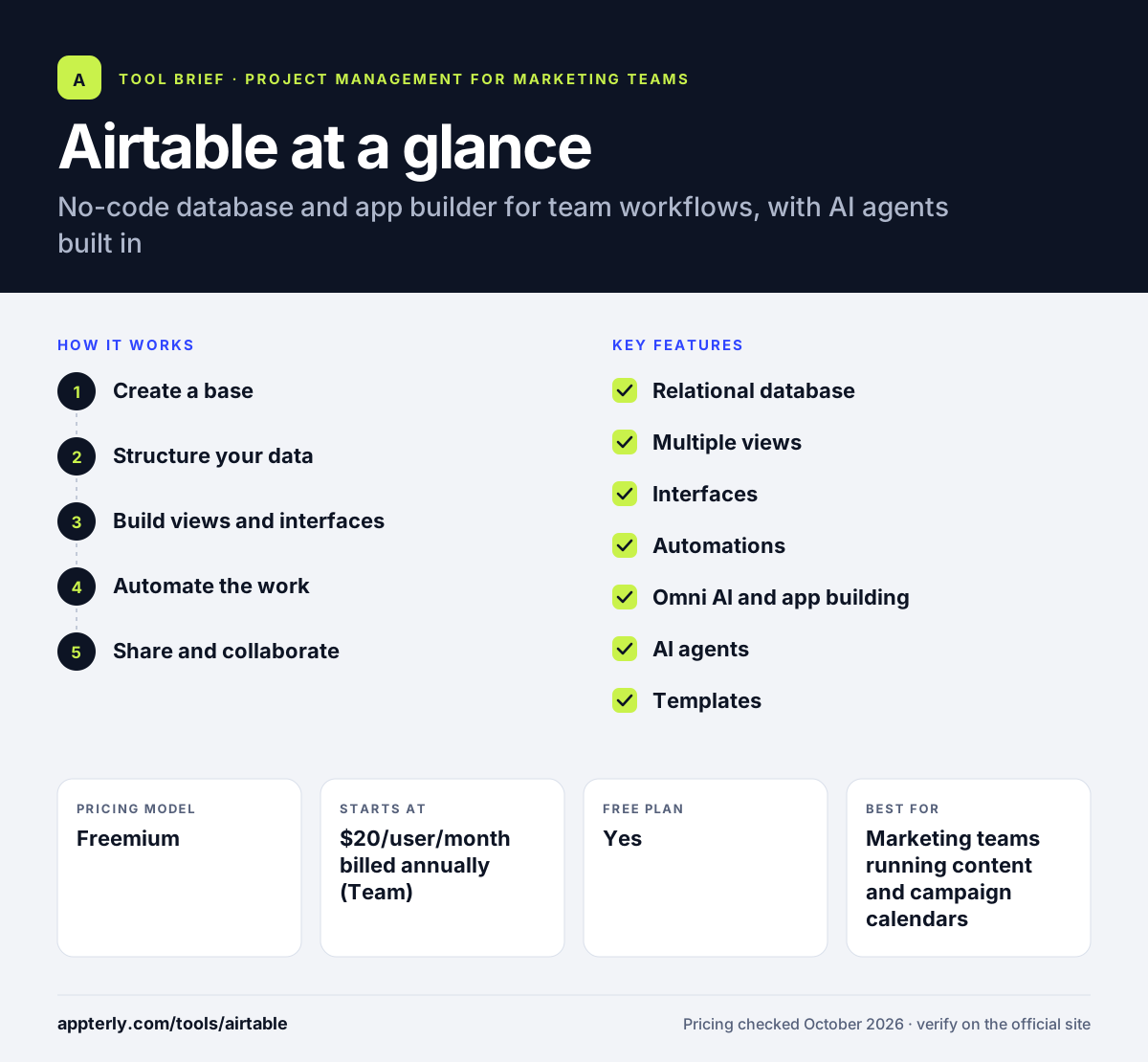
How does Airtable work?
- Create a base
Start from a template such as a content calendar, import a spreadsheet, or build tables from scratch.
- Structure your data
Add fields for dates, owners, status and attachments, and link related records across tables.
- Build views and interfaces
Show the same data as a grid, calendar or timeline, and design interfaces for each team. Interfaces hide complexity from people who only need to review or approve.
- Automate the work
Set up automations and AI steps that run when records change, such as notifying owners or drafting copy.
- Share and collaborate
Invite editors, commenters or read-only viewers, and connect tools like Slack or Google Drive.
Airtable key features
Relational database
Tables can link to each other, so campaigns, assets and channels stay connected instead of scattered across sheets.
Multiple views
Grid, calendar, timeline and Gantt views let teams see the same records in the format that fits their work.
Interfaces
Custom dashboards and screens give each group a simple surface without exposing the whole base.
Automations
Trigger actions when records change, combining fixed logic with generative AI steps.
Omni AI and app building
Describe what you need and Airtable assembles an app from no-code components.
AI agents
Agents can process many records at once and take actions inside your workflows.
Templates
Ready-made bases, including content calendar and social media calendar templates, speed up setup.
Governance and security
Admin controls for people and agents, with ISO, HIPAA and SOC 2 compliance on the platform.
Why use Airtable?
- It is far more flexible than a spreadsheet while staying easy for non-technical users.
- One base can power a content calendar, asset library and approval process together.
- Read-only collaborators are free on paid plans, which keeps costs down for stakeholders.
- AI and automations remove repetitive updates and handoffs.
- A generous free tier lets small teams try real workflows before paying.
Who is Airtable best for?
A good fit for
- Marketing teams running content and campaign calendars
- Operations teams building custom internal tools
- Agencies tracking clients, assets and deliverables
- Startups that want a flexible database without developers
Less suited to
- Teams wanting a ready-made project management tool with no setup
- Very large datasets that exceed per-base record limits
- Budget-sensitive teams with many editors on higher tiers
Airtable pricing
| Pricing model | Freemium |
|---|---|
| Free plan | Yes |
| Free trial | 14 days (Team plan, first workspace) |
| Starting price | $20/user/month billed annually (Team) |
Team is $24/user/month billed monthly; Business is $45 annually or $54 monthly. Only editors and commenters are billed, and higher tiers raise record, automation and AI credit limits.
Prices checked October 2026. Vendors change plans often, so confirm on the official Airtable pricing page before you buy.
Airtable pros and cons
Pros
- Very flexible data model with linked records
- Strong templates for marketing calendars
- Free read-only collaborators on paid plans
- Built-in AI, automations and interfaces
Cons
- Free plan caps records at 1,000 per base and limits automation runs
- Costs rise quickly as editor seats grow
- Takes some setup and planning to design a good base
Airtable integrations and platforms
Works with
Available on
Airtable alternatives
See the full shortlist in Best Project Management Tools for Marketing Teams.
Airtable FAQ
Is Airtable free?
Yes, Airtable has a Free plan for individuals and very small teams. It allows up to 1,000 records per base, 1 GB of attachments per base, 100 automation runs per month, 500 AI credits per editor each month, and up to five editors. Read-only viewers are unlimited. Paid plans raise these limits and add advanced features.
How much does Airtable cost?
Airtable's Team plan costs $20 per user per month billed annually or $24 billed monthly. Business costs $45 per user per month billed annually or $54 billed monthly. Enterprise Scale is custom priced. Airtable bills only for users with edit or comment permissions, so read-only collaborators do not add to the cost.
Can I use Airtable as a content calendar?
Yes. Airtable offers content calendar and social media calendar templates that set up fields for publish dates, channels, owners and status. You can view posts on a calendar, link them to campaigns and assets, and use automations to notify writers or reviewers when a record changes. Many marketing teams use it this way.
Airtable vs Google Sheets: what's the difference?
Google Sheets is a spreadsheet built for calculations and quick lists. Airtable is a relational database with linked tables, typed fields, attachments, calendar and timeline views, interfaces, automations and AI agents. Use Sheets for number crunching and simple lists, and Airtable when you need a structured workflow or an internal app built on your data.
Is Airtable good for beginners?
Airtable is approachable for beginners because it starts with a familiar grid and offers many templates. Building a well-structured base with linked tables and automations takes more planning, though. Beginners usually do best by starting from a template, such as a content calendar, and adjusting fields as their process becomes clearer.
Sources
This overview is based on Airtable's official website and documentation, checked October 2026.