What is Basecamp?
Basecamp is a project management and team communication tool made by 37signals that keeps each project's discussions, tasks, schedule and files in one place. Every project gets a set of tools, such as a message board, to-do lists, a schedule, docs and files, a card table and a Campfire group chat. It is designed to replace scattered email threads and chat channels with one organized home per project.
Basecamp is known for simplicity and flat pricing rather than per-user fees on most plans. Features like Hill Charts, automatic check-ins and the Lineup timeline help teams see progress without heavy reporting. Client access lets agencies decide what clients can see project by project, and the newest version supports inviting AI agents into projects and connecting tools like ChatGPT and Claude. Nonprofits get a discount, and schools and universities can use it free for classwork.
Basecamp at a glance
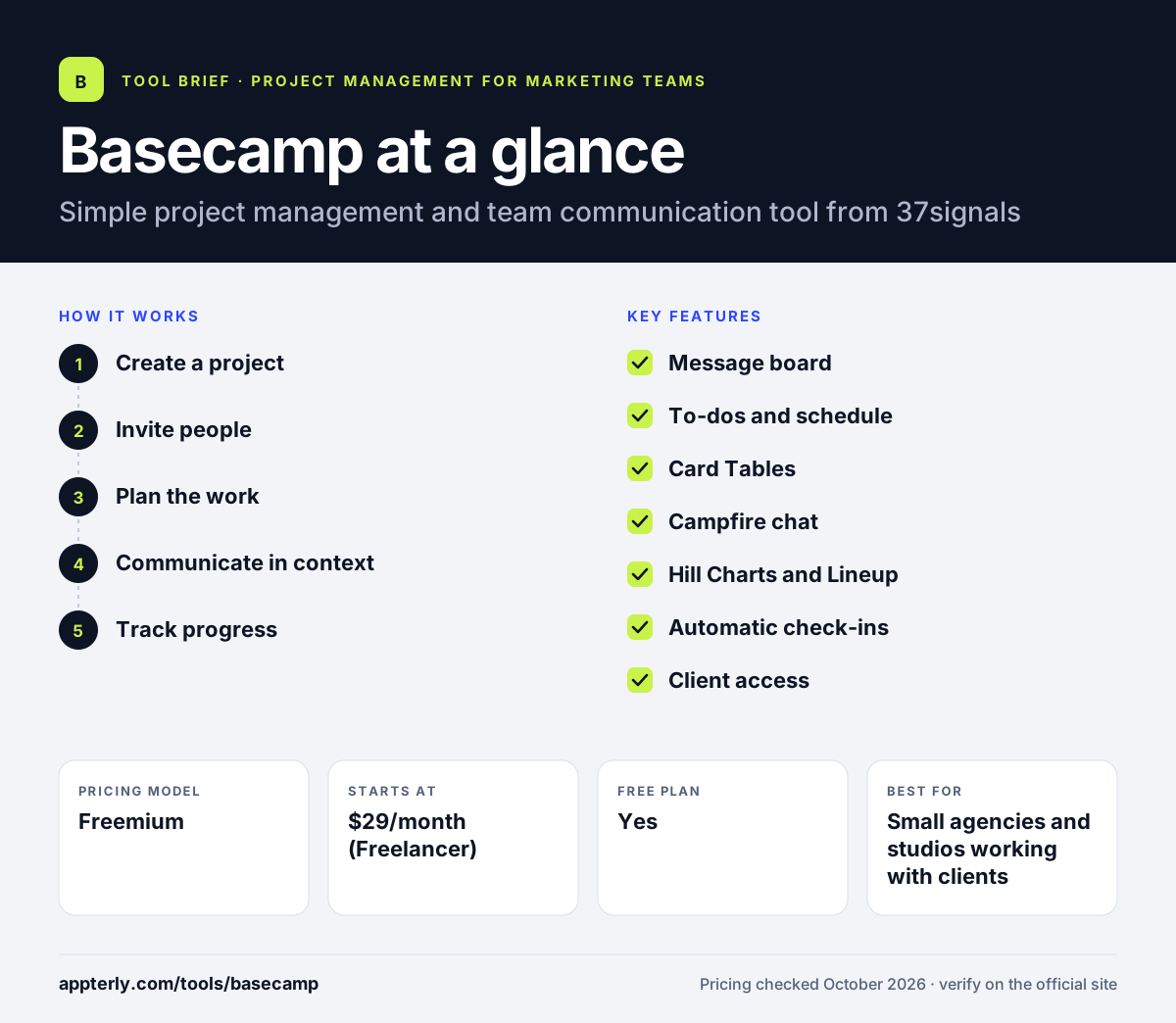
How does Basecamp work?
- Create a project
Start a project from scratch or a template and choose which tools it needs.
- Invite people
Add teammates and, if needed, clients, controlling what clients can see in each project.
- Plan the work
Add to-dos with owners and due dates, set milestones on the schedule, and move work across a card table.
- Communicate in context
Post updates on the message board, chat in Campfire, and use automatic check-ins for recurring questions.
- Track progress
Use Hill Charts and the Lineup to see where each project stands and spot overlaps.
Basecamp key features
Message board
A place for announcements and threaded discussions, organized by category to reduce email.
To-dos and schedule
Task lists with assignees and due dates, plus a calendar of deadlines and milestones.
Card Tables
Kanban-style boards for moving work through stages such as design, review and launch.
Campfire chat
Built-in group chat for quick conversations and file sharing inside each project.
Hill Charts and Lineup
Visual tools that show how far along work is and how projects overlap over time.
Automatic check-ins
Recurring questions sent to the team on a schedule, with answers collected in one place.
Client access
Client mode lets you share selected parts of a project with clients.
AI agent support
Invite AI agents into projects and use ChatGPT and Claude connectors on paid plans.
Why use Basecamp?
- Flat monthly pricing avoids per-user costs on most plans.
- Every project has its own chat, tasks, files and schedule, which reduces lost information.
- Client access makes it practical for agencies and freelancers to work with clients.
- Hill Charts and check-ins give status updates without long meetings.
- A 30-day trial with no automatic charge lowers the risk of trying it.
Who is Basecamp best for?
A good fit for
- Small agencies and studios working with clients
- Freelancers managing a few client projects
- Remote teams that want fewer meetings and emails
- Companies that prefer flat pricing over per-seat fees
Less suited to
- Teams needing advanced reporting, custom fields or resource planning
- Large organizations needing complex permissions on lower tiers
- Users who want deep native integrations with many apps
Basecamp pricing
| Pricing model | Freemium |
|---|---|
| Free plan | Yes |
| Free trial | 30 days |
| Starting price | $29/month (Freelancer) |
Pro is $79/month and Pro Plus $99/month with more projects, users and storage. Pro Unlimited is $199/month billed annually or $329 monthly with unlimited users and projects.
Prices checked October 2026. Vendors change plans often, so confirm on the official Basecamp pricing page before you buy.
Basecamp pros and cons
Pros
- Simple, opinionated design that is easy to adopt
- Chat, tasks, files and schedule in every project
- Flat pricing with no per-user fees on most plans
- Good client collaboration controls
Cons
- Free plan is limited to one project and three users
- Fewer custom fields and reporting options than other tools
- Lower tiers cap active projects and users
Basecamp integrations and platforms
Works with
Available on
Basecamp alternatives
See the full shortlist in Best Project Management Tools for Marketing Teams.
Basecamp FAQ
Is Basecamp free?
Yes, Basecamp has a free plan for one active project with up to three users and 1 GB of storage, and no credit card is required. Paid plans add more projects, users and storage. Note that you cannot downgrade a paid account to free, so you would need to open a new free account.
How much does Basecamp cost?
Basecamp Freelancer costs $29 per month, Pro costs $79 per month and Pro Plus costs $99 per month, each with set limits on projects, users and storage. Pro Unlimited costs $199 per month billed annually or $329 billed monthly and includes unlimited projects and users plus 1 TB of storage. Every paid plan has a 30-day free trial.
What is Basecamp used for?
Basecamp is used to manage projects and team communication in one place. Teams post announcements, assign to-dos, set deadlines, share files, chat in Campfire and track progress with Hill Charts. Agencies and freelancers also use client access to share selected parts of a project with clients.
Basecamp vs Asana: what's the difference?
Basecamp bundles communication and project tools into each project, with flat pricing and a deliberately simple feature set. Asana focuses on structured work management with multiple views, forms, rules, goals and portfolios, priced per user. Basecamp suits small teams and client work, while Asana suits teams needing detailed planning and reporting. Both offer free plans, so small teams can try each before paying.
Is Basecamp good for client projects?
Yes. Basecamp's client mode lets you decide, project by project, what clients can see, so they can follow updates and give feedback without seeing internal discussions. Combined with message boards, to-dos and file sharing, this makes it a common choice for agencies and freelancers who work closely with clients.
Sources
This overview is based on Basecamp's official website and documentation, checked October 2026.