What is Hive?
Hive is a project and work management platform that puts tasks, projects, chat, notes and reporting in a single workspace. Teams can view the same work as a Kanban board, Gantt chart, table, calendar, timeline or portfolio. An AI assistant called Buzz helps plan, assign and follow up on work, and Sidekick handles meeting support. Optional modules extend the platform into CRM and finance.
Hive targets teams that coordinate work across several people or departments, such as marketing, creative, agencies, operations and PMOs. Pricing is per user, with a free plan for up to 10 workspace members, low-cost Starter and Teams tiers, and an Enterprise plan with custom pricing. Extras like proofing, timesheets and resourcing are sold as add-ons, so teams pay only for the modules they use.
Hive at a glance
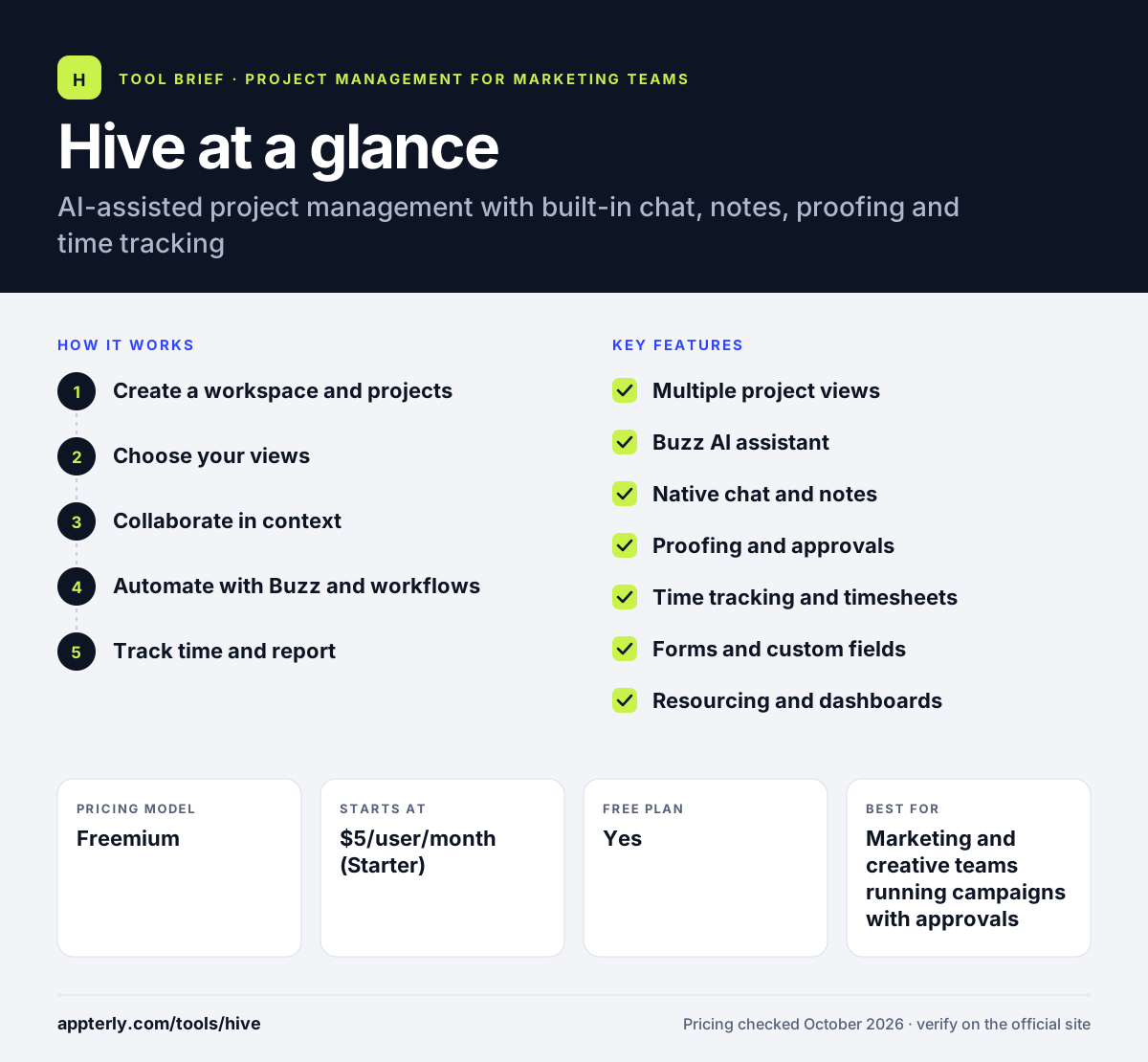
How does Hive work?
- Create a workspace and projects
Invite teammates, set up projects from templates or from scratch, and add tasks, called actions, with owners, dates and labels.
- Choose your views
Switch any project between Kanban, Gantt, table, calendar and other views so each person sees work in the format that suits them.
- Collaborate in context
Use built-in chat, collaborative notes and proofing so comments and approvals stay attached to the actual task.
- Automate with Buzz and workflows
Build trigger-based workflows and let the Buzz AI assistant route requests, assign work and send follow-ups.
- Track time and report
Log time against tasks and use dashboards and portfolios to see progress, workload and where effort is going.
Hive key features
Multiple project views
Kanban, Gantt, timeline, table, calendar, list and portfolio views all draw on the same project data.
Buzz AI assistant
Buzz can plan work, assign tasks, chase updates and summarize status. Each plan includes a monthly allowance of AI credits.
Native chat and notes
Team messaging and shared notes live inside Hive, which cuts down on switching between apps.
Proofing and approvals
A paid add-on lets reviewers mark up files and approve creative work. An AI proofing feature can check copy against claims.
Time tracking and timesheets
Time tracking is part of the Teams plan, and a timesheets add-on adds more formal logging and reporting.
Forms and custom fields
Shareable forms turn incoming requests into tasks, and custom fields, labels and statuses fit Hive to your process.
Resourcing and dashboards
Team resourcing and advanced dashboards are available as add-ons for planning capacity and reporting across projects.
Why use Hive?
- Chat, notes, tasks and approvals in one tool reduce the number of apps a team has to juggle.
- The free plan supports up to 10 members, which is enough for many small teams to start.
- Flexible views let planners, creatives and managers each work in the layout they prefer.
- Add-on pricing means you pay for proofing or resourcing only if you need them.
- Desktop apps for Mac and Windows plus mobile apps keep work accessible anywhere.
Who is Hive best for?
A good fit for
- Marketing and creative teams running campaigns with approvals
- Small agencies managing client projects
- Operations teams and PMOs coordinating cross-team work
- Teams that want chat and tasks in one place
Less suited to
- Software teams that need deep sprint and issue tracking
- Buyers who want every feature included at one flat price, since several modules are add-ons
- Large teams on Starter, which caps members and projects at 10
Hive pricing
| Pricing model | Freemium |
|---|---|
| Free plan | Yes |
| Free trial | 14 days (paid plans, no credit card) |
| Starting price | $5/user/month (Starter) |
Teams costs $12 per user per month and removes member limits; Enterprise is quoted by sales. Yearly billing is advertised as saving 33%, and add-ons such as proofing, timesheets and resourcing cost extra per user.
Prices checked October 2026. Vendors change plans often, so confirm on the official Hive pricing page before you buy.
Hive pros and cons
Pros
- Many views on the same data
- Built-in chat and notes reduce app switching
- Generous free plan for small teams
- Low entry price on Starter
Cons
- Key features like proofing and resourcing cost extra
- Starter limits teams to 10 members and 10 projects
- Annual prices are not shown clearly on the pricing page
Hive integrations and platforms
Works with
Available on
Hive alternatives
See the full shortlist in Best Project Management Tools for Marketing Teams.
Hive FAQ
Is Hive free?
Yes. Hive has a free plan for up to 10 workspace members with unlimited tasks and notes, flexible views, native chat, 200MB of storage and 1,000 AI credits per month. Paid plans start at $5 per user per month for Starter, and new paid accounts get a 14-day trial with full features and no credit card required.
What is Hive used for?
Hive is used to plan and track projects and tasks across a team. It combines project views like Kanban and Gantt with chat, notes, proofing, time tracking and an AI assistant, so marketing, creative, agency and operations teams can manage work, approvals and reporting from one workspace.
Hive vs Asana: what's the difference?
Both manage tasks and projects with multiple views. Hive builds team chat, notes and proofing directly into the app and sells extras like resourcing and timesheets as add-ons. Asana focuses on structured task tracking, goals and portfolios. Teams wanting messaging and approvals in the same tool often lean toward Hive.
Does Hive have an AI assistant?
Yes. Hive's AI assistant, Buzz, can plan projects, assign tasks, follow up with teammates and report on status. It can also sort inbox requests and help build workflows. Each plan includes a monthly AI credit allowance, from 1,000 credits on Free to 5,000 on Teams, with custom amounts on Enterprise.
Is Hive good for small teams?
Hive works well for small teams because the free plan covers up to 10 members and Starter is inexpensive. The trade-off is that Starter also caps you at 10 members and 10 projects, so growing teams usually move to the Teams plan, which removes the member limit and adds forms and time tracking.
Sources
This overview is based on Hive's official website and documentation, checked October 2026.