What is WPForms?
WPForms is a drag-and-drop form builder plugin for WordPress that lets site owners create contact forms, surveys, payment forms and registrations without code. It runs inside the WordPress dashboard and keeps entries in your site, so you can view leads, payments and form data in one place. WPForms AI can generate a form from a plain-English description, and more than 2,100 templates cover common needs. Spam protection is included in every version.
WPForms comes in a free version called WPForms Lite and four paid licenses. Lite covers the builder, templates, notifications and spam protection. Paid tiers add marketing integrations, payments, calculations, surveys and polls, digital signatures and CRM connections. It is one of the most widely used WordPress form plugins, with the company reporting millions of active sites. Higher licenses also cover more sites, up to unlimited sites on Elite.
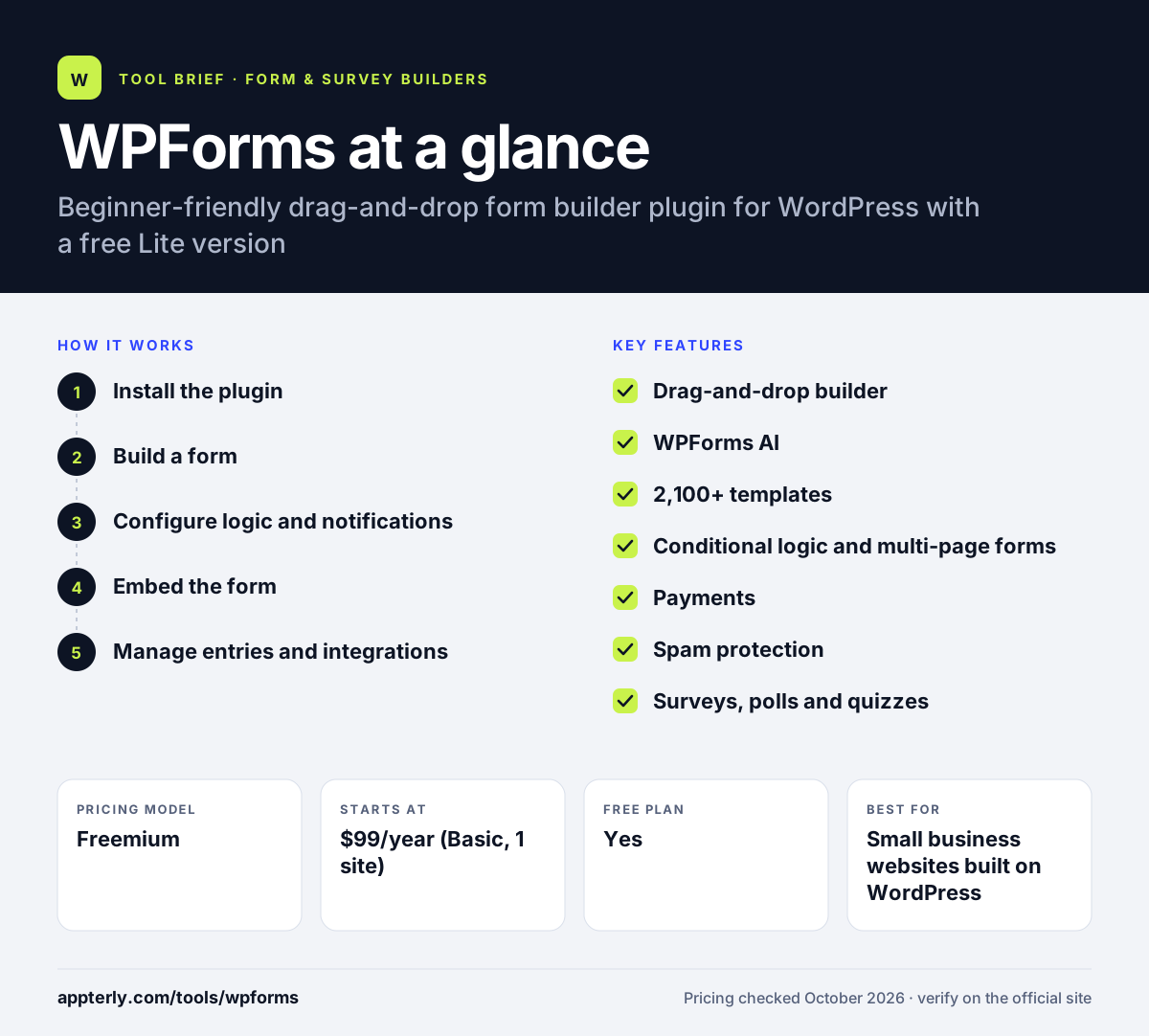
WPForms at a glance
How does WPForms work?
- Install the plugin
Add WPForms Lite from WordPress, or install a paid version with your license key. No credit card is needed for the free version.
- Build a form
Pick a template, describe the form to WPForms AI, or drag fields into place in the visual builder. Fields can be reordered or removed at any time.
- Configure logic and notifications
Set conditional logic, email notifications, confirmation messages and spam protection. Options include reCAPTCHA, hCaptcha, Turnstile and Akismet.
- Embed the form
Add the form to a page or post with the WordPress block editor or a shortcode.
- Manage entries and integrations
Review submissions in WordPress and send data to email tools, CRMs, payment gateways or Zapier on paid plans. Elite also adds webhooks and entry automation.
WPForms key features
Drag-and-drop builder
A visual editor for adding, removing and arranging fields in seconds.
WPForms AI
Generate a ready-to-edit form from a short plain-English prompt.
2,100+ templates
Prebuilt forms for contact, registration, feedback, orders and more.
Conditional logic and multi-page forms
Show or hide fields based on answers and split long forms into steps.
Payments
Accept payments, donations and recurring charges with Stripe, PayPal, Square and Authorize.Net. Recurring payments and coupons are included on Pro and above.
Spam protection
Built-in anti-spam plus reCAPTCHA, hCaptcha, Cloudflare Turnstile and Akismet.
Surveys, polls and quizzes
Pro adds survey reporting, polls, quizzes, calculations and save-and-resume.
Marketing and CRM integrations
Plus and above connect to email tools, while Elite adds Salesforce, HubSpot and other CRMs.
Why use WPForms?
- WPForms is easy for non-technical WordPress users to learn.
- A free Lite version lets you start without paying.
- A large template library and AI builder speed up form creation.
- Entries are stored in WordPress so you control your data.
- Paid plans come with a 14-day money-back guarantee. so you can try a paid license with little risk.
Who is WPForms best for?
A good fit for
- Small business websites built on WordPress
- Bloggers and creators who need contact and signup forms
- Nonprofits collecting donations on WordPress
- Agencies managing forms across many client sites on Elite
Less suited to
- Websites not built on WordPress
- Teams that need standalone hosted forms or survey research tools
- Users who need CRM integrations but want the cheapest license
WPForms pricing
| Pricing model | Freemium |
|---|---|
| Free plan | Yes |
| Free trial | Not confirmed |
| Starting price | $99/year (Basic, 1 site) |
Plus ($199/year, 3 sites), Pro ($399/year, 5 sites) and Elite ($599/year, unlimited sites) each add more integrations and features. First-year discounts are common, and renewals return to the regular price.
Prices checked October 2026. Vendors change plans often, so confirm on the official WPForms pricing page before you buy.
WPForms pros and cons
Pros
- Very beginner friendly
- Free Lite version available
- Huge template library and AI builder
- 14-day money-back guarantee
Cons
- Many integrations need Pro or Elite
- Free and lapsed licenses pay a 3% fee on payment transactions
- Only works on WordPress sites
WPForms integrations and platforms
Works with
Available on
WPForms alternatives
See the full shortlist in Best Form Builders.
WPForms FAQ
Is WPForms free?
Yes. WPForms Lite is a free version of the plugin that includes the drag-and-drop builder, templates, email notifications and spam protection. Paid licenses start at $99 per year for Basic, with first-year discounts often available. Payments made through the free version carry a 3% platform fee.
What is WPForms used for?
WPForms is used to add forms to WordPress websites. Common uses include contact forms, quote requests, newsletter signups, event registrations, donation forms, order forms, surveys and polls. Paid versions connect WPForms to email marketing tools, CRMs and payment gateways. Its surveys, polls and quizzes features are included from the Pro license.
Is WPForms good for beginners?
Yes. WPForms is designed for beginners, with a visual drag-and-drop editor, more than 2,100 templates and an AI form builder. Most users can build and embed a working form in a few minutes without code. Advanced settings are available but not required.
WPForms vs Gravity Forms: what's the difference?
Both are WordPress form plugins. WPForms has a free Lite version and focuses on ease of use, AI and templates. Gravity Forms has no free version and is often chosen by developers and agencies for its deep logic and add-on ecosystem. Gravity Forms licenses start lower, while WPForms is usually easier for beginners. Both offer payment add-ons and conditional logic.
Does WPForms integrate with Mailchimp?
Yes. WPForms integrates with Mailchimp starting on the Plus license, along with Constant Contact, ConvertKit and other email marketing tools. Pro adds Zapier, Google Sheets and payment gateways, while Elite adds CRMs such as Salesforce, HubSpot, Pipedrive and Zoho CRM.
Sources
This overview is based on WPForms's official website and documentation, checked October 2026.