What is Workato?
Workato is an enterprise automation and integration platform that connects apps, data, workflows and AI agents under one set of governance controls. Teams build automated workflows, called recipes, that move data and trigger actions across systems such as Salesforce, Workday, NetSuite, ServiceNow and Marketo. The company cites connectivity to more than 17,000 apps, APIs, databases, files and MCP servers.
Workato is aimed at large and mid-size organizations where IT and business teams share automation work. Its Workato ONE platform adds Agent Studio for custom AI agents, prebuilt agents called Genies for sales, marketing, IT and HR, and Workbot for running workflows from chat apps like Slack and Microsoft Teams. Pricing is quote-based, with editions that add data, API and agent capabilities. The platform separates a control plane for governance from an execution plane that runs the work.
Workato at a glance
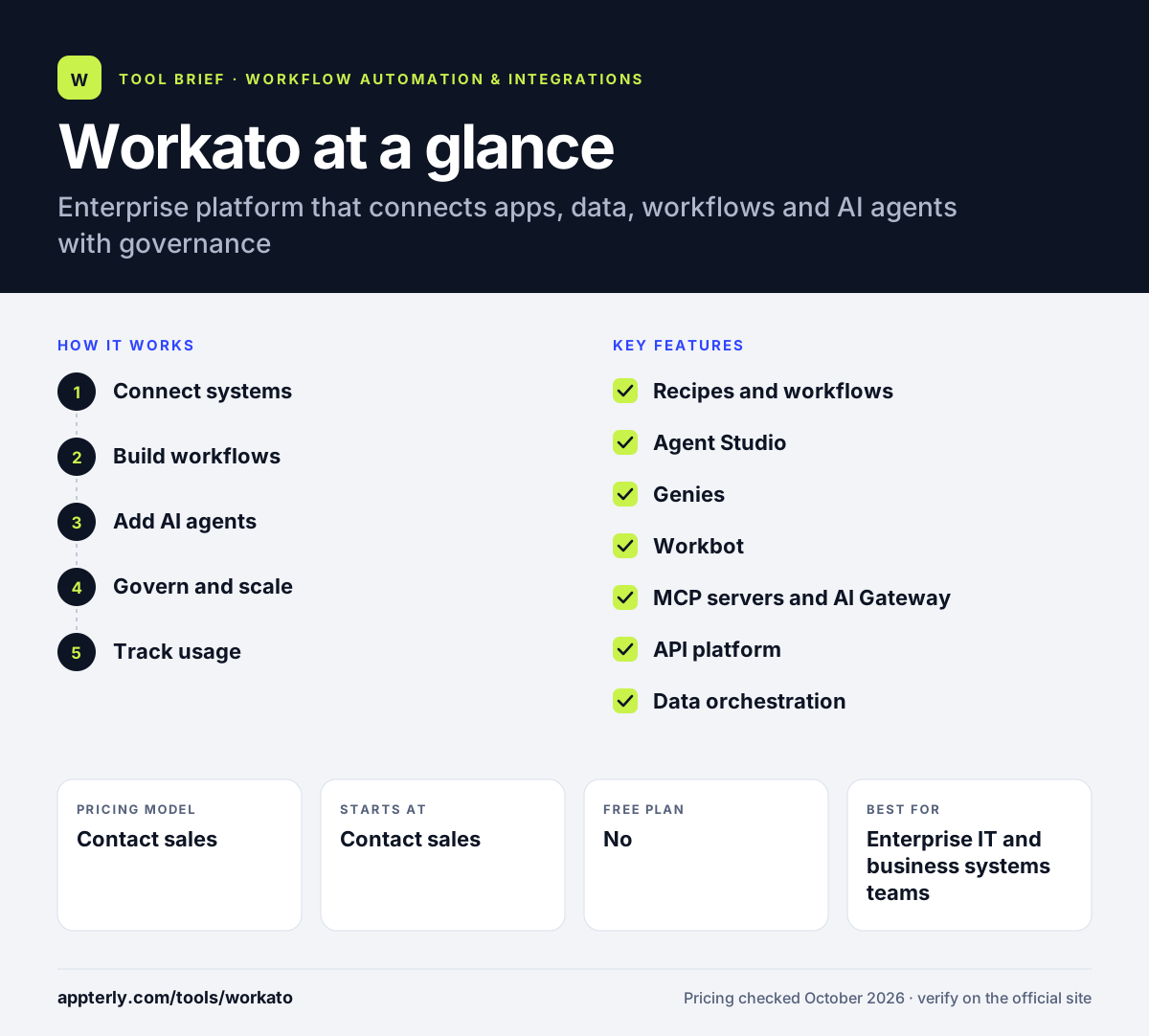
How does Workato work?
- Connect systems
Authenticate connectors for your apps, databases and on-premise systems, using on-premise agents where needed.
- Build workflows
Create recipes with triggers, actions, conditions and data mapping in a low-code builder, or start from the Workflow Hub.
- Add AI agents
Deploy prebuilt Genies or build your own in Agent Studio, giving them access to workflows and data as skills.
- Govern and scale
Manage access, logs and usage from a central control plane while workloads run on Workato's execution plane.
- Track usage
Monitor consumption, plan details and alerts in the usage dashboard, and adjust editions or add-ons such as RPA or EDI as needs grow.
Workato key features
Recipes and workflows
Low-code automations that move data and trigger actions across enterprise systems with conditional logic.
Agent Studio
Build custom AI agents that use your workflows and data as tools.
Genies
Prebuilt AI agents for functions such as sales, marketing, IT, HR and customer support.
Workbot
Workflow bots that let people trigger automations and approve requests from Slack or Microsoft Teams.
MCP servers and AI Gateway
Enterprise MCP servers and a gateway that give AI tools governed access to apps and data.
API platform
API gateway and management for publishing and securing APIs built on Workato.
Data orchestration
Data pipelines, event streams, document processing and a data hub on higher editions.
Add-ons for specialized needs
Optional modules cover RPA, B2B and EDI, workflow apps, a data hub, advanced security and Private Link.
Why use Workato?
- A very large connector catalog covers most enterprise software.
- Unlimited workspaces and users on every edition.
- Combines integration, automation, APIs and AI agents in one governed platform.
- Prebuilt Genies speed up AI agent rollouts in common departments.
- Workbot brings automations into the chat tools employees already use.
Who is Workato best for?
A good fit for
- Enterprise IT and business systems teams
- Revenue operations and marketing operations in large companies
- Organizations deploying governed AI agents
- Companies integrating ERP, HR and CRM systems
- Companies with both cloud and on-premise systems
Less suited to
- Small businesses and freelancers with simple app-to-app needs
- Buyers who want transparent self-serve pricing
- Teams without budget for an enterprise contract
Workato pricing
| Pricing model | Contact sales |
|---|---|
| Free plan | No |
| Free trial | Not confirmed |
| Starting price | Contact sales |
Editions run from Standard to Business MCP, Enterprise MCP and Workato ONE, each adding agents, data and API capabilities plus more concurrency. Billing includes a usage-based component tracked by capability, and exact terms come from Workato sales.
Prices checked October 2026. Vendors change plans often, so confirm on the official Workato pricing page before you buy.
Workato pros and cons
Pros
- Huge range of enterprise connectors
- Strong governance and security features
- Mature AI agent tooling with prebuilt Genies
- Unlimited users and workspaces
Cons
- No published prices
- Costs and complexity exceed what small teams need
- Usage-based billing requires monitoring
Workato integrations and platforms
Works with
Available on
Workato alternatives
See the full shortlist in Best Zapier Alternatives.
Workato FAQ
Is Workato free?
Workato does not publish a free plan. Its website offers a start-for-free option to explore the platform, but ongoing use requires a contract. All editions are priced by quote, so companies need to talk to Workato sales to get exact costs. Mid-size companies with several core systems may also find the governance features useful.
What is Workato used for?
Workato is used by large organizations to integrate enterprise systems and automate processes across departments. Common uses include syncing CRM and ERP data, automating employee onboarding, routing support tickets, publishing APIs and deploying AI agents that act on company data with governance controls. Workato also publishes a large library of prebuilt workflows to start from.
Is Workato good for beginners?
Workato's low-code builder is approachable for business analysts, and prebuilt workflows and Genies help with common tasks. However, it is an enterprise platform with sales-led buying and many advanced options. Beginners automating a few apps will usually be better served by tools like Zapier or Make.
Workato vs Zapier: what's the difference?
Zapier is self-serve, publishes its prices and suits individuals and small teams connecting SaaS apps. Workato is built for enterprises, with deeper governance, on-premise connectivity, API management, data pipelines and AI agent tooling, and is sold through quotes. Large organizations with complex systems tend to choose Workato.
Does Workato integrate with Salesforce?
Yes. Salesforce is one of Workato's most commonly used connectors. Teams use it to sync accounts and opportunities with ERP and billing systems, route leads, update records from marketing tools and power AI agents that work with CRM data.
Sources
This overview is based on Workato's official website and documentation, checked October 2026.