What is WebinarJam?
WebinarJam is a browser-based webinar platform built for hosting live and automated webinars that sell products, courses and services. It is made by Genesis Digital LLC, a company based in Las Vegas. Attendees join from a browser or device without installing anything, and hosts get tools for chat, polls, timed offers and replays. The product is aimed squarely at people who use webinars as a sales channel rather than for internal meetings.
Plans are priced by attendee capacity, number of hosts and maximum session length. Higher tiers include EverWebinar, the company's companion product for evergreen, pre-recorded webinars that run on a schedule. That pairing lets a business present live once and then keep the same pitch running automatically. Pricing is flat per account, not per seat, and annual billing costs less than paying month to month.
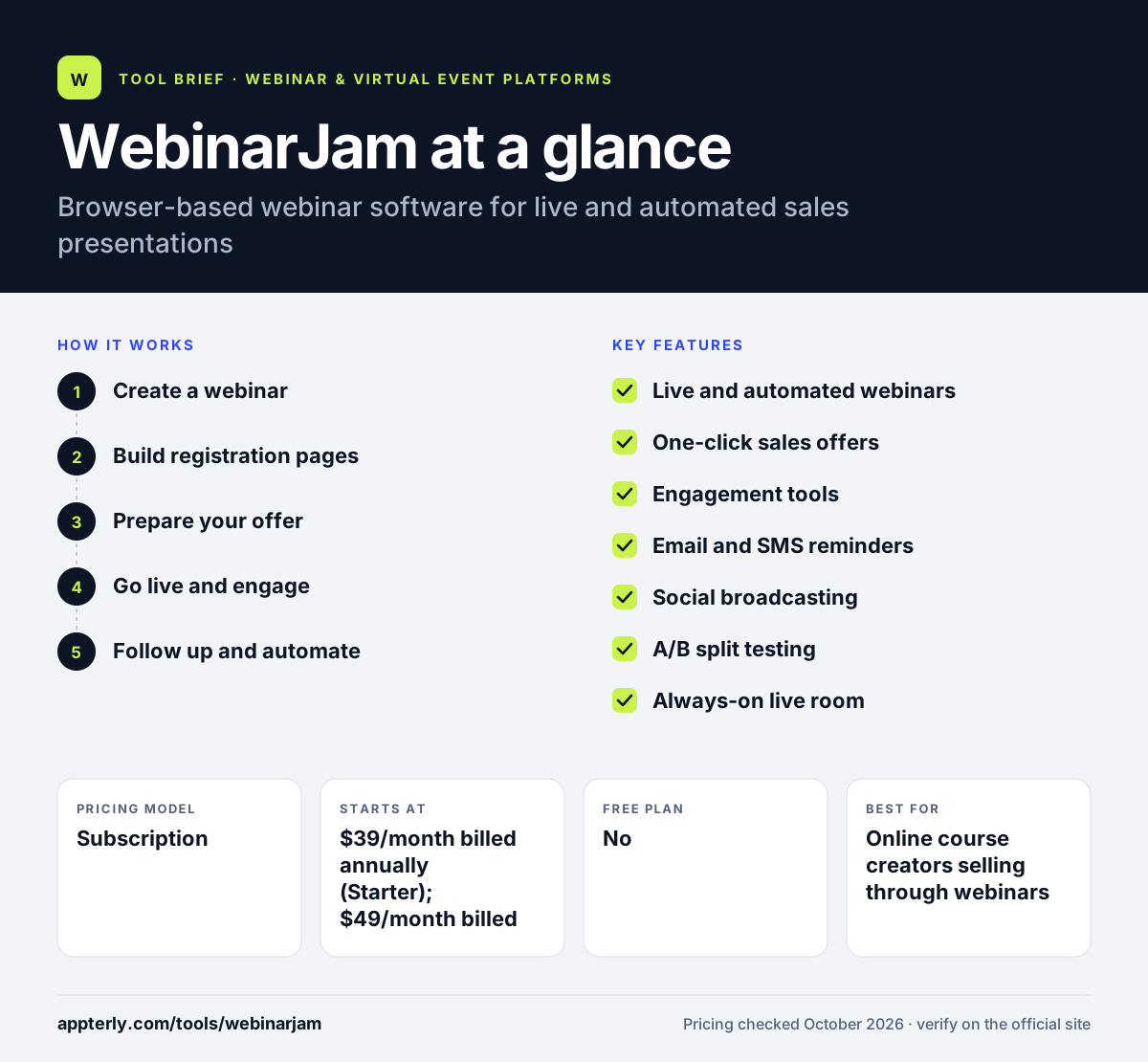
WebinarJam at a glance
How does WebinarJam work?
- Create a webinar
Choose a live, recurring or always-on room, set the schedule and add up to the number of hosts your plan allows.
- Build registration pages
Customize the signup and thank-you pages, then set up email and SMS reminders so registrants show up.
- Prepare your offer
Load slides, video injections and a timed sales offer that pops up at a chosen moment during the presentation.
- Go live and engage
Present in HD, run polls and surveys, use the whiteboard and manage chat from the control panel. You can also broadcast to Facebook and YouTube.
- Follow up and automate
Send replays, review attendance and sales data, and on eligible plans move the recording into EverWebinar to run as an automated session.
WebinarJam key features
Live and automated webinars
Run real-time sessions or scheduled replays. EverWebinar is included at no extra cost on the Basic, Professional and Enterprise plans.
One-click sales offers
Show timed product offers during a webinar so attendees can buy without leaving the room.
Engagement tools
Live chat, polls, surveys, an on-screen whiteboard, attendee spotlight and custom backgrounds keep audiences involved.
Email and SMS reminders
A built-in messaging system sends confirmations, reminders and follow-ups to improve show-up rates.
Social broadcasting
Stream a session to Facebook and YouTube at the same time as the main webinar room.
A/B split testing
Test different registration pages to see which version gets more signups.
Always-on live room
Keep a persistent room open for coaching calls, office hours or repeat sessions without rescheduling.
Why use WebinarJam?
- It combines webinar hosting with sales tools such as timed offers, so you do not need a separate checkout overlay.
- Attendees join from a browser, which removes download friction and can lift attendance.
- Pairing live sessions with EverWebinar lets one presentation keep generating leads after the live event ends.
- Built-in email and SMS reminders reduce the need for a separate tool to chase registrants.
- Flat account pricing can be cheaper than per-seat tools when one or two people run every webinar.
Who is WebinarJam best for?
A good fit for
- Online course creators selling through webinars
- Coaches and consultants running live training and sales calls
- Info-product marketers who want evergreen webinar funnels
- Small teams that host regular product demos
Less suited to
- Large enterprises that need deep CRM reporting and strict security controls
- Teams that mainly need internal video meetings rather than one-to-many presentations
- Very large events, since the top plan caps attendance at 5,000
WebinarJam pricing
| Pricing model | Subscription |
|---|---|
| Free plan | No |
| Free trial | 14 days for $1 |
| Starting price | $39/month billed annually (Starter); $49/month billed monthly |
Plans scale from Starter (100 attendees, 1 host, 1-hour sessions) to Basic, Professional and Enterprise (up to 5,000 attendees, 6 hosts, 4-hour sessions). Annual billing saves up to about 22%, and a 30-day money-back guarantee applies.
Prices checked October 2026. Vendors change plans often, so confirm on the official WebinarJam pricing page before you buy.
WebinarJam pros and cons
Pros
- Strong set of selling features built into the webinar room
- No download required for attendees
- EverWebinar automation included on most paid plans
- Clear tiers with flat pricing per account
Cons
- The Starter plan is limited to 100 attendees and one-hour sessions
- Few native integrations are highlighted, so many connections rely on Zapier
- No free plan, only a low-cost paid trial
WebinarJam integrations and platforms
Works with
Available on
WebinarJam alternatives
See the full shortlist in Best Webinar Software.
WebinarJam FAQ
Is WebinarJam free?
No. WebinarJam has no free plan. It offers a 14-day trial that costs $1, and paid plans start at $39 per month when billed annually or $49 billed monthly. There is also a 30-day money-back guarantee if you decide the software is not a good fit after purchase.
What is WebinarJam used for?
WebinarJam is used to host live and automated webinars that sell something, such as online courses, coaching programs or software. Hosts present in a browser-based room, engage viewers with chat and polls, and show timed purchase offers during the session. Replays and automated sessions keep the presentation working after the live event.
What is the difference between WebinarJam and EverWebinar?
WebinarJam focuses on live webinars, while EverWebinar runs pre-recorded webinars on an automated schedule so they feel like live events. Both are made by Genesis Digital. EverWebinar is included at no extra cost on the WebinarJam Basic, Professional and Enterprise plans, so many users run both together.
WebinarJam vs Zoom Webinars: what's the difference?
WebinarJam is built for marketing and sales, with timed offers, reminder messaging and evergreen automation in the box. Zoom Webinars is a general broadcast tool used for training, town halls and events, with much higher attendee capacity. Marketers who sell through webinars often prefer WebinarJam, while larger organizations lean toward Zoom.
Do attendees need to download anything to join WebinarJam?
No. Attendees join WebinarJam webinars directly from a web browser or mobile device without installing software. This reduces friction at the moment someone clicks the join link, which can help more registrants actually attend the live session.
Sources
This overview is based on WebinarJam's official website and documentation, checked October 2026.