What is Typeform?
Typeform is an online form and survey builder known for conversational forms that guide people through questions in a clean, focused layout. It is used for lead generation, customer feedback, quizzes, registrations and job applications. Conditional logic adapts each form to earlier answers, and Typeform AI can build a form from a prompt and suggest follow-up questions while someone is responding.
Typeform has grown beyond forms into wider workflows. Growth Flow adds lead enrichment, AI segmentation and automated email and SMS follow-ups, while Research Flow supports AI-moderated research studies. Respondents can answer with video and audio, and analysis tools surface topics, sentiment and drop-off points. Plans are priced by monthly response limits and seats, with a free plan for trying the product.
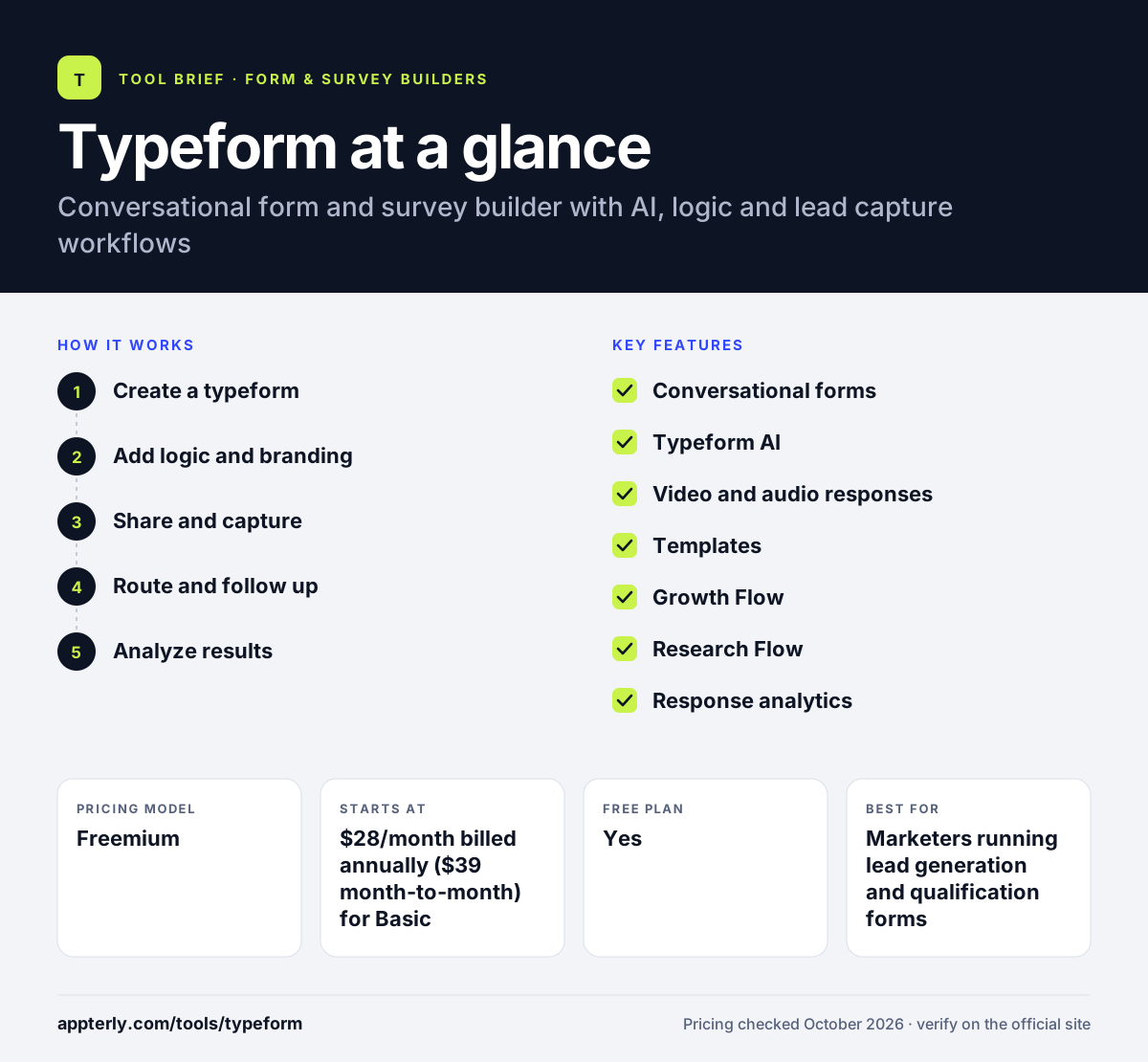
Typeform at a glance
How does Typeform work?
- Create a typeform
Start from a template, build question by question, or describe what you need and let Typeform AI draft it.
- Add logic and branding
Set conversational logic so later questions depend on earlier answers, and add your brand colors, images or video. Multi-language support is available on some higher plans.
- Share and capture
Share a link or embed the form on your site, then collect responses, payments, scheduling and e-signatures where needed.
- Route and follow up
Send responses to tools like Mailchimp, Slack, Pipedrive or Zapier, or use Growth Flow to enrich leads and follow up by email or SMS.
- Analyze results
Review topic and sentiment analysis, compare respondents and check where people drop off. Drop-off and conversion tracking start on the Business plan.
Typeform key features
Conversational forms
A focused, guided format with logic that adapts to each response.
Typeform AI
Generate forms from a prompt and add adaptive AI follow-up questions.
Video and audio responses
Let respondents answer on camera or by voice, and build interactive video forms.
Templates
Free templates for lead generation, registrations, quizzes, surveys and job applications.
Growth Flow
Lead enrichment, AI segmentation, Salesforce sync and automated email and SMS follow-ups.
Research Flow
AI-moderated research studies for gathering qualitative insights at scale.
Response analytics
Topic and sentiment analysis, respondent comparison, drop-off rates and conversion tracking on higher plans.
Integrations
Connections with Calendly, Stripe, PayPal, Slack, Mailchimp, Klaviyo, Pipedrive, Zendesk, Webflow and Zapier.
Why use Typeform?
- Typeform produces polished forms that feel more like a conversation than a list of fields.
- Conversational logic and AI follow-ups help collect richer answers.
- Lead workflows connect form responses to enrichment and follow-ups in one place.
- Video and audio answers add depth to feedback and hiring forms.
- A wide range of marketing and sales integrations keeps data moving.
Who is Typeform best for?
A good fit for
- Marketers running lead generation and qualification forms
- Brands that care about form design and respondent experience
- HR teams collecting video answers from candidates
- Product and research teams gathering qualitative feedback
Less suited to
- High-volume data collection on a small budget, since plans cap monthly responses
- Users who want long forms shown on a single page
- Teams that need complex payment or approval workflows
Typeform pricing
| Pricing model | Freemium |
|---|---|
| Free plan | Yes |
| Free trial | 14 days (Growth Flow) |
| Starting price | $28/month billed annually ($39 month-to-month) for Basic |
Basic includes 100 responses a month and 1 seat, Plus ($56/month annually) 1,000 responses and 3 seats, and Business ($91/month annually) 10,000 responses and 5 seats. Growth Flow, Talent and custom Enterprise plans add lead, hiring and compliance features.
Prices checked October 2026. Vendors change plans often, so confirm on the official Typeform pricing page before you buy.
Typeform pros and cons
Pros
- Attractive, engaging form experience
- Useful AI form creation and follow-up questions
- Strong marketing and sales integrations
- Video and audio response options
Cons
- Monthly response caps on every paid tier
- Branding removal starts on the Plus plan
- Can get expensive as volume grows
Typeform integrations and platforms
Works with
Available on
Typeform alternatives
See the full shortlist in Best Form Builders.
Typeform FAQ
Is Typeform free?
Typeform has a free plan so you can build and test forms at no cost, with limited features and responses. Paid plans start with Basic at $28 per month billed annually, or $39 monthly, for 100 responses a month. Higher tiers remove Typeform branding, add seats and analytics, and Growth Flow offers a 14-day free trial.
What is Typeform used for?
Typeform is used for lead generation, customer feedback surveys, quizzes, event registrations, job applications and product research. Marketing teams often use Typeform to qualify leads and send them to a CRM or email tool, while HR teams use video questions to screen candidates. Research teams also run AI-moderated studies with Research Flow.
Is Typeform good for beginners?
Yes. Typeform is easy to start with because of its templates, simple editor and AI form builder. You can publish a good-looking form quickly without design skills. Logic, integrations and Growth Flow automations take more time to set up but are not needed for simple forms. Templates for common use cases also speed up the first form.
Typeform vs Google Forms: what's the difference?
Google Forms is free, simple and tied to Google Sheets, but offers limited design and marketing features. Typeform delivers a more polished, conversational experience with AI, video answers, lead enrichment and many marketing integrations. Typeform suits customer-facing forms, while Google Forms suits quick internal surveys.
Does Typeform integrate with Mailchimp?
Yes. Typeform connects with Mailchimp so new respondents can be added to your audience automatically. It also integrates with Klaviyo, ActiveCampaign, Pipedrive, Zendesk, Slack, Stripe, Calendly and Zapier, and Growth Flow includes a Salesforce integration for syncing leads.
Sources
This overview is based on Typeform's official website and documentation, checked October 2026.