What is Teamwork.com?
Teamwork.com is a project management and professional services automation (PSA) platform built for teams that deliver work to clients. It combines tasks, Gantt charts and boards with time tracking, resource planning, budgets and profitability reporting, so agencies can see what each project costs and earns while it is still running. Its AI layer, TeamworkAI, helps with task assignment, forecasting, project setup and summaries.
The platform is aimed at agencies, consultancies, IT services firms, accounting practices and in-house marketing or delivery teams. Lower tiers cover core project work and billable time, while higher tiers add capacity planning, retainers, invoices from logged time, quotes, a CRM-to-project pipeline and multi-currency budgets. A free plan supports up to five users, and paid plans come with a 14-day trial that needs no credit card.
Teamwork.com at a glance
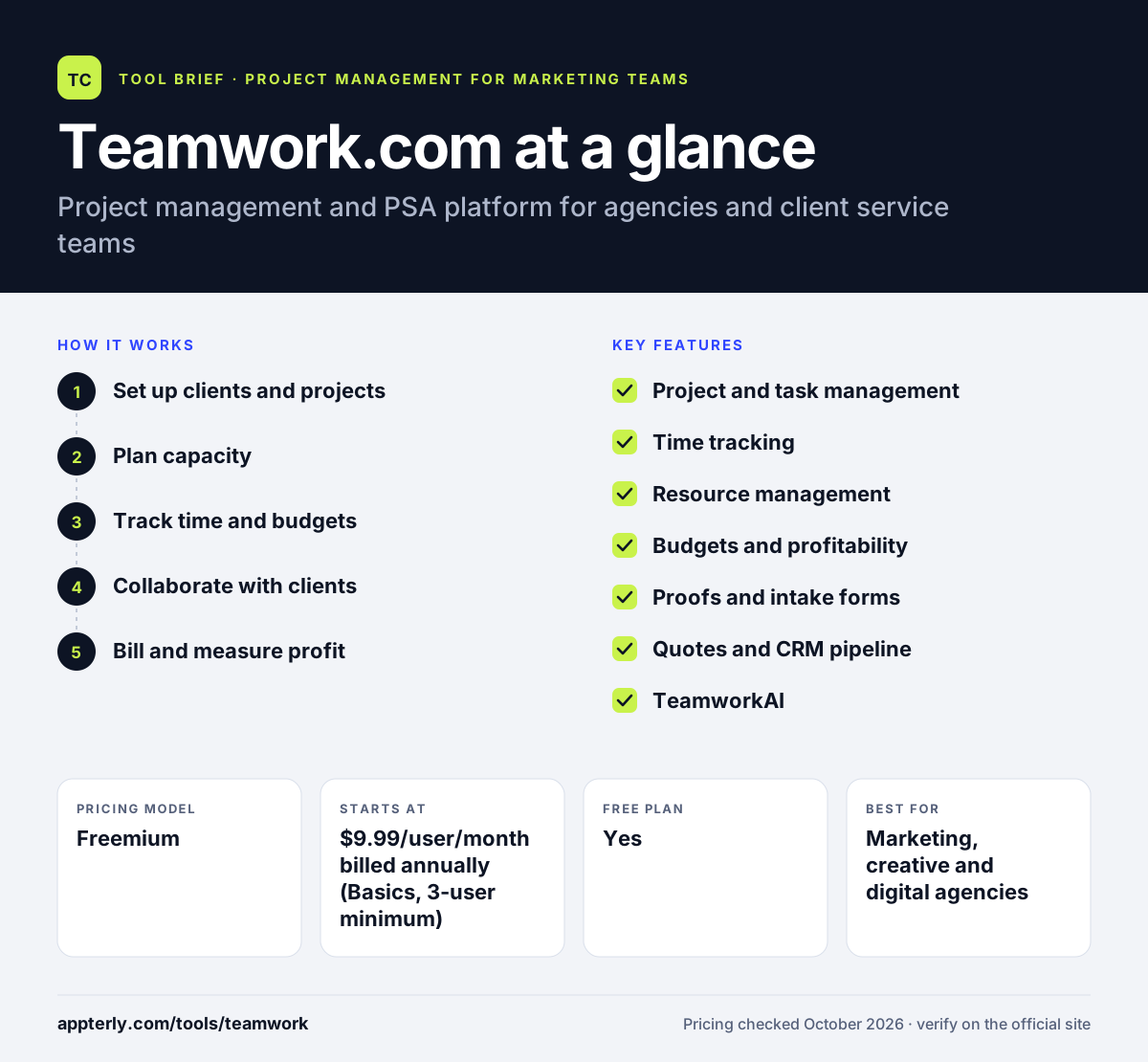
How does Teamwork.com work?
- Set up clients and projects
Organize work by client, then create projects from templates with tasks, owners, dates and dependencies.
- Plan capacity
Use resource scheduling and team calendars to see who is free and assign work without overloading anyone. Forecasts help managers spot gaps before deadlines slip.
- Track time and budgets
Team members log billable and non-billable hours, which feed project budgets, retainers and utilization reports.
- Collaborate with clients
Collect requests through intake forms and gather client feedback on deliverables with Proofs.
- Bill and measure profit
Turn logged time into invoices on higher plans and watch live margin by project, client or retainer.
Teamwork.com key features
Project and task management
List, board, Gantt and table views cover planning and day-to-day delivery, with automations to cut repetitive steps.
Time tracking
Built-in timers and timesheets record billable and non-billable hours on every plan, including Free.
Resource management
Capacity planning and forecasts show workload across the team, with live capacity planning from Accelerate up.
Budgets and profitability
Time budgets, retainers and rates show real-time cost and margin for each project or client. Alerts warn managers when a project starts to run over budget.
Proofs and intake forms
Clients and stakeholders review creative work in Proofs, and smart forms turn requests into tasks.
Quotes and CRM pipeline
Optimize adds quotes and a pipeline view that converts won deals into projects.
TeamworkAI
AI features include smart task assignment, forecasting, project setup help, summaries and agents. Teamwork.com can also connect to MCP-compatible AI tools.
Why use Teamwork.com?
- Project work, time and money live in one system, so margins are visible before a project ends.
- Clients can be organized separately, which suits agency and consulting structures.
- Time tracking is included even on the free plan.
- Integrations with HubSpot, QuickBooks, Xero and Salesforce connect sales and finance to delivery.
- Data hosting in the US or EU helps with regional compliance needs.
Who is Teamwork.com best for?
A good fit for
- Marketing, creative and digital agencies
- Consultancies and professional services firms
- IT services and implementation teams
- Accounting and finance firms that bill by time
Less suited to
- Solo freelancers, since paid plans require at least three users
- Internal teams that do not track time or client budgets
- Software teams needing deep sprint and issue tracking
Teamwork.com pricing
| Pricing model | Freemium |
|---|---|
| Free plan | Yes |
| Free trial | 14 days |
| Starting price | $9.99/user/month billed annually (Basics, 3-user minimum) |
Accelerate costs $24.99 per user per month billed annually with a 5-user minimum and adds capacity planning, retainers and invoicing. Optimize and Enterprise are quoted by sales, and usage-based AI credits are being introduced on paid plans.
Prices checked October 2026. Vendors change plans often, so confirm on the official Teamwork.com pricing page before you buy.
Teamwork.com pros and cons
Pros
- Strong time, budget and profitability tools for client work
- Free plan includes time logging
- Client-centric structure suits agencies
- US or EU data hosting
Cons
- User minimums on paid plans
- Quotes, CRM pipeline and finance integrations sit on higher tiers
- More setup than simple task managers
Teamwork.com integrations and platforms
Works with
Available on
Teamwork.com alternatives
See the full shortlist in Best Project Management Tools for Marketing Teams.
Teamwork.com FAQ
Is Teamwork.com free?
Yes. Teamwork.com has a free plan for up to five users with up to five projects, 100MB of storage and 100 automations. It includes task, board, Gantt and table views plus time logging. Paid plans start at $9.99 per user per month billed annually, and a 14-day trial is available without a credit card.
What is Teamwork.com used for?
Teamwork.com is used by agencies and service businesses to plan client projects, track time, manage team capacity and monitor budgets and profit. It works as both a project management tool and a professional services automation platform, connecting delivery work with quotes, invoices and financial reporting.
Teamwork.com vs Asana: what's the difference?
Asana is a general work management tool for internal teams, focused on tasks, goals and portfolios. Teamwork.com is built around client work, with time tracking, billable rates, retainers, budgets and profitability reporting. Agencies that bill clients for time usually find Teamwork.com a closer fit. Internal teams with no billing needs may find Asana lighter.
Does Teamwork.com integrate with QuickBooks and HubSpot?
Yes. Teamwork.com connects with HubSpot and QuickBooks on the Accelerate plan and above, and Optimize adds Salesforce and NetSuite connections. The platform lists more than 150 integrations across CRM, accounting, productivity and reporting tools, and it can also link to AI tools through MCP.
Is Teamwork.com good for small agencies?
It can be. Small agencies can start free with up to five users, then move to Basics for more projects and billable time tracking. Note that Basics requires at least three users and Accelerate at least five, so very small teams should compare total cost against simpler tools. The free plan is a low-risk way to test the client and time features first.
Sources
This overview is based on Teamwork.com's official website and documentation, checked October 2026.