What is SurveyMonkey?
SurveyMonkey is an online survey platform that lets businesses and individuals create surveys, collect responses and analyze feedback. It is widely used for customer satisfaction, employee engagement, market research, event registration and simple online forms. You can build a survey from hundreds of templates, a large question bank or an AI prompt, then share it by link, email or embed.
SurveyMonkey has been running for more than 25 years and offers plans for individuals, teams and enterprises. Higher tiers add analysis tools such as text and sentiment analysis, crosstabs and SPSS export, plus logic features like piping, quotas and randomization. A research panel lets you buy responses from targeted audiences when you do not have your own list. Pricing is per user, with a limited free Basic plan. Annual plans unlock unlimited responses.
SurveyMonkey at a glance
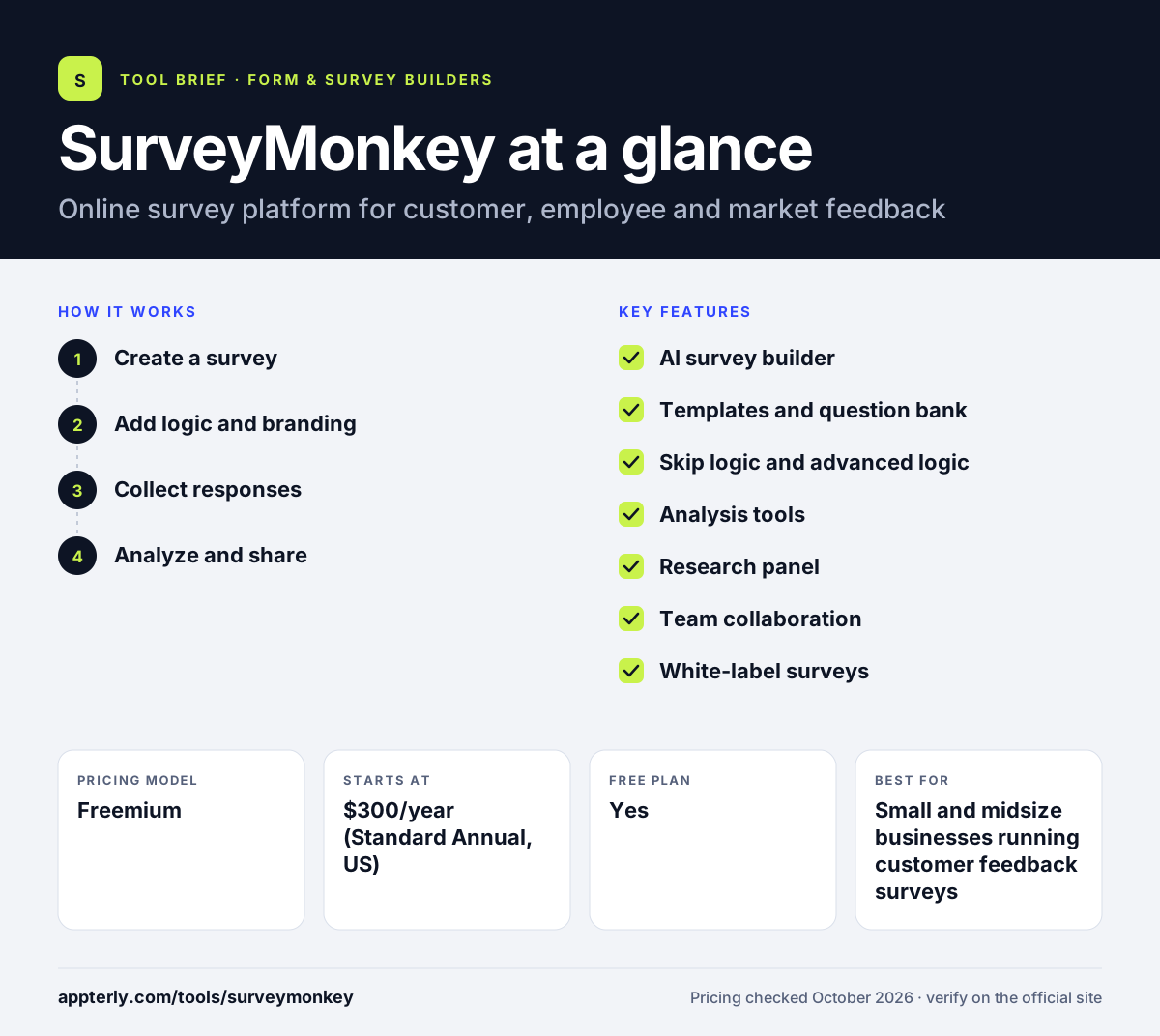
How does SurveyMonkey work?
- Create a survey
Start with a template, the question bank or the AI builder, and add question types like rating scales, matrices and ranking. The free plan already includes file upload and payment question types.
- Add logic and branding
Use skip logic and, on paid plans, piping, randomization and custom themes with your logo.
- Collect responses
Send the survey by web link, email or embed, or buy targeted responses through the research panel.
- Analyze and share
Filter results, view charts, run text analysis and crosstabs on higher plans, and export or share reports. Exports and printed reports start on paid plans.
SurveyMonkey key features
AI survey builder
Generate a draft survey or form from a short description, then edit it.
Templates and question bank
Hundreds of templates and a large bank of pre-written questions help you start quickly.
Skip logic and advanced logic
Basic skip logic on all plans, with piping, quotas, randomization and disqualification pages on Advantage and above.
Analysis tools
Charts, filters, text analysis, sentiment analysis and crosstabs depending on plan.
Research panel
Reach a targeted audience and buy responses when you need outside opinions.
Team collaboration
Team plans let three or more users share surveys, data and results.
White-label surveys
Premier plans can remove SurveyMonkey branding and add custom redirects.
Enterprise admin and security
Enterprise adds admin controls, security features and HRIS integrations for employee programs.
Why use SurveyMonkey?
- SurveyMonkey is a well-known name, so respondents tend to trust its survey links.
- Templates and a question bank make good survey design easier.
- Built-in analysis covers most business survey needs without exporting data.
- A research panel helps when you need responses from people outside your list.
- Plans scale from one user to large enterprise teams.
Who is SurveyMonkey best for?
A good fit for
- Small and midsize businesses running customer feedback surveys
- HR teams running employee engagement and pulse surveys
- Marketers doing quick market research
- Teams that need a recognizable, trusted survey tool
Less suited to
- Users who need many responses for free, since Basic allows only 10
- People who want a monthly plan with unlimited responses
- Teams looking for highly designed, conversational forms
SurveyMonkey pricing
| Pricing model | Freemium |
|---|---|
| Free plan | Yes |
| Free trial | Not confirmed |
| Starting price | $300/year (Standard Annual, US) |
Individual annual plans run from Standard to Advantage ($468/year) and Premier ($1,668/year). Team plans need 3+ users and start at $360 per seat per year, and Enterprise is a custom quote for 5+ users.
Prices checked October 2026. Vendors change plans often, so confirm on the official SurveyMonkey pricing page before you buy.
SurveyMonkey pros and cons
Pros
- Large template library and question bank
- Strong built-in analysis on paid plans
- Research panel for buying responses
- Scales from individuals to enterprises
Cons
- Free plan is very limited
- Many useful features sit on higher annual tiers
- Monthly billing is expensive and capped at 1,000 responses
SurveyMonkey integrations and platforms
Available on
SurveyMonkey alternatives
See the full shortlist in Best Form Builders.
SurveyMonkey FAQ
Is SurveyMonkey free?
SurveyMonkey has a free Basic plan, but it is limited to 10 responses, 10 questions and 3 collectors, with no data exports. It is mainly useful for testing the tool. Paid individual plans in the US start at $300 per year for Standard Annual, which unlocks unlimited responses, exports and custom themes.
What is SurveyMonkey used for?
SurveyMonkey is used to collect feedback through online surveys. Common uses include customer satisfaction and NPS surveys, employee engagement surveys, market research, event registrations and course evaluations. Businesses also use its research panel to reach specific audiences when they lack their own contact list.
Is SurveyMonkey good for beginners?
Yes. SurveyMonkey is easy for beginners thanks to its templates, question bank and AI survey builder. You can create and send a basic survey in minutes. More advanced features like piping, quotas and crosstabs are optional and found on higher plans. The free Basic plan is a low-risk way to learn the editor.
SurveyMonkey vs Google Forms: what's the difference?
Google Forms is free and simple, with responses sent to Google Sheets. SurveyMonkey costs money for meaningful use but offers deeper survey logic, a question bank, built-in analysis tools, white-labeling and a research panel. Choose Google Forms for quick internal surveys and SurveyMonkey for professional feedback programs.
How much does SurveyMonkey cost?
In the US, SurveyMonkey's individual plans include Standard Annual at $300 per year, Advantage Annual at $468 per year and Premier Annual at $1,668 per year. A Standard Monthly plan costs $149 per month with 1,000 responses. Team plans start at $360 per seat per year for three or more users.
Sources
This overview is based on SurveyMonkey's official website and documentation, checked October 2026.