What is Smartsheet?
Smartsheet is a work management platform that lets teams plan, track and automate projects using sheets that look and feel like spreadsheets. Each sheet can switch to Gantt, board, calendar or table views, and data rolls up into reports and dashboards. Teams add forms for intake, automations for approvals and alerts, and formulas to calculate status without leaving the tool.
Smartsheet is built for organizations that run many projects at once and need portfolio-level visibility. Higher tiers add scenario planning, portfolios, single sign-on and the Advanced Work Management bundle with Control Center and Data Shuttle. Optional add-ons include Resource Management for capacity planning and Brandfolder for digital assets. There is no free plan, but a 30-day trial is available without a credit card. Pricing is per member, and people who only edit shared sheets can join as free Contributors.
Smartsheet at a glance
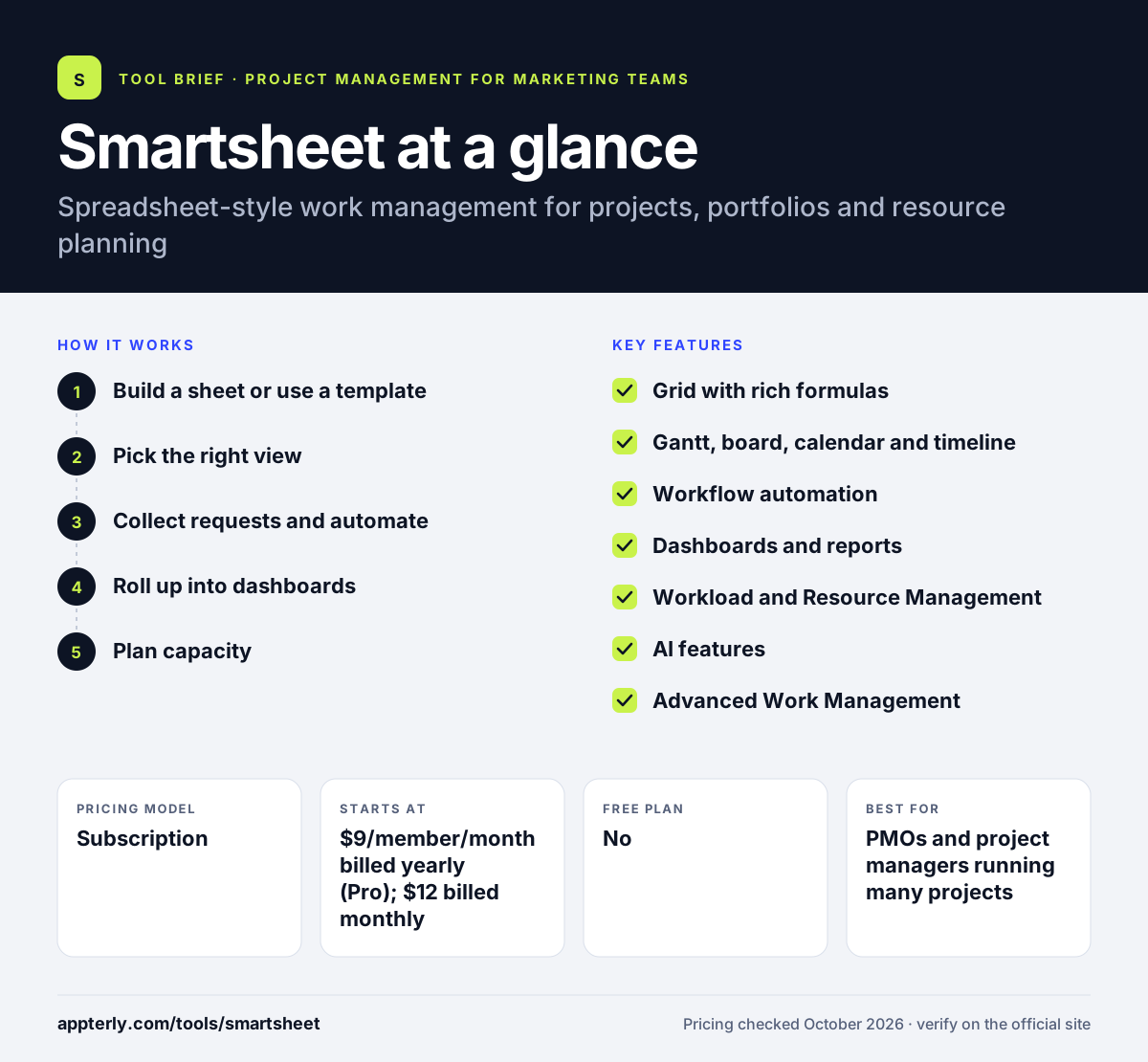
How does Smartsheet work?
- Build a sheet or use a template
Start with a grid of rows and columns for tasks, owners, dates and status, or pick a ready-made project template.
- Pick the right view
Show the same data as a Gantt chart, Kanban board, calendar or table depending on who is looking. Dependencies and milestones stay linked across views.
- Collect requests and automate
Use forms to gather intake and set automations that send alerts, request approvals or update fields.
- Roll up into dashboards
Combine sheets into reports and dashboards for portfolio and leadership views.
- Plan capacity
On higher tiers or with Resource Management, track workloads and forecast who is available.
Smartsheet key features
Grid with rich formulas
A familiar spreadsheet layout supports formulas, cell links and unlimited sheets on every plan. Cell links let one sheet pull values from another.
Gantt, board, calendar and timeline
Multiple views help teams track dependencies, milestones and schedules. Timeline view starts on Business.
Workflow automation
Pro includes 250 automations per month, and Business and above remove that cap.
Dashboards and reports
Reports pull from many sheets, and dashboards give leaders a live view of status.
Workload and Resource Management
Workload tracking is included from Business, and the Resource Management add-on adds deeper capacity forecasting.
AI features
AI helps with project insights, data enrichment and reporting, and Business plans can connect external AI tools.
Advanced Work Management
Control Center, Dynamic View, Data Shuttle and DataMesh support standardized, large-scale programs.
Why use Smartsheet?
- The spreadsheet layout is easy for teams coming from Excel or Google Sheets.
- It scales from a single project to full portfolio management.
- Unlimited free Contributors let you involve stakeholders without paying for every seat.
- Broad integrations connect it to Microsoft, Google, Salesforce, Slack and more.
- A 30-day trial gives enough time to test real projects.
Who is Smartsheet best for?
A good fit for
- PMOs and project managers running many projects
- Operations teams comfortable with spreadsheets
- Mid-size and enterprise organizations needing portfolio views
- Industries such as construction, healthcare and government
Less suited to
- Freelancers looking for a free tool, since there is no free plan
- Creative teams that prefer a visual board-first experience
- Small budgets, because advanced features sit in costly add-ons
Smartsheet pricing
| Pricing model | Subscription |
|---|---|
| Free plan | No |
| Free trial | 30 days |
| Starting price | $9/member/month billed yearly (Pro); $12 billed monthly |
Pro covers 1-10 members, and Business costs $19 per member per month billed yearly ($24 monthly) with a 3-member minimum. Enterprise and Advanced Work Management are custom priced, and add-ons like Dynamic View start at $125 per month.
Prices checked October 2026. Vendors change plans often, so confirm on the official Smartsheet pricing page before you buy.
Smartsheet pros and cons
Pros
- Familiar spreadsheet interface
- Strong portfolio and reporting tools
- Unlimited free Contributors on paid plans
- Wide range of enterprise integrations
Cons
- No free plan
- Advanced capabilities require expensive tiers or add-ons
- The grid-first design can feel dated to board-first users
Smartsheet integrations and platforms
Works with
Available on
Smartsheet alternatives
See the full shortlist in Best Project Management Tools for Marketing Teams.
Smartsheet FAQ
Is Smartsheet free?
No. Smartsheet does not offer a free plan. It does offer a 30-day free trial that does not require a credit card. After the trial, the Pro plan costs $9 per member per month billed yearly or $12 billed monthly, and Business costs $19 per member per month billed yearly.
What is Smartsheet used for?
Smartsheet is used to plan and track projects, manage portfolios, collect requests and automate workflows. Teams build spreadsheet-style sheets, view them as Gantt charts or boards, and roll the data into dashboards. Larger organizations also use it for resource planning and standardized program management. Common examples include marketing campaign plans, construction schedules, IT portfolios and client delivery trackers shared with outside partners.
Smartsheet vs monday.com: what's the difference?
Smartsheet uses a spreadsheet-like grid with formulas and is strong at portfolio management and reporting for larger organizations. monday.com uses colorful, highly customizable boards and offers separate products such as a CRM. Teams that think in spreadsheets often prefer Smartsheet, while visual teams lean toward monday.com. Both offer trials, so testing one real project in each is the fastest way to decide.
Is Smartsheet good for beginners?
Smartsheet is approachable for anyone who has used Excel or Google Sheets, since the grid works much the same way. Templates help new users start quickly. Features like Control Center, Data Shuttle and complex automations take more time to learn and are usually handled by admins. Most teams can run a basic project tracker within a day.
Does Smartsheet integrate with Microsoft and Google?
Yes. Smartsheet lists integrations with Microsoft and Google tools, along with Salesforce, Slack, Jira, DocuSign, Box, Dropbox, Tableau and Power BI. Higher plans add connectors and Data Shuttle for moving data between Smartsheet and other systems.
Sources
This overview is based on Smartsheet's official website and documentation, checked October 2026.