What is Pabbly Connect?
Pabbly Connect is a workflow automation tool that connects web apps so data moves between them without manual work. You build a workflow from a trigger, such as a new form entry, and one or more actions, such as creating a CRM contact and sending a WhatsApp message. The library covers more than 2,000 integrations, and an API module handles apps that are not listed.
The tool is known for aggressive pricing. Triggers and internal steps such as filters, routers, formatters, iterators, delays and the email parser do not count toward your task limit, only actions in external apps do. Pabbly Connect is built by Pabbly, whose parent company is Magnet Brains, and it is sold as monthly or multi-year subscriptions as well as one-time lifetime plans.
Pabbly Connect at a glance
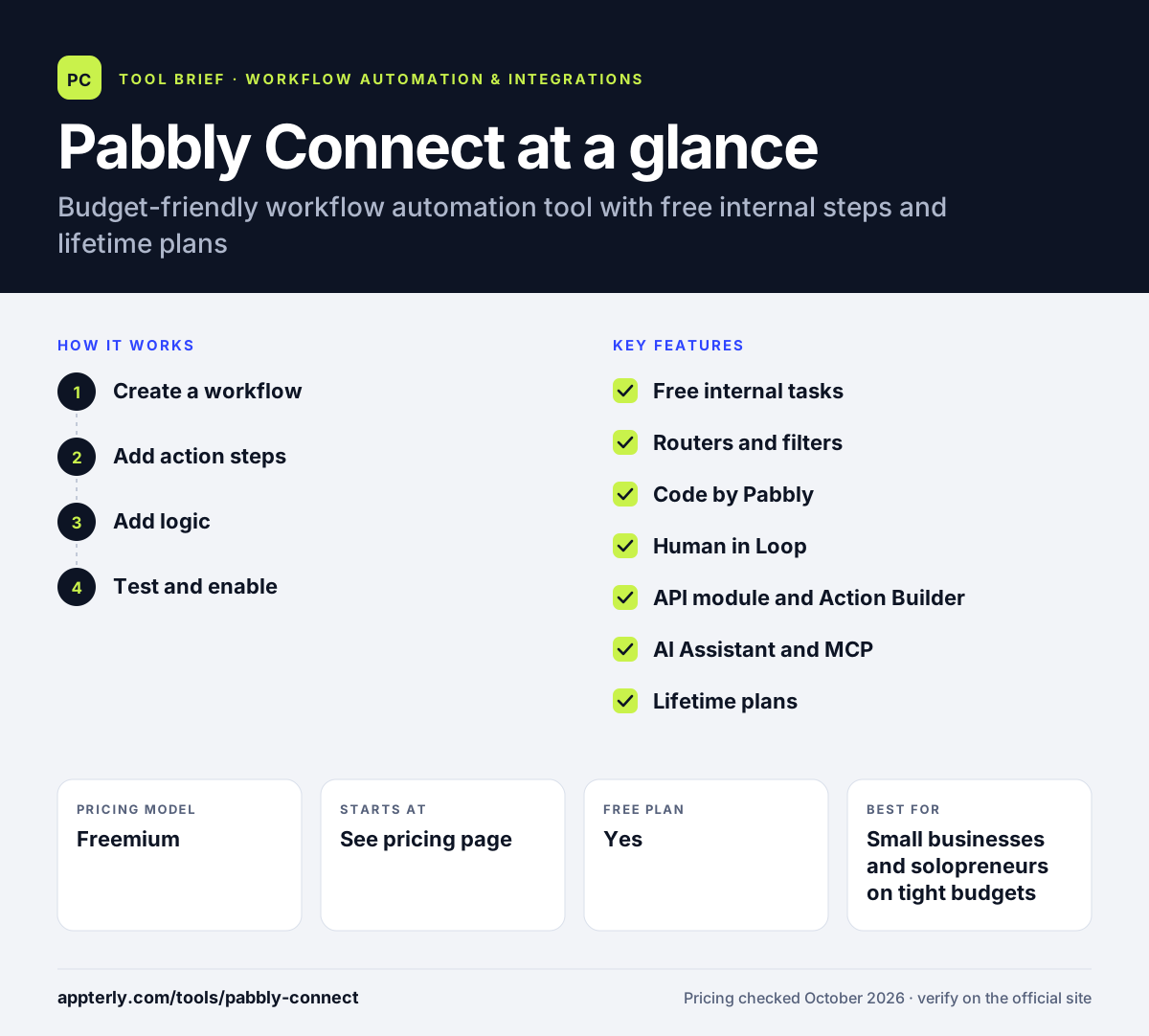
How does Pabbly Connect work?
- Create a workflow
Name a new workflow and choose the app and event that will trigger it, often a webhook from a form, store or payment tool.
- Add action steps
Pick the apps that should receive data and map fields from the trigger into each action.
- Add logic
Insert filters, routers, delays, formatters or code steps to control when and how data moves. These internal steps are free of task charges.
- Test and enable
Send a test record through each step, check the response, then switch the workflow on.
Pabbly Connect key features
Free internal tasks
Triggers, filters, routers, formatters, iterators, schedules and the email parser do not use up your monthly task allowance.
Routers and filters
Send data down different paths based on conditions, or stop runs that do not match your rules.
Code by Pabbly
Run custom JavaScript or Python inside a workflow for logic the built-in tools cannot cover.
Human in Loop
Add approval checkpoints so a person can review data before the workflow continues.
API module and Action Builder
Connect apps outside the integration library by calling their APIs directly.
AI Assistant and MCP
Get AI help setting up workflows, and connect Pabbly Connect to AI tools through MCP server support.
Lifetime plans
One-time payment options give a fixed monthly task allowance without recurring fees.
Why use Pabbly Connect?
- Free internal steps make multi-step workflows cheaper than per-step billing on other tools.
- Lifetime plans suit buyers who prefer a one-time payment over subscriptions.
- Paid subscriptions include unlimited team members.
- A free plan with 100 tasks per month needs no credit card.
- More than 2,000 integrations cover common marketing, CRM, payment and ecommerce tools.
Who is Pabbly Connect best for?
A good fit for
- Small businesses and solopreneurs on tight budgets
- Course creators and info-product sellers
- Agencies running many high-volume workflows
- Users who want a one-time lifetime automation plan
Less suited to
- Enterprises needing SSO, audit logs and formal compliance programs
- Teams that want the polish and app depth of Zapier
- Users who need a long free trial of paid features
Pabbly Connect pricing
| Pricing model | Freemium |
|---|---|
| Free plan | Yes |
| Free trial | Not confirmed |
| Starting price | See the official pricing page |
Subscription tiers are Standard (10,000 tasks per month) and Unlimited (unlimited tasks), with monthly, yearly, 2-year and 3-year billing that gets cheaper the longer you commit; the page showed regional currency and sale pricing, so confirm the regular dollar price on the official page. One-time lifetime plans offer 3,000, 10,000 or 20,000 tasks per month, and a 30-day refund guarantee applies.
Prices checked October 2026. Vendors change plans often, so confirm on the official Pabbly Connect pricing page before you buy.
Pabbly Connect pros and cons
Pros
- Very low cost per task, with internal steps not counted
- Lifetime purchase options
- Unlimited team members on paid subscriptions
- Includes code, routers and approval steps
Cons
- Interface is less refined than Zapier or Make
- Free plan is limited to 2 workflows with 2 steps each
- Lifetime plans cannot be upgraded later
Pabbly Connect integrations and platforms
Works with
Available on
Pabbly Connect alternatives
See the full shortlist in Best Zapier Alternatives.
Pabbly Connect FAQ
Is Pabbly Connect free?
Pabbly Connect has a free plan with 100 tasks per month and no credit card requirement. It is limited to two workflows with up to two steps each, so it works best for testing. Paid Standard and Unlimited subscriptions remove those limits, and one-time lifetime plans are also available.
What is Pabbly Connect used for?
Pabbly Connect is used to automate data transfers between apps. Typical workflows send new form leads to a CRM, add buyers from a payment tool to an email list, post order alerts to Slack or WhatsApp and log records in Google Sheets. It suits repetitive tasks that would otherwise need manual copying.
Is Pabbly Connect good for beginners?
Pabbly Connect is reasonably approachable for beginners because workflows follow a simple trigger-then-action pattern and the company publishes many setup videos. Some users find the interface busier than Zapier's. Features such as routers, iterators and code steps take more time to learn.
Pabbly Connect vs Zapier: what's the difference?
Zapier has a larger app library, AI agents and a more polished interface, but charges for every action step. Pabbly Connect counts only external actions as tasks, offers unlimited team members and sells lifetime plans, so it usually costs much less for high-volume or multi-step workflows. The trade-off is less polish and fewer enterprise features.
Does Pabbly Connect integrate with Shopify?
Yes. Shopify is among the apps Pabbly Connect supports, along with WooCommerce and Stripe. You can trigger workflows from new Shopify orders or customers and send that data to email platforms, CRMs, spreadsheets or messaging apps.
Sources
This overview is based on Pabbly Connect's official website and documentation, checked October 2026.