What is Heap?
Heap is a product analytics platform that automatically captures user interactions on your website or app with a single snippet, so you can analyze behavior without asking engineers to tag every event in advance. Because data is captured from day one, you can answer new questions retroactively. Heap is now part of Contentsquare, the digital experience analytics company. Heap is aimed at product and marketing teams who want answers without waiting on developers.
Heap combines charts, segments, dashboards and playbooks with integrated session replay, so you can jump from a metric to the exact user sessions behind it. Its data science tools highlight alternate paths users take and how much effort a flow requires. Sense, the AI assistant, lets people with little analytics experience ask questions in plain language. Heap Connect sends data to your warehouse, and more than 100 integrations link it to the rest of your stack.
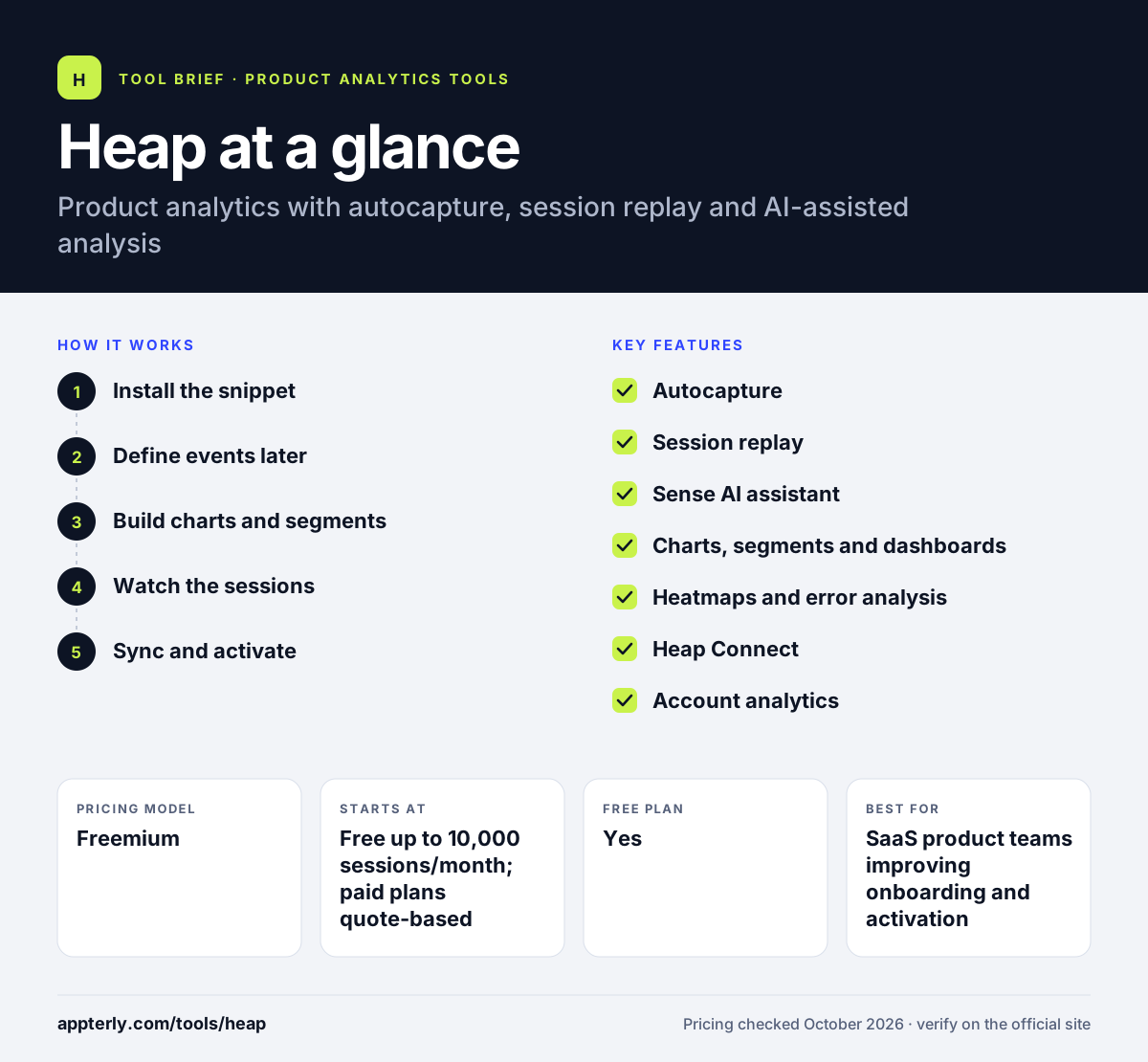
Heap at a glance
How does Heap work?
- Install the snippet
Add Heap's code to your site or app. It begins autocapturing clicks, pageviews and other interactions immediately.
- Define events later
Name the interactions that matter, such as sign-up clicks, after the fact, and Heap applies them to historical data.
- Build charts and segments
Create funnels, journeys and segments, or ask Sense to start an analysis for you.
- Watch the sessions
Open session replays linked to specific actions to see why users struggle or drop off.
- Sync and activate
Send data to your warehouse with Heap Connect and connect other tools through integrations.
Heap key features
Autocapture
One snippet records user interactions across platforms with no upfront tracking plan, enabling retroactive analysis.
Session replay
Replays are tied to specific user actions so you can see the moments behind a metric. It is an add-on on Pro and Premier.
Sense AI assistant
Ask questions in natural language to start analyzing data without long onboarding.
Charts, segments and dashboards
Build funnels, journeys and reports, and share dashboards across teams with unlimited users on paid plans. Playbooks offer ready-made analysis paths for common questions.
Heatmaps and error analysis
Add heatmaps and error analysis to Pro or Premier to diagnose UX problems.
Heap Connect
Push Heap data directly into your data warehouse for deeper analysis.
Account analytics
Pro and Premier add account-level analysis and an engagement matrix for B2B products.
Why use Heap?
- Autocapture removes the need for a detailed tracking plan before launch.
- You can answer new questions using past data that was already collected.
- Session replay explains the why behind funnel drop-offs.
- The AI assistant makes analysis accessible to non-analysts.
- Contentsquare backing adds broader experience analytics options.
Who is Heap best for?
A good fit for
- SaaS product teams improving onboarding and activation
- Teams with limited engineering time for event tagging
- B2B companies analyzing account-level engagement
- Marketers who want behavioral data beyond traffic reports
Less suited to
- Buyers who want published prices for paid tiers
- Small sites over the 10,000 monthly session free limit with tight budgets
- Teams that only need simple pageview stats
Heap pricing
| Pricing model | Freemium |
|---|---|
| Free plan | Yes |
| Free trial | Available (length not stated) |
| Starting price | Free up to 10,000 sessions/month; paid plans quote-based |
Free includes core charts, one project and six months of history. Growth, Pro and Premier are priced by sessions and add the Sense AI assistant, account analytics, more projects and warehouse features, with replay and heatmaps as add-ons.
Prices checked October 2026. Vendors change plans often, so confirm on the official Heap pricing page before you buy.
Heap pros and cons
Pros
- Autocapture saves setup time
- Retroactive analysis on historical data
- Replay linked to user actions
- Free plan available
Cons
- Paid plan prices are not published
- Replay and heatmaps are add-ons
- Exceeding limits locks data viewing until you upgrade
Heap integrations and platforms
Available on
Heap alternatives
See the full shortlist in Best Product Analytics Tools.
Heap FAQ
Is Heap free?
Yes. Heap has a free plan for up to 10,000 monthly sessions, with core charts, one project, six months of data history and SSO. Paid Growth, Pro and Premier plans add more history, projects, the Sense AI assistant and advanced features. Their prices depend on session volume and are not published. Eligible users can start with a free trial of paid features.
What is Heap autocapture?
Autocapture means Heap records user interactions such as clicks, pageviews and form changes automatically once you install its snippet. You do not need to define events in code first. Later, you can name the interactions you care about, and Heap applies those definitions to data it has already collected.
Is Heap part of Contentsquare?
Yes. Heap has joined Contentsquare, and its site presents combined Heap and Contentsquare offerings, including Sense, Contentsquare's AI. Heap continues to be sold as a product analytics platform, while Contentsquare adds broader digital experience tools for teams that want both.
Heap vs Mixpanel: what's the difference?
Heap relies on autocapture, so it records interactions without upfront tagging and supports retroactive analysis. Mixpanel is event-based and works best with a planned tracking setup, and it publishes event-based pricing with a large free tier. Heap's paid prices are quote-based and depend on monthly sessions.
What happens if I exceed Heap's session limit?
Heap does not drop or throttle your data when you go over your plan's monthly sessions. Instead, you receive an email asking you to upgrade, and you need to do so before you can view your data again. A session ends after 30 minutes of inactivity on web or 5 minutes on mobile.
Sources
This overview is based on Heap's official website and documentation, checked October 2026.