What is LogRocket?
LogRocket is a digital experience analytics platform that records user sessions in web and mobile apps and pairs them with product analytics, error tracking and performance data. Each replay shows not only what the user saw and clicked, but also the console logs, network requests and errors behind the screen. That makes it popular with product, engineering and support teams who need to understand both the user experience and the technical cause of a problem.
On top of the raw data, LogRocket runs Galileo, an AI layer that watches sessions, flags technical and UX issues, estimates how much each one matters and suggests reproduction steps. Heatmaps, clickmaps and rage-click maps cover aggregate behavior, while funnels and path analysis show where users drop off. SDKs for iOS, Android, React Native and Flutter extend the same approach to mobile apps.
LogRocket at a glance
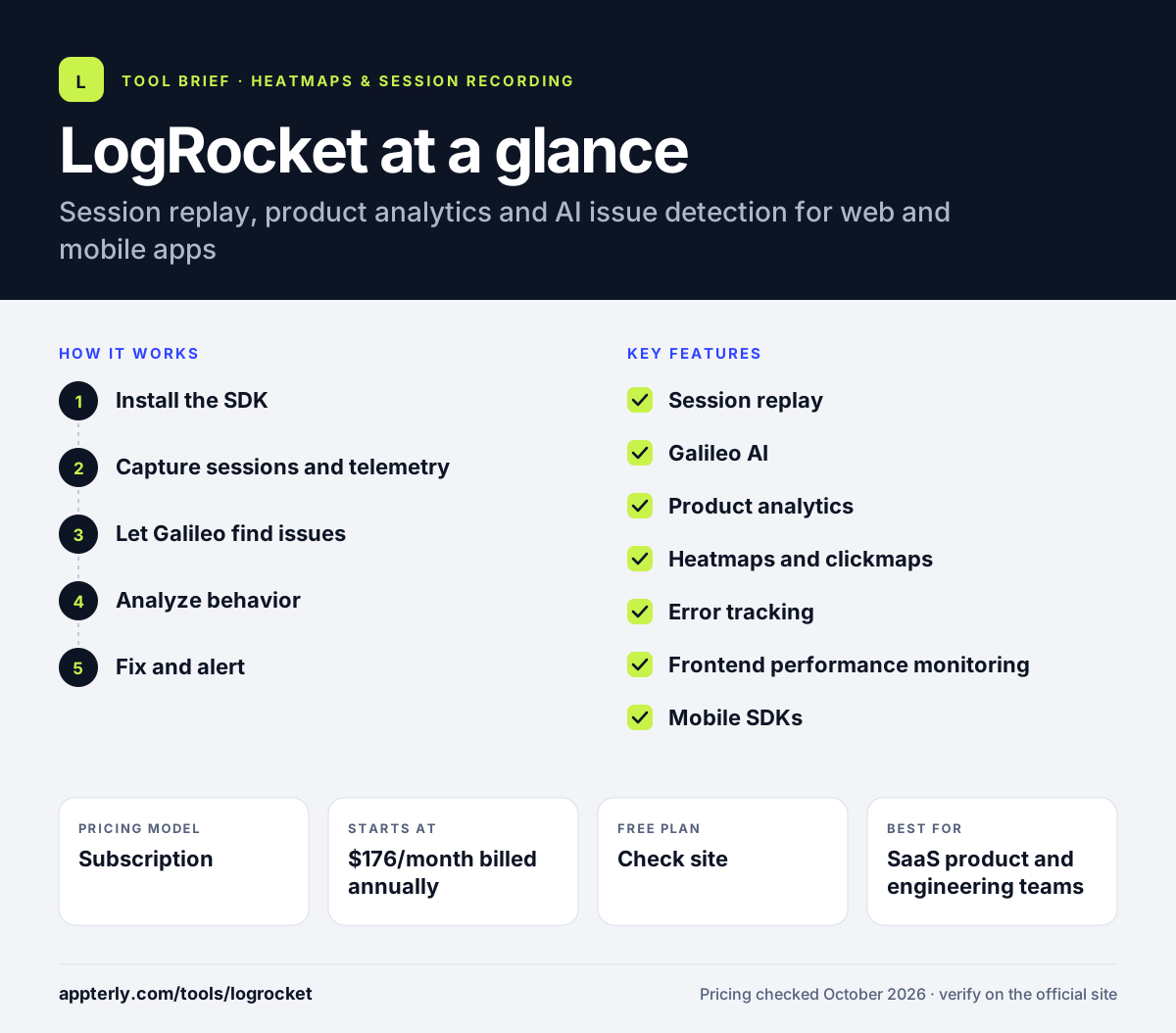
How does LogRocket work?
- Install the SDK
Add LogRocket to a web app through NPM or a script tag, or add the iOS, Android, React Native or Flutter SDK to a mobile app.
- Capture sessions and telemetry
LogRocket records DOM playback along with console logs, network activity, errors and frontend performance for each session.
- Let Galileo find issues
The AI reviews sessions, groups recurring problems and ranks them by their impact on users and the business.
- Analyze behavior
Use funnels, path analysis, heatmaps and timeseries charts, then click into the exact replays behind any metric.
- Fix and alert
Send issues to your existing tools, set alerts and use the captured logs to reproduce and resolve bugs faster.
LogRocket key features
Session replay
Pixel-accurate playback of user sessions with console logs, network requests, errors and performance data attached.
Galileo AI
Watches sessions at scale, detects technical and UX issues, scores severity and provides AI session summaries. Some AI features require the Pro plan.
Product analytics
Conversion funnels, path analysis and timeseries charts, each linked to the underlying session replays.
Heatmaps and clickmaps
Aggregate views of where users click and scroll, including rage-click maps that highlight frustration.
Error tracking
Surfaces frequent JavaScript errors, failed network calls and crashes, with the session context needed to reproduce them.
Frontend performance monitoring
Tracks page and app performance and connects slowdowns to real user experience.
Mobile SDKs
Session capture for iOS, Android, React Native and Flutter apps.
Surveys, alerts and API access
Collect in-app feedback, set alerts on key events and pull data out through the API or an MCP server.
Why use LogRocket?
- Engineers get logs, network calls and errors next to the replay, which shortens the time needed to reproduce bugs.
- Galileo AI points teams to the issues that affect the most users instead of leaving them to watch recordings at random.
- Product analytics and replay sit in one tool, so every chart can be traced back to real sessions.
- Web and mobile apps can be covered with the same platform.
- Analytics, error and log events are unlimited on paid plans, with pricing based mainly on session volume.
Who is LogRocket best for?
A good fit for
- SaaS product and engineering teams
- Developers debugging frontend issues in production
- Companies with both web and mobile apps
- Support teams that need to see exactly what a customer experienced
Less suited to
- Small marketing sites that only need simple heatmaps
- Very budget-conscious teams, since paid plans start well above entry-level heatmap tools
- Non-technical users who want a purely marketing-focused interface
LogRocket pricing
| Pricing model | Subscription |
|---|---|
| Free plan | Not confirmed |
| Free trial | 14 days |
| Starting price | $176/month billed annually |
Price scales mainly with monthly session volume, seats, retention and add-ons. Core covers replay, analytics and heatmaps; Pro adds AI summaries, AI issue detection and Ask Galileo; Enterprise adds unlimited seats, data export and self-hosting.
Prices checked October 2026. Vendors change plans often, so confirm on the official LogRocket pricing page before you buy.
LogRocket pros and cons
Pros
- Replays include developer-grade context such as logs and network data
- Strong AI issue detection with Galileo
- Covers web and mobile apps, including React Native and Flutter
- Every analytics chart links back to real sessions
Cons
- More expensive than marketing-focused heatmap tools
- Several AI features are reserved for the higher Pro tier
- Exact prices depend on a session calculator rather than a simple fixed list
LogRocket integrations and platforms
Available on
LogRocket alternatives
See the full shortlist in Best Heatmap Tools.
LogRocket FAQ
Is LogRocket free?
LogRocket offers a 14-day free trial of its features with no credit card required. The official pricing page lists paid Core, Pro and Enterprise plans and does not show an ongoing free plan, so plan on a paid subscription after the trial. Paid pricing starts at about $176 per month on annual billing, depending on session volume.
What is LogRocket used for?
LogRocket is used to see and fix problems in web and mobile apps. Teams replay user sessions with logs and network data attached, track errors and performance, and analyze funnels and heatmaps. Its Galileo AI flags the issues that hurt users most, which helps engineering and product teams decide what to fix first.
LogRocket vs FullStory: what's the difference?
Both offer session replay and digital experience analytics. LogRocket leans toward engineering teams, attaching console logs, network requests and performance data to each replay and using Galileo AI to detect issues. FullStory is often positioned for broader analytics and enterprise digital experience work. Teams focused on debugging usually find LogRocket the more natural fit.
Does LogRocket support mobile apps?
Yes. LogRocket provides mobile SDKs for iOS, Android, React Native and Flutter, so you can capture sessions in native and cross-platform apps as well as on the web. Mobile sessions connect to the same analytics, issue detection and crash reporting tools used for web apps, which helps teams that ship on several platforms.
Is LogRocket good for beginners?
LogRocket is easy to install, and replays are simple to watch, but much of its value comes from technical data like console logs, network calls and performance metrics. Developers and product managers usually get up to speed quickly. Marketers who only need basic heatmaps may find simpler tools easier and cheaper.
Sources
This overview is based on LogRocket's official website and documentation, checked October 2026.