What is Air?
Air is a digital asset management (DAM) and creative operations platform that stores a team's images, videos and design files in one searchable workspace. It has grown beyond a plain file library into an AI-assisted tool that learns a brand from its assets and guidelines. It can find files from a plain-language description, adapt approved creative into new sizes and formats, and show ad performance next to each asset.
The product is aimed at in-house brand, social and content teams, plus agencies that juggle many campaigns at once. Work happens in a web app, with desktop sync for Mac and Windows, an iOS app and a Chrome web clipper. Reviews, comments and sign-offs sit in the same place as the files, so teams spend less time chasing approvals across email, chat and shared drives.
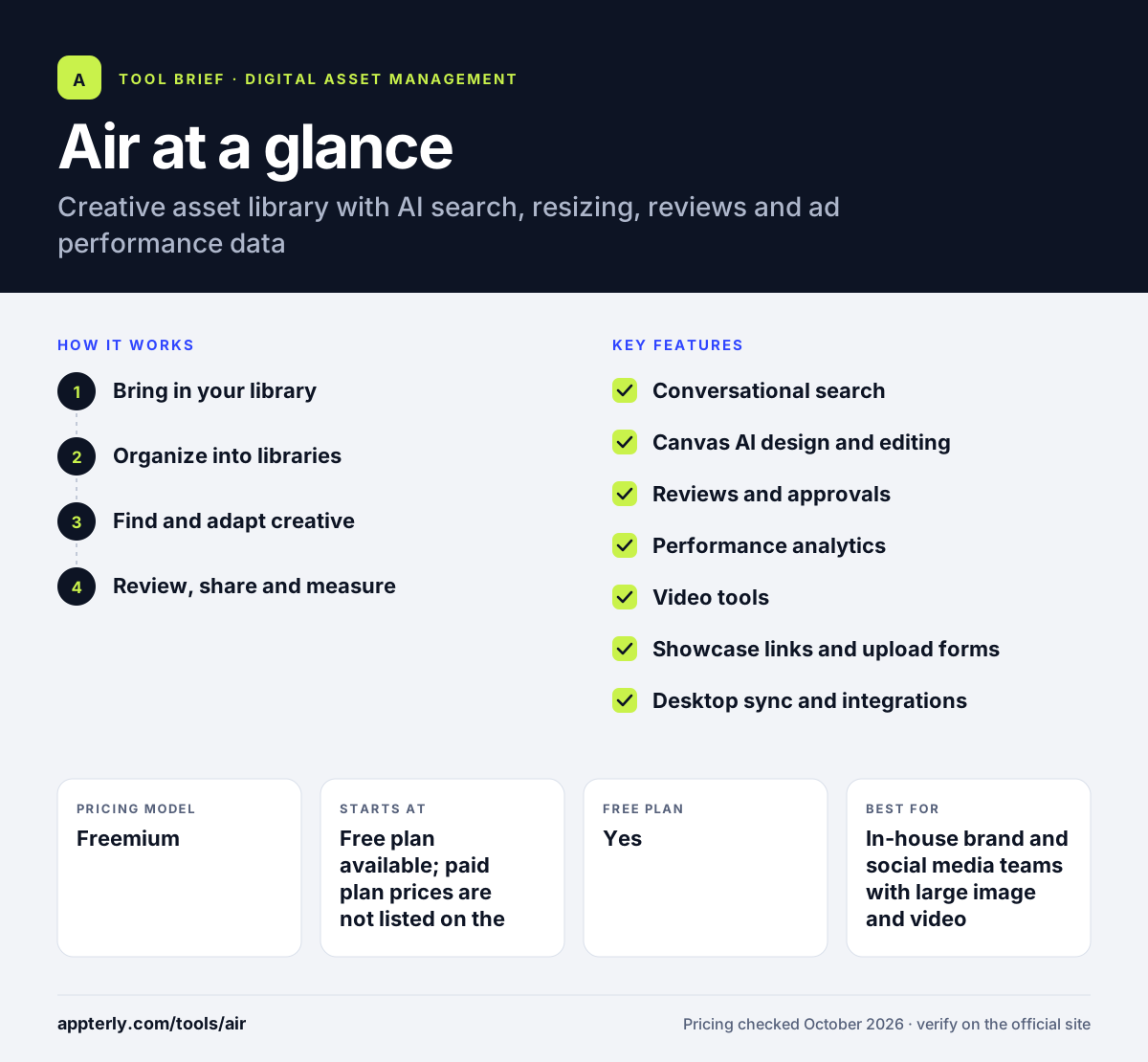
Air at a glance
How does Air work?
- Bring in your library
Upload files directly or import them from tools such as Google Drive, Dropbox, Box, SharePoint or another DAM. Air can also collect files from outside contributors through upload forms that need no account.
- Organize into libraries
Group assets into access-controlled libraries by brand, campaign or team. AI builds an understanding of the content so you do not have to tag every file by hand.
- Find and adapt creative
Search by describing what you need, then use Canvas to resize or rework approved assets for different channels using the built-in AI models.
- Review, share and measure
Collect comments and approvals in one place, share branded links with partners, and connect ad accounts to see how each creative is performing.
Air key features
Conversational search
Find images and videos by describing them in plain words instead of relying on exact file names or tags.
Canvas AI design and editing
Resize and adapt approved creative for different placements, with access to more than 50 AI models without separate subscriptions.
Reviews and approvals
Teammates and stakeholders comment on and sign off on assets inside the same workspace that stores them.
Performance analytics
Connect ad accounts so creative results appear next to the files, which helps teams see what to reuse.
Video tools
Automatic transcripts and chapters, editable captions and clipping make long videos easier to search and repurpose.
Showcase links and upload forms
Share branded, access-controlled collections with clients and collect files from photographers or partners without giving them a login.
Desktop sync and integrations
Sync assets to Mac or Windows and connect tools such as Figma, Canva, Slack, Shopify, WordPress, Zapier and Make.
Why use Air?
- It replaces scattered folders in shared drives with one searchable library that the whole team can use.
- Plain-language search cuts the time spent hunting for a specific photo or clip.
- Built-in resizing and AI editing help turn one approved asset into versions for many channels.
- Seeing ad results beside each creative helps teams decide what to produce more of.
- The free plan lets a small team try the full workspace before paying.
Who is Air best for?
A good fit for
- In-house brand and social media teams with large image and video libraries
- Creative agencies sharing work and collecting approvals from clients
- Ecommerce and retail brands producing many ad variations
- Small teams that want to start a DAM on a free plan
Less suited to
- Buyers who need published prices for every paid tier before talking to anyone
- Organizations that only need simple file storage with no creative workflow
- Teams that need deep product information management features
Air pricing
| Pricing model | Freemium |
|---|---|
| Free plan | Yes |
| Free trial | Not confirmed |
| Starting price | Free plan available; paid plan prices are not listed on the pricing page |
The free plan covers up to 3 users, 10 GB of storage and 100 AI credits a month. Starter raises limits to 5 users and 200 GB, Business offers unlimited users and 2 TB, and Enterprise adds 5+ TB, SSO and custom permissions; extra credit packs cost $50/month per 1,000 credits.
Prices checked October 2026. Vendors change plans often, so confirm on the official Air pricing page before you buy.
Air pros and cons
Pros
- Free plan includes full feature access for up to 3 users
- Search, editing, approvals and analytics live in one tool
- Easy import paths from many other DAMs and cloud drives
- Contributors can upload files without needing an account
Cons
- Paid plan prices are not published on the pricing page
- AI credits are limited per plan and do not roll over
- Feature differences between paid tiers are not clearly listed
Air integrations and platforms
Works with
Available on
Air alternatives
See the full shortlist in Best Digital Asset Management Software.
Air FAQ
Is Air free?
Yes. Air has a free plan with no time limit and no credit card required. It supports up to 3 users, 10 GB of storage and 100 AI credits per month, and it includes access to every feature. Teams that need more users, storage or credits can move to the Starter, Business or Enterprise plans.
What is Air used for?
Air is used to store, organize, search and share creative assets such as photos, videos and design files. Marketing and brand teams also use it to gather approvals, resize approved creative for different channels with AI, collect files from outside contributors and see ad performance data next to each asset.
Air vs Dropbox: what's the difference?
Dropbox is general cloud storage for any kind of file. Air is built for creative teams, so it adds AI search by description, visual libraries, review and approval tools, branded share links, video transcripts and ad performance data. Air can also import files from Dropbox, so teams can move existing folders across.
Does Air integrate with Figma and Canva?
Yes. Air lists integrations with Figma and Canva for design work, plus Adobe Premiere Pro, Slack, Shopify, WordPress, LinkedIn and Sanity. Automation tools such as Zapier, Make and n8n are also supported, and Air offers MCP access for connecting AI assistants.
Is Air good for small teams?
Air can suit small teams well because the free plan supports up to 3 users and the Starter plan supports up to 5. Small teams get the same core features as larger ones, so they can organize assets and run approvals without a large budget or a long setup project.
Sources
This overview is based on Air's official website and documentation, checked October 2026.