What is Adobe Experience Manager Assets?
Adobe Experience Manager Assets is an enterprise digital asset management (DAM) system that helps large organizations store, find, govern and deliver brand content across channels. It is part of Adobe Experience Manager and connects with Creative Cloud and Experience Cloud. AI tags and classifies assets, conversational search finds content across instances, and Adobe Firefly can generate new variations from approved assets.
AEM Assets is sold in two editions, Prime and Ultimate. Prime covers central asset management, search, collaboration, rights management, Content Hub and AI content intelligence with up to 30TB of storage. Ultimate adds APIs, App Builder, content automation, custom metadata, Dynamic Media for resizing and delivering rich media, and unlimited storage. Both are priced through Adobe sales, and the product targets enterprises rather than small teams.
AEM Assets runs alongside other Experience Manager applications, so assets can flow straight into websites, campaigns and personalized experiences. Adobe frames the product as an agentic DAM, meaning AI agents help with governance, discovery and usage analysis rather than only tagging files. Agentic ingestion is listed as a coming feature, and a demo can be booked through Adobe.
Adobe Experience Manager Assets at a glance
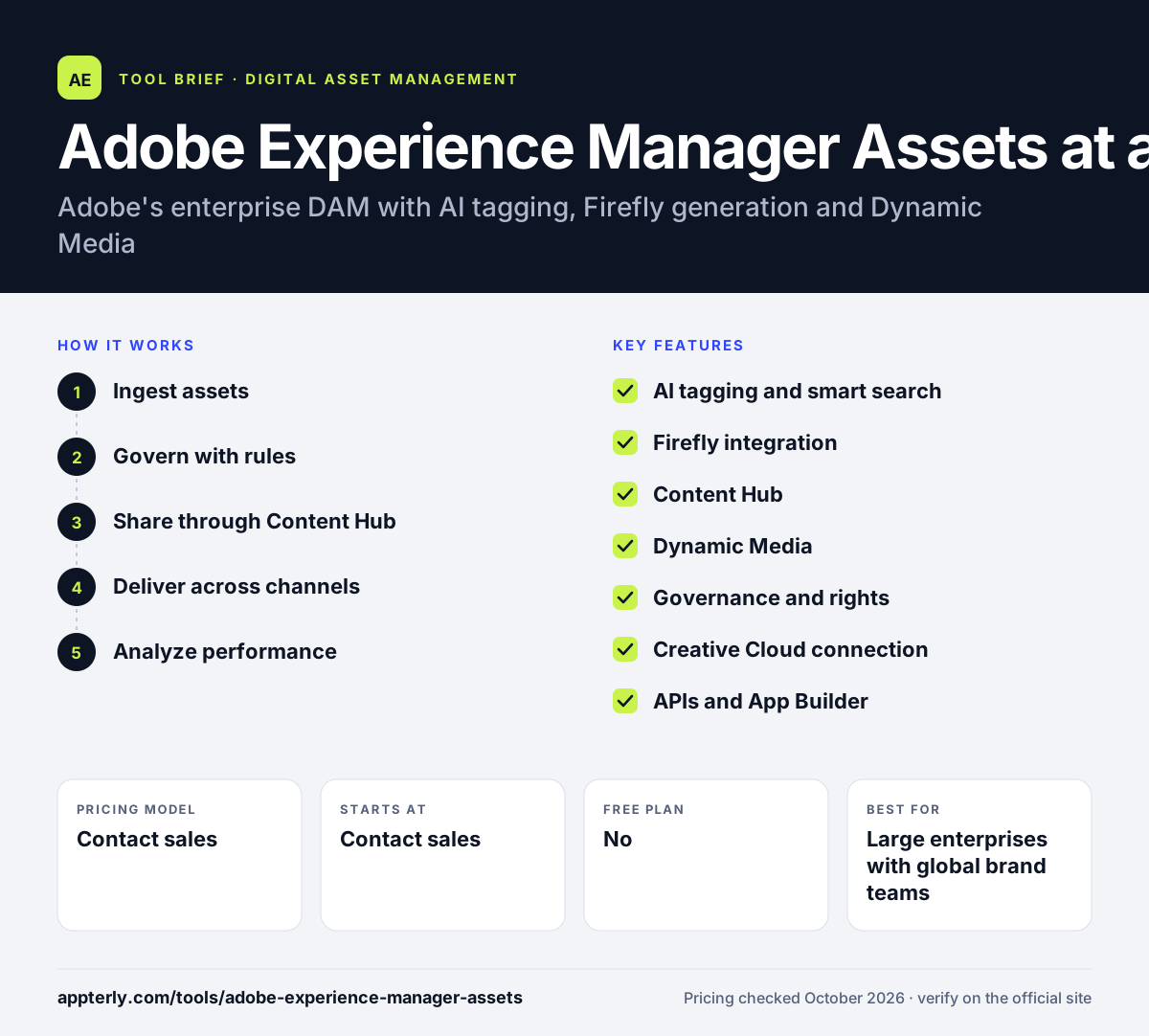
How does Adobe Experience Manager Assets work?
- Ingest assets
Bulk upload images, videos, 3D files and documents, where AI applies tags and brand metadata automatically.
- Govern with rules
Set role-based permissions and let agentic workflows flag expired, duplicate or non-compliant assets.
- Share through Content Hub
Give marketers and partners a personalized portal of approved assets they can find and remix.
- Deliver across channels
On Ultimate, Dynamic Media resizes and serves images and video to every channel automatically.
- Analyze performance
Review top downloads and asset usage across channels to see which content works.
Adobe Experience Manager Assets key features
AI tagging and smart search
Automatic tagging, translated tags and conversational search make large libraries easier to navigate.
Firefly integration
Adobe Firefly generates new asset variations from approved content inside the DAM.
Content Hub
A portal where approved assets are available to marketers and partners, included in both editions.
Dynamic Media
Automated resizing and delivery of images, video and rich media, plus Dynamic Media Templates, on Ultimate.
Governance and rights
Permissions, versioning, duplicate detection and rights management keep assets compliant.
Creative Cloud connection
Designers can access and save DAM assets from Adobe's creative apps. Files can be placed back into the DAM once edited.
APIs and App Builder
Ultimate adds API access and Adobe Developer App Builder for custom extensions.
Why use Adobe Experience Manager Assets?
- Deep links with Creative Cloud and Experience Cloud suit companies already using Adobe.
- AI tagging and search help manage very large asset libraries.
- Firefly turns approved assets into new variations without leaving the DAM.
- Dynamic Media simplifies delivering the right asset size to every channel.
- Usage insights show which assets drive results.
Who is Adobe Experience Manager Assets best for?
A good fit for
- Large enterprises with global brand teams
- Organizations using Adobe Experience Cloud or Creative Cloud
- Retail and ecommerce brands delivering rich media at scale
- Marketing operations teams needing strong governance
Less suited to
- Small businesses and startups
- Teams that want self-serve signup and public pricing
- Organizations without technical resources for setup and integration
Adobe Experience Manager Assets pricing
| Pricing model | Contact sales |
|---|---|
| Free plan | No |
| Free trial | Not confirmed |
| Starting price | Contact sales |
Adobe sells Prime and Ultimate editions with custom quotes. Prime includes up to 30TB of storage, while Ultimate adds Dynamic Media, APIs, automation and unlimited storage.
Prices checked October 2026. Vendors change plans often, so confirm on the official Adobe Experience Manager Assets pricing page before you buy.
Adobe Experience Manager Assets pros and cons
Pros
- Tight Adobe ecosystem integration
- Strong AI tagging, search and Firefly generation
- Dynamic Media for rich media delivery
- Scales to very large libraries
Cons
- No public pricing and an enterprise-level cost
- Dynamic Media and APIs need the Ultimate edition
- Complex to implement without Adobe expertise
Adobe Experience Manager Assets integrations and platforms
Works with
Available on
Adobe Experience Manager Assets alternatives
See the full shortlist in Best Digital Asset Management Software.
Adobe Experience Manager Assets FAQ
What is Adobe Experience Manager Assets?
Adobe Experience Manager Assets is Adobe's enterprise digital asset management system. It stores and organizes brand content, uses AI to tag and search assets, applies governance rules and delivers approved files across channels. It is part of Adobe Experience Manager and connects with Creative Cloud, Firefly and Experience Cloud. It is designed for large organizations with big asset libraries.
How much does AEM Assets cost?
Adobe does not publish prices for AEM Assets. Both the Prime and Ultimate editions are priced through Adobe sales based on your needs. Prime includes up to 30TB of storage, and Ultimate adds Dynamic Media, APIs, content automation and unlimited storage, so expect enterprise-level pricing.
What is the difference between AEM Assets Prime and Ultimate?
Prime is a ready-to-use DAM with asset management, search, collaboration, rights management, Content Hub and AI content intelligence, capped at 30TB of storage. Ultimate adds API access, Adobe Developer App Builder, content automation, custom metadata, Dynamic Media and unlimited storage for more complex enterprise needs.
AEM Assets vs Bynder: what's the difference?
Both are enterprise DAM platforms. AEM Assets is strongest for companies invested in Adobe, thanks to Creative Cloud, Firefly and Experience Cloud integration plus Dynamic Media delivery. Bynder is a standalone DAM that works with many vendors. Adobe-centric teams often favor AEM Assets. Requesting quotes for both is the best way to compare total cost.
Does AEM Assets include Dynamic Media?
Dynamic Media is included in the Ultimate edition of AEM Assets, according to Adobe's comparison of editions. It automatically resizes and delivers images and video across channels and supports Dynamic Media Templates. The Prime edition does not include it, so check your edition before planning rich media delivery. Prime customers should plan for other delivery options.
Sources
This overview is based on Adobe Experience Manager Assets's official website and documentation, checked October 2026.