What is Zoho CRM?
Zoho CRM is a customer relationship management platform that helps sales teams manage leads, contacts and deals, automate follow-ups and report on pipeline performance. It is part of the wider Zoho suite of business apps, so it connects easily with Zoho tools for email, finance, marketing and support. The product is sold in tiered editions, starting with a free plan for small teams.
Its AI assistant, Zia, now powers AI agents. Teams can pick ready-made agents from the Zia Agent Store or build their own in Zia Agent Studio. Paid editions add built-in calling, multiple pipelines, forecasting, process management and CPQ. Zoho CRM also offers an MCP connection, so AI tools such as Claude and ChatGPT can work with CRM data.
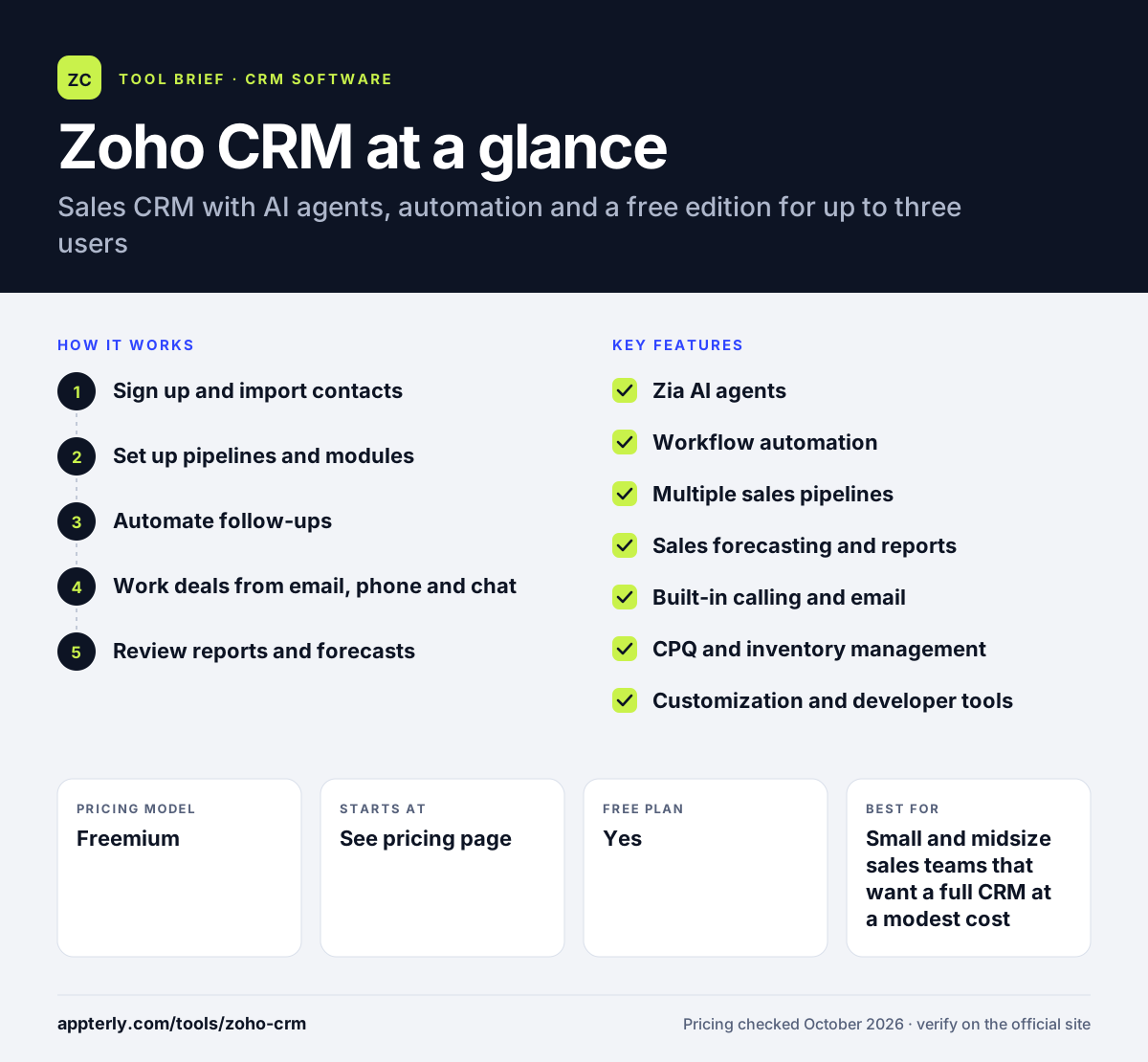
Zoho CRM at a glance
How does Zoho CRM work?
- Sign up and import contacts
Start on the free edition or a trial, then bring in leads and contacts from a spreadsheet or another CRM.
- Set up pipelines and modules
Define deal stages, add custom fields and, on paid plans, create multiple pipelines or custom modules for different products.
- Automate follow-ups
Create workflow rules that send emails, assign tasks or update fields when records change. Higher editions add approval processes and full process management.
- Work deals from email, phone and chat
Connect Gmail or Outlook, use built-in calling and link WhatsApp so every conversation is logged against the right record.
- Review reports and forecasts
Use standard reports on the free plan, then forecasting and unlimited reports on Standard and Professional to track performance.
Zoho CRM key features
Zia AI agents
Pre-built agents from the Zia Agent Store and custom agents built in Zia Agent Studio help with tasks such as follow-ups and deal insights.
Workflow automation
Rules trigger emails, tasks and field updates automatically. Professional adds process management and Enterprise adds approval processes.
Multiple sales pipelines
From the Standard edition, teams can run separate pipelines for different products, regions or sales motions.
Sales forecasting and reports
Standard includes forecasting, and Professional unlocks unlimited reports and predictive intelligence.
Built-in calling and email
Make calls from the CRM, send mass emails and sync with Gmail or Outlook so activity is logged automatically.
CPQ and inventory management
Professional adds configure-price-quote tools and inventory management for teams that sell physical products.
Customization and developer tools
Custom modules, custom buttons and functions, and a developer sandbox on Enterprise let teams tailor the CRM.
Large integration library
More than 1,200 integrations plus native links to other Zoho apps and an MCP server for AI tools.
Why use Zoho CRM?
- Zoho CRM has a free edition, so very small teams can start without paying.
- Paid editions cover a wide range of features, from forecasting to CPQ, without needing many add-ons.
- It connects tightly with other Zoho apps, which suits companies already using Zoho for email, finance or support.
- Built-in AI agents and automation reduce routine admin work for sales reps.
- Over 1,200 integrations make it easier to connect existing tools such as Shopify, QuickBooks or Mailchimp.
Who is Zoho CRM best for?
A good fit for
- Small and midsize sales teams that want a full CRM at a modest cost
- Businesses already using other Zoho apps
- Teams that need workflow automation without a dedicated admin
- Companies selling products that need quoting and inventory tools
Less suited to
- Teams that want a very minimal CRM with almost no settings
- Large enterprises with highly complex processes that need extensive custom development
- Buyers who need a free plan for more than three users
Zoho CRM pricing
| Pricing model | Freemium |
|---|---|
| Free plan | Yes |
| Free trial | Not confirmed |
| Starting price | See the official pricing page |
The free edition supports up to 3 users. Paid editions are Standard, Professional, Enterprise and Ultimate, priced per user per month with lower rates for annual billing. Zoho shows prices in local currency, so check the pricing page for your region.
Prices checked October 2026. Vendors change plans often, so confirm on the official Zoho CRM pricing page before you buy.
Zoho CRM pros and cons
Pros
- Free edition for up to three users
- Broad feature set across tiers at a competitive price
- AI agents and strong workflow automation
- Deep links with the rest of the Zoho suite
Cons
- The number of settings and editions can be confusing at first
- Many advanced features are reserved for Professional and higher
- The free plan has tight limits on users and data exports
Zoho CRM integrations and platforms
Works with
Available on
Zoho CRM alternatives
See the full shortlist in Best CRM Software.
Zoho CRM FAQ
Is Zoho CRM free?
Yes. Zoho CRM has a free edition for up to three users. It includes contact management, follow-up reminders, basic workflow automation, standard reports and mobile apps. Larger teams or those needing forecasting, multiple pipelines or AI features need a paid edition such as Standard, Professional, Enterprise or Ultimate, priced per user.
What is Zoho CRM used for?
Zoho CRM is used to manage the sales process. Teams track leads and deals, log calls and emails, automate follow-ups and report on pipeline performance. Higher editions also support quoting, inventory, customer portals and account-based marketing, so some companies use it as a central hub for customer data.
Is Zoho CRM good for small businesses?
Zoho CRM is a common choice for small businesses because it offers a free plan and relatively low-cost paid editions. Small teams can start with basic contact and deal tracking, then add automation, forecasting and AI agents as they grow. The main downside is the number of options, which can take time to learn.
Zoho CRM vs Salesforce: what's the difference?
Both are full-featured CRMs with automation and AI. Zoho CRM is generally positioned as more affordable and includes a free edition, which appeals to small and midsize businesses. Salesforce offers deeper enterprise customization and a larger partner ecosystem but tends to cost more and often needs an admin to manage.
Does Zoho CRM integrate with Shopify?
Yes. Shopify is listed among Zoho CRM's integrations, so store customer and order data can flow into the CRM. Zoho CRM also connects with more than 1,200 other apps, including QuickBooks, Mailchimp, Zapier and Dropbox, plus the full range of Zoho business apps.
Sources
This overview is based on Zoho CRM's official website and documentation, checked October 2026.