What is Bitrix24?
Bitrix24 is an all-in-one online workspace that combines a CRM, task and project management, team chat, video calls, a website builder and HR tools in a single platform. Instead of paying for several separate apps, a small or midsize business can run sales, collaboration and internal communication from one account. It is available in the cloud and as a self-hosted on-premise edition for companies that want to run it on their own servers.
The CRM covers leads, deals, contacts, invoices, online payments and an omnichannel contact center that pulls in website chat, WhatsApp, Instagram, email and telephony. CoPilot, the built-in AI assistant, transcribes and summarizes calls and drafts text. Cloud pricing is a flat monthly fee per organization with a user cap, rather than a per-seat charge, and there is a free plan with core CRM, tasks and chat.
Bitrix24 at a glance
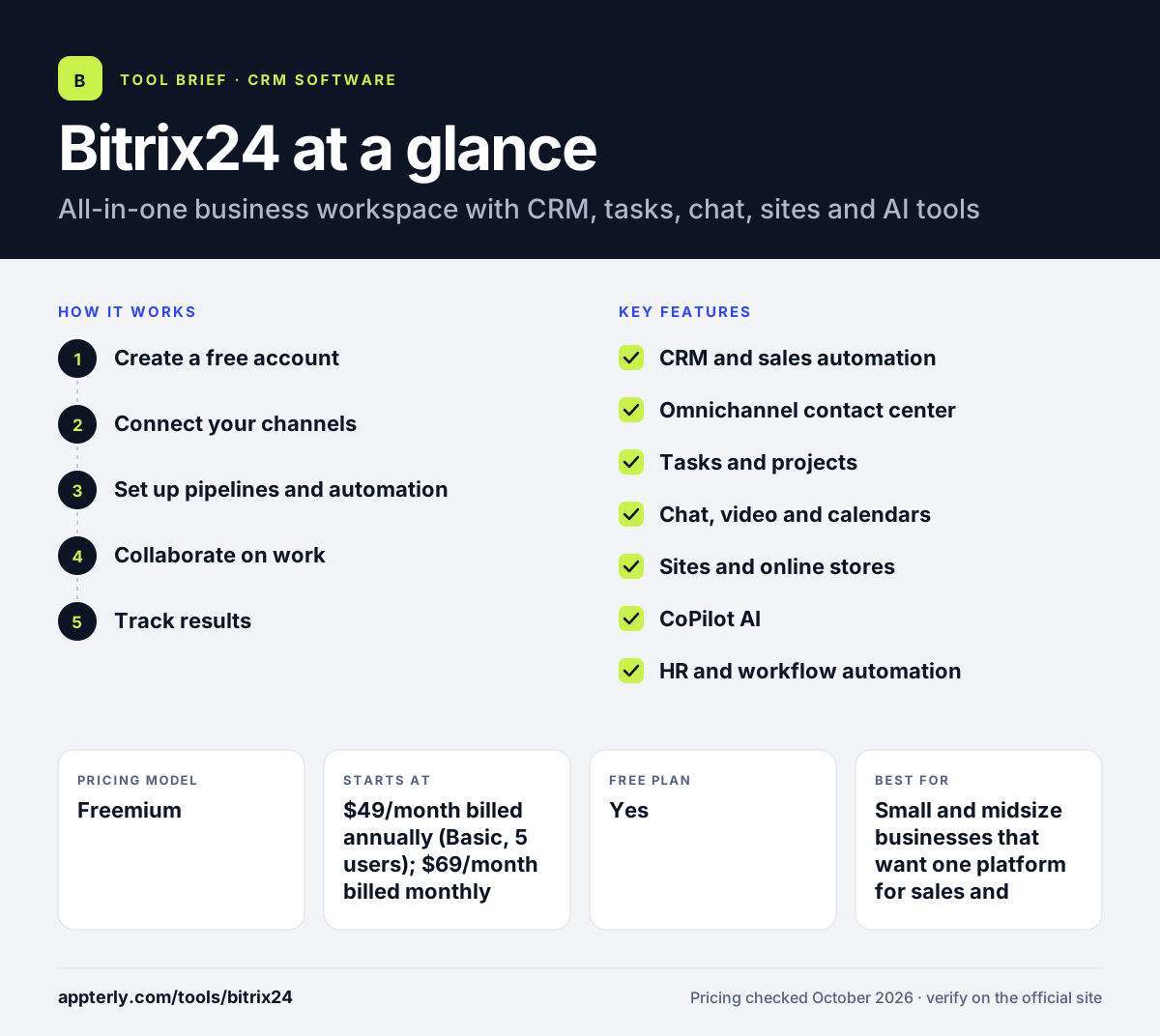
How does Bitrix24 work?
- Create a free account
Sign up in the cloud, invite your team and choose which tools to switch on, such as CRM, tasks or sites.
- Connect your channels
Link email, website chat, social messengers and telephony so inquiries land in the CRM as leads or deals.
- Set up pipelines and automation
Define deal stages, then add automation rules and robots that create tasks, send messages or move deals forward.
- Collaborate on work
Use tasks, Kanban or Gantt views, workgroups, chats and video calls to coordinate projects across departments.
- Track results
Review CRM reports, KPI tracking and sales analytics to see how the team is performing.
Bitrix24 key features
CRM and sales automation
Leads, deals, contacts, quotes, invoices and online payments with automation rules for each pipeline stage.
Omnichannel contact center
Website chat, WhatsApp, Instagram, telephony, forms and email feed into a single inbox tied to CRM records.
Tasks and projects
Kanban, Gantt, Scrum, time tracking and templates for managing team work.
Chat, video and calendars
Team chats, video calls, shared calendars, an activity feed and webmail support internal communication.
Sites and online stores
A free website builder creates landing pages, web forms and simple stores that connect to the CRM.
CoPilot AI
Transcribes and summarizes calls, drafts task descriptions and helps write website copy and images.
HR and workflow automation
Employee directory, absence tracking, approvals, no-code RPA and a knowledge base on higher plans.
Why use Bitrix24?
- One subscription can replace several separate tools for CRM, chat, tasks and websites.
- Flat pricing per organization can be far cheaper than per-seat CRMs for teams of 10 or more.
- The free plan lets small teams start without a credit card.
- An on-premise edition is available for companies that need to host data themselves.
- The omnichannel contact center keeps every customer conversation linked to the CRM.
Who is Bitrix24 best for?
A good fit for
- Small and midsize businesses that want one platform for sales and teamwork
- Budget-conscious teams that prefer flat pricing over per-user fees
- Companies selling through messaging apps and phone
- Organizations that need a self-hosted CRM option
Less suited to
- Teams that only need a simple, focused sales CRM
- Users who want a minimal interface, since the breadth of tools adds complexity
- Very small teams that need telephony or app integrations, which are paid-only
Bitrix24 pricing
| Pricing model | Freemium |
|---|---|
| Free plan | Yes |
| Free trial | 15 days |
| Starting price | $49/month billed annually (Basic, 5 users); $69/month billed monthly |
Plans are priced per organization with user caps: Standard covers 50 users at $99/month annually and Professional 100 users at $199/month annually. Enterprise tiers scale from 250 to 10,000 users, and Vibe+ versions add AI and app-building features for a higher fee.
Prices checked October 2026. Vendors change plans often, so confirm on the official Bitrix24 pricing page before you buy.
Bitrix24 pros and cons
Pros
- Very broad feature set for the price
- Free plan and flat organization pricing
- Cloud and on-premise options
- Desktop and mobile apps included
Cons
- Interface can feel crowded because of the number of tools
- Advanced automation, HR and analytics features are limited to higher tiers
- Setup takes time to tailor the platform to your workflow
Bitrix24 integrations and platforms
Works with
Available on
Bitrix24 alternatives
See the full shortlist in Best CRM Software.
Bitrix24 FAQ
Is Bitrix24 free?
Yes. Bitrix24 has a free cloud plan with basic CRM, tasks, shared calendars, chat, video calls and 5 GB of storage. Telephony and marketplace apps are paid-only. Paid plans start at $49 per month billed annually for up to five users, and a 15-day trial of higher-tier features is available.
What is Bitrix24 used for?
Bitrix24 is used to run sales and team collaboration in one place. Businesses manage leads and deals in the CRM, handle customer messages through the contact center, organize projects with tasks and Gantt charts, communicate through chat and video calls, and build simple websites or online stores.
Is Bitrix24 good for small businesses?
Bitrix24 suits small businesses that want many tools under one subscription and prefer flat pricing rather than paying per user. The free plan covers core needs. The main trade-off is complexity: with so many modules, new users may need time to set things up and hide features they do not use.
Bitrix24 vs monday.com: what's the difference?
Bitrix24 bundles CRM, communication, websites and HR tools into a single flat-priced platform, and it also offers a self-hosted version. monday.com is a flexible work management platform with a separate CRM product, priced per seat. Bitrix24 offers more breadth per dollar, while monday.com is often seen as simpler to customize.
Can Bitrix24 be installed on my own server?
Yes. Besides the cloud service, Bitrix24 sells an on-premise edition that you host on your own infrastructure. It is aimed at companies that need more control over data, customization or compliance. On-premise licenses are priced separately from the cloud plans.
Sources
This overview is based on Bitrix24's official website and documentation, checked October 2026.