What is HubSpot?
HubSpot is a customer platform built around a free CRM that connects marketing, sales, customer service and website tools in one system. It was founded in 2006 in Boston by Brian Halligan and Dharmesh Shah and is still headquartered there. Teams start with HubSpot CRM, now called the Smart CRM, then add specialized hubs, so every email, form, chat and deal is tied to the same contact record.
HubSpot Marketing Hub handles email, automation, HubSpot Landing Pages, forms, SEO and reporting. HubSpot Chat adds live chat and bots to a website, while HubSpot Meetings lets prospects book time on a rep's calendar. HubSpot Breeze Intelligence enriches records with company and contact data, flags buyer intent and shortens forms. Breeze, the AI layer, runs across all of these tools.
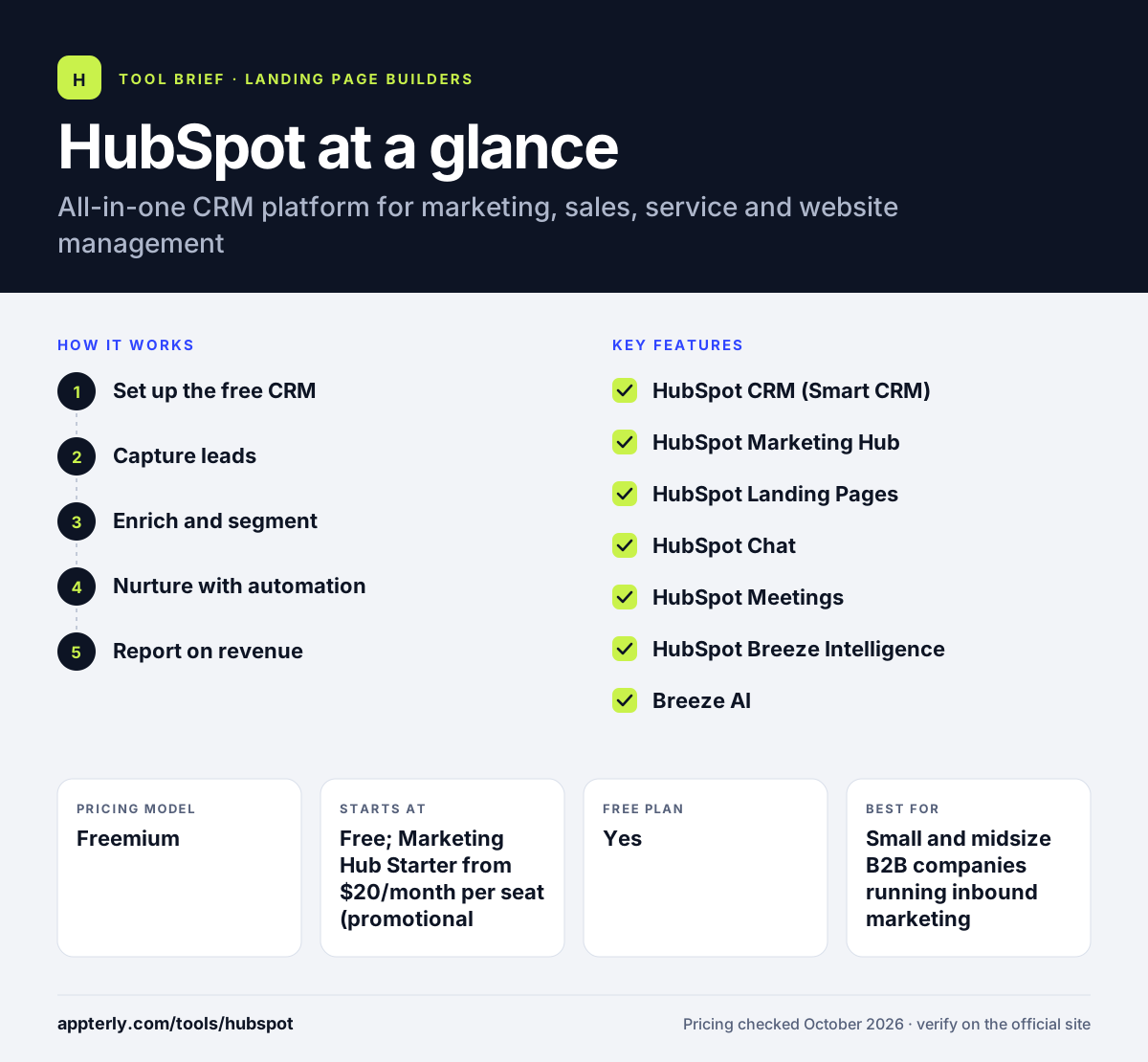
HubSpot at a glance
How does HubSpot work?
- Set up the free CRM
Import contacts and companies, connect your inbox and install the tracking code on your website.
- Capture leads
Add forms, landing pages, live chat and a meetings link so visitors become contacts automatically.
- Enrich and segment
Use Breeze Intelligence and CRM properties to fill in missing data and build target segments.
- Nurture with automation
Send emails and build workflows that score leads, assign owners and trigger follow-ups.
- Report on revenue
Track campaigns, deals and attribution in dashboards that pull from the shared CRM.
HubSpot key features
HubSpot CRM (Smart CRM)
A free, AI-assisted CRM for contacts, companies, deals and tasks that underpins every hub. Records update automatically as contacts interact with your site and emails.
HubSpot Marketing Hub
Email marketing, automation workflows, lead scoring, social scheduling, SEO tools and attribution reporting. Higher tiers add omni-channel automation and multi-touch attribution.
HubSpot Landing Pages
A drag-and-drop landing page and form builder that feeds leads straight into the CRM. Pages use the same branding and forms as the rest of the account.
HubSpot Chat
Live chat and chatbots for your website. Free chat shows HubSpot branding, which paid plans remove. Conversations land in a shared inbox tied to CRM records.
HubSpot Meetings
A free meeting scheduler that syncs with calendars and lets prospects book time from emails or pages. Booked meetings are logged on the contact record.
HubSpot Breeze Intelligence
Data enrichment from a large company and contact dataset, buyer intent signals and shorter forms. It draws on a dataset of more than 200 million buyer and company profiles.
Breeze AI
An AI assistant and agents that help with content, research and routine CRM tasks across hubs. Breeze features use HubSpot credits included with paid plans.
Why use HubSpot?
- HubSpot keeps marketing, sales and service data in one CRM, so teams share a single view of each customer.
- The free tools let small teams start with CRM, forms, chat and meetings at no cost.
- Automation and lead scoring help small teams follow up with leads consistently.
- Reporting connects campaigns to deals, which makes marketing ROI easier to show.
- A large app marketplace and training through HubSpot Academy shorten the learning curve.
Who is HubSpot best for?
A good fit for
- Small and midsize B2B companies running inbound marketing
- Teams that want marketing and sales on one CRM
- Agencies managing lead generation for clients
- Growing companies that plan to add sales and service tools over time
Less suited to
- Very small budgets that need advanced automation, since Professional is a big price jump
- Teams that only need a simple email newsletter tool
- Companies that want to avoid onboarding fees on higher tiers
HubSpot pricing
| Pricing model | Freemium |
|---|---|
| Free plan | Yes |
| Free trial | Not confirmed |
| Starting price | Free; Marketing Hub Starter from $20/month per seat (promotional discounts often apply) |
Marketing Hub Professional starts around $800-$890/month with 3 seats and Enterprise from $3,600/month, plus one-time onboarding fees of $3,000 and $7,000. Costs also rise with marketing contacts and extra seats.
Prices checked October 2026. Vendors change plans often, so confirm on the official HubSpot pricing page before you buy.
HubSpot pros and cons
Pros
- Generous free CRM and marketing tools
- Marketing, sales and service share one database
- Strong automation and reporting on higher plans
- Extensive training resources
Cons
- Professional and Enterprise tiers are expensive
- Required onboarding fees on higher plans
- Contact-based pricing can climb quickly as lists grow
HubSpot integrations and platforms
Available on
HubSpot alternatives
See the full shortlist in Best Landing Page Builders.
HubSpot FAQ
Is HubSpot free?
Yes. HubSpot offers free tools, including the CRM, forms, landing pages, live chat with HubSpot branding, email marketing with a monthly send limit and a meeting scheduler, for up to two users. Paid Starter, Professional and Enterprise plans remove branding and add automation, lead scoring and advanced reporting.
What is HubSpot used for?
HubSpot is used to attract, capture and convert leads and manage customer relationships. Marketing teams use it for email, landing pages and automation. Sales teams use the CRM and meetings tool to track deals, and service teams use it for chat and tickets, all on shared contact records.
Is HubSpot good for beginners?
Yes. HubSpot is considered beginner friendly because its interface is clean, the free tools are easy to start with and HubSpot Academy offers free courses. The platform is large, so advanced automation and reporting take time to learn, but small teams can get value from the basics quickly.
HubSpot vs Salesforce: what's the difference?
HubSpot is an all-in-one platform with a free CRM and strong built-in marketing tools, aimed at ease of use for small and midsize teams. Salesforce is a highly customizable CRM favored by large enterprises with complex sales processes, often requiring admins to configure. HubSpot is usually faster to set up.
Does HubSpot have landing pages and live chat?
Yes. HubSpot includes a free landing page builder and free live chat, both connected to the CRM so new leads are saved automatically. Free versions show HubSpot branding. Paid Marketing Hub plans remove branding and add features such as smart content, A/B testing and more advanced chatbots.
Sources
This overview is based on HubSpot's official website and documentation, checked October 2026.