What is Copper?
Copper is a customer relationship management tool designed to work inside Google Workspace, so teams can manage contacts, deals and projects without leaving Gmail or Google Calendar. A Chrome extension surfaces CRM records next to your emails, captures contact details and logs emails and meetings automatically. It is aimed at relationship-focused service businesses such as agencies, consultancies and financial advisors.
Beyond contact tracking, Copper includes drag-and-drop sales pipelines, task automation, email series and a projects module that turns a closed deal into an onboarding or delivery project. Reports cover revenue and team activity, and AI flags highlight deals that need attention. Pricing is per seat with three tiers that differ mainly by contact limits, automation depth and reporting.
Copper at a glance
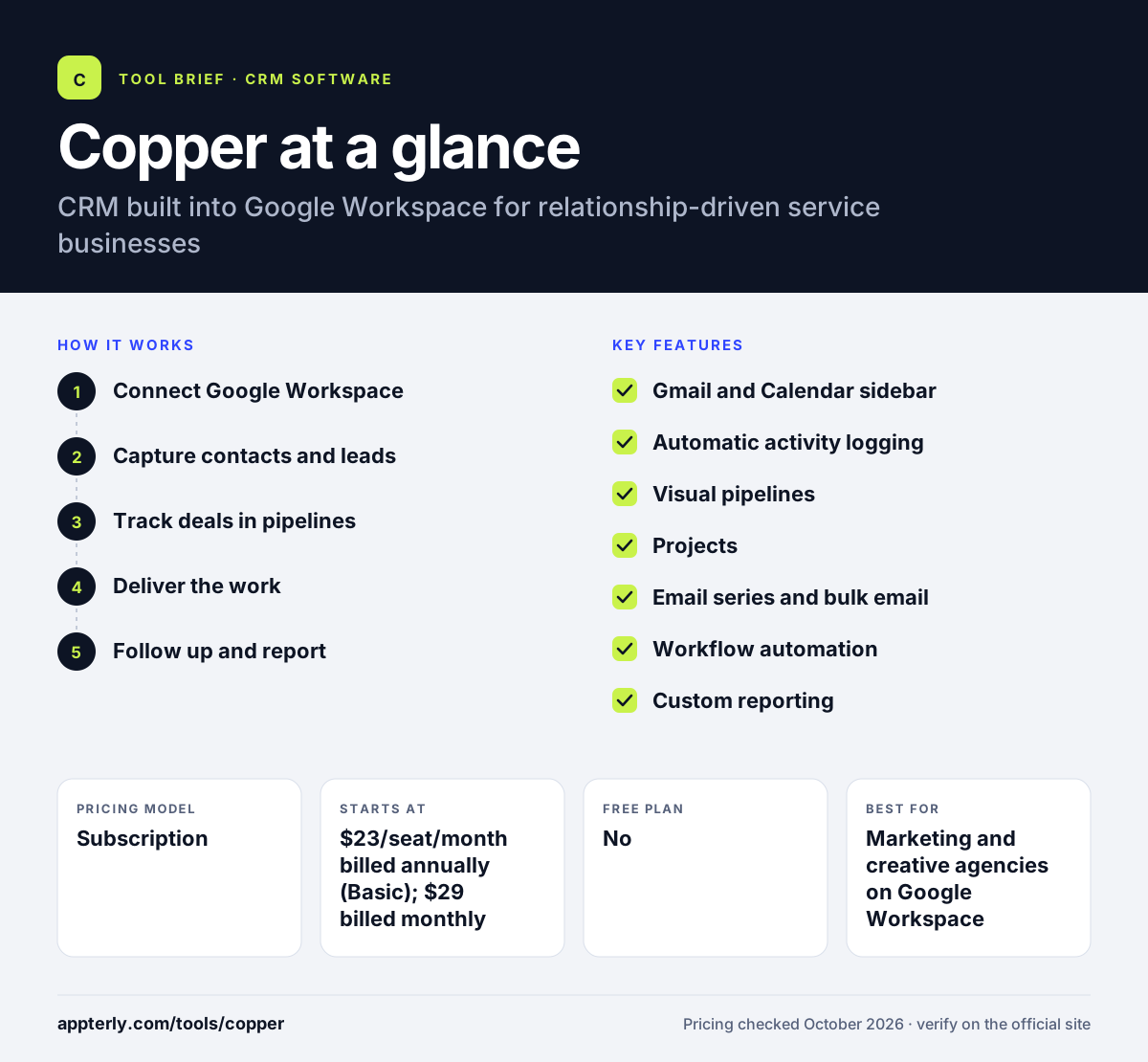
How does Copper work?
- Connect Google Workspace
Sign in with Google and install the Chrome extension so Copper appears inside Gmail and Calendar. Leads can also come from website contact forms.
- Capture contacts and leads
Add people and companies from emails, website forms or scanned business cards, with details filled in automatically. Automations can fire when a deal changes stage.
- Track deals in pipelines
Move opportunities through drag-and-drop stages and let automations create tasks or reminders.
- Deliver the work
Convert a won deal into a project to manage onboarding and service delivery in the same system. Tasks and files stay linked to the client.
- Follow up and report
Send email series to nurture or reconnect with contacts and review revenue and activity reports. Activity feeds show what changed across the team.
Copper key features
Gmail and Calendar sidebar
View and update CRM records, add leads and create tasks directly from your inbox and calendar.
Automatic activity logging
Emails, meetings, calls and files are captured on the right records without manual entry.
Visual pipelines
Drag-and-drop deal stages with sorting by value and win probability, plus AI alerts.
Projects
Manage post-sale onboarding and client work linked to the original deal.
Email series and bulk email
Automated follow-ups and reconnection emails, with email series on the Business plan.
Workflow automation
Professional and Business plans automate repetitive steps across the sales process.
Custom reporting
Revenue and activity reports, with custom reports and Looker Studio connectivity on higher tiers.
Why use Copper?
- Teams that live in Gmail can manage relationships without switching apps.
- Automatic logging keeps client history complete with little effort.
- The projects module links sales and delivery for service businesses.
- Native connections to Google Drive, Sheets and Docs keep files tied to clients.
- A free trial needs no credit card.
- Business card scanning at events speeds up adding new contacts.
Who is Copper best for?
A good fit for
- Marketing and creative agencies on Google Workspace
- Consulting and professional services firms
- Financial advisors and other relationship-led businesses
- Small teams that want a CRM inside Gmail
Less suited to
- Companies that use Microsoft 365 rather than Google Workspace
- High-volume outbound sales teams that need built-in dialers
- Budget users who want a free plan
Copper pricing
| Pricing model | Subscription |
|---|---|
| Free plan | No |
| Free trial | Free trial (length not stated) |
| Starting price | $23/seat/month billed annually (Basic); $29 billed monthly |
Basic allows 2,500 contacts, Professional ($59/seat annually) raises that to 15,000 and adds workflow automation and reporting, and Business ($99/seat annually) offers unlimited contacts, email series and custom reports.
Prices checked October 2026. Vendors change plans often, so confirm on the official Copper pricing page before you buy.
Copper pros and cons
Pros
- Deep Google Workspace integration
- Automatic capture of emails and meetings
- Projects module suits service businesses
- Mobile apps that log calls and texts
Cons
- Less useful for teams outside the Google ecosystem
- Low contact limit on the Basic plan
- Workflow automation starts at the Professional tier
Copper integrations and platforms
Works with
Available on
Copper alternatives
See the full shortlist in Best CRM Software.
Copper FAQ
Is Copper CRM free?
No. Copper does not offer a free plan, but it has a free trial with no credit card required. Paid plans start at $23 per seat per month billed annually, or $29 billed monthly, for the Basic plan with up to 2,500 contacts. Copper also keeps files from Google Drive linked to each client record, so account history stays in one place.
What is Copper CRM used for?
Copper is used to manage client relationships, sales pipelines and post-sale projects from inside Gmail and Google Calendar. Agencies and service firms use it to log emails and meetings automatically, track deals, automate follow-ups and turn won deals into delivery projects. Personal onboarding and premium support are available for eligible annual Professional and Business accounts.
Does Copper work with Outlook?
Copper is built around Google Workspace and runs inside Gmail and Google Calendar through a Chrome extension. Its official site focuses on Google tools, so teams that rely on Outlook and Microsoft 365 will usually find other CRMs a better match. For other tools, Copper connects to thousands of apps through Zapier and offers an API for custom work.
Copper vs HubSpot: what's the difference?
Copper is a focused CRM embedded in Google Workspace, aimed at relationship-driven service teams. HubSpot offers a free CRM plus broad marketing, sales and service hubs that work with both Gmail and Outlook. Copper suits Google-first agencies, while HubSpot suits companies that want a larger all-in-one suite.
Is Copper good for small businesses?
Yes, especially small agencies and consultancies that already use Google Workspace. Copper is easy to adopt because it lives in Gmail, and the Basic plan covers core contact and pipeline needs. Growing teams will likely need Professional for automation and higher contact limits. The mobile apps for iOS and Android also log calls and texts automatically, which helps teams that work away from a desk.
Sources
This overview is based on Copper's official website and documentation, checked October 2026.