What is YouCanBookMe?
YouCanBookMe is an online scheduling tool that turns your calendar into a customizable booking page where clients can pick a time and pay. It is built for small and midsize businesses, including coaches, tutors, photographers, recruiters, salons, real estate agents, nonprofits and professional services firms.
YouCanBookMe puts a lot of weight on how booking pages look and behave. You can add your logo, colors and background, choose between availability views, set notice periods and buffers, and offer group sessions or password-protected pages. Higher plans add multiple appointment types per page, automated workflows, no-show tracking, promo codes, tracking pixels, HubSpot and Zapier connections, and team features such as round robin and role-based access.
YouCanBookMe at a glance
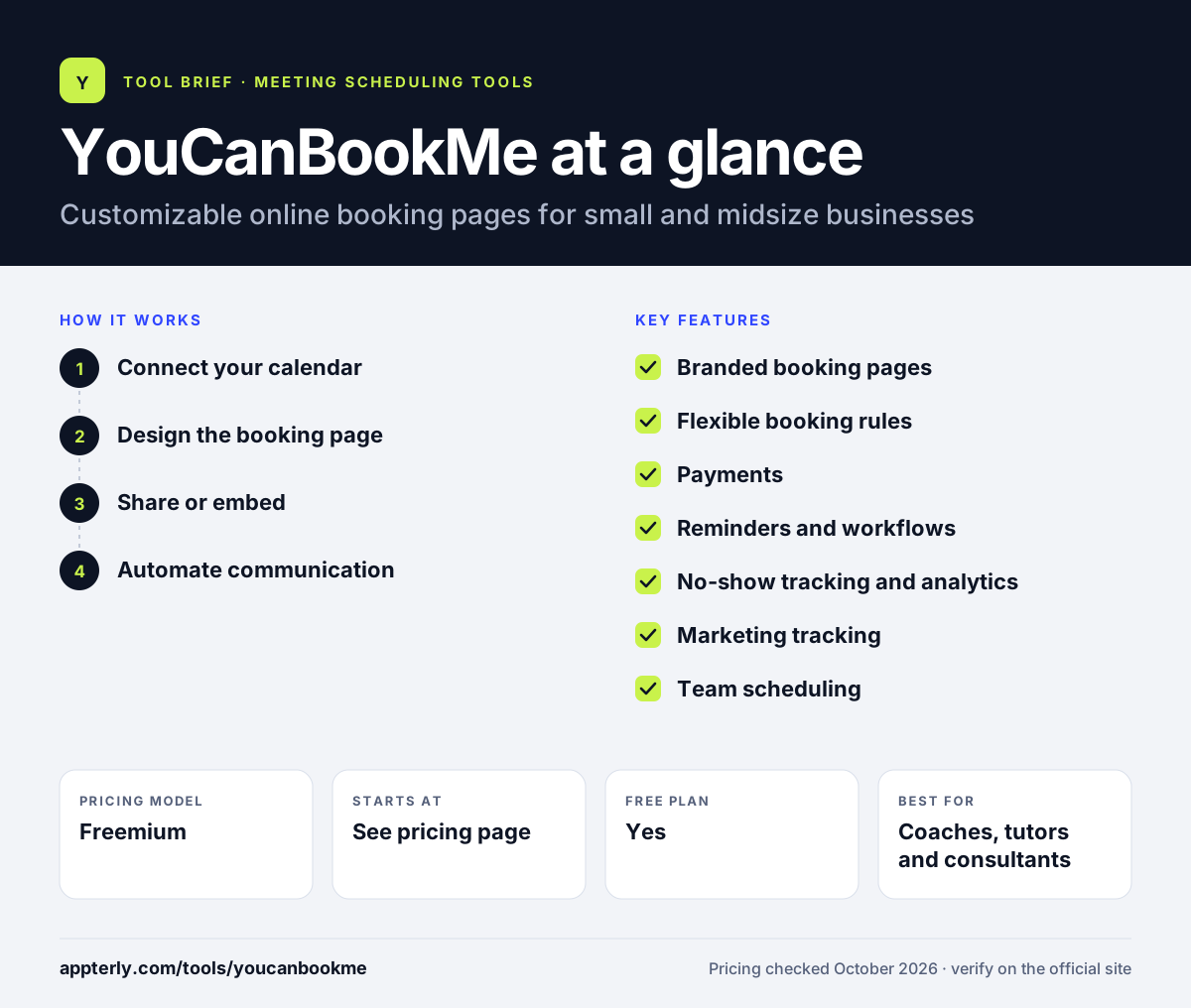
How does YouCanBookMe work?
- Connect your calendar
Link Google Calendar, Office 365 or Apple Calendar so busy times are blocked on your booking page.
- Design the booking page
Add branding, appointment types, durations, notice periods, buffers and the questions you want clients to answer.
- Share or embed
Send the link, embed it on your website or share it from the Chrome extension so clients book at any hour.
- Automate communication
Confirmations, reminders and follow-ups go out by email or SMS, and clients can reschedule or cancel in one click.
YouCanBookMe key features
Branded booking pages
Customize logo, colors, background image and footer, and pick from several availability views.
Flexible booking rules
Set minimum notice, buffer times, group sessions, in-person or online meetings, and password protection.
Payments
Take payment at booking through Stripe with cards, Apple Pay or Google Pay, plus discount codes and packages.
Reminders and workflows
Automated email and SMS confirmations, reminders and follow-ups, with custom workflows on the Professional plan.
No-show tracking and analytics
Track attendance and view booking analytics to understand demand.
Marketing tracking
Add Google Analytics, Facebook Pixel and other tracking codes to measure bookings from campaigns.
Team scheduling
The Team plan adds a team dashboard, round robin, role-based access, centralized billing and unlimited API access.
Meeting polls and Chrome extension
Run polls to agree on a time and share availability straight from Chrome.
Why use YouCanBookMe?
- Booking pages can be styled closely to your brand.
- A free-forever plan lets small businesses start without paying.
- Built-in tracking pixels help marketers attribute bookings to campaigns.
- Workflows and no-show tracking cut admin work for busy service businesses.
- A 14-day trial includes every feature and premium support.
Who is YouCanBookMe best for?
A good fit for
- Coaches, tutors and consultants
- Photographers, salons and personal trainers
- Recruiters scheduling interviews
- Small and midsize teams needing round robin
Less suited to
- Free users who do not want a powered-by badge on their pages and emails
- Enterprise sales teams that need deep CRM routing
YouCanBookMe pricing
| Pricing model | Freemium |
|---|---|
| Free plan | Yes |
| Free trial | 14 days |
| Starting price | See the official pricing page |
Plans are Free, Individual, Professional and Team, scaling by calendar connections, booking pages and features. Prices were not displayed when checked. Yearly billing saves 10% and two-year billing 20%, with a 30-day money-back guarantee.
Prices checked October 2026. Vendors change plans often, so confirm on the official YouCanBookMe pricing page before you buy.
YouCanBookMe pros and cons
Pros
- Highly customizable booking pages
- Free plan plus a full-featured 14-day trial with no credit card
- Marketing pixels and analytics built in
- Discounts for yearly and two-year billing
Cons
- Free plan requires YouCanBookMe branding on pages and emails
- Workflows, HubSpot and Zapier require the Professional plan
- Paid plan prices were not shown publicly when checked
YouCanBookMe integrations and platforms
Works with
Available on
YouCanBookMe alternatives
See the full shortlist in Best Scheduling Software.
YouCanBookMe FAQ
Is YouCanBookMe free?
Yes. YouCanBookMe has a free-forever plan with one calendar connection and one booking page, plus video meeting links, Stripe payments and email and SMS confirmations. Free pages and notification emails must show a powered-by badge, and free users get help through the support site, community forum and video resources rather than one-to-one support. You can upgrade later or start with a 14-day trial of all features. Paid plans add more calendar connections, booking pages and premium support.
What is YouCanBookMe used for?
YouCanBookMe is used to let clients book appointments online through a branded page linked to your calendar. Coaches, tutors, recruiters, photographers, salons and consultants use it to take bookings around the clock, collect payments, send reminders and reduce no-shows. Teams use it for round-robin scheduling. Businesses often embed the booking page on their website so visitors can book without leaving it.
Does YouCanBookMe have a free trial?
Yes. YouCanBookMe offers a 14-day free trial that includes every feature and premium support, with no credit card required. At the end you can choose a paid plan or stay on the free plan. Paid plans also come with a 30-day money-back guarantee. After the trial, nothing is charged unless you choose a paid plan.
YouCanBookMe vs Calendly: what's the difference?
YouCanBookMe emphasizes booking page customization, marketing pixels, promo codes and no-show tracking, which suits small service businesses. Calendly emphasizes meeting scheduling for professionals and sales teams, with routing forms, a large integration catalog and AI add-ons. Both offer free plans and team round-robin scheduling. Both tools are easy to set up, so trying each free plan is a practical way to decide.
Does YouCanBookMe integrate with Zoom?
Yes. YouCanBookMe can add Zoom, Microsoft Teams or Google Meet links to bookings, even on the free plan. It also connects with Google Calendar, Office 365, Apple Calendar and Stripe. The Professional plan adds HubSpot and Zapier, which links YouCanBookMe to thousands of other apps. Tracking pixels and Google Analytics can also be added on the Professional plan.
Sources
This overview is based on YouCanBookMe's official website and documentation, checked October 2026.