What is Doodle?
Doodle is a scheduling tool best known for group polls, where you propose several time slots and participants vote on the ones that suit them. It is used by teams, educators, event organizers, associations and client-facing professionals who need to coordinate several people without a long email chain.
Alongside the classic Group Poll, Doodle offers Booking Pages for reusable appointment links, 1:1s for offering a short list of times to one person, and Sign-up Sheets for workshops, webinars and volunteer slots. Paid tiers remove ads and add video conferencing integrations, team admin tools, branding and Stripe payments. The product is built in Switzerland by Doodle AG, and the company is previewing a broader product called Doodle Time OS.
Doodle at a glance
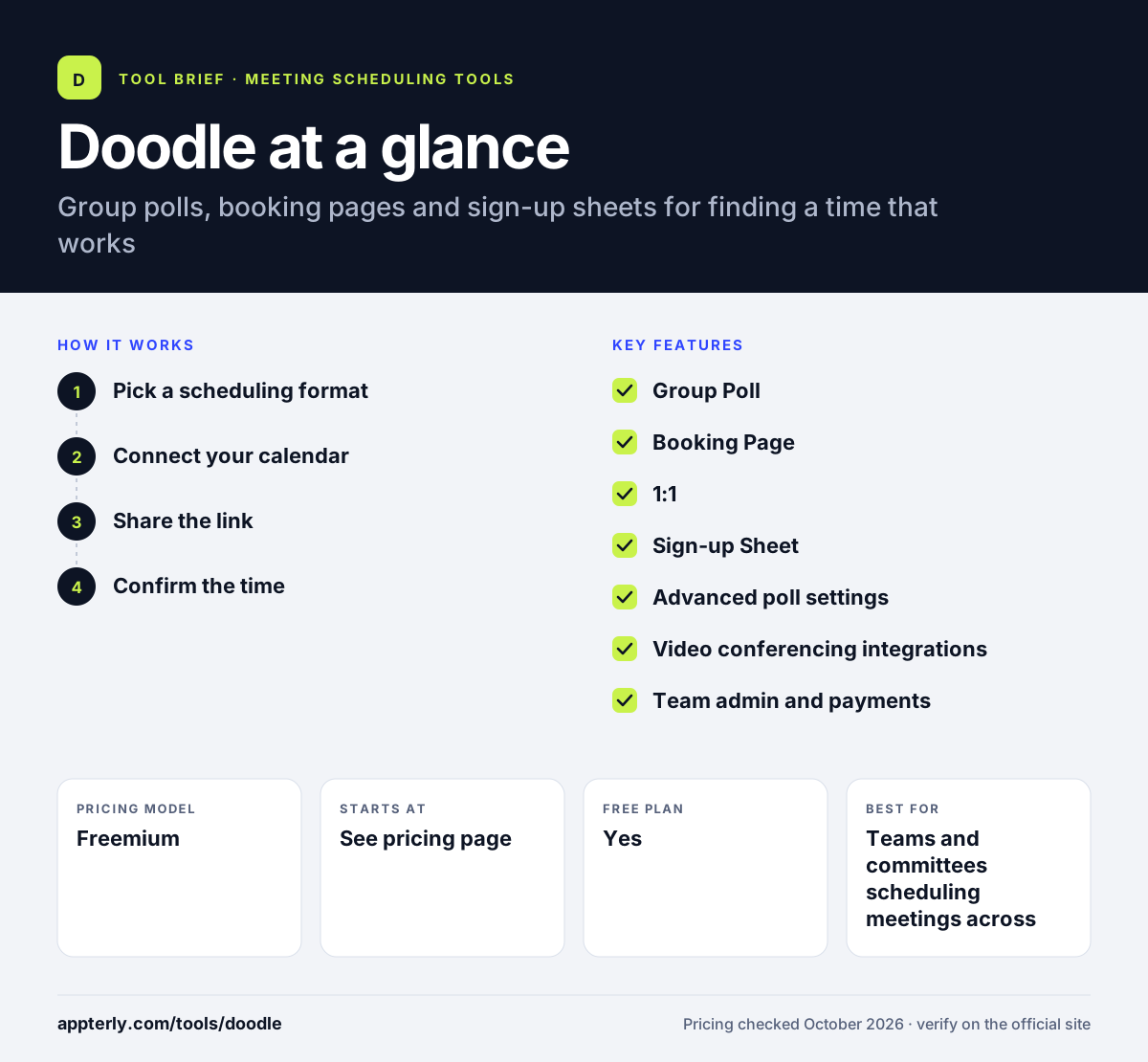
How does Doodle work?
- Pick a scheduling format
Choose a Group Poll, Booking Page, 1:1 or Sign-up Sheet depending on whether you are meeting a group, a client or many attendees.
- Connect your calendar
Link your calendar so Doodle shows your availability and avoids proposing times when you are busy.
- Share the link
Send the poll or page link to participants, who vote, book or sign up without needing an account.
- Confirm the time
Doodle shows the winning slot or the confirmed booking and adds it to calendars, with reminders on paid plans.
Doodle key features
Group Poll
Propose multiple time options and let participants vote to find the slot that works for most people.
Booking Page
A reusable link that lets clients book open times on your calendar.
1:1
Send one person a short list of your available times to choose from.
Sign-up Sheet
Let people register for sessions such as workshops, webinars, office hours or volunteer shifts.
Advanced poll settings
Pro adds deadlines, reminders and the option to hide participants from each other.
Video conferencing integrations
Connect Zoom, Microsoft Teams or Webex to add meeting links automatically on paid plans.
Team admin and payments
The Team plan adds an admin console, roles, co-hosting, booking on behalf of others, branding and Stripe payments.
Enterprise security
Enterprise adds SSO with SAML or OIDC, MFA, role-based access, engagement analytics and a 99.9% SLA.
Why use Doodle?
- Group polls are a fast way to pick a time when many people with different calendars are involved.
- Participants do not need a Doodle account to vote or book.
- One tool covers polls, booking links and sign-up sheets.
- The free plan lets you try each format before paying.
- Compliance badges include SOC 2, GDPR, CCPA and HIPAA, which helps regulated teams.
Who is Doodle best for?
A good fit for
- Teams and committees scheduling meetings across many calendars
- Teachers, schools and associations organizing sessions or office hours
- Event and workshop organizers who need sign-up sheets
- Consultants who want a simple booking page
Less suited to
- Sales teams that need CRM-based lead routing
- Heavy free users, since the free plan allows only one poll, booking page and 1:1 at a time
- Buyers who want transparent prices before contacting the company
Doodle pricing
| Pricing model | Freemium |
|---|---|
| Free plan | Yes |
| Free trial | Not confirmed |
| Starting price | See the official pricing page |
Free includes one Group Poll, one Booking Page, one 1:1 and three basic Sign-up Sheets. Pro and Team are billed per seat, with Team requiring two seats and offering a yearly discount. Enterprise starts at $15,000 per year for 50+ employees. Pro and Team prices were not shown when checked.
Prices checked October 2026. Vendors change plans often, so confirm on the official Doodle pricing page before you buy.
Doodle pros and cons
Pros
- Well-known group poll format that participants understand quickly
- Covers polls, booking pages, 1:1s and sign-up sheets in one tool
- Free plan with no credit card needed
- Strong security and compliance options on Enterprise
Cons
- Free plan shows ads and limits you to one of each main format
- Video conferencing integrations require a paid plan
- Fewer sales-focused routing features than Calendly or Chili Piper
Doodle integrations and platforms
Works with
Available on
Doodle alternatives
See the full shortlist in Best Scheduling Software.
Doodle FAQ
Is Doodle free?
Yes. Doodle has a free plan with no credit card needed. It includes one Group Poll, one Booking Page, one 1:1 and three basic Sign-up Sheets. Paid Pro and Team plans remove ads and unlock unlimited polls, booking pages and sign-up sheets, plus integrations, reminders and team tools.
What is Doodle used for?
Doodle is used to find a meeting time that works for a group. The organizer proposes several slots, participants vote, and the best option wins. People also use Doodle booking pages for client appointments, 1:1 links for quick meetings, and sign-up sheets for workshops, webinars and volunteer shifts.
Do participants need a Doodle account?
No. Participants can vote in a Group Poll, book a slot on a Booking Page or join a Sign-up Sheet without creating an account. Only the organizer needs a Doodle account. This is one reason Doodle is popular for scheduling with people outside your company, such as clients, parents or volunteers.
Doodle vs Calendly: what's the difference?
Doodle is strongest at group scheduling through polls where many people vote on times, and it also offers sign-up sheets. Calendly focuses on booking links for one-on-one and team meetings, with routing forms, CRM integrations and sales features. Teams coordinating groups often prefer Doodle, while sales teams usually prefer Calendly.
Does Doodle integrate with Zoom and Microsoft Teams?
Yes. Doodle's paid plans connect with Zoom, Microsoft Teams and Webex so video links are added to meetings automatically. The Pro plan includes these integrations along with deadlines and reminders. The Team plan adds Stripe payments, custom branding and admin controls for managing several users.
Sources
This overview is based on Doodle's official website and documentation, checked October 2026.