What is Cal.com?
Cal.com is a scheduling platform that lets people book time with you through shareable links, and that companies can self-host or build into their own products. It suits freelancers who want a capable free plan, growing teams that need routing and round-robin meetings, and developers who want scheduling APIs and embeddable components.
Its source code is available on GitHub, and the company provides a Docker guide for running it on your own servers. The hosted version adds Cal Video for built-in calls, an app store with more than 100 integrations, apps for phones and desktops, and support for over 65 languages. The company also sells Cal.ai, an AI phone agent that handles scheduling over calls.
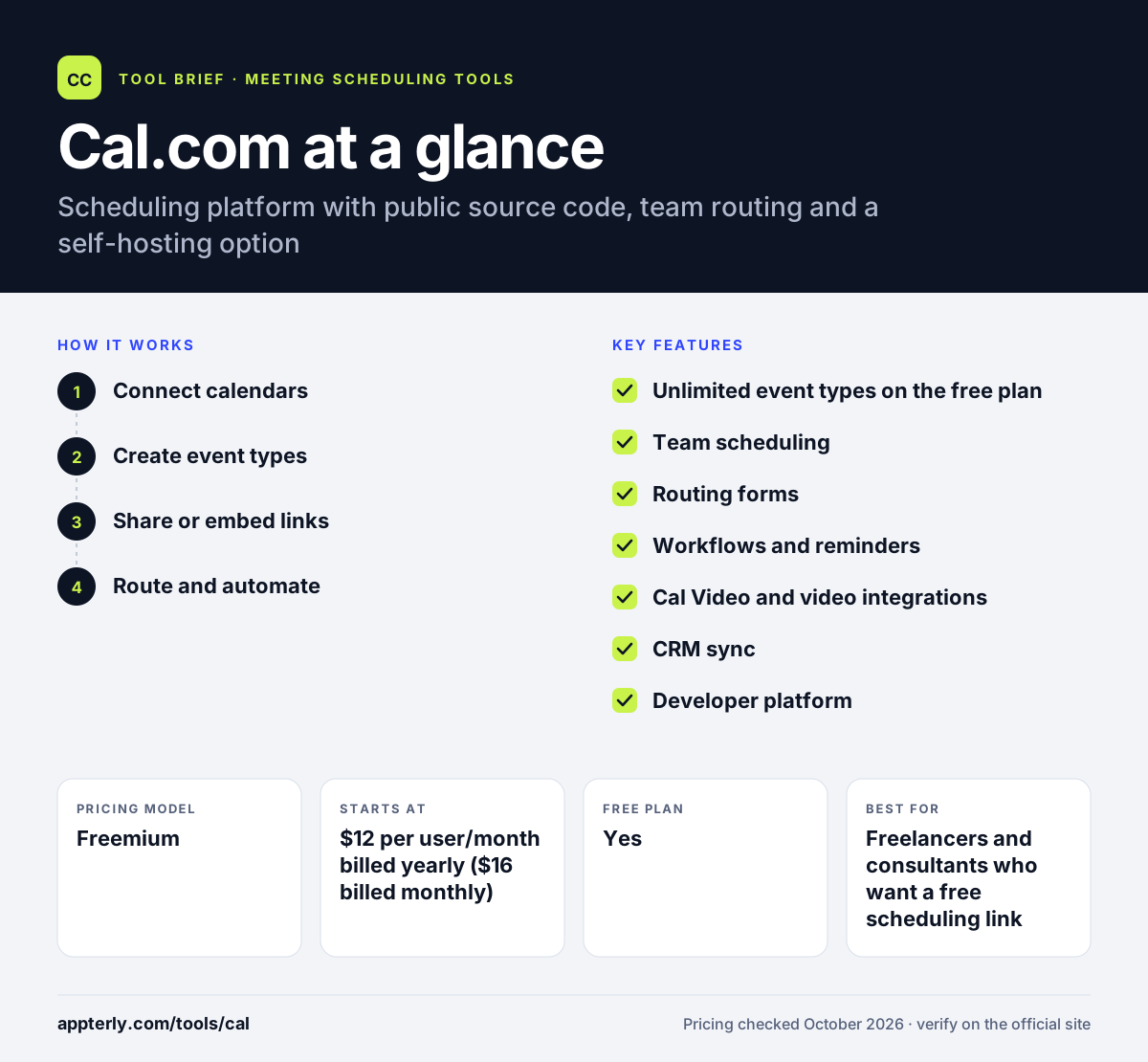
Cal.com at a glance
How does Cal.com work?
- Connect calendars
Link Google, Outlook or other calendars so Cal.com reads your busy times and writes new bookings back.
- Create event types
Set up meeting types with durations, buffers, booking limits, locations and custom questions.
- Share or embed links
Send short booking links or embed the booking page on a website so invitees pick a time in their own time zone.
- Route and automate
On team plans, use routing forms, round-robin or collective events and workflows to send each booking to the right person with reminders.
Cal.com key features
Unlimited event types on the free plan
A single user gets unlimited event types and calendars, email and SMS notifications, and Stripe or PayPal payments at no cost.
Team scheduling
Round-robin, collective and managed event types let teams share availability and spread meetings fairly.
Routing forms
Ask qualifying questions and send each visitor to the right person or team based on their answers.
Workflows and reminders
Automated email and SMS reminders, buffers and booking limits reduce no-shows and overbooking.
Cal Video and video integrations
Meetings can use Cal Video, Zoom, Google Meet or Microsoft Teams.
CRM sync
Two-way Salesforce and HubSpot sync is included even on the free plan.
Developer platform
A public API, webhooks, OAuth clients and React components called Atoms let developers build scheduling into their own apps.
Enterprise security
The Organizations plan adds SAML SSO, SCIM, sub-teams, a company subdomain and SOC 2, HIPAA and ISO 27001 compliance.
Why use Cal.com?
- The free plan is generous, with unlimited event types, CRM sync and payments for one user.
- Self-hosting gives companies control over their scheduling data and infrastructure.
- Developers can embed scheduling in their own products through the API and React components.
- Team plans add routing, round-robin and analytics at a per-user price below many sales-focused tools.
- A one-click Calendly import makes switching easier.
Who is Cal.com best for?
A good fit for
- Freelancers and consultants who want a free scheduling link
- Startups and small teams that need round-robin and routing
- SaaS companies that want to embed scheduling in their product
- Organizations with strict data or compliance requirements that prefer self-hosting
Less suited to
- Service businesses that need packages, memberships and intake-heavy client management
- Non-technical users who want a hands-off tool but are drawn to self-hosting, which requires server work
Cal.com pricing
| Pricing model | Freemium |
|---|---|
| Free plan | Yes |
| Free trial | 14 days |
| Starting price | $12 per user/month billed yearly ($16 billed monthly) |
Free covers one user. Teams costs $12 per user/month yearly and adds shared availability, routing and branding removal; Organizations costs $28 per user/month yearly ($37 monthly) and adds SSO, SCIM and compliance. Enterprise is custom annual pricing.
Prices checked October 2026. Vendors change plans often, so confirm on the official Cal.com pricing page before you buy.
Cal.com pros and cons
Pros
- Feature-rich free plan for individuals
- Self-hosting option with public source code
- Strong developer tools, including API, webhooks and embeddable components
- Apps for mobile and desktop plus a browser extension
Cons
- Self-hosting requires technical skills and ongoing maintenance
- Advanced security features such as SSO require the Organizations plan
- The wide feature set can feel complex for someone who only needs one booking link
Cal.com integrations and platforms
Works with
Available on
Cal.com alternatives
See the full shortlist in Best Scheduling Software.
Cal.com FAQ
Is Cal.com free?
Yes. Cal.com has a free-forever plan for individuals with one user, unlimited event types and calendars, email and SMS notifications, Stripe and PayPal payments, and two-way Salesforce and HubSpot sync. Paid Teams and Organizations plans add shared team scheduling, routing and enterprise security, and both come with a 14-day free trial.
Is Cal.com open source?
Cal.com publishes its code on GitHub and offers a Docker guide for self-hosting, so you can run it on your own servers. The license terms are in the LICENSE file of the repository. Most users choose the hosted version at cal.com, which needs no setup. Teams that later outgrow the free plan can upgrade in place without rebuilding links.
Cal.com vs Calendly: what's the difference?
Both tools offer booking links, team scheduling and routing. Cal.com stands out with self-hosting, public code, a developer API with embeddable React components, and more included in its free plan, such as CRM sync and payments. Calendly offers a polished hosted product with AI add-ons like Notetaker and a large integration catalog.
Can I import my Calendly events into Cal.com?
Yes. Cal.com lists a one-click import of Calendly events as part of its free plan. This helps people switch without rebuilding every event type by hand. After importing, you connect your calendars, review availability settings, and share your new Cal.com booking link with clients and colleagues. Imported event types keep their names and durations, so only small adjustments are usually needed.
Does Cal.com have a mobile app?
Yes. Cal.com offers apps for iOS and Android, desktop apps for macOS, Windows and Linux, and a browser extension. The booking pages themselves work in any modern browser, so invitees do not need to install anything to book a meeting with you.
Sources
This overview is based on Cal.com's official website and documentation, checked October 2026.