What is Acuity Scheduling?
Acuity Scheduling is an online appointment booking tool that lets clients pick a time, fill in an intake form and pay in one step. It is built for service businesses such as coaches, consultants, salons, spas, fitness studios, tutors and therapists who want to stop trading emails to set up sessions and want fewer no-shows.
The product is owned by Squarespace and works as a standalone app or alongside a Squarespace website. Beyond basic booking, Acuity covers class scheduling, packages, memberships, subscriptions, gift certificates, coupons, invoicing and simple client records. Plans differ mainly by the number of staff calendars, with the top tier adding an AI booking assistant, a HIPAA business associate agreement, custom CSS and API access.
Acuity Scheduling at a glance
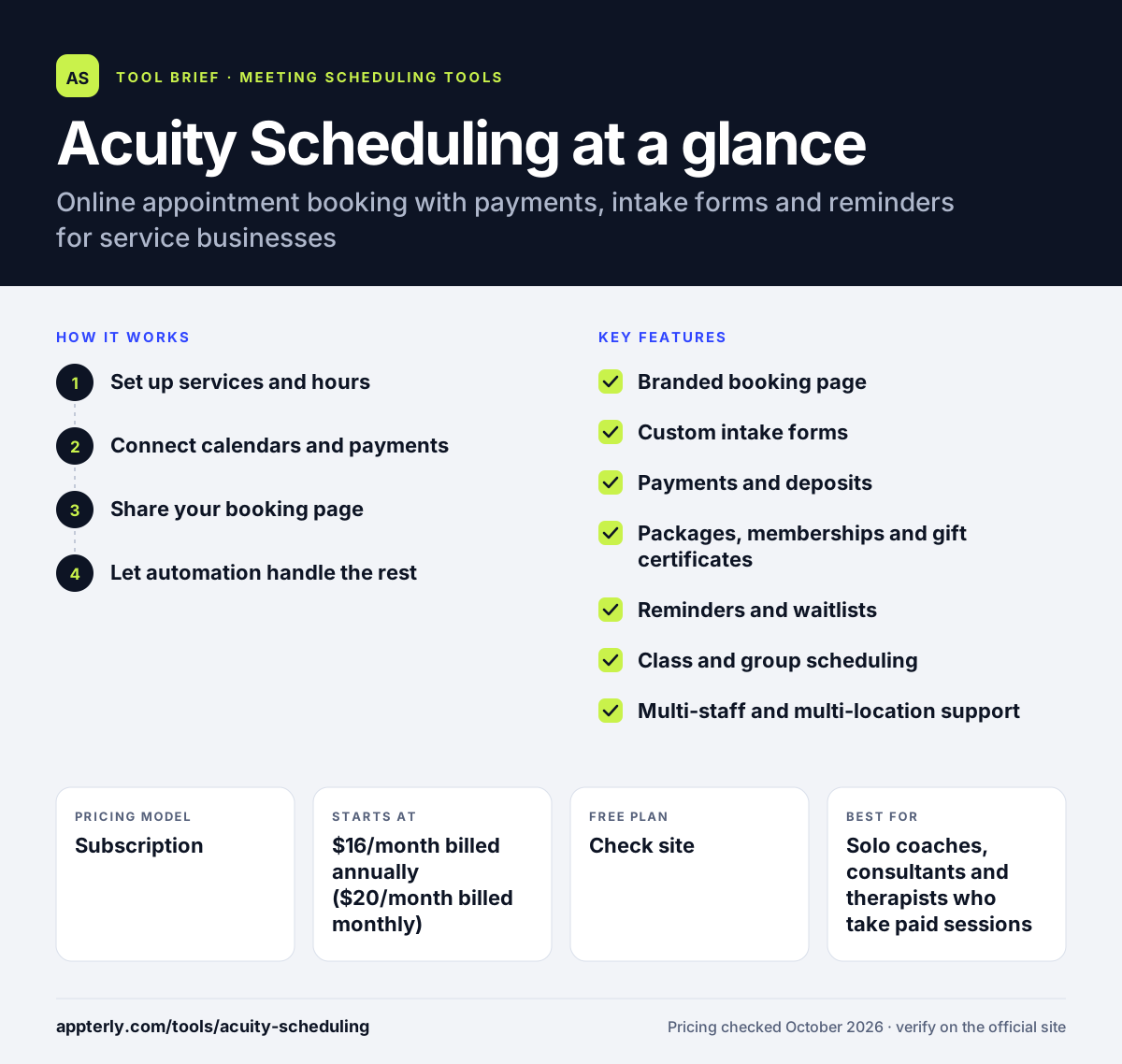
How does Acuity Scheduling work?
- Set up services and hours
Create appointment types with a length, price and location, then set business hours and staff availability for each calendar.
- Connect calendars and payments
Sync Google or Apple calendars to block busy times and connect Stripe, Square or PayPal to take payments or deposits.
- Share your booking page
Send clients a branded scheduling link or embed it on your website, where they pick a slot and complete your intake form.
- Let automation handle the rest
Acuity sends confirmations and reminders, converts time zones, and logs each booking and payment so you can track revenue in one place.
Acuity Scheduling key features
Branded booking page
Clients can self-schedule any time from a page that carries your logo and colors, and it can be embedded on an existing site.
Custom intake forms
Collect the information you need before a session, such as goals, health details or project notes, as part of booking.
Payments and deposits
Take full payment or deposits through Stripe, Square, PayPal or Venmo, and enforce cancellation policies to cut no-shows.
Packages, memberships and gift certificates
Sell bundles of sessions, recurring memberships with payment plans, and gift cards on the Standard plan and above.
Reminders and waitlists
Email reminders come on every plan, while text reminders and an appointment waitlist start on Standard.
Class and group scheduling
Run classes and group sessions with set capacities alongside one-on-one appointments.
Multi-staff and multi-location support
Manage up to 36 calendars on Premium, with separate time zones for staff and locations.
AI Booking Assistant and API
The Premium plan adds an AI booking assistant, removal of Acuity branding, custom CSS and API access.
Why use Acuity Scheduling?
- Clients can book and pay at any hour, which removes back-and-forth messages about availability.
- Deposits, reminders and cancellation rules work together to reduce missed appointments.
- Intake forms gather client details before the first session, so meetings start faster.
- Packages, memberships and gift certificates give service businesses extra ways to sell beyond single sessions.
- It connects naturally with Squarespace sites while still working with any other website.
Who is Acuity Scheduling best for?
A good fit for
- Solo coaches, consultants and therapists who take paid sessions
- Salons, spas and beauty studios with several staff members
- Fitness and yoga studios that mix classes and private sessions
- Tutors and educators who sell lesson packages
- Squarespace website owners who want built-in booking
Less suited to
- Sales teams that need lead routing and round-robin meeting distribution tied to a CRM
- Users who want a permanently free scheduling tool, since the pricing page lists only paid plans
- Large organizations that need more than 36 staff calendars without moving to an enterprise arrangement
Acuity Scheduling pricing
| Pricing model | Subscription |
|---|---|
| Free plan | Not confirmed |
| Free trial | 7 days |
| Starting price | $16/month billed annually ($20/month billed monthly) |
Starter covers 1 calendar, Standard ($27/month annually) up to 6 calendars with text reminders and packages, and Premium ($55/month annually) up to 36 calendars with the AI assistant, HIPAA BAA and API. Annual billing saves about 20%.
Prices checked October 2026. Vendors change plans often, so confirm on the official Acuity Scheduling pricing page before you buy.
Acuity Scheduling pros and cons
Pros
- Strong payment options, including deposits, packages, memberships and gift certificates
- Flexible intake forms built into the booking flow
- Clear tiers based on the number of staff calendars
- HIPAA BAA available on the Premium plan for health-related practices
Cons
- No free plan is listed, only a 7-day trial
- Text reminders and waitlists require at least the Standard plan
- Lacks the sales routing and CRM-driven distribution that B2B teams look for
Acuity Scheduling integrations and platforms
Works with
Available on
Acuity Scheduling alternatives
See the full shortlist in Best Scheduling Software.
Acuity Scheduling FAQ
Is Acuity Scheduling free?
Acuity Scheduling does not list a free plan on its pricing page. It offers a 7-day free trial of any plan with no credit card required. After the trial, paid plans start at $16 per month billed annually, or $20 per month billed monthly, for the Starter plan with one calendar.
What is Acuity Scheduling used for?
Acuity Scheduling is used by service businesses to let clients book appointments online. Clients choose a time, fill in an intake form and pay a deposit or full fee. The business then gets automatic reminders, calendar sync and a record of bookings and payments. It is common with coaches, salons, fitness studios and tutors.
Is Acuity Scheduling owned by Squarespace?
Yes. Acuity Scheduling is a Squarespace company. It can run as a standalone scheduling app with its own booking page and embed code, or it can be added to a Squarespace website. You do not need a Squarespace site to use it, and it integrates with other tools through Zapier and its API.
Acuity Scheduling vs Calendly: what's the difference?
Acuity Scheduling focuses on service businesses that sell appointments, with intake forms, packages, memberships, gift certificates and class scheduling. Calendly focuses more on meeting scheduling for professionals and sales teams, with routing forms, round-robin assignment and CRM integrations. Calendly has a free plan, while Acuity offers only a 7-day trial.
Does Acuity Scheduling send text message reminders?
Yes, but not on every plan. Email reminders are included on the Starter plan, while text message reminders start on the Standard plan. Standard also adds an appointment waitlist, packages, memberships and gift certificates. Premium adds an AI booking assistant, HIPAA BAA, custom CSS and API access for larger teams.
Sources
This overview is based on Acuity Scheduling's official website and documentation, checked October 2026.