What is UpLead?
UpLead is a B2B prospecting database that gives sales and marketing teams verified email addresses, mobile numbers and company data. It says it holds more than 200 million contacts and checks emails in real time when you search and export. The company claims 95% data accuracy and refunds credits for bounced emails through what it calls Friendly Credits.
UpLead sits in the affordable middle of the lead data market. You filter contacts by more than 50 criteria, such as industry, job title, company size and technology used, then export the results or push them to your CRM. Higher plans add technographics, data enrichment, buyer intent data and full API access. A 7-day free trial with 5 credits lets you test it. UpLead also offers a done-for-you outbound service that runs cold email campaigns using its own data.
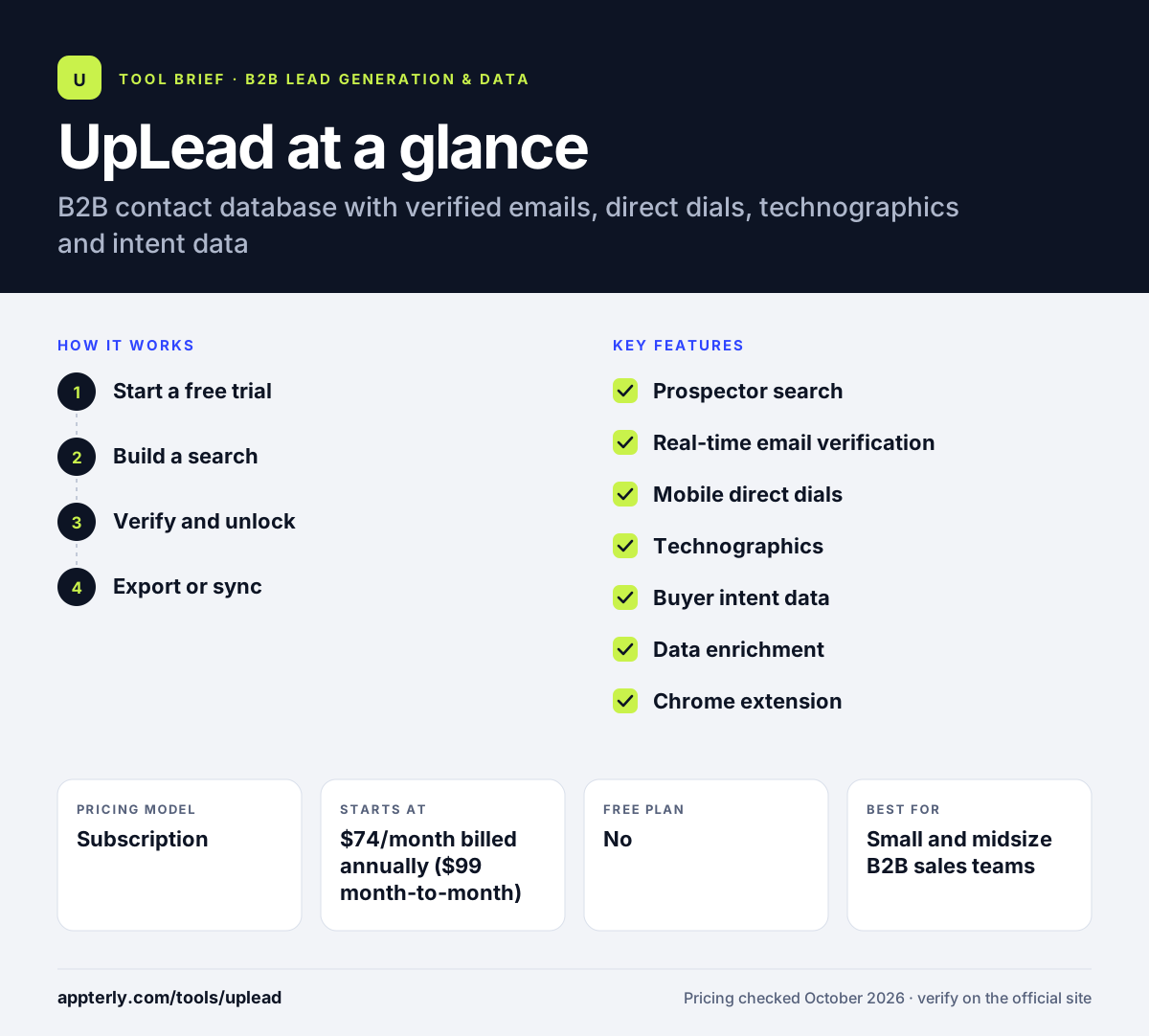
UpLead at a glance
How does UpLead work?
- Start a free trial
Sign up for the 7-day trial, which includes 5 credits, verified emails, mobile numbers and the Chrome extension.
- Build a search
Use Prospector filters such as industry, location, role, company size and technology to find matching contacts.
- Verify and unlock
Spend one credit per contact; UpLead verifies emails in real time before you export.
- Export or sync
Download lists or send them to Salesforce, HubSpot, Zoho, Pipedrive or other tools through native integrations and Zapier.
UpLead key features
Prospector search
More than 50 filters to narrow down contacts and companies that match your ideal customer profile.
Real-time email verification
Checks each email during search and export to reduce bounces.
Mobile direct dials
Provides mobile and direct phone numbers alongside emails.
Technographics
Search companies by more than 16,000 technologies they use, available on the Plus plan and up.
Buyer intent data
Highlights companies researching topics related to your product, included on the Professional plan.
Data enrichment
Fills in missing fields on your existing lead and CRM records.
Chrome extension
Captures contact details while you browse company websites and profiles.
API access
Real-time lookup, enrichment and intent signals for your own systems on the Professional plan.
Why use UpLead?
- Credits are simple: one credit equals one contact.
- Real-time verification and bounce refunds reduce wasted spend on bad emails.
- Monthly plans have no long-term commitment, which suits small teams testing outbound.
- Technographic filters help software and IT vendors find accounts using specific tools.
- Published prices make budgeting easier than with sales-only vendors.
- Optional suppression list uploads on Plus help you avoid re-contacting existing customers or prospects already in your pipeline.
Who is UpLead best for?
A good fit for
- Small and midsize B2B sales teams
- Agencies building prospect lists for clients
- SaaS companies targeting users of specific technologies
- Founders running their own cold email campaigns
- Recruiters and partnership teams who need verified contact details for specific roles
Less suited to
- Large teams that need many seats on the lower plans, which are single-user
- Companies wanting intent data without moving to the custom Professional plan
- Very high-volume users, since extra credits cost $0.50-$0.60 each
UpLead pricing
| Pricing model | Subscription |
|---|---|
| Free plan | No |
| Free trial | 7 days (5 credits) |
| Starting price | $74/month billed annually ($99 month-to-month) |
Essentials is $99/month or $74/month billed annually with 170 credits a month; Plus is $199/month or $149/month annually with 400 credits and adds enrichment and technographics. Professional is custom, annual-only and adds intent data, API and team seats.
Prices checked October 2026. Vendors change plans often, so confirm on the official UpLead pricing page before you buy.
UpLead pros and cons
Pros
- Transparent pricing with monthly options
- Real-time email verification and bounce refunds
- Strong technographic search on Plus and above
- Easy-to-use filters and Chrome extension
Cons
- Essentials and Plus are limited to a single user
- Intent data and API are locked to the custom Professional tier
- Credit allowances can run out fast for heavy prospecting
UpLead integrations and platforms
Works with
Available on
UpLead alternatives
See the full shortlist in Best B2B Lead Generation Tools.
UpLead FAQ
Is UpLead free?
UpLead does not have a permanent free plan, but it offers a 7-day free trial with 5 credits. The trial includes verified emails, mobile direct dials and the Chrome extension. After the trial, paid plans start at $99 per month on monthly billing, or $74 per month when billed annually.
How much does UpLead cost?
UpLead Essentials costs $99 per month, or $74 per month billed annually, with 170 credits a month. Plus costs $199 per month, or $149 per month billed annually, with 400 credits. Professional is custom-priced, billed annually, and adds intent data, API access and team management. Extra credits cost $0.60 on Essentials and $0.50 on Plus.
What is UpLead used for?
UpLead is used to find and verify B2B contact data. Sales teams build targeted prospect lists, marketers enrich leads, and agencies source contacts for outbound campaigns. Its filters cover industry, role, company size and technology use, and every email is verified in real time before export.
UpLead vs ZoomInfo: what's the difference?
UpLead is a simpler, lower-cost contact database with published prices, real-time email verification and monthly plans. ZoomInfo is a larger go-to-market platform with intent data, website visitor tracking, workflow automation and marketing tools, sold through custom quotes. Small teams often start with UpLead, while enterprises with bigger budgets tend to choose ZoomInfo.
Does UpLead integrate with HubSpot and Salesforce?
Yes. UpLead connects with Salesforce, HubSpot, Zoho, Pipedrive and other CRMs, and it reaches more than 1,500 additional apps through Zapier. CRM integration is included from the Essentials plan. Bi-directional CRM sync is part of the Professional plan.
Sources
This overview is based on UpLead's official website and documentation, checked October 2026.