What is LinkedIn Sales Navigator?
LinkedIn Sales Navigator is a paid prospecting tool from LinkedIn that helps B2B sellers find the right buyers, follow their activity and reach out to them. It sits on top of LinkedIn's member data and offers more than 50 search filters, such as function, seniority and years at company, along with saved searches, lead lists and alerts when prospects change jobs or post.
Sales Navigator comes in three plans. Core is for individual sellers, Advanced adds team collaboration such as TeamLink for warm introductions and Smart Links for tracking shared content, and Advanced Plus adds deeper CRM integrations. AI features like Account IQ, Lead IQ and Message Assist summarize accounts and buyers and help draft outreach. It runs in the browser and on iOS and Android apps.
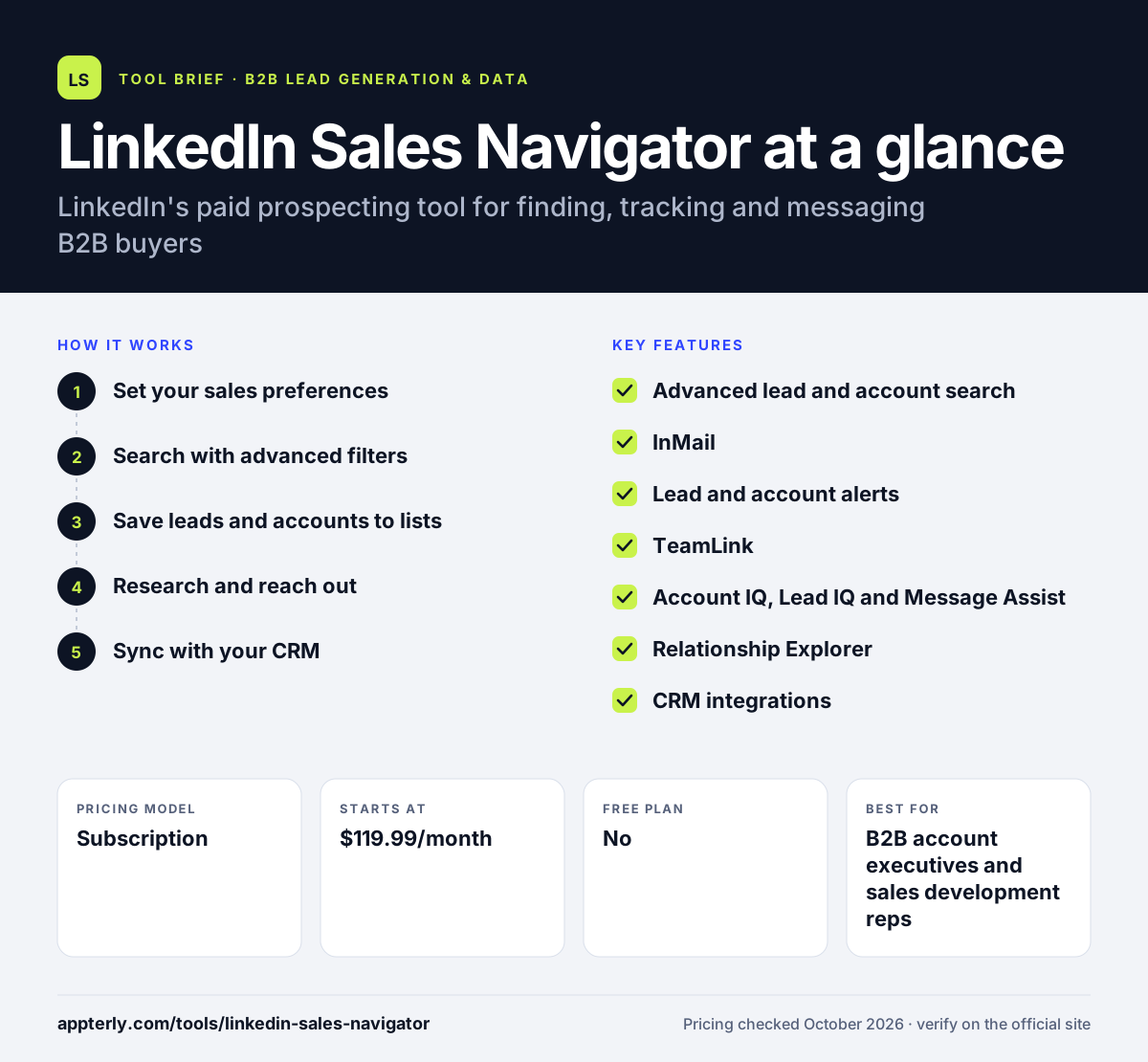
LinkedIn Sales Navigator at a glance
How does LinkedIn Sales Navigator work?
- Set your sales preferences
Tell Sales Navigator what regions, industries and roles you sell to so it can recommend relevant leads.
- Search with advanced filters
Use 50+ lead and account filters, save searches and get alerts when new people match them.
- Save leads and accounts to lists
Organize prospects in custom lists and follow updates such as role changes, posts and engagement with your content.
- Research and reach out
Read AI summaries with Account IQ and Lead IQ, then send InMail or connection requests, with Message Assist helping refine the text.
- Sync with your CRM
On Advanced Plus, create leads and contacts in Salesforce, HubSpot or Dynamics and receive CRM alerts.
LinkedIn Sales Navigator key features
Advanced lead and account search
Over 50 filters and saved searches with real-time alerts for new matches.
InMail
Message people you are not connected with, using a monthly InMail credit allowance.
Lead and account alerts
Notifications about job changes, posts and engagement with your LinkedIn content or ads.
TeamLink
Shows which colleagues are connected to a prospect for warm introductions, on Advanced and above.
Account IQ, Lead IQ and Message Assist
AI-generated account and buyer summaries plus help drafting personalized messages.
Relationship Explorer
Helps identify decision-makers at target accounts and highlights recent changes.
CRM integrations
Advanced Plus connects to Salesforce, HubSpot, Microsoft Dynamics 365 and Oracle Sales.
Why use LinkedIn Sales Navigator?
- LinkedIn's own member data tends to reflect current job titles and employers.
- Alerts on job changes and posts give natural reasons to reach out.
- InMail lets you contact buyers outside your network.
- TeamLink turns your colleagues' networks into warm introduction paths.
- AI summaries cut research time before calls and messages.
Who is LinkedIn Sales Navigator best for?
A good fit for
- B2B account executives and sales development reps
- Founders doing their own outbound sales
- Recruiters and consultants who prospect on LinkedIn
- Sales teams running account-based selling
Less suited to
- Teams that need bulk email or phone numbers, which it does not provide
- Businesses selling mainly to consumers
- Very small budgets, since each seat is billed separately
LinkedIn Sales Navigator pricing
| Pricing model | Subscription |
|---|---|
| Free plan | No |
| Free trial | Free trial on Core and Advanced for eligible users |
| Starting price | $119.99/month |
Core costs $119.99 per month or $1,079.88 per year, and Advanced costs $159.99 per month or $1,799.88 per year. Advanced Plus is quoted by sales and adds CRM integrations.
Prices checked October 2026. Vendors change plans often, so confirm on the official LinkedIn Sales Navigator pricing page before you buy.
LinkedIn Sales Navigator pros and cons
Pros
- Direct access to LinkedIn's professional network data
- Powerful search filters and timely alerts
- Helpful AI research and messaging aids
- Mobile apps for working on the go
Cons
- Per-seat pricing adds up for teams
- Does not export contact emails or phone numbers
- Full CRM sync requires the custom-priced Advanced Plus plan
LinkedIn Sales Navigator integrations and platforms
Works with
Available on
LinkedIn Sales Navigator alternatives
See the full shortlist in Best B2B Lead Generation Tools.
LinkedIn Sales Navigator FAQ
How much does LinkedIn Sales Navigator cost?
LinkedIn Sales Navigator Core costs $119.99 per month or $1,079.88 per year, and Advanced costs $159.99 per month or $1,799.88 per year, per seat. Advanced Plus has custom pricing. LinkedIn notes prices may exclude local taxes and can change.
Is LinkedIn Sales Navigator free?
No, but Core and Advanced offer a free trial for eligible users. You cannot be on a paid LinkedIn plan or have used a LinkedIn free trial in the past 365 days, and a credit card is required. LinkedIn emails a reminder seven days before the trial ends.
What is LinkedIn Sales Navigator used for?
It is used for B2B prospecting on LinkedIn. Sellers search for decision-makers with detailed filters, save leads and accounts, follow job changes and posts, research buyers with AI summaries and reach out by InMail. Teams also use it to find warm introductions through colleagues.
What is the difference between Sales Navigator Core and Advanced?
Core is designed for individual sellers and covers search, lists, alerts and InMail. Advanced adds team features such as TeamLink, Smart Links, shared lists and alerts, ad engagement alerts and centralized billing. Advanced Plus goes further with CRM integrations and lead creation inside your CRM.
Does LinkedIn Sales Navigator integrate with HubSpot?
Yes. Sales Navigator integrates with HubSpot as well as Salesforce, Microsoft Dynamics 365 and Oracle Sales. The full CRM features, including saving LinkedIn profiles as CRM leads or contacts and CRM alerts, are part of the Advanced Plus plan.
Sources
This overview is based on LinkedIn Sales Navigator's official website and documentation, checked October 2026.