What is Umami?
Umami is an open-source web and product analytics platform that tracks traffic sources, visitor behavior, conversions, retention and revenue without using cookies or collecting personal data. You can self-host it for free on your own infrastructure or use Umami Cloud, the managed service from Umami Software, Inc. Its privacy-first design supports GDPR, CCPA and PECR compliance.
Umami has grown from a simple pageview counter into a fuller analytics tool, with funnels, journeys, cohort retention, goals, revenue reports, heatmaps and session replay. It also offers an MCP server so AI assistants like Claude, ChatGPT and Cursor can query your analytics. The project has a large open-source community, and Umami Cloud includes a free Hobby plan for small sites.
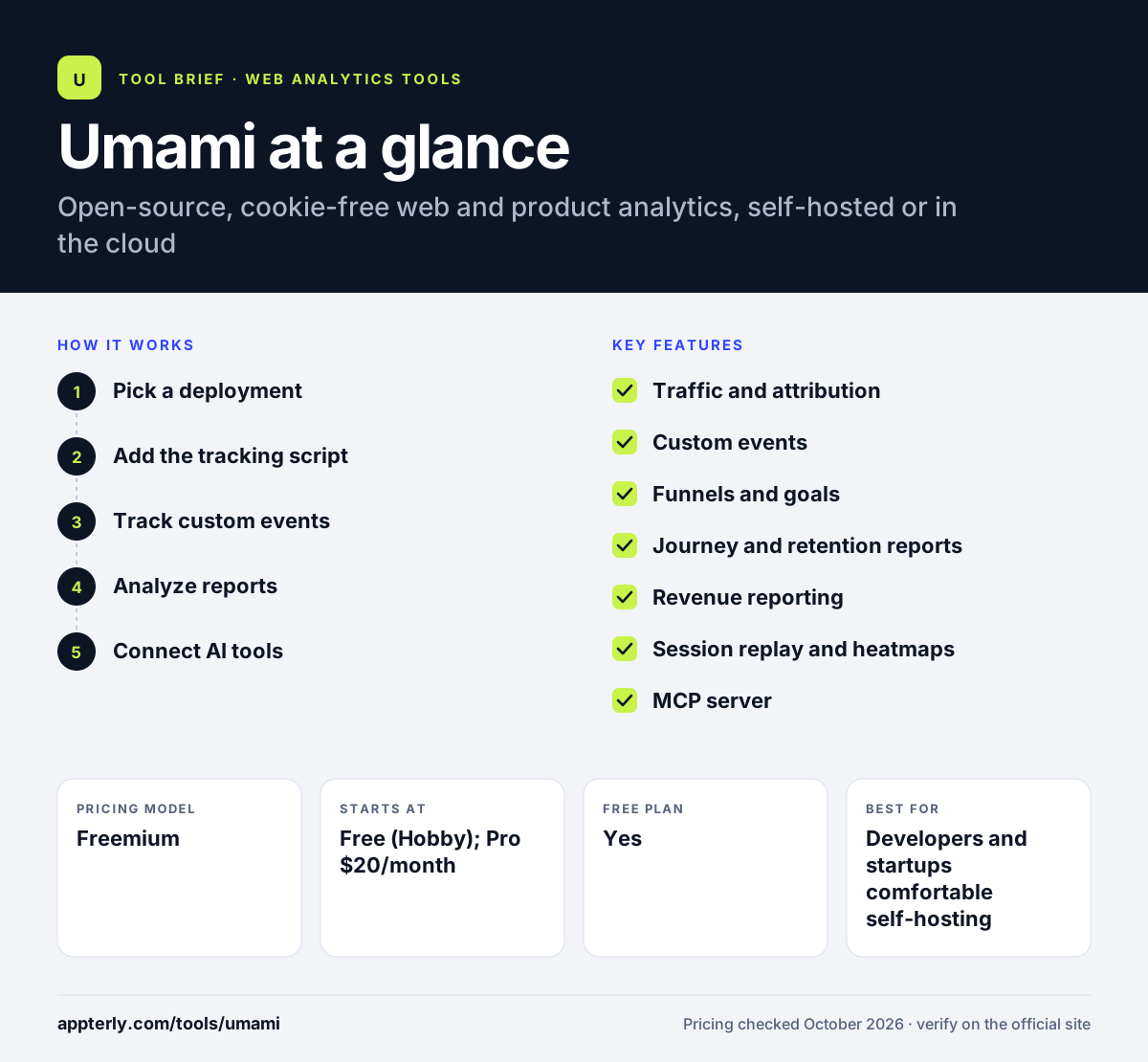
Umami at a glance
How does Umami work?
- Pick a deployment
Sign up for Umami Cloud, starting on the free Hobby plan, or install the open-source version on your own server.
- Add the tracking script
Paste the Umami script into your site so it begins collecting pageviews and events without cookies.
- Track custom events
Tag clicks, form submissions, sign-ups and downloads, and assign revenue values where it makes sense.
- Analyze reports
Use dashboards, funnels, journeys, retention and attribution reports, with filters by date, country and device.
- Connect AI tools
Optionally connect the MCP server so AI assistants can answer questions using read-only access to your data.
Umami key features
Traffic and attribution
Dashboards show pageviews, visitors, bounce rate and visit time, with referrer, channel and UTM campaign attribution. Period comparisons make it easy to see how a campaign changed traffic.
Custom events
Track actions such as clicks, sign-ups and downloads to measure what visitors do.
Funnels and goals
See drop-off at each step toward a conversion and track goal completions.
Journey and retention reports
Find common paths through your site and see how many visitors come back, with saved cohorts as filters.
Revenue reporting
Tie events to dollar values to find the pages, campaigns and segments that bring the most money.
Session replay and heatmaps
Watch sessions and view heatmaps to understand why visitors leave. Cloud replays are included on the Business plan.
MCP server
Connect Claude, ChatGPT or Cursor to your analytics, on Cloud Pro and above or self-hosted v3.4 and later.
Why use Umami?
- Self-hosting is free, giving full data control at no license cost.
- No cookies means many sites can skip analytics consent banners.
- It covers product analytics features like funnels and retention, not just pageviews.
- Cloud plans keep collecting data past your limit, so nothing is lost.
- A large open-source community keeps the project active.
Who is Umami best for?
A good fit for
- Developers and startups comfortable self-hosting
- Privacy-focused marketers replacing Google Analytics
- Small sites on the free Hobby plan
- Teams wanting AI assistant access to analytics through MCP
Less suited to
- Non-technical teams that want self-hosting without server work
- Cloud users needing session replay on a small budget, since it starts on the $200 plan
- Enterprises requiring deep ad-platform audience sharing
Umami pricing
| Pricing model | Freemium |
|---|---|
| Free plan | Yes |
| Free trial | 14 days (Pro and Business) |
| Starting price | Free (Hobby); Pro $20/month |
Hobby is free for 100K events and one site, Pro is $20/month for 1M events and 20 sites, and Business is $200/month for 10M events with session replays. Extra events are billed per event, and self-hosting is free.
Prices checked October 2026. Vendors change plans often, so confirm on the official Umami pricing page before you buy.
Umami pros and cons
Pros
- Free and open source to self-host
- Cookie-free with no personal data collected
- Funnels, retention and revenue reports included
- Free cloud plan for small sites
Cons
- Self-hosting needs technical skills and upkeep
- Some features, like email reports, are Cloud only
- Hobby plan keeps only six months of data
Umami integrations and platforms
Works with
Available on
Umami alternatives
See the full shortlist in Best Google Analytics Alternatives.
Umami FAQ
Is Umami free?
Yes. Umami is open source, and you can self-host it for free. Umami Cloud also has a free Hobby plan with 100,000 events per month, one website and six months of data retention. Paid Pro and Business plans add more events, sites, team members, longer retention and features like session replays.
Does Umami use cookies?
No. Umami does not use cookies and says it does not collect personal data or sell data to advertisers. Its design supports GDPR, CCPA and PECR compliance, so most sites can run Umami without an analytics cookie banner. Self-hosting lets you keep all data on your own infrastructure. You may still need consent for other tools such as ad pixels.
Umami vs Plausible: what's the difference?
Both are open-source, cookie-free alternatives to Google Analytics. Umami Cloud has a free Hobby plan and adds product analytics like retention, journeys and session replay. Plausible has no free hosted plan, starts at $9 per month and focuses on a very simple EU-hosted dashboard with funnels on higher tiers.
Can I self-host Umami?
Yes. Umami is open source and free to self-host on your own server, which gives you full control over your data. Umami Cloud is the managed alternative and adds features that the self-hosted version lacks, such as email reports and a streaming API, while handling updates and scaling for you.
What happens if I exceed my Umami Cloud event limit?
Umami keeps collecting your data, so nothing is lost. On paid plans, extra events are billed at a small per-event rate, $0.00003 on Pro and $0.00002 on Business. You can also upgrade, downgrade or cancel at any time, with no long-term contracts or cancellation fees.
Sources
This overview is based on Umami's official website and documentation, checked October 2026.