What is TidyCal?
TidyCal is a simple booking tool that lets clients schedule appointments through a shareable link, offered as a lower-cost alternative to Calendly. It comes from Sumo Group, the company behind AppSumo, and is aimed at freelancers, coaches, solopreneurs and small agencies who want unlimited booking types without a large monthly bill.
TidyCal is best known for its lifetime deal sold through AppSumo, but it also has a free plan and a Pro subscription. Every plan includes unlimited booking types and bookings, group bookings, recurring sessions and session bundles, plus paid bookings through Stripe or PayPal. Higher plans add video link automation, round-robin and collective meetings, team booking pages, SMS reminders and custom domains.
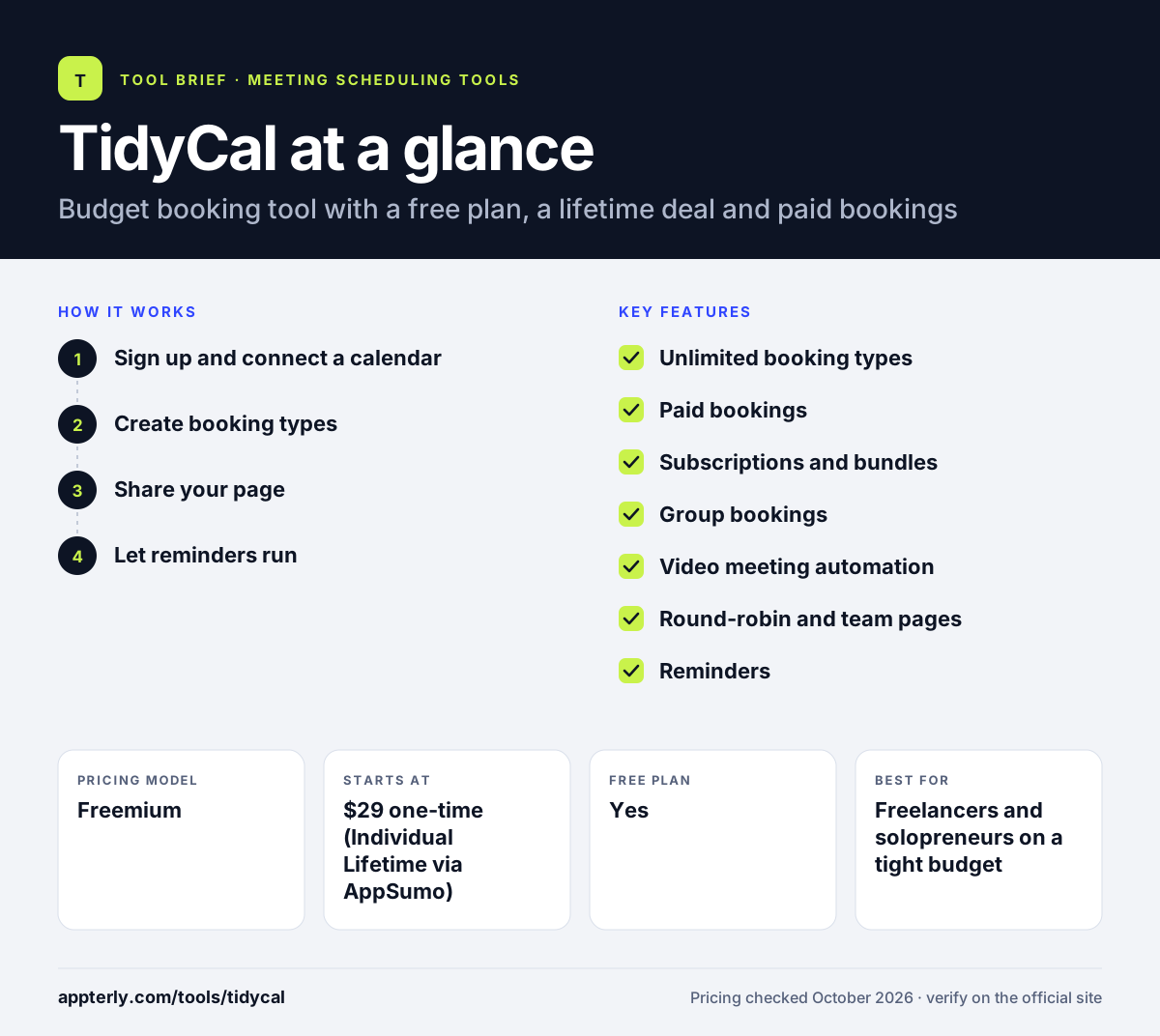
TidyCal at a glance
How does TidyCal work?
- Sign up and connect a calendar
Your booking page goes live at signup, and you connect Google, Microsoft or Apple calendars to block busy times.
- Create booking types
Set up free or paid sessions, group events, recurring subscriptions or bundles of three, five or ten sessions.
- Share your page
Send clients your link or add it to your website, and they pick a time and pay if needed.
- Let reminders run
TidyCal sends reminder emails, and Pro or Agency plans can add SMS reminders and video links automatically.
TidyCal key features
Unlimited booking types
Every plan, including Free, allows unlimited booking types and unlimited bookings.
Paid bookings
Charge for sessions through Stripe or PayPal, with no platform fee on Pro and a 1% fee on Free and Lifetime.
Subscriptions and bundles
Sell recurring sessions that renew automatically or prepaid packs of sessions.
Group bookings
Let several people book the same event slot, available on all plans.
Video meeting automation
Lifetime and Pro plans create Zoom, Google Meet or Microsoft Teams links automatically.
Round-robin and team pages
Agency Lifetime and Pro add round-robin and collective meetings plus a dedicated team booking page.
Reminders
Automatic email reminders on every plan, with SMS reminders in the US and Canada on Agency and Pro.
Custom domain
Pro lets you run your booking page on your own domain and removes TidyCal branding.
Why use TidyCal?
- A one-time lifetime payment can replace years of scheduling subscriptions.
- Unlimited booking types are included even on the free plan.
- Built-in paid bookings, bundles and subscriptions help coaches sell sessions.
- Setup is quick because the booking page is live as soon as you sign up.
- Pro removes the 1% platform fee for people who take many paid bookings.
Who is TidyCal best for?
A good fit for
- Freelancers and solopreneurs on a tight budget
- Coaches selling session packs or recurring sessions
- Small agencies that want team booking pages cheaply
- AppSumo buyers who prefer lifetime software deals
Less suited to
- Large sales teams that need CRM routing and enterprise controls
- Organizations that need advanced compliance features
- Users who want deep native integrations beyond calendars, video, payments and Zapier
TidyCal pricing
| Pricing model | Freemium |
|---|---|
| Free plan | Yes |
| Free trial | Not confirmed |
| Starting price | $29 one-time (Individual Lifetime via AppSumo) |
Free is $0 with a 1% fee on paid bookings. Individual Lifetime costs $29 once and Agency Lifetime $79 once through AppSumo. Pro costs $12/month or $99/year and removes the platform fee, adding custom domains and priority support.
Prices checked October 2026. Vendors change plans often, so confirm on the official TidyCal pricing page before you buy.
TidyCal pros and cons
Pros
- Very low cost, with a free plan and lifetime option
- Unlimited booking types on every plan
- Paid bookings, bundles and subscriptions built in
- Quick setup for non-technical users
Cons
- 1% platform fee on paid bookings unless you pay for Pro
- Free plan lacks automatic video links and advanced integrations
- Fewer team, routing and analytics features than premium tools
TidyCal integrations and platforms
Works with
Available on
TidyCal alternatives
See the full shortlist in Best Scheduling Software.
TidyCal FAQ
Is TidyCal free?
Yes. TidyCal has a free plan with unlimited booking types and bookings, group bookings, paid bookings and basic calendar integrations with Google, Office 365 and Apple Calendar. The free plan charges a 1% platform fee on paid bookings and does not create video meeting links automatically. Booking pages work in any browser, so clients do not need an account to book.
How does the TidyCal lifetime deal work?
TidyCal sells lifetime plans through AppSumo. The Individual Lifetime plan costs $29 once and the Agency Lifetime plan costs $79 once, with no monthly fee. Lifetime plans add more calendar connections and video link automation, and Agency adds team features, but both keep a 1% fee on paid bookings. Lifetime plans are bought once on AppSumo and do not renew, while Pro is billed monthly or yearly on tidycal.com.
Who owns TidyCal?
TidyCal is built by Sumo Group, Inc., the company behind AppSumo. That is why its lifetime plans are sold on AppSumo. The Pro subscription and free plan are available directly on tidycal.com. TidyCal positions itself as a lower-cost alternative to tools like Calendly. TidyCal branding appears on the free plan, is reduced on Lifetime plans and is removed on Pro.
TidyCal vs Calendly: which is better?
TidyCal is cheaper, with unlimited booking types on its free plan and a one-time lifetime option, plus built-in session bundles and subscriptions. Calendly offers more integrations, routing forms, team controls and AI add-ons. TidyCal suits budget-conscious solo users, while Calendly suits teams that need more advanced features. For a solo coach on a tight budget, TidyCal often covers everything needed.
Does TidyCal integrate with Zoom?
Yes, on paid plans. TidyCal's Individual Lifetime, Agency Lifetime and Pro plans connect with Zoom, Microsoft Teams and Zapier and can create Zoom, Google Meet or Teams links automatically for each booking. The free plan covers calendar integrations only, without automatic video links. Paid plans also connect with Zapier for links to other apps.
Sources
This overview is based on TidyCal's official website and documentation, checked October 2026.