What is Statsig?
Statsig is a product development platform that combines A/B testing, feature flags, product analytics, web analytics and session replay in one system. Engineers use it to release features behind flags, and product teams use it to measure how each change affects key metrics. Statsig now describes itself as part of the Amplitude family, and its homepage lists teams such as OpenAI, Microsoft and Atlassian as customers.
Statsig offers a wide set of SDKs, from JavaScript and React to Python, Go, Swift, Android and Unity. Larger customers can run it warehouse-native, so experiment analysis happens on data in their own warehouse. Pricing starts with a free Developer plan, then a Pro plan at a flat monthly fee with event overages, and a custom Enterprise tier. Each Pro subscription covers one project, and Enterprise supports multiple projects.
Statsig at a glance
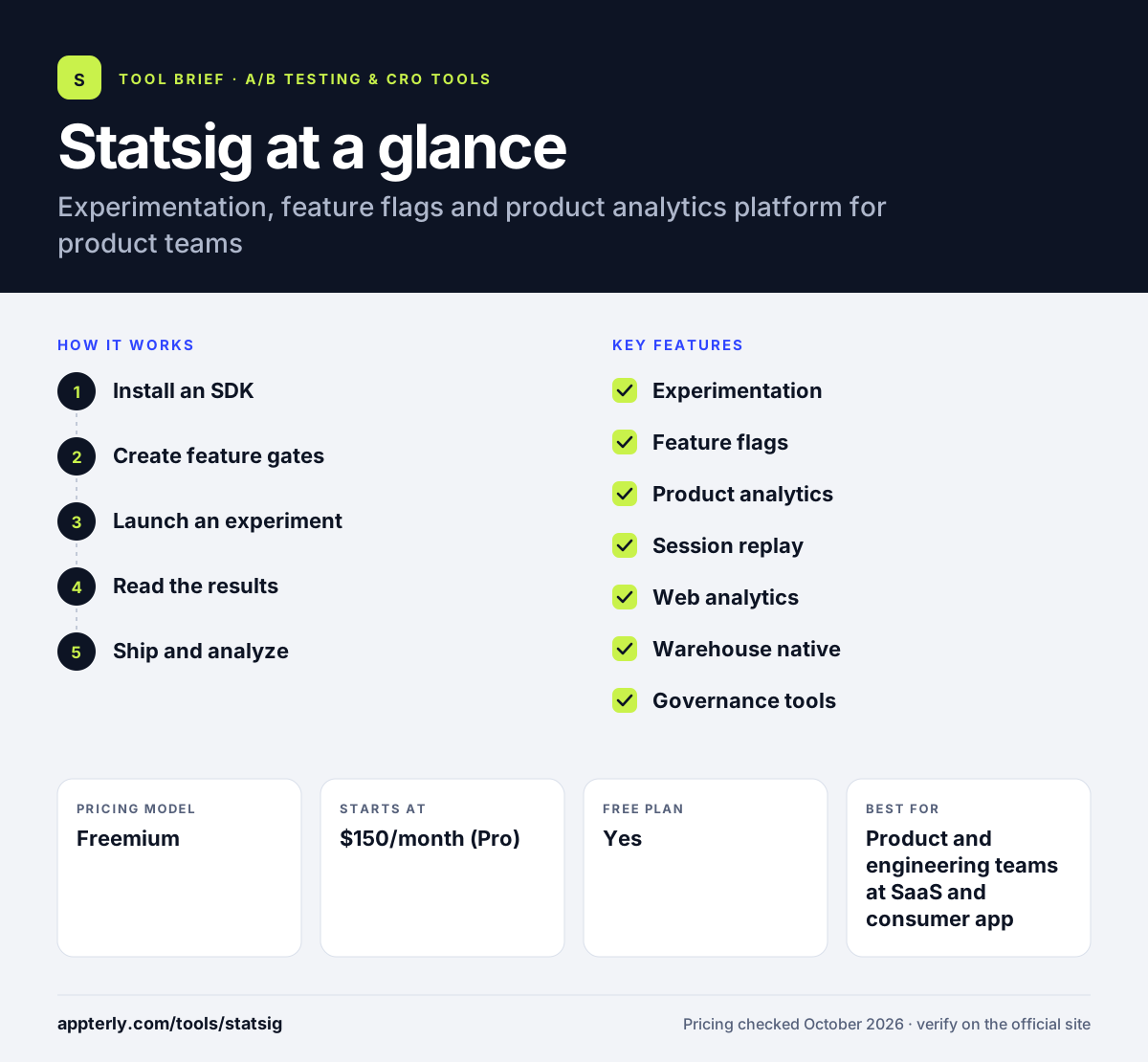
How does Statsig work?
- Install an SDK
Add a client or server SDK, such as React, Node.js or Python, and start logging events.
- Create feature gates
Put new features behind flags and target them by user attributes or percentages.
- Launch an experiment
Set up an A/B test with primary and guardrail metrics, and Statsig assigns users to groups. Guardrail metrics warn you if a change hurts something important, such as latency or revenue.
- Read the results
Statsig computes metric lifts automatically, so you can see the impact of each change.
- Ship and analyze
Roll the winner out to everyone and keep tracking usage with product analytics and session replay.
Statsig key features
Experimentation
A/B tests with automatic metric lift calculations, plus advanced methods on the Pro plan.
Feature flags
Unlimited flag and config checks on every plan, with targeting and staged rollouts.
Product analytics
Funnels, retention and user journeys built from the same events used for experiments.
Session replay
50,000 replays a month on the free plan and 100,000 on Pro.
Web analytics
Traffic reporting for websites alongside product data.
Warehouse native
Enterprise option to run analysis on data in your own warehouse.
Governance tools
Change reviews, approvals and API controls on Pro, with SSO and role-based access on Enterprise.
HIPAA eligibility
Enterprise customers can get HIPAA eligibility with a signed BAA.
Why use Statsig?
- Statsig gives you flags, experiments and analytics on one event stream.
- Unlimited flag checks on every plan avoid charges for heavy flag usage.
- The free plan includes 2M events and unlimited seats, which suits growing teams.
- A broad list of SDKs covers web, mobile, server and game engines.
- Warehouse-native deployment lets data teams keep analysis inside their own stack.
Who is Statsig best for?
A good fit for
- Product and engineering teams at SaaS and consumer app companies
- Data-driven startups that want experimentation from day one
- Companies with a data warehouse that want warehouse-native testing
- Mobile and game developers needing native SDKs
Less suited to
- Marketers who want a visual editor for landing page tests
- Non-technical teams without developer support
- Teams that need many projects on a mid-tier budget, since Pro covers one project
Statsig pricing
| Pricing model | Freemium |
|---|---|
| Free plan | Yes |
| Free trial | Not confirmed |
| Starting price | $150/month (Pro) |
Developer is free with 2M events a month. Pro includes 5M events, then $0.05 per 1,000 events, while Enterprise adds warehouse-native, SSO and custom contracts.
Prices checked October 2026. Vendors change plans often, so confirm on the official Statsig pricing page before you buy.
Statsig pros and cons
Pros
- Strong experimentation features with automatic metric lifts
- Unlimited flag checks and seats
- Session replay and analytics included
- Many SDKs across languages
Cons
- Built for developers, not marketers
- Pro covers only one project
- Event overages add to the bill as usage grows
Statsig integrations and platforms
Available on
Statsig alternatives
See the full shortlist in Best A/B Testing Tools.
Statsig FAQ
Is Statsig free?
Yes. Statsig has a free Developer plan with no credit card required. It includes 2 million events a month, unlimited flag checks, 50,000 session replays, product and web analytics, A/B testing and unlimited seats. If you exceed 2 million events, flags keep working but metric calculations stop until you upgrade. There is no time limit on the free plan.
What is Statsig used for?
Statsig is used to release features with feature flags, run A/B tests to measure their impact and analyze user behavior with product analytics and session replay. Product and engineering teams use it to decide which changes to ship based on data rather than opinion.
Is Statsig owned by Amplitude?
Statsig's own homepage describes it as part of the Amplitude family. Its products, plans and SDKs continue under the Statsig name, and the company lists Bellevue, Washington, as its location. Check Statsig's site for any later changes to plans or branding.
Statsig vs LaunchDarkly: what's the difference?
Statsig centers on experimentation and bundles product analytics and session replay, with a flat Pro fee of $150 a month plus event overages. LaunchDarkly centers on feature management and release safety, with usage pricing by service connections and client-side MAU, and adds observability and AI agent controls. LaunchDarkly also offers a free Developer plan, so both can be tried at no cost.
Does Statsig have session replay?
Yes. Statsig includes session replay on every plan. The free Developer plan includes 50,000 replays per month and Pro includes 100,000, with custom retention on Enterprise. Replays sit next to experiments and analytics so you can see how users behave in each variant. On Enterprise, replay retention can be customized.
Sources
This overview is based on Statsig's official website and documentation, checked October 2026.