What is Social Champ?
Social Champ is a social media scheduling tool that lets you plan, bulk schedule and analyze posts across 12 networks from one calendar. It supports Facebook, Instagram, X, LinkedIn, Pinterest, TikTok, YouTube, Threads, Bluesky, Mastodon, Google Business Profile and WhatsApp Business. Pricing is built per social account on the per-account plans, with bundled plans for larger teams, so small users pay little.
Beyond the calendar, Social Champ includes smart queues, a hashtag manager, an image editor, UTM tracking, first comments and a social inbox, with AI-powered caption and content suggestions on paid plans. It runs on the web and on iOS and Android, and its team is based in Newark, Delaware.
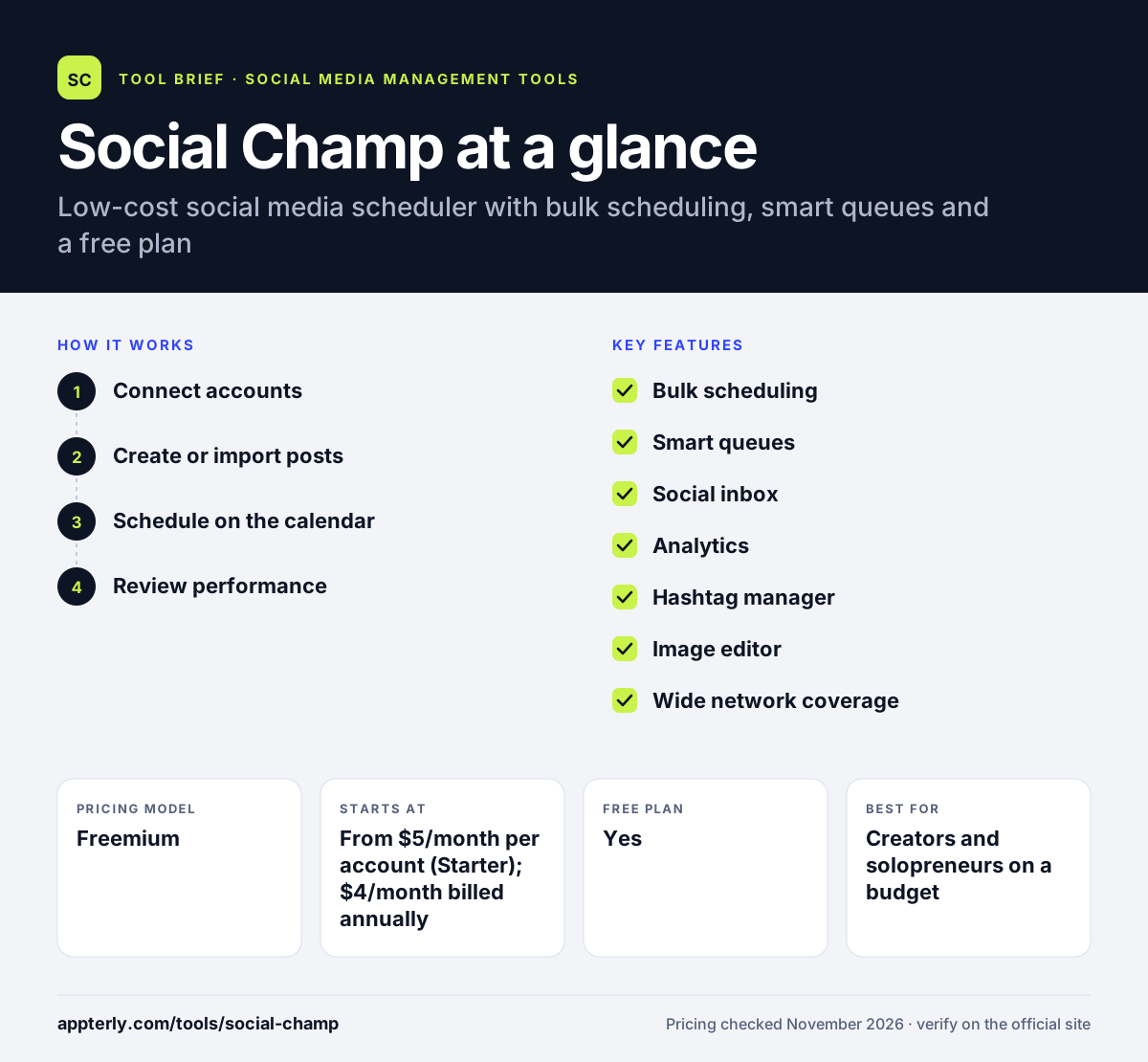
Social Champ at a glance
How does Social Champ work?
- Connect accounts
Add social accounts to one or more workspaces. Facebook, Instagram, LinkedIn, Pinterest, TikTok, YouTube and more are supported.
- Create or import posts
Write posts with AI suggestions, or import them in bulk. Smart queues fill gaps in the calendar with your content automatically.
- Schedule on the calendar
Drag posts onto the calendar, use bulk scheduling or set them to repeat on smart queues. First comments can be added on paid plans.
- Review performance
Check analytics, inbox and engagement reports. The inbox brings comments and messages together so a small team can reply in one place.
Social Champ key features
Bulk scheduling
Schedule many posts at once, up to 15 on the free plan and unlimited on paid plans.
Smart queues
Fill gaps in the calendar automatically with your queued content.
Social inbox
Brings comments and messages together so a small team can reply in one place.
Analytics
Shows engagement, reach and post performance, with reports on paid plans.
Hashtag manager
Saves and reuses hashtag sets for each network.
Image editor
Edits images inside the planner, with filters and cropping.
Wide network coverage
Publishes to 12 networks, including Threads, Bluesky and Mastodon. X and Pinterest need a paid plan.
AI content suggestions
Suggests captions and content ideas on paid plans.
Why use Social Champ?
- Paid plans start at just a few dollars per account each month. Solo users can stay on a very small monthly bill.
- It covers newer networks like Threads, Bluesky and Mastodon.
- Bulk scheduling and smart queues save time on high-volume posting.
- The free plan includes an inbox and analytics, which is rare at $0.
- A free plan and a 14-day trial lower the risk of trying it.
Who is Social Champ best for?
A good fit for
- Creators and solopreneurs on a budget
- Small businesses posting to many networks
- Teams that want a free inbox with their scheduler
- Users who post to Threads, Bluesky or Mastodon
Less suited to
- Teams needing a full social listening suite
- Enterprises needing advanced approvals and SLAs
- Free users who need X or Pinterest, which require a paid plan
Social Champ pricing
| Pricing model | Freemium |
|---|---|
| Free plan | Yes |
| Free trial | 14 days (paid plans) |
| Starting price | From $5/month per account (Starter); $4/month billed annually |
Growth starts at $9/month per account and adds more accounts and features. Bundled plans start at $29/month for Standard (6 accounts, 2 users), $59/month for Professional and $149/month for Agency. Enterprise is quoted.
Prices checked November 2026. Vendors change plans often, so confirm on the official Social Champ pricing page before you buy.
Social Champ pros and cons
Pros
- Very low starting price
- Free plan includes inbox and analytics
- Broad network support including Threads and Bluesky
- Useful bulk scheduling and smart queues
Cons
- No X or Pinterest on the free plan
- Per-account pricing can add up for large teams
- AI features need a paid plan
Social Champ integrations and platforms
Works with
Available on
Social Champ alternatives
See the full shortlist in Best Social Media Management Tools.
Social Champ FAQ
Is Social Champ free?
Yes. Social Champ's free plan includes 3 social accounts with 15 scheduled posts per account, 1 user, 1 workspace and 1 GB of media storage, plus bulk scheduling, smart queues, an inbox and analytics. Paid plans start at $5 per month per account on Starter.
What is Social Champ used for?
Social Champ is used to schedule, bulk upload and analyze social media posts across networks such as Facebook, Instagram, LinkedIn, TikTok, Pinterest, YouTube, Threads, Bluesky and Mastodon. Creators and small businesses also use it for smart queues, hashtag sets and a social inbox.
How much does Social Champ cost?
Social Champ prices by social account on the per-account plans. Starter starts at $5 per month per account and Growth at $9 per month, with yearly billing saving about 20%. Bundled plans start at $29 per month for Standard, $59 for Professional and $149 for Agency, and Enterprise uses custom quotes.
Social Champ vs Buffer: what's the difference?
Both are affordable schedulers with free plans. Social Champ covers more networks, including Threads, Bluesky and Mastodon, and its free plan includes an inbox and analytics. Buffer keeps a simpler interface focused on publishing and basic analytics.
Does Social Champ integrate with Canva?
Yes. Social Champ connects to Canva for design, Google Drive, Dropbox and Unsplash for media, Bitly for link shortening, WordPress for content and RSS feeds for automated posting.
Sources
This overview is based on Social Champ's official website and documentation, checked November 2026.