What is Smartlook?
Smartlook is a digital experience analytics tool that combines session recordings with event-based analytics for websites and mobile apps. Teams use it to watch how users move through a product, count key actions, build funnels and see where people drop off. Crash reports for mobile apps link each crash to the recording that led up to it, which helps developers reproduce issues.
Smartlook is now part of Cisco and is no longer sold to new customers. The official site states that sales ended on 31 May 2026, renewals stopped on 31 August 2026 and the platform will be decommissioned on 30 September 2027. Its capabilities live on in Digital Experience Analytics within Splunk Observability Cloud. Existing users should plan a migration and export their data, since historical data will not be moved. Anyone choosing a new tool today should look at actively developed alternatives.
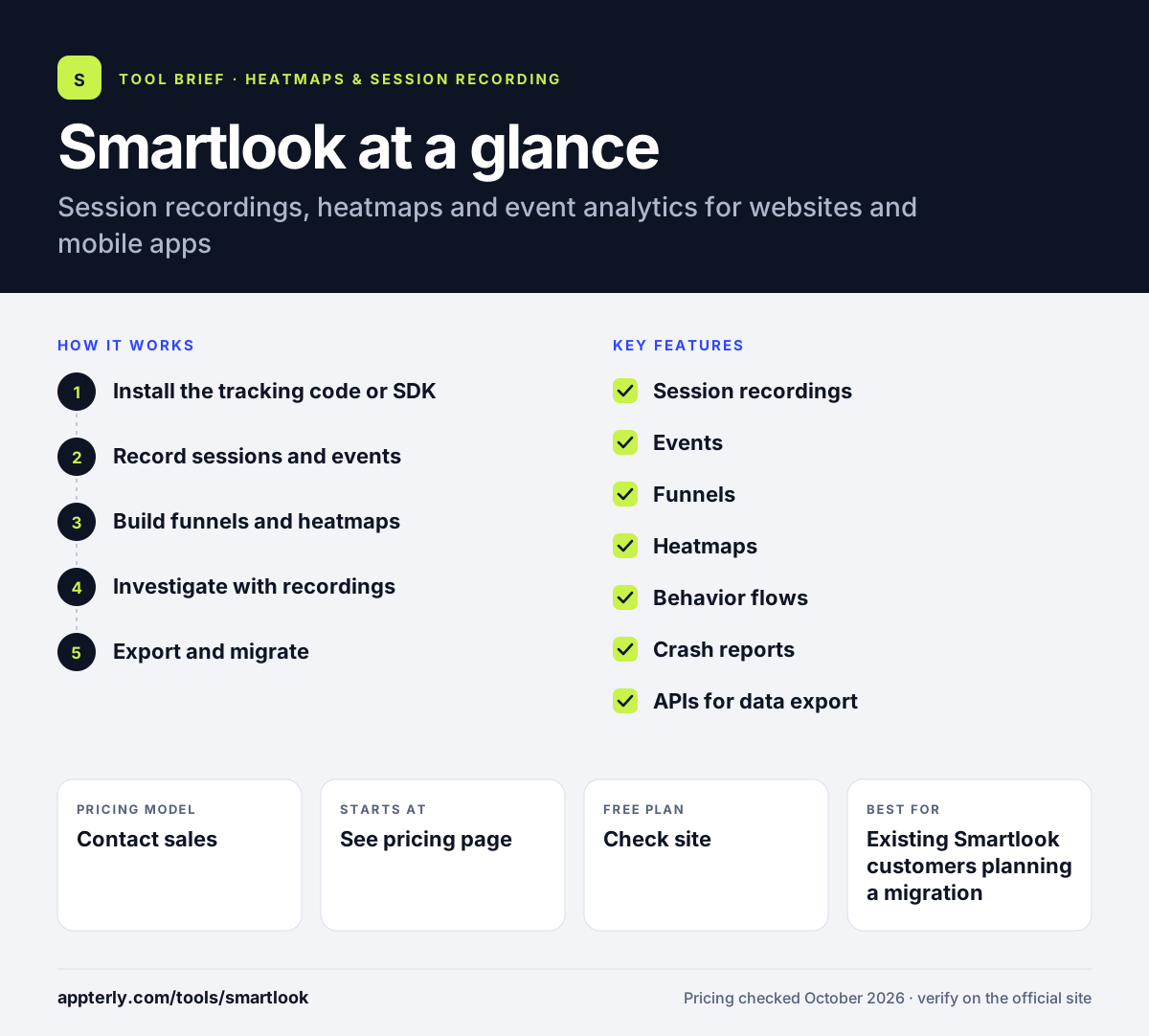
Smartlook at a glance
How does Smartlook work?
- Install the tracking code or SDK
Existing customers add Smartlook's script to a website or its SDK to a mobile app.
- Record sessions and events
Smartlook captures user sessions and tracks defined events, such as sign-ups or purchases.
- Build funnels and heatmaps
Funnels show where users drop off, while heatmaps show clicks and scroll depth on each screen or page.
- Investigate with recordings
Jump from a funnel step, event or crash report to the recordings behind it.
- Export and migrate
Before end of life, export data through the Smartlook APIs and move to Splunk's Digital Experience Analytics or another tool.
Smartlook key features
Session recordings
Replays of real user sessions with filters to find important moments quickly.
Events
Track how often users take specific actions, set up with or without code.
Funnels
Show conversion steps and drop-off points, linked to the related recordings.
Heatmaps
Click and scroll depth heatmaps for pages and screens.
Behavior flows
Maps of how users move through a site or app from one step to the next.
Crash reports
Mobile crash reports that connect each crash to the session recording that preceded it.
APIs for data export
Smartlook APIs let existing customers export their data before the platform is shut down.
Why use Smartlook?
- Existing customers keep access to recordings, events and funnels until the end-of-life dates.
- Combining replays with event analytics helps explain both what happened and why.
- Crash reports tied to recordings speed up mobile debugging.
- A clear path to Splunk's Digital Experience Analytics exists for teams already using Splunk.
Who is Smartlook best for?
A good fit for
- Existing Smartlook customers planning a migration
- Teams already invested in Splunk Observability Cloud
- Product teams that still rely on Smartlook data and need to export it
- Researchers comparing session replay tools who need background on the product
Less suited to
- New customers, since Smartlook is no longer sold
- Anyone needing a long-term behavior analytics tool beyond 2027
- Teams that want historical data carried into the successor product
Smartlook pricing
| Pricing model | Contact sales |
|---|---|
| Free plan | Not confirmed |
| Free trial | Not confirmed |
| Starting price | See the official pricing page |
New subscriptions ended on 31 May 2026, so no current prices are published. Former paid customers can use a limited free plan until 30 September 2027. Existing customers with questions about billing or access should contact their account manager or Smartlook support.
Prices checked October 2026. Vendors change plans often, so confirm on the official Smartlook pricing page before you buy.
Smartlook pros and cons
Pros
- Combines session recordings with event analytics
- Crash reports linked to recordings
- Supports websites and mobile apps
- Successor product available inside Splunk
Cons
- No longer available to new customers
- Platform and remaining data will be deleted on 30 September 2027
- Historical data will not migrate to the Splunk successor
Smartlook integrations and platforms
Works with
Available on
Smartlook alternatives
See the full shortlist in Best Heatmap Tools.
Smartlook FAQ
Is Smartlook shutting down?
Yes. Smartlook joined Cisco and is being wound down as a standalone product. Sales ended on 31 May 2026, contract renewals ended on 31 August 2026, support ends on 31 August 2027, and the platform will be decommissioned with remaining data deleted on 30 September 2027. Its features continue in Splunk's Digital Experience Analytics.
Is Smartlook free?
Smartlook no longer sells new plans. Customers whose paid subscription ends can use a free plan with limits until 30 September 2027, when the platform shuts down. New users looking for a free option should consider tools such as Microsoft Clarity, which offers free session recordings and heatmaps without traffic limits.
What is Smartlook used for?
Smartlook is used to understand user behavior on websites and in mobile apps. Teams watch session recordings, track events, build funnels and view heatmaps to see where users struggle. Mobile teams also use its crash reports, which link each crash to the recording leading up to it.
What replaces Smartlook?
The official successor is Digital Experience Analytics in Splunk Observability Cloud, which works with Splunk Real User Monitoring and Synthetics. Teams outside the Splunk ecosystem often move to other session replay tools such as LogRocket, Mouseflow or Microsoft Clarity. Export data before the end-of-life dates, because historical data will not be migrated.
How do I export my Smartlook data?
Smartlook recommends exporting data through its APIs before your paid subscription ends, and no later than 31 August 2027. After 30 September 2027 the platform is decommissioned and remaining data is deleted. Contact your account manager or Smartlook support if you need help planning the export.
Sources
This overview is based on Smartlook's official website and documentation, checked October 2026.