What is Inspectlet?
Inspectlet is a website behavior analytics tool that records real visitor sessions and turns them into heatmaps, funnels and form reports. You add a small JavaScript snippet to your site, and it starts capturing clicks, scrolls, mouse movement and page changes. The goal is simple: show you what people actually do on your pages, so you can find confusing layouts, broken elements and the exact step where visitors give up.
Beyond replays, Inspectlet bundles several research tools that smaller teams often buy separately. It includes on-site feedback surveys with NPS, a visual A/B testing editor, JavaScript error logging and a live view of who is on the site right now. Newer AI features score sessions by how interesting they are and let you ask questions about your data in plain language, which helps when you have more recordings than time to watch them.
Inspectlet at a glance
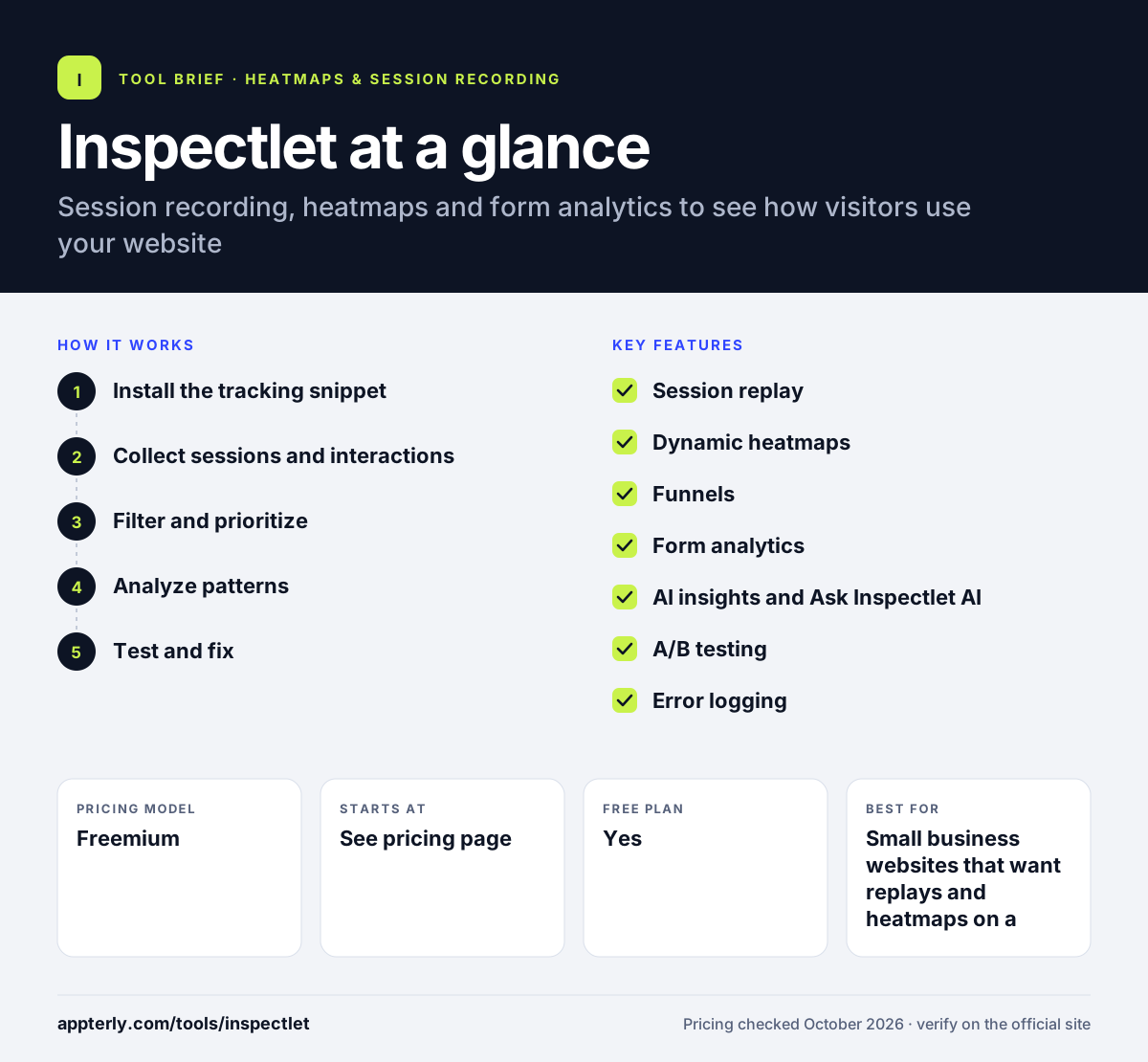
How does Inspectlet work?
- Install the tracking snippet
Paste Inspectlet's lightweight JavaScript code into your site template. Recording starts once the code loads on your pages.
- Collect sessions and interactions
Inspectlet captures clicks, scrolling, mouse movement, form input behavior and errors for each visit, then stores them as replayable sessions.
- Filter and prioritize
Filter recordings by traffic source, pages visited, events or conversion status. AI-recommended sessions surface visits with rage clicks, errors or drop-offs first.
- Analyze patterns
Open heatmaps, funnels and form analytics to see where groups of visitors hesitate, ignore fields or abandon a flow.
- Test and fix
Use the A/B testing editor or on-site surveys to try changes and confirm whether they improve the result.
Inspectlet key features
Session replay
Watch video-like recordings of individual visits and filter them by visitor type, referrer, pages, events and whether the visitor converted.
Dynamic heatmaps
Click, scroll and eye-tracking style heatmaps that also work on dynamic content such as menus and single-page apps.
Funnels
Define a sequence of pages toward a goal and jump straight into replays of visitors who dropped off at each step.
Form analytics
See conversion rate, hesitation time and ignored fields for each form, which helps trim friction from sign-up and checkout forms.
AI insights and Ask Inspectlet AI
AI reviews sessions, flags issues like rage clicks and errors, and answers natural-language questions about your visitor data.
A/B testing
A visual editor and goal tracking let you run split tests without server-side setup.
Error logging
Automatically captures JavaScript errors with stack traces and network details, linked to the session where they happened.
Feedback surveys and live view
Ask visitors questions, including NPS, and watch who is on the site in real time.
Why use Inspectlet?
- You see the exact behavior behind a weak conversion rate instead of guessing from page-level metrics.
- Replays, heatmaps, surveys, A/B testing and error logging live in one tool, which keeps costs and logins down.
- The free plan records 2,500 sessions a month, enough for a small site to start learning.
- Error logs tied to replays help developers reproduce bugs that real visitors hit.
- AI session scoring cuts down the time spent watching uneventful recordings.
Who is Inspectlet best for?
A good fit for
- Small business websites that want replays and heatmaps on a budget
- Marketers improving landing pages and lead forms
- Ecommerce teams investigating checkout drop-off
- Freelancers and agencies running conversion audits for clients
Less suited to
- Teams that need native mobile app session replay
- Buyers who want transparent, published prices for every paid tier before talking to anyone
Inspectlet pricing
| Pricing model | Freemium |
|---|---|
| Free plan | Yes |
| Free trial | Not confirmed |
| Starting price | See the official pricing page |
The free plan covers 2,500 recorded sessions a month on up to 3 websites with 1 month of data retention. Paid tiers add more sessions and longer retention, up to 24 months on Enterprise, and annual billing saves 15%; exact paid prices were not shown on the plans page.
Prices checked October 2026. Vendors change plans often, so confirm on the official Inspectlet pricing page before you buy.
Inspectlet pros and cons
Pros
- Generous feature set for the price range, including A/B testing and error logging
- Permanent free plan with session replay and heatmaps
- Form analytics go deeper than many basic heatmap tools
- AI scoring helps prioritize which sessions to watch
Cons
- Paid plan prices were not clearly published on the official plans page
- Focused on websites, with no confirmed native mobile app SDK
- Third-party integrations are not prominently documented
Inspectlet integrations and platforms
Available on
Inspectlet alternatives
See the full shortlist in Best Heatmap Tools.
Inspectlet FAQ
Is Inspectlet free?
Yes, Inspectlet has a free plan with no time limit and no credit card required. It records up to 2,500 sessions a month across up to 3 websites and includes session replay, heatmaps and A/B testing, with data kept for one month. When you hit the session cap, recording pauses until the next cycle unless you upgrade to a paid plan.
What is Inspectlet used for?
Inspectlet is used to understand how visitors behave on a website. Teams watch session recordings, review click and scroll heatmaps, analyze funnels and forms, and log JavaScript errors. Marketers use it to improve landing pages and forms, while developers use the error logs and replays to reproduce bugs that real users run into.
Inspectlet vs Hotjar: what's the difference?
Both tools offer session recordings, heatmaps and on-site surveys. Inspectlet adds built-in A/B testing, form analytics and JavaScript error logging tied to each session, so it leans toward hands-on conversion and debugging work. Hotjar is more widely known and focuses on replays, heatmaps, surveys and interviews. The better choice depends on whether you want testing and error logs in the same tool.
Is Inspectlet good for beginners?
Inspectlet is fairly approachable for beginners. Setup is a single JavaScript snippet, and replays and heatmaps are easy to read without analytics training. The AI-recommended sessions also point new users to the most useful recordings first. Features like funnels, A/B tests and error logs take more time to learn, but they are optional.
Does Inspectlet slow down my website?
Inspectlet describes its tracking code as lightweight JavaScript that loads alongside your page. Like any third-party script, it adds some overhead, so it is worth checking page speed after installation. Most small and mid-size sites can run it without noticeable impact, and you can limit recording to the pages you actually need to study.
Sources
This overview is based on Inspectlet's official website and documentation, checked October 2026.