What is Replug?
Replug is a link management platform that combines branded short links with call-to-action overlays, retargeting pixels, bio link pages and QR codes. Its standout idea is that a link to someone else's article can still promote your business, because Replug can show your own button, banner or email form on top of the shared page and fire your ad pixels when people click.
The tool is aimed at marketers and agencies that share a lot of links on social media and in newsletters. Campaigns group settings such as pixels and CTAs so they apply to every link created under them. Higher plans add multiple workspaces, more custom domains and team seats, which suits agencies handling several client brands from one account.
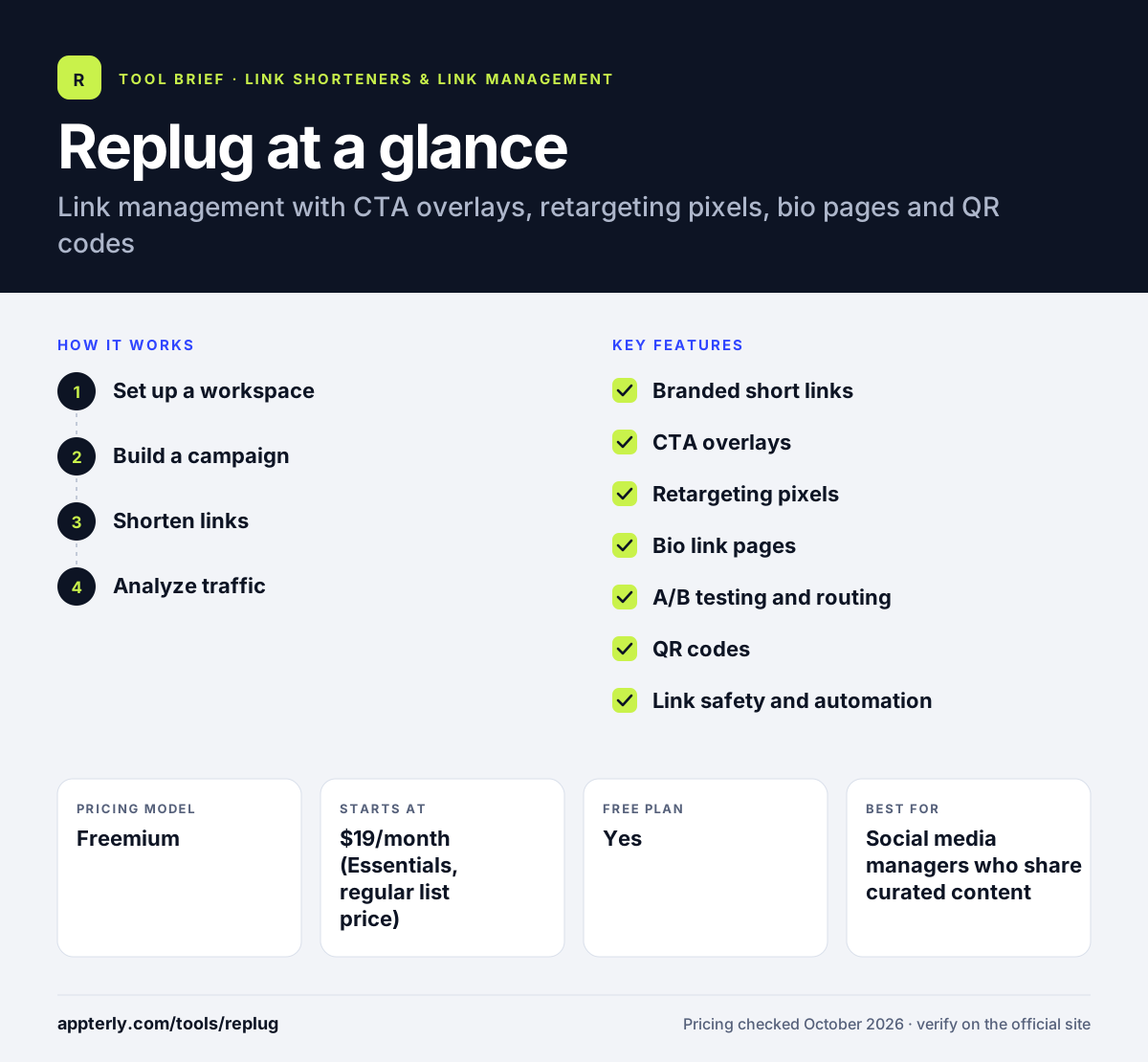
Replug at a glance
How does Replug work?
- Set up a workspace
Create a workspace for your brand or client and connect a custom domain, or use a free .link domain on paid plans.
- Build a campaign
Choose a CTA style such as a button, bar or email form, and add retargeting pixels from networks like Meta, Google or LinkedIn.
- Shorten links
Create short links under that campaign, from the dashboard or Chrome extension, so each one carries your CTA and pixels.
- Analyze traffic
Review clicks, unique visitors and QR scans by location, device, browser and referrer, then adjust campaigns.
Replug key features
Branded short links
Shorten links on your own domain with options for cloaking, password protection, custom previews and expiration.
CTA overlays
Display buttons, link bars or email forms over shared content so curated links can still drive traffic or signups.
Retargeting pixels
Fire pixels from Meta, Google, LinkedIn, TikTok, Pinterest, X and Quora on clicks, bio pages and QR scans.
Bio link pages
Build a single page for Instagram, TikTok or YouTube profiles and see clicks and click-through rates per link.
A/B testing and routing
Split one link across up to 20 destinations, or route visitors by country, city, device or date.
QR codes
Design trackable QR codes from templates, with dynamic codes that can change destination on Scale and Agency plans.
Link safety and automation
Links are checked against services such as Google Safe Browsing, and RSS feeds can be turned into short links automatically.
Traffic routing and time limits
Route visitors by country, city, device or date, and set links to stop working after a chosen time.
Why use Replug?
- CTA overlays let you promote your brand on content you curate from other sites.
- One campaign applies pixels and CTAs to every link, which saves setup time.
- Agency plans separate client workspaces under one account.
- A free plan covers 100 short links and 1,000 clicks per month.
- Startups and non-profits can apply for extra discounts.
Who is Replug best for?
A good fit for
- Social media managers who share curated content
- Agencies managing several client brands
- Marketers building retargeting audiences
- Creators who need a bio link page
Less suited to
- Teams that only need plain short links with no overlays
- High-traffic users on low tiers, since CTAs and pixels stop after the monthly click limit
- Developers needing API access on mid-tier plans, as the pricing page lists it under Enterprise
Replug pricing
| Pricing model | Freemium |
|---|---|
| Free plan | Yes |
| Free trial | 14 days |
| Starting price | $19/month (Essentials, regular list price) |
Scale lists at $39/month and Agency at $99/month, with discounts for annual billing. Plans differ by clicks, workspaces, custom domains and users, and Enterprise is quoted.
Prices checked October 2026. Vendors change plans often, so confirm on the official Replug pricing page before you buy.
Replug pros and cons
Pros
- CTA overlays on any shared link
- Broad retargeting pixel support
- Agency-friendly workspaces and team seats
- Free plan and 14-day trials on paid tiers
Cons
- CTAs and pixels stop firing once click limits are reached
- API access appears limited to Enterprise
- Overlays may not display on sites that block framing
Replug integrations and platforms
Works with
Available on
Replug alternatives
See the full shortlist in Best URL Shorteners.
Replug FAQ
Is Replug free?
Yes. Replug offers a free plan with 100 short links, two bio links, 10 QR codes, one campaign, three custom domains and 1,000 clicks per month, with no credit card required. Paid plans start with Essentials, which lists at $19 per month, and each paid plan has a 14-day free trial.
What is Replug used for?
Replug is used to create branded short links that do more than redirect. Marketers add call-to-action overlays to shared articles, attach retargeting pixels to build ad audiences, create bio link pages for social profiles and generate trackable QR codes. Agencies use its workspaces to keep each client's links and reports separate.
Replug vs Sniply: what's the difference?
Both tools add call-to-action overlays to links that point to other websites. Sniply focuses mostly on those CTAs and their analytics. Replug bundles CTAs with a wider link management toolkit, including bio pages, QR codes, A/B testing, traffic routing and pixels from many ad networks, and it offers a free plan.
What happens when I hit Replug's click limit?
Your short links keep redirecting normally when you pass the monthly click limit. However, CTA overlays and retargeting pixels stop triggering until the billing cycle resets. If you regularly exceed limits, you can upgrade or contact Replug for a custom package with higher click volumes.
Does Replug have a Chrome extension?
Yes. Replug lists a Chrome extension that lets you shorten the page you are viewing and apply your campaign settings without opening the dashboard. Links created this way appear in your account with the same analytics as links made in the web app.
Sources
This overview is based on Replug's official website and documentation, checked October 2026.