What is Bitly?
Bitly is a link and QR code management platform that lets you create, share and track short links, branded links and QR codes from one dashboard. Paste a long URL and Bitly returns a short link you can customize, redirect later and measure. Marketers, social media managers and businesses use it to clean up links in posts, emails, ads and printed materials and to see what their audience actually clicks.
Bitly has grown beyond its original URL shortener. It now generates dynamic QR codes that can be edited after printing, builds landing pages and link-in-bio pages through Bitly Pages, and offers digital business cards and GS1-ready 2D barcodes for packaging. Custom domains turn generic links into branded ones, and analytics show clicks and scans by location, device, referrer and UTM campaign. Developers can use the Bitly API, and newer AI options include Bitly Assist and an MCP server.
Bitly at a glance
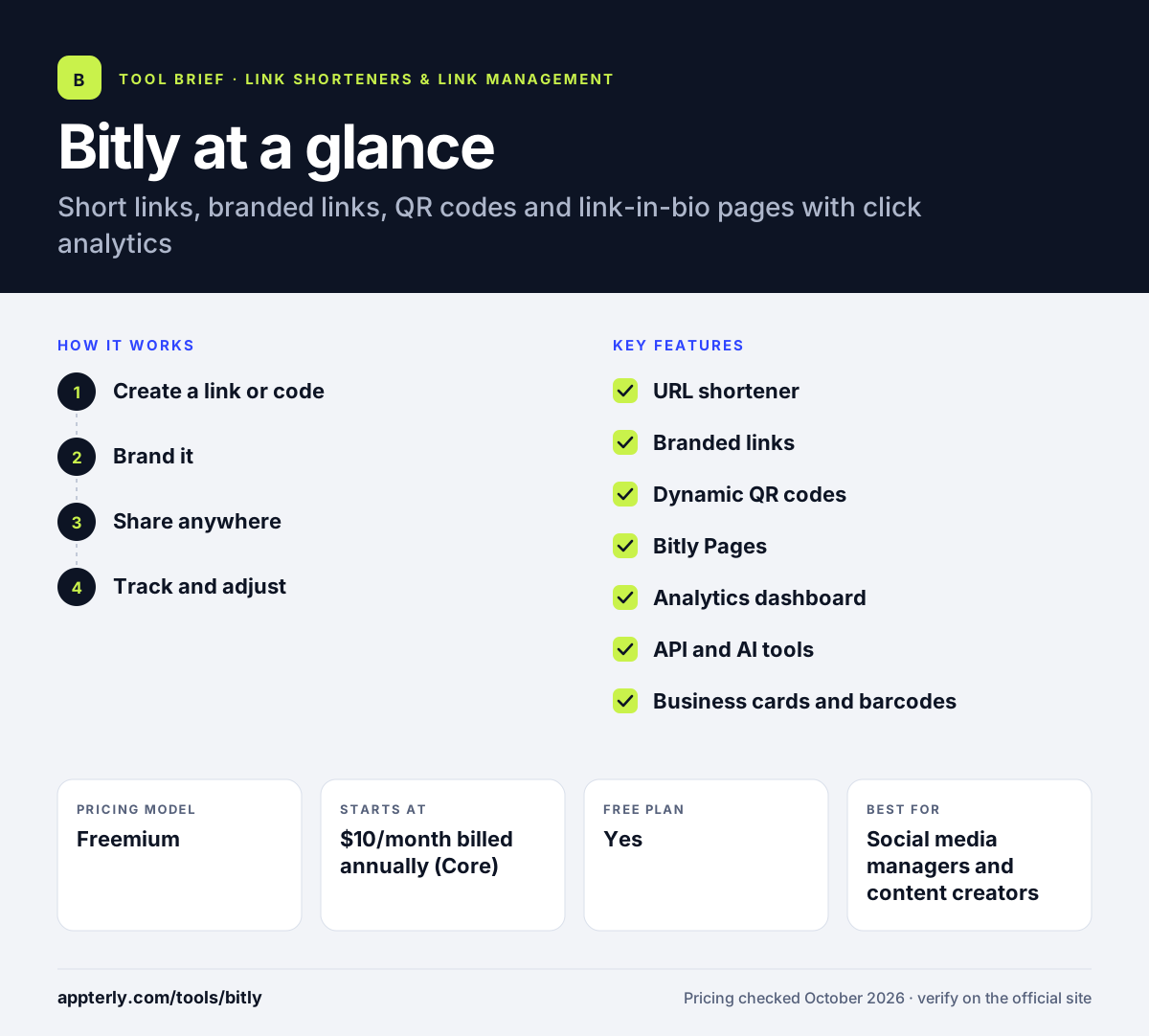
How does Bitly work?
- Create a link or code
Paste a destination URL to get a short link, a QR code or both, and optionally add UTM parameters and a custom back-half.
- Brand it
On paid plans you connect a custom domain so links use your brand name instead of bit.ly.
- Share anywhere
Use the link in social posts, SMS, email and ads, or print the QR code on packaging and signage.
- Track and adjust
The analytics dashboard shows clicks and scans, and you can change destinations without reprinting codes.
Bitly key features
URL shortener
Creates short links with custom back-halves, redirects, bulk shortening and dynamic routing.
Branded links
Uses your own domain in short links to build trust and recognition.
Dynamic QR codes
Customizable QR codes that can be edited after printing and downloaded as PNG, JPEG or SVG.
Bitly Pages
Simple landing pages and link-in-bio pages for social profiles, with tracking built in.
Analytics dashboard
Tracks clicks and scans by geography, referrer, device and UTM campaign across all links and codes.
API and AI tools
A developer API with webhooks on higher tiers, plus Bitly Assist and an MCP server for AI workflows.
Business cards and barcodes
Digital business cards and GS1-compatible 2D barcodes for product packaging.
Why use Bitly?
- Short, branded links look cleaner and more trustworthy in posts and messages.
- Dynamic QR codes let you update print campaigns without reprinting.
- One dashboard tracks performance for links, QR codes and landing pages together.
- A free plan lets you try it before paying.
- Wide recognition and integrations with tools like Canva, HubSpot and Shopify.
Who is Bitly best for?
A good fit for
- Social media managers and content creators
- Brands running print and packaging campaigns with QR codes
- Small businesses tracking link clicks across channels
- Enterprises needing high-volume link generation and SSO
Less suited to
- Heavy users on a tight budget, since monthly link limits are low on cheaper plans
- Teams wanting an ad-free free plan
Bitly pricing
| Pricing model | Freemium |
|---|---|
| Free plan | Yes |
| Free trial | Not confirmed |
| Starting price | $10/month billed annually (Core) |
Paid tiers raise monthly link, QR code and landing page limits: Core (100 links), Growth ($29/month, 500 links) and Premium ($199/month, 3,000 links). Enterprise is custom and adds SSO and high-volume API access.
Prices checked October 2026. Vendors change plans often, so confirm on the official Bitly pricing page before you buy.
Bitly pros and cons
Pros
- Well-known, trusted short link brand
- Links, QR codes and landing pages in one place
- Dynamic QR codes editable after printing
- Useful free plan for light use
Cons
- Monthly link and QR limits are tight on lower plans
- Free plan shows ads and has very small limits
- Advanced features get expensive at Premium and Enterprise
Bitly integrations and platforms
Works with
Available on
Bitly alternatives
See the full shortlist in Best URL Shorteners.
Bitly FAQ
Is Bitly free?
Yes, Bitly has a free plan with ads. It allows five short links, two QR codes and two landing pages per month, with unlimited clicks and scans. Paid plans start with Core at $10 per month billed annually, and higher tiers raise the monthly limits and add features.
What is Bitly used for?
Bitly is used to shorten long URLs, create branded links and QR codes, and track how many people click or scan them. Marketers use it in social posts, emails, SMS and print materials, and its analytics show where clicks come from by location, device, referrer and campaign.
Does Bitly have a mobile app?
Bitly links to a mobile app and a browser extension from its website, so you can create and share short links away from your desktop. Most setup, analytics and QR code design work happens in the web dashboard, and developers can also create links through the Bitly API.
Bitly vs Cuttly: which is better?
Bitly is the better-known brand with strong QR code tools, landing pages and enterprise features. Cuttly is cheaper for volume, allowing far more short links per month on its paid plans and adding surveys and link-in-bio pages. Teams needing many links on a budget often prefer Cuttly.
Can I use my own domain with Bitly?
Yes. Paid Bitly plans support custom domains, called Branded Links, so your short links use your brand's domain instead of bit.ly. This improves recognition and trust. You set it up by connecting a domain or subdomain you own in the account settings.
Sources
This overview is based on Bitly's official website and documentation, checked October 2026.