What is Linkly?
Linkly is a URL shortener and link tracking platform that turns long URLs into branded short links and reports on every click. Beyond basic shortening, it lets marketers send visitors to different pages based on location or device, attach ad retargeting pixels to links and generate editable QR codes. It is aimed at marketers who want more control over where link traffic goes.
The service runs in the browser and connects to automation tools such as Zapier, Make and n8n. Linkly offers a free plan with 100 links and 500 tracked clicks per month, and paid tiers raise those limits while unlocking redirect rules, link rotators and tracking scripts. Browser extensions for Chrome and Firefox make it quick to shorten a page while you work.
Linkly at a glance
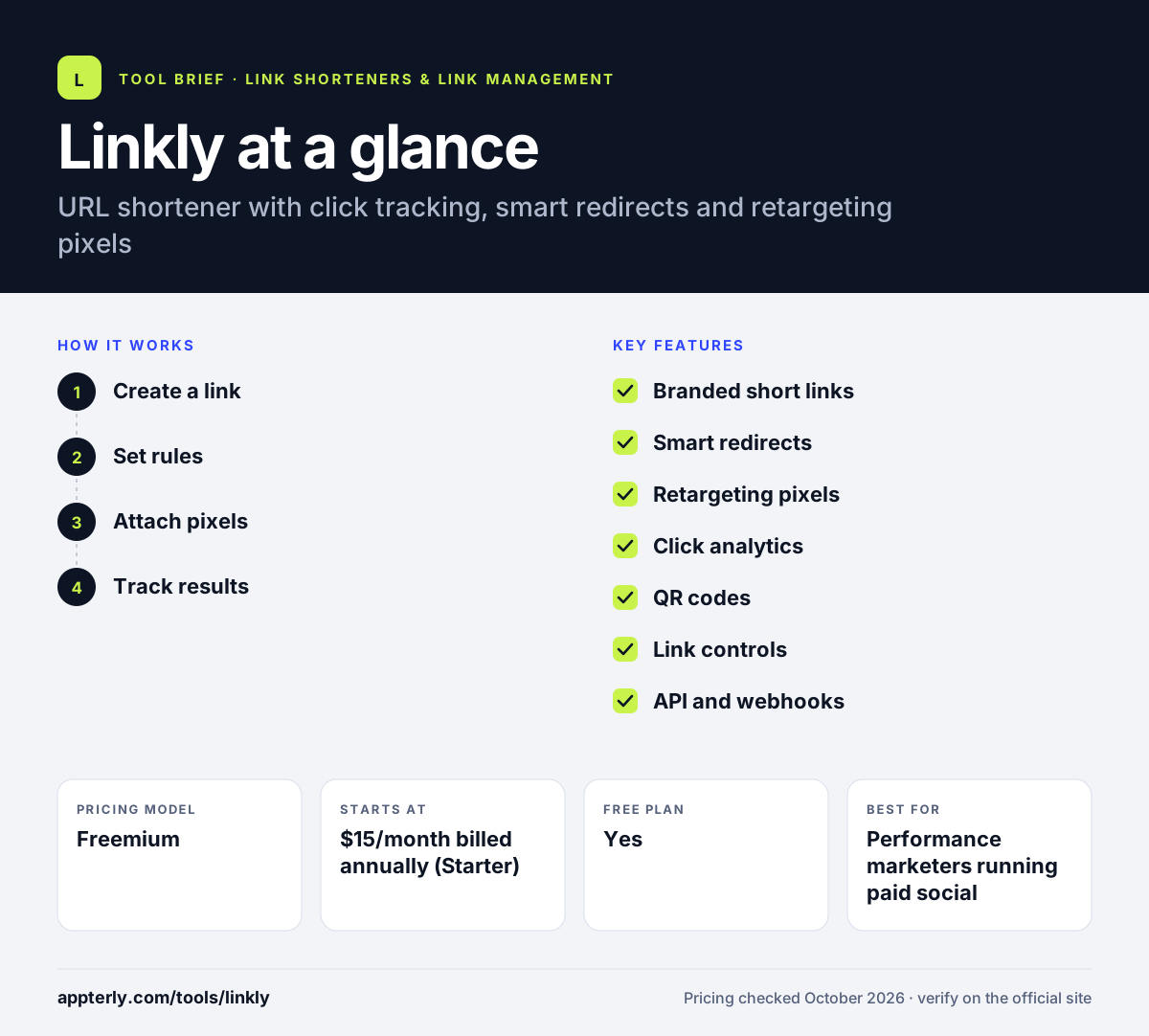
How does Linkly work?
- Create a link
Paste a long URL into the dashboard, browser extension or API, then choose a custom back-half and, if you have one, your own branded domain.
- Set rules
On paid plans, add geo or device redirect rules, rotate traffic between destinations, or set links to expire after a date or click count.
- Attach pixels
Add retargeting pixels from ad networks such as Meta, Google Ads, TikTok or LinkedIn so link clicks feed your ad audiences.
- Track results
Watch clicks by country, device, browser and referrer in real time, then export to CSV or Google Sheets for reporting.
Linkly key features
Branded short links
Shorten links on your own domain with custom back-halves, so shared URLs look trustworthy and match your brand.
Smart redirects
Send visitors to different destinations by country, city or device, or rotate traffic between URLs for simple A/B tests.
Retargeting pixels
Fire Meta, Google Ads, TikTok, LinkedIn and other pixels when someone clicks, building audiences even when the link points to another site.
Click analytics
Real-time reports cover location, device, browser and referrer, with ISP data and hourly views on higher plans.
QR codes
Create custom QR codes with logos that can be pointed at a new destination later without reprinting.
Link controls
Password protection, click limits and time limits help manage promotions and private links.
API and webhooks
A REST API creates links and pulls stats, with webhooks and native connections to Zapier, Make and n8n.
Why use Linkly?
- Redirect rules let one link serve visitors in different countries or on different devices.
- Retargeting pixels turn link clicks into ad audiences.
- The free plan includes API access, which is uncommon among link shorteners.
- Exports to Google Sheets simplify client reporting.
- Paid plans keep links working when you go over limits instead of pausing them.
Who is Linkly best for?
A good fit for
- Performance marketers running paid social
- Agencies managing branded links and reports for several clients
- Affiliate marketers who rotate offers
- Small businesses that print QR codes
Less suited to
- Teams that want month-to-month billing on the Starter plan, which is annual only
- Companies needing built-in affiliate payout or partner management
- High-traffic free users, since free links pause once the click quota is reached
Linkly pricing
| Pricing model | Freemium |
|---|---|
| Free plan | Yes |
| Free trial | Not confirmed |
| Starting price | $15/month billed annually (Starter) |
Free covers 100 links and 500 clicks per month. Pro ($32/month annually) adds redirect rules and pixels, Business ($107/month) adds cloaking and public stats, and add-on packs cover extra clicks or links.
Prices checked October 2026. Vendors change plans often, so confirm on the official Linkly pricing page before you buy.
Linkly pros and cons
Pros
- Flexible geo and device redirect rules
- Wide range of retargeting pixels
- API access even on the free plan
- Editable QR codes
Cons
- Free plan click limits are low and links pause when exceeded
- Prices are listed mainly with annual billing
- Advanced features such as cloaking sit on the higher Business tier
Linkly integrations and platforms
Works with
Available on
Linkly alternatives
See the full shortlist in Best URL Shorteners.
Linkly FAQ
Is Linkly free?
Yes. Linkly has a free plan with 100 short links and 500 tracked clicks per month, one custom domain, country-level analytics and full API access, with no credit card needed. On the free plan, links pause and new links are blocked once you pass the click quota, until the next monthly reset.
What is Linkly used for?
Linkly is used to shorten and brand links, track who clicks them, and control where visitors end up. Marketers use it to route traffic by country or device, rotate between offers, add retargeting pixels to links that point to other websites, and create QR codes for print campaigns that can be updated later.
Linkly vs Bitly: what's the difference?
Both shorten links and track clicks. Linkly leans toward performance marketing features such as geo and device redirects, link rotators and a broad set of retargeting pixels, and it includes API access on its free plan. Bitly is the larger, better-known brand with a broader connections platform, so the choice often depends on whether routing rules or brand familiarity matter more.
Does Linkly have a Chrome extension?
Yes. Linkly offers a Chrome extension and a Firefox extension, so you can shorten the page you are viewing without opening the dashboard. Links created through the extension use the same account, domains and analytics as links made in the web app.
Can I add a Facebook pixel to a Linkly link?
Yes, on paid plans from Pro upward. Linkly supports tracking pixels from Meta, Google Ads, TikTok, LinkedIn and other networks. When someone clicks your short link, the pixel fires before the redirect, so you can build retargeting audiences from people who clicked links to content you do not own.
Sources
This overview is based on Linkly's official website and documentation, checked October 2026.