What is PostHog?
PostHog is an all-in-one product platform that combines product analytics, web analytics, session replay, heatmaps, feature flags, experiments and surveys in one place. It is built mainly for developers and product engineers who want to understand user behavior and ship changes based on data. Instead of stitching several tools together, teams send events to PostHog once and use them across every product.
The suite has grown to include error tracking, a data warehouse, a CDP, workflows, logs and AI observability for LLM features. PostHog Experiments runs A/B and multivariate tests on top of feature flags and shares their billing. Pricing is usage-based with large free monthly allowances for each product, so many small teams pay nothing, and there are no per-seat fees. An MCP server lets AI coding tools such as Cursor and Claude query PostHog data directly.
PostHog at a glance
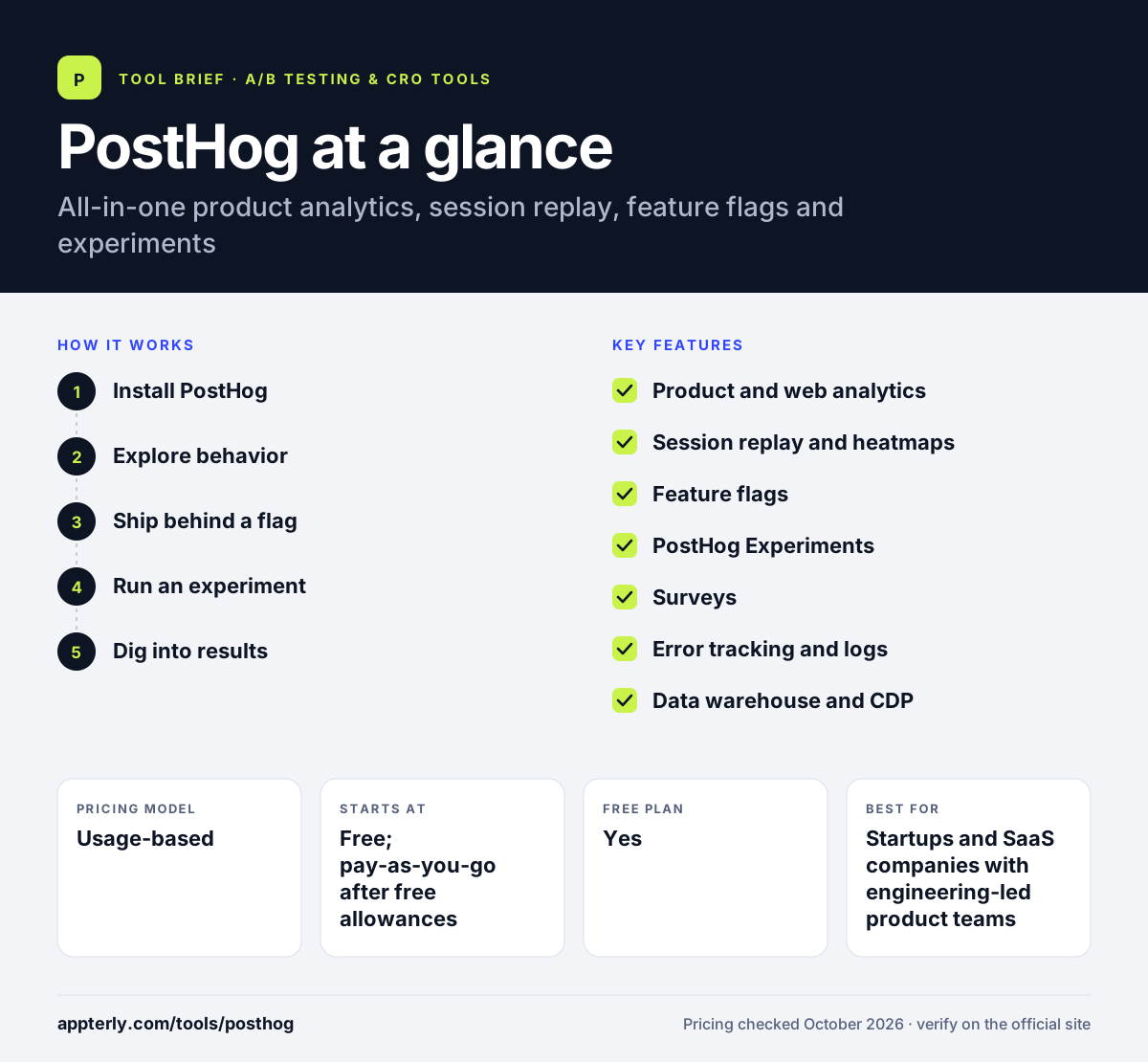
How does PostHog work?
- Install PostHog
Run the setup wizard or add an SDK to your website or app to start capturing events. The wizard can also be run from the command line with npx.
- Explore behavior
Use product analytics, web analytics, heatmaps and session replay to see how people use your product.
- Ship behind a flag
Release new features with feature flags to a percentage of users or specific groups.
- Run an experiment
Turn a flag into an experiment, choose goal metrics and compare variants with PostHog Experiments.
- Dig into results
Watch replays or attach surveys for each test group to understand why a variant won.
PostHog key features
Product and web analytics
Funnels, trends, retention and paths for product use, plus a simpler web analytics dashboard for traffic.
Session replay and heatmaps
Watch real user sessions and see click and scroll heatmaps on your pages.
Feature flags
Roll out features to chosen users or percentages, with the first 1M requests free each month.
PostHog Experiments
A/B and multivariate tests built on flags, with group-level experiments for B2B and a shared metrics library.
Surveys
In-app surveys that can be tied to experiments or user segments.
Error tracking and logs
Capture exceptions and logs next to analytics so you can link bugs to user impact.
Data warehouse and CDP
Sync data from sources like Stripe, HubSpot and Postgres, and send events to other tools.
PostHog AI and MCP
An AI assistant and an MCP server that let tools like Claude, Cursor and VS Code query your data.
Why use PostHog?
- PostHog replaces several separate tools for analytics, replay, flags and testing.
- Generous free allowances, such as 1M events and 5K recordings, cover many early-stage products.
- Experiments share data with replays and surveys, so you see why a result happened.
- Usage-based pricing with no seat fees lets the whole team access data.
- Billing limits help prevent unexpected costs as usage grows.
Who is PostHog best for?
A good fit for
- Startups and SaaS companies with engineering-led product teams
- Developers who want analytics and feature flags in one SDK
- B2B products that need group-level analytics and experiments
- Teams building AI features that need LLM observability
Less suited to
- Marketers who need a no-code visual editor for page tests
- Teams that want a single simple heatmap tool
- Buyers who prefer flat monthly pricing to usage billing
PostHog pricing
| Pricing model | Usage-based |
|---|---|
| Free plan | Yes |
| Free trial | Not confirmed |
| Starting price | Free; pay-as-you-go after free allowances |
Each product has a free monthly allowance, then per-unit pricing that drops with volume. Feature flag requests beyond 1M cost $0.0001 each at first, and experiments are billed with flags.
Prices checked October 2026. Vendors change plans often, so confirm on the official PostHog pricing page before you buy.
PostHog pros and cons
Pros
- Very broad product suite under one account
- Large free tier for every product
- No per-seat pricing
- Strong developer tooling, including an MCP server
Cons
- Experiments still need code; no-code A/B testing is not fully available
- The number of products can overwhelm non-technical users
- Usage bills can grow quickly on high-traffic products
PostHog integrations and platforms
Works with
Available on
PostHog alternatives
See the full shortlist in Best A/B Testing Tools.
PostHog FAQ
Is PostHog free?
PostHog has a free plan with monthly allowances for each product, including 1 million analytics events, 5,000 session recordings, 1 million feature flag requests and 1,500 survey responses. No credit card is needed. You only pay when you exceed these limits or need more projects and advanced features.
What is PostHog used for?
PostHog is used to understand how people use a website or app and to ship changes safely. Teams use its analytics, session replay and heatmaps to find problems, then use feature flags and experiments to test fixes. It also supports surveys, error tracking and a data warehouse.
How much do PostHog Experiments cost?
PostHog Experiments are bundled with feature flags and have no separate fee. The first 1 million flag requests each month are free. After that, requests are billed in tiers starting at $0.0001 each and falling to $0.00001 at very high volumes. You can set a billing limit. Volume discounts apply automatically as usage grows.
PostHog vs Statsig: what's the difference?
Both combine feature flags, experiments, analytics and session replay. PostHog adds a wider set of tools, including error tracking, surveys, a data warehouse and AI observability, with usage-based pricing per product. Statsig focuses on experimentation depth and offers a paid Pro plan at a flat monthly fee with event overages.
Does PostHog have heatmaps?
Yes. PostHog includes heatmaps alongside session replay and web analytics. You can see where users click and scroll on your pages, then watch replays of the sessions behind that data. Heatmaps use the same tracking snippet as the rest of PostHog.
Sources
This overview is based on PostHog's official website and documentation, checked October 2026.