What is Porter Metrics?
Porter Metrics is a no-code marketing data tool that connects ad, analytics and ecommerce accounts and sends the data to reporting destinations. It pulls from sources such as Meta Ads, Google Ads, GA4, Shopify, HubSpot and TikTok, blends them, and delivers the result to Looker Studio, Google Sheets, BigQuery or Power BI. The aim is to measure marketing ROI without building data pipelines by hand.
The company, which brands itself simply as Porter, offers a free forever plan and per-account pricing that gets cheaper at volume. It also provides a library of free dashboard templates for ecommerce, B2B, PPC and social reporting, plus AI features for building custom fields and chatting with data through tools like Claude, ChatGPT and Gemini.
Porter Metrics at a glance
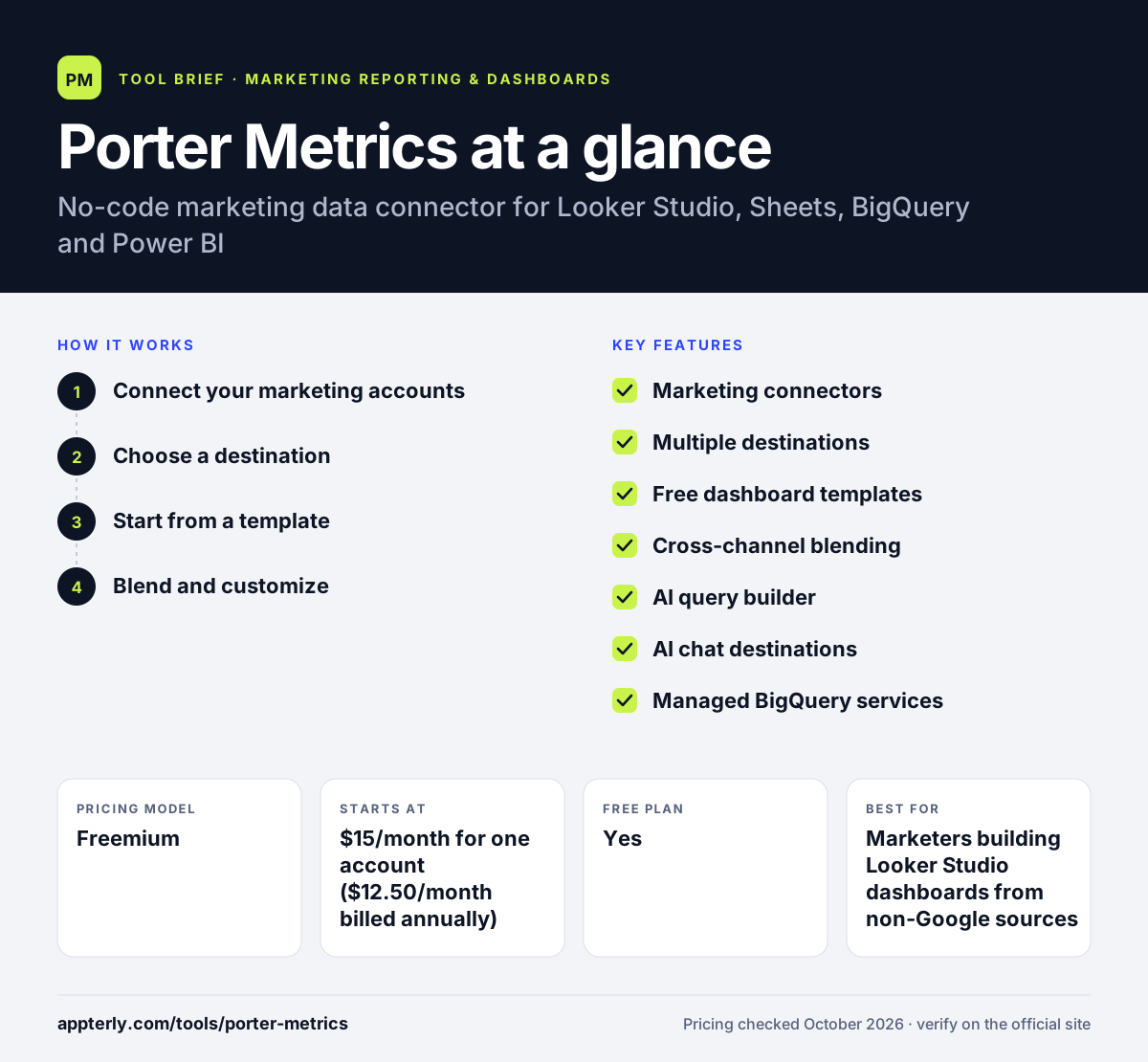
How does Porter Metrics work?
- Connect your marketing accounts
Link sources such as Meta Ads, Google Ads, GA4, Shopify or HubSpot. You can also import costs, goals and budgets from Google Sheets.
- Choose a destination
Send the data to Looker Studio, Google Sheets, BigQuery or Power BI, or push alerts to Slack and Zapier.
- Start from a template
Copy a free dashboard template for ecommerce, B2B, PPC, social or agency reporting and connect it to your accounts.
- Blend and customize
Combine channels into cross-platform views and use the AI query builder to create custom fields without SQL.
Porter Metrics key features
Marketing connectors
Focused integrations for major ad, analytics, CRM and ecommerce platforms, built specifically for marketing reporting.
Multiple destinations
Delivers data to Looker Studio, Google Sheets, BigQuery and Power BI, plus Slack and Zapier for alerts.
Free dashboard templates
A large library of ready-made report templates covering ecommerce, B2B, PPC, social media and agency use cases.
Cross-channel blending
Combines data from several platforms so you can compare spend and results across channels in one report.
AI query builder
Create new custom metrics and fields in plain language instead of writing SQL.
AI chat destinations
Connects marketing data to Claude, ChatGPT and Gemini so you can ask questions about performance.
Managed BigQuery services
Custom-priced options for teams that want a managed marketing data warehouse.
Why use Porter Metrics?
- The free plan supports unlimited connected accounts with recent history, which is enough for small tests.
- Per-account pricing drops sharply at volume, which suits agencies with many clients.
- Ready-made templates make Looker Studio reporting fast to set up.
- It fills the gap left by Looker Studio's lack of native Meta Ads and Shopify connectors.
- Founders offer direct support through Slack and video calls.
Who is Porter Metrics best for?
A good fit for
- Marketers building Looker Studio dashboards from non-Google sources
- Agencies reporting on many ad accounts on a budget
- Ecommerce brands tracking ad spend against Shopify revenue
- Analysts who want marketing data in Google Sheets or BigQuery
Less suited to
- Teams needing hundreds of niche connectors beyond core marketing platforms
- Users who want an all-in-one dashboard tool rather than a data connector
- Organizations needing long historical data on the free plan, which is limited to 30 days
Porter Metrics pricing
| Pricing model | Freemium |
|---|---|
| Free plan | Yes |
| Free trial | 14 days |
| Starting price | $15/month for one account ($12.50/month billed annually) |
Pricing is per connected account, with volume discounts that fall to about $2 per account at 200+ accounts. Annual billing saves roughly two months, and enterprise and managed BigQuery services are custom priced.
Prices checked October 2026. Vendors change plans often, so confirm on the official Porter Metrics pricing page before you buy.
Porter Metrics pros and cons
Pros
- Free forever plan and low per-account pricing
- Many free, ready-made dashboard templates
- Supports several destinations, including Power BI and BigQuery
- Personal support from the founding team
Cons
- Smaller connector catalog than large competitors like Supermetrics
- Plan structure on the pricing page can be hard to follow
- Free plan only keeps 30 days of history
Porter Metrics integrations and platforms
Works with
Available on
Porter Metrics alternatives
See the full shortlist in Best Marketing Reporting Tools.
Porter Metrics FAQ
Is Porter Metrics free?
Yes. Porter Metrics has a free forever plan with unlimited connected accounts, up to 30 days of data history and 100 AI credits per month. New users also get a 14-day trial of full features with no card required, after which the account moves to the free plan. Paid plans start at $15 per month for one account.
What is Porter Metrics used for?
Porter Metrics is used to move marketing data from platforms like Meta Ads, Google Ads, GA4, Shopify and HubSpot into reporting tools such as Looker Studio, Google Sheets, BigQuery and Power BI. Marketers and agencies use it to build cross-channel dashboards and measure ROI without coding or managing data pipelines.
Porter Metrics vs Supermetrics: what's the difference?
Both connect marketing data to tools like Looker Studio and Google Sheets. Supermetrics has a much larger connector catalog and enterprise data warehouse options, with plans starting around $44 per month billed annually. Porter Metrics focuses on core marketing sources, offers a free plan and charges per account, which can work out cheaper for small teams and agencies.
Does Porter Metrics work with Looker Studio?
Yes. Looker Studio, now renamed Data Studio by Google, is one of Porter Metrics' main destinations. Porter provides connectors for sources Google does not cover natively, such as Meta Ads and Shopify, along with free dashboard templates you can copy and connect. It also sends data to Google Sheets, BigQuery and Power BI.
Is Porter Metrics good for beginners?
Porter Metrics is designed to be no-code, so beginners can connect accounts and copy a ready-made template without technical skills. The template library covers common needs like ecommerce, PPC and social reporting. Some familiarity with Looker Studio or Google Sheets helps when customizing reports further.
Sources
This overview is based on Porter Metrics's official website and documentation, checked October 2026.