What is Looker Studio (now Data Studio)?
Looker Studio is Google's free data visualization and reporting tool, which Google renamed back to Data Studio in April 2026. It lets you build interactive dashboards and reports by dragging charts, tables and filters onto a canvas, using data from sources like Google Analytics, Google Ads, Google Sheets and BigQuery. Existing Looker Studio reports, data sources and users moved to Data Studio automatically.
Data Studio is free for both report creators and viewers, which has made it a default reporting tool for marketers and agencies. A paid Data Studio Pro edition adds team content management, administration, Google Cloud support and enterprise security. Google now also positions Data Studio as a hub for browsing Google data assets, such as BigQuery conversational agents and Colab data apps, while Looker remains its separate enterprise BI platform.
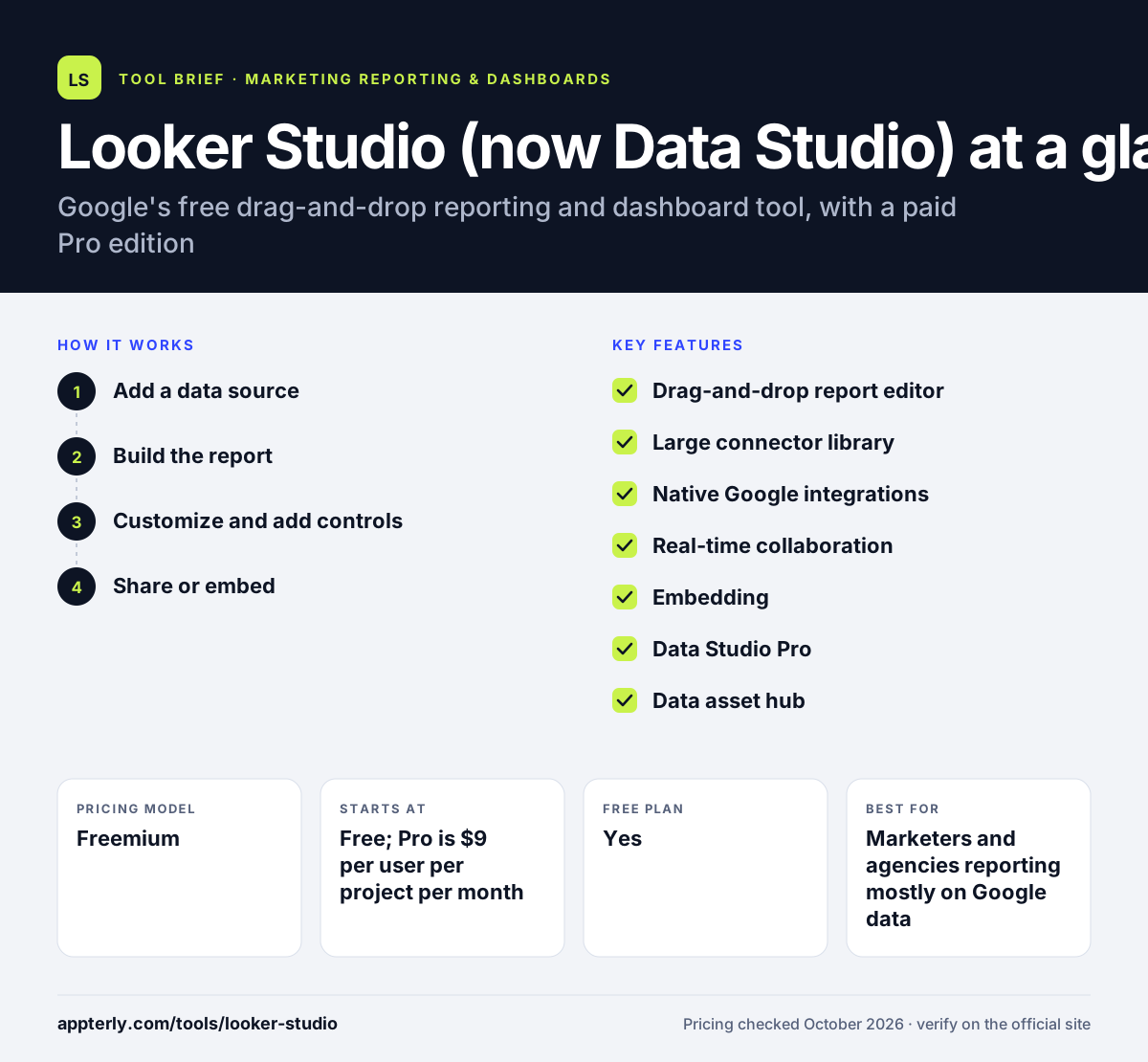
Looker Studio (now Data Studio) at a glance
How does Looker Studio (now Data Studio) work?
- Add a data source
Pick a Google connector such as GA4, Google Ads, Sheets or BigQuery, or use a partner or community connector for other platforms.
- Build the report
Drag charts, tables, filters, text and images onto a canvas with snap-to-grid or freeform layout, and add multiple pages.
- Customize and add controls
Style the visuals, add date and filter controls, and create calculated fields so viewers can explore the data.
- Share or embed
Share with people or groups like a Google Doc, collaborate in real time, or embed reports on a website or intranet.
Looker Studio (now Data Studio) key features
Drag-and-drop report editor
A canvas-based editor with property panels for building interactive, multi-page reports without code.
Large connector library
Google cites well over 1,000 data sources through Google and partner connectors, and developers can build their own.
Native Google integrations
Direct connections to Google Analytics, Google Ads, Google Sheets and BigQuery, with no extra cost.
Real-time collaboration
Multiple people can edit reports together, and sharing works much like other Google Workspace files.
Embedding
Reports can be embedded in websites or internal portals for wider access.
Data Studio Pro
Adds team workspaces and content management, admin controls, Google Cloud support and security options such as customer-managed encryption keys.
Data asset hub
Data Studio now doubles as a place to browse BigQuery conversational agents and Colab data apps alongside reports.
Why use Looker Studio (now Data Studio)?
- It is free for unlimited creators and viewers, which removes cost as a barrier.
- Native Google connectors make GA4, Google Ads and Search Console reporting quick to set up.
- The flexible canvas lets you design reports that match your brand.
- Sharing and permissions work the same way as Google Docs, so clients find it familiar.
- Partner connectors extend it to non-Google platforms when needed.
Who is Looker Studio (now Data Studio) best for?
A good fit for
- Marketers and agencies reporting mostly on Google data
- Small businesses that want free dashboards
- Analysts working with BigQuery or Google Sheets
- Teams already using Google Workspace
Less suited to
- Teams relying on many non-Google sources without budget for paid connectors
- Organizations needing a governed semantic model, which Google steers toward Looker
- Users who want automated AI commentary built into every report
Looker Studio (now Data Studio) pricing
| Pricing model | Freemium |
|---|---|
| Free plan | Yes |
| Free trial | Not confirmed |
| Starting price | Free; Pro is $9 per user per project per month |
The standard edition is free for creators and viewers. Data Studio Pro is billed per user per project and adds team management, admin, support and enterprise security, and Google notes Pro pricing can vary with subscription length.
Prices checked October 2026. Vendors change plans often, so confirm on the official Looker Studio (now Data Studio) pricing page before you buy.
Looker Studio (now Data Studio) pros and cons
Pros
- Completely free core product
- Seamless with Google Analytics, Google Ads, Sheets and BigQuery
- Highly customizable report layouts
- Easy, familiar sharing and real-time collaboration
Cons
- Non-Google sources often require paid third-party connectors
- Large or blended datasets can make reports slow
- The 2026 rename back to Data Studio may cause confusion in older tutorials
Looker Studio (now Data Studio) integrations and platforms
Works with
Available on
Looker Studio (now Data Studio) alternatives
See the full shortlist in Best Marketing Reporting Tools.
Looker Studio (now Data Studio) FAQ
Is Looker Studio free?
Yes. Looker Studio, now renamed Data Studio, is free for anyone who creates or views reports, and Google says the self-service tier remains free. A paid Data Studio Pro edition costs $9 per user per project per month and adds team content management, admin controls, Google Cloud support and enterprise security features.
Did Google rename Looker Studio to Data Studio?
Yes. In April 2026 Google announced that Looker Studio would return to its original name, Data Studio. Existing reports, data sources and users moved over automatically with no action needed. Google also separated it more clearly from Looker, which stays the enterprise BI platform, and positioned Data Studio for personal and ad-hoc analysis.
What is Looker Studio used for?
Looker Studio, now Data Studio, is used to build dashboards and reports from data in Google Analytics, Google Ads, Search Console, Sheets, BigQuery and many other sources. Marketers use it for client and campaign reporting, while analysts use it to visualize spreadsheet and warehouse data and share interactive reports with their teams.
Looker Studio vs Power BI: what's the difference?
Looker Studio, now Data Studio, is browser-based, free and strongest with Google data, making it popular with marketers. Power BI is Microsoft's BI platform with a desktop app, deeper data modeling and tight Excel and Microsoft 365 integration, and sharing requires a paid Pro license. Power BI suits heavier analysis, while Data Studio suits quick marketing reports.
Can Looker Studio connect to Facebook Ads?
Not natively from Google. Data Studio's built-in connectors focus on Google products, but partner connectors from companies like Supermetrics or Porter Metrics can bring Facebook Ads data into reports, usually for a fee. Another option is exporting Facebook data to Google Sheets or BigQuery and connecting that source.
Sources
This overview is based on Looker Studio (now Data Studio)'s official website and documentation, checked October 2026.