What is Pipedrive?
Pipedrive is a web-based sales CRM built around a visual pipeline, where deals appear as cards that move across customizable stages. It is designed for small businesses but scales to larger teams. Reps see what needs attention next, get reminders when follow-ups are due and track activities, emails and calls on each deal. Mobile apps for iOS and Android keep the pipeline available on the road.
On top of pipeline management, Pipedrive offers workflow automation, two-way email and calendar sync, scheduling links, reporting and revenue forecasting. Its AI sales assistant predicts deal outcomes and suggests leads, and Nova, its meeting intelligence feature, prepares pre-call briefs and transcribes calls. LeadBooster adds lead generation tools, and a marketplace offers more than 500 integrations.
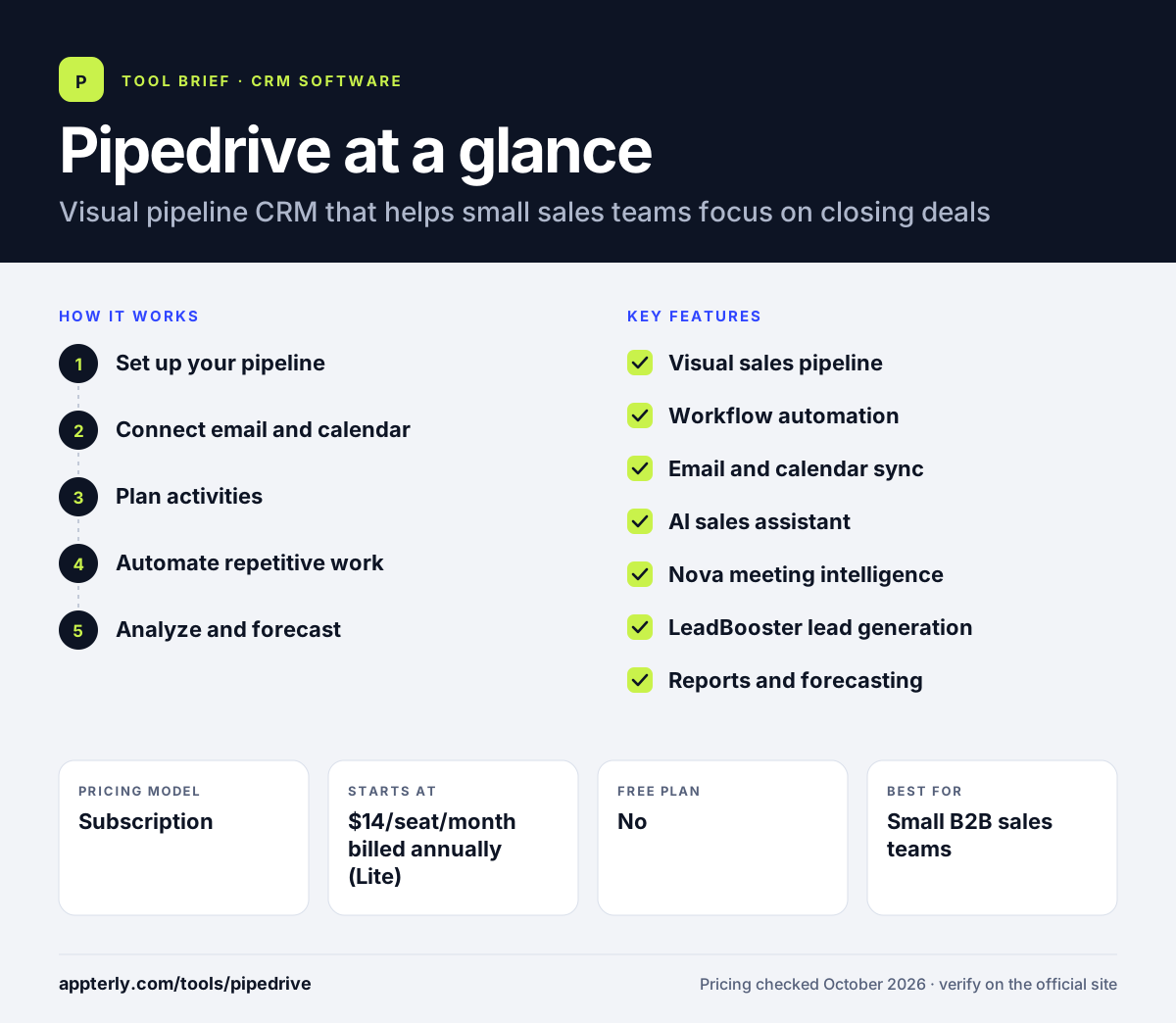
Pipedrive at a glance
How does Pipedrive work?
- Set up your pipeline
Define deal stages that reflect your sales process and import leads, people and organizations. Data can come from spreadsheets or other CRMs.
- Connect email and calendar
Sync up to five email accounts and your calendar so communication and meetings are logged automatically. Email templates speed up common replies.
- Plan activities
Schedule calls, meetings and tasks on each deal and let Pipedrive alert you when something is overdue. A real-time sales feed shows team activity.
- Automate repetitive work
Build workflow automations and email sequences that route leads and trigger follow-ups on Growth and above. Ready-made automation templates help you start quickly.
- Analyze and forecast
Use dashboards, goal tracking and forecasts to see performance and predict revenue. Subscription reports help recurring-revenue businesses.
Pipedrive key features
Visual sales pipeline
Kanban-style deal boards with drag-and-drop stages and follow-up alerts.
Workflow automation
Automations and templates route leads, update deals and trigger nurturing sequences.
Email and calendar sync
Two-way email sync with tracking and templates, plus calendar sync and shareable scheduling links.
AI sales assistant
Predicts which deals are likely to win or lose, suggests leads and summarizes team performance.
Nova meeting intelligence
Prepares call briefs, transcribes calls and drafts CRM updates for review, included in all plans.
LeadBooster lead generation
Lead capture and routing tools, with lead scoring and enrichment on the Premium plan.
Reports and forecasting
Visual dashboards, goals and revenue forecasts, including AI-assisted report creation.
Why use Pipedrive?
- The visual pipeline makes it easy to see where every deal stands.
- Activity reminders help reps keep follow-ups from slipping.
- A large marketplace connects Pipedrive to tools many small businesses already use.
- AI and meeting features reduce admin time after calls.
- Plans start at a low per-seat price with a 14-day trial.
- Contracts and e-signatures on Premium help move deals to close faster.
Who is Pipedrive best for?
A good fit for
- Small B2B sales teams
- Founders and freelancers managing their own pipeline
- Agencies and service businesses with deal-based sales
- Teams switching from spreadsheets to their first CRM
Less suited to
- Teams that need built-in marketing automation and support desks in one product
- Companies with highly complex enterprise processes
- Buyers looking for a free plan
Pipedrive pricing
| Pricing model | Subscription |
|---|---|
| Free plan | No |
| Free trial | 14 days |
| Starting price | $14/seat/month billed annually (Lite) |
Growth costs $39, Premium $59 and Ultimate $79 per seat per month billed annually. Higher tiers add email sync and automation, then lead routing, scoring and e-signatures, then security controls and a sandbox.
Prices checked October 2026. Vendors change plans often, so confirm on the official Pipedrive pricing page before you buy.
Pipedrive pros and cons
Pros
- Clear, easy-to-learn pipeline interface
- Strong automation on Growth and above
- Over 500 integrations
- Meeting intelligence included in all plans
Cons
- No free plan
- Email sync and automation are not in the Lite plan
- Lead generation and scoring require higher tiers
Pipedrive integrations and platforms
Works with
Available on
Pipedrive alternatives
See the full shortlist in Best CRM Software.
Pipedrive FAQ
Is Pipedrive free?
No. Pipedrive does not offer a free plan, but it has a 14-day free trial with no credit card required. Paid plans start with Lite at $14 per seat per month billed annually, and go up to Ultimate at $79 per seat per month billed annually. Every paid plan includes personalized onboarding and access to more than 500 integrations.
What is Pipedrive used for?
Pipedrive is used by sales teams to manage leads and deals in a visual pipeline. Reps schedule activities, sync email and calendars, automate follow-ups and track performance with reports and forecasts. It is popular with small businesses moving from spreadsheets to a dedicated CRM. It can also capture leads, send contracts for e-signature and enrich contact data on higher tiers.
Pipedrive vs HubSpot: what's the difference?
Pipedrive is a focused sales CRM centered on a visual pipeline with straightforward per-seat pricing. HubSpot offers a free CRM and a broader suite covering marketing, service and content. Teams that mainly need deal tracking often prefer Pipedrive, while those wanting an all-in-one platform lean toward HubSpot. Pricing scales per seat across four tiers, so small teams can start cheaply.
Is Pipedrive good for beginners?
Yes. Pipedrive is known for a simple, visual interface that new CRM users can learn quickly. The pipeline view shows exactly what to do next, and onboarding resources are included. Beginners can start on Lite and upgrade when they need email sync and automation. Live chat support starts on Growth, and Ultimate adds extended phone support.
Does Pipedrive have AI features?
Yes. Pipedrive includes an AI sales assistant that predicts deal outcomes and suggests leads, AI-powered report creation, and Nova, a meeting intelligence feature that prepares call briefs, transcribes calls and drafts CRM updates. Nova is included in all plans. These features aim to cut time spent on notes and data entry.
Sources
This overview is based on Pipedrive's official website and documentation, checked October 2026.