What is Nimble?
Nimble is a relationship-focused CRM for small teams and solopreneurs that brings contacts, calendars and email conversations from Microsoft 365 and Google Workspace into one shared database. It adds lead capture, contact enrichment, pipelines, workflows and email marketing on top, so a small business can find, track and nurture relationships without a complex setup. Its positioning is a CRM for people beyond the sales department.
A key part of the product is Nimble Prospector, a browser and email extension that captures and enriches contact and company data from LinkedIn, websites and inboxes. Nimble keeps pricing simple with a single per-seat plan that includes its main features, plus optional add-ons for email marketing, data enrichment credits, web forms and bulk messaging volume.
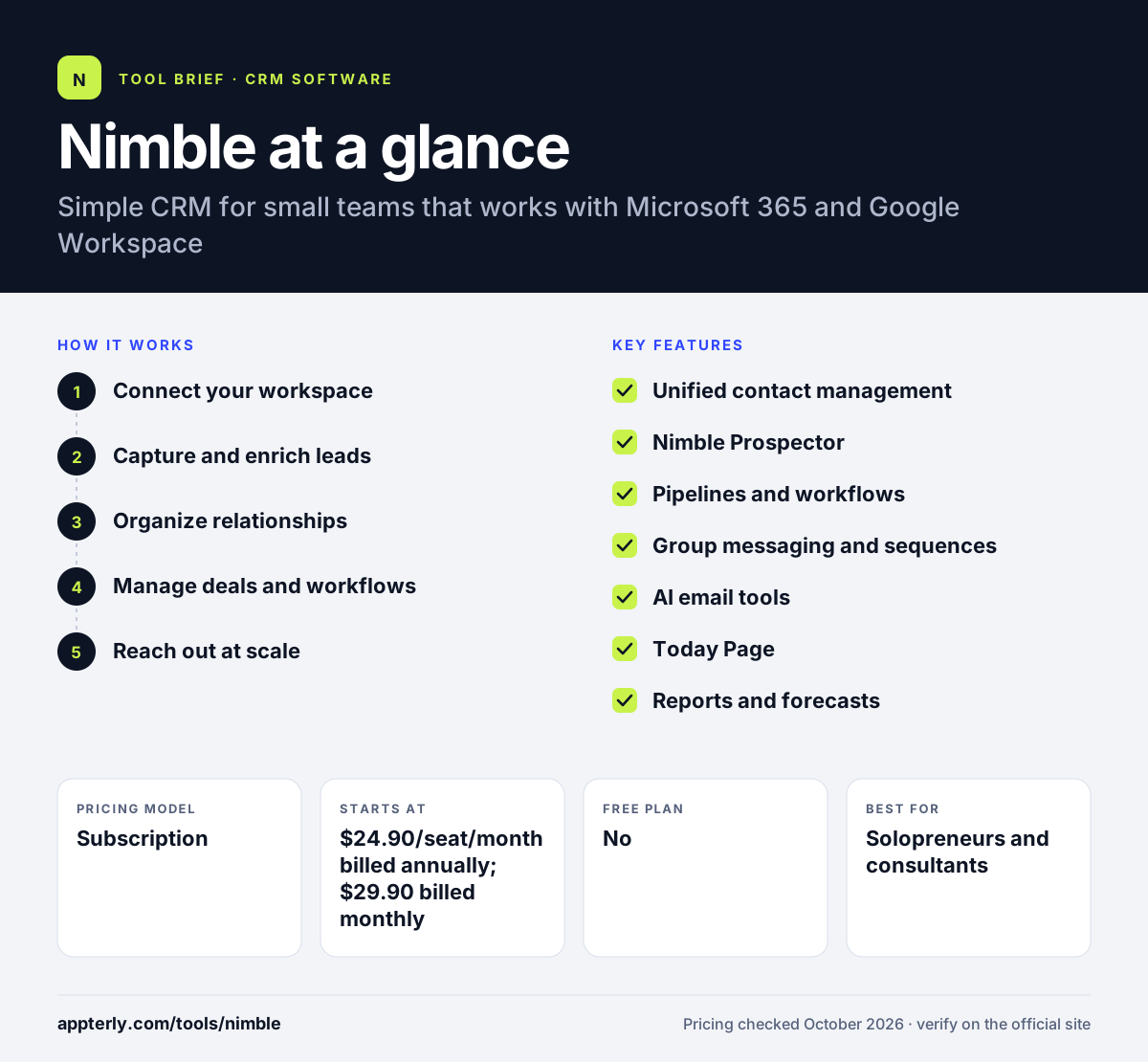
Nimble at a glance
How does Nimble work?
- Connect your workspace
Sync Google Workspace or Microsoft 365 contacts, calendars and email so team interactions appear on shared records. Every teammate sees the same relationship history.
- Capture and enrich leads
Use the Prospector extension on LinkedIn and websites, plus web forms, to add and enrich contacts. Enrichment fills in company and social details automatically.
- Organize relationships
Tag contacts, add custom fields and use the Today Page to see tasks, reminders and follow-ups. Reminders make sure nobody forgets a follow-up.
- Manage deals and workflows
Track opportunities in Kanban pipelines and move leads through customizable workflows. Lead qualification steps can be built into each workflow.
- Reach out at scale
Send group messages and email sequences, then track opens and clicks to refine your outreach. Optional add-ons expand bulk sending volume.
Nimble key features
Unified contact management
Shared team records combine contacts, emails, calendars and interaction history from Microsoft 365 or Google Workspace.
Nimble Prospector
A browser and inbox extension that captures and enriches leads from LinkedIn and other websites.
Pipelines and workflows
Unlimited deal pipelines and workflows with Kanban and list views and customizable deal cards.
Group messaging and sequences
Send tracked group emails and drip sequences, with 1,000 messages per license per month included.
AI email tools
AI helps draft emails and marketing messages inside the CRM.
Today Page
A customizable dashboard of tasks, reminders and upcoming activity.
Reports and forecasts
Reports on conversion rates, pipeline and revenue forecasts.
Why use Nimble?
- Works inside the email and calendar tools small teams already use.
- Prospector speeds up lead research and data entry.
- One plan includes the main features, which makes pricing easy to understand.
- Pipelines, workflows and email outreach are included without moving to a higher tier.
- A 14-day trial needs no credit card.
- Team permissions for deals help small teams keep ownership clear.
Who is Nimble best for?
A good fit for
- Solopreneurs and consultants
- Small businesses on Microsoft 365 or Google Workspace
- Teams that prospect on LinkedIn
- Non-sales teams that manage relationships, such as partnerships
Less suited to
- Large sales organizations with complex permission and territory needs
- High-volume email marketers, since bulk sending relies on paid add-ons
- Teams that need built-in calling
Nimble pricing
| Pricing model | Subscription |
|---|---|
| Free plan | No |
| Free trial | 14 days |
| Starting price | $24.90/seat/month billed annually; $29.90 billed monthly |
The plan includes 25,000 contacts and 2 GB of storage per seat. Email marketing ($15/month), enrichment credits, web forms and extra bulk email volume are sold as add-ons.
Prices checked October 2026. Vendors change plans often, so confirm on the official Nimble pricing page before you buy.
Nimble pros and cons
Pros
- Simple single-plan pricing
- Strong Microsoft 365 and Google Workspace sync
- Useful prospecting extension
- Mobile apps included
Cons
- No free plan
- Email marketing and larger sending volumes cost extra
- Fewer advanced sales features than larger CRMs
Nimble integrations and platforms
Works with
Available on
Nimble alternatives
See the full shortlist in Best CRM Software.
Nimble FAQ
Is Nimble CRM free?
No. Nimble does not have a free plan, but it offers a 14-day free trial for up to five licenses with no credit card required. After the trial, the plan costs $24.90 per seat per month billed annually or $29.90 billed monthly. Additional contacts and storage can be added as needed.
What is Nimble CRM used for?
Nimble is used to manage contacts and relationships for small teams. It syncs email and calendars from Microsoft 365 or Google Workspace, captures and enriches leads with the Prospector extension, tracks deals in pipelines and sends group emails and sequences to nurture contacts. Contact enrichment and custom fields help keep records complete without manual research.
Does Nimble work with Outlook and Microsoft 365?
Yes. Nimble integrates with both Microsoft 365 and Google Workspace, syncing contacts, calendars and email interactions into shared records. The Prospector extension also works inside the inbox so you can view and add contact details while reading email. This makes it easy to see the full history of a relationship before replying.
Nimble vs HubSpot: what's the difference?
Nimble is a lightweight CRM with one simple plan focused on contact management, prospecting and outreach for small teams. HubSpot offers a free CRM plus large marketing, sales and service hubs with many tiers. Nimble suits solopreneurs and small teams wanting simplicity, while HubSpot suits companies planning to scale into a bigger suite. Nimble also offers more than 100 integration partners and API access.
Is Nimble good for beginners?
Yes. Nimble is designed for small teams and solopreneurs who want a CRM without a long setup. It pulls in existing contacts and email history automatically, and support includes daily live Q&A sessions, weekly webinars and free one-on-one calls. Help is available through more than 100 articles and videos as well.
Sources
This overview is based on Nimble's official website and documentation, checked October 2026.