What is Microsoft Clarity?
Microsoft Clarity is a free user behavior analytics tool that records sessions and builds heatmaps for websites and mobile apps. Microsoft offers it at no cost with no traffic limits and no paid upgrade, which makes it one of the easiest ways for a small business or marketer to start watching how real visitors use a site. Highlights and AI summaries point you to the moments in a visit where people got stuck.
Clarity has added a range of AI features on top of its core recordings and heatmaps. AI summaries explain behavior trends, an AI chat answers questions about your data, and an AI visibility report tracks when AI assistants cite your content and how AI bots crawl your site. Mobile SDKs cover Android, iOS, Flutter and React Native, and an integration with Google Analytics helps connect behavior data with traffic reporting.
Microsoft Clarity at a glance
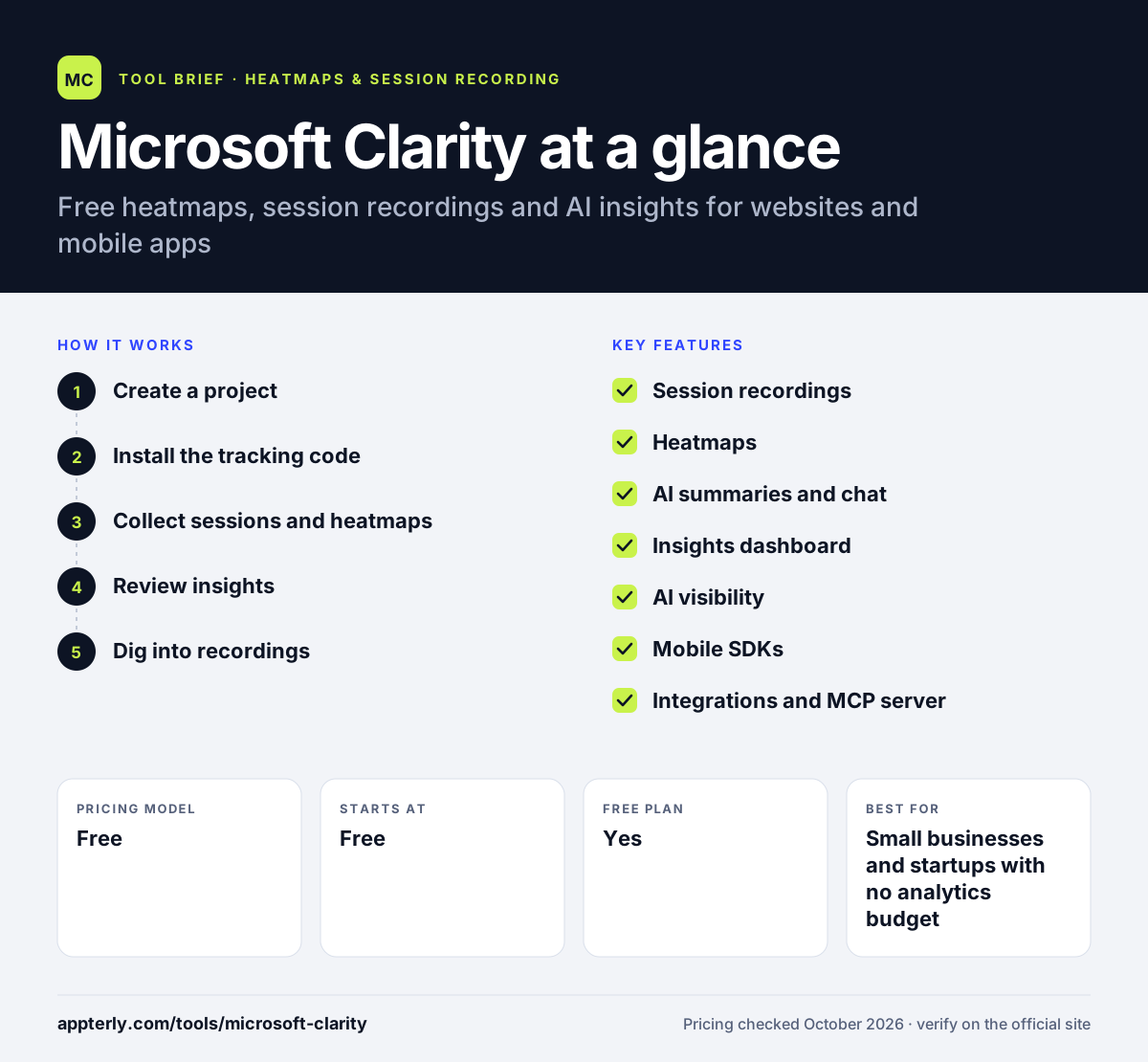
How does Microsoft Clarity work?
- Create a project
Sign up for free and add a project for each website or app. There is no limit on the number of projects.
- Install the tracking code
Paste the script manually or use a supported platform such as WordPress, Shopify, Wix, Squarespace or Google Tag Manager. Mobile apps use the Clarity SDK.
- Collect sessions and heatmaps
Clarity tracks visits without sampling and records up to 100,000 sessions per project per day.
- Review insights
Read the dashboard, AI summaries and highlights, or ask the AI chat questions about your visitors.
- Dig into recordings
Filter recordings and compare heatmaps across page versions to confirm what is causing friction before you change a page.
Microsoft Clarity key features
Session recordings
Replay real visits, with highlights that point to key moments. Recordings are kept for 30 days, and favorites can be kept longer.
Heatmaps
Click, scroll and area heatmaps show where users engage and drop off, and you can compare page versions.
AI summaries and chat
Generated takeaways on behavior trends plus a chat interface that answers questions using your data.
Insights dashboard
A dashboard summarizes traffic and engagement and points to the pages and moments where visitors run into friction.
AI visibility
Shows when AI experiences cite your content, which queries drive those citations and how AI bots crawl your site.
Mobile SDKs
Lightweight SDKs for Android, iOS, Flutter and React Native bring recordings and heatmaps to apps.
Integrations and MCP server
Connect Google Analytics, install via many site platforms, and use an MCP server to bring Clarity data into AI tools.
Why use Microsoft Clarity?
- It is completely free, with no traffic caps or paid tiers to outgrow.
- Setup takes minutes through common platforms like WordPress, Shopify and Wix.
- AI summaries help non-analysts understand what visitors are doing.
- Unlimited projects make it practical for agencies managing many client sites.
- It covers mobile apps as well as websites.
Who is Microsoft Clarity best for?
A good fit for
- Small businesses and startups with no analytics budget
- Marketers and SEO teams improving landing pages
- Agencies that need heatmaps across many client sites
- Bloggers and content publishers
Less suited to
- Teams that need long-term storage of every recording, since most are kept for 30 days
- Companies that want built-in surveys, A/B testing or live chat
- Enterprises that require a paid SLA and dedicated support
Microsoft Clarity pricing
| Pricing model | Free |
|---|---|
| Free plan | Yes |
| Free trial | Not confirmed |
| Starting price | Free |
Clarity is free with no traffic limits, unlimited projects and no paid upgrade. Recordings are capped at 100,000 sessions per project per day, and heatmaps are built from up to 100,000 page views.
Prices checked October 2026. Vendors change plans often, so confirm on the official Microsoft Clarity pricing page before you buy.
Microsoft Clarity pros and cons
Pros
- Free forever with no traffic limits
- Quick setup with many platform integrations
- Useful AI summaries and chat
- Supports both websites and mobile apps
Cons
- Most recordings are deleted after 30 days
- No built-in surveys, A/B testing or live chat
- Heatmaps are built from a capped sample of page views on busy pages
Microsoft Clarity integrations and platforms
Works with
Available on
Microsoft Clarity alternatives
See the full shortlist in Best Heatmap Tools.
Microsoft Clarity FAQ
Is Microsoft Clarity really free?
Yes. Microsoft describes Clarity as free forever, with no traffic limits, no cap on the number of sites or projects and no paid version to upgrade to. There are some technical limits, such as up to 100,000 recorded sessions per project per day and a 30-day retention period for most recordings.
What is Microsoft Clarity used for?
Microsoft Clarity is used to see how people use a website or app. Teams watch session recordings, review click and scroll heatmaps and use highlights to jump to the moments where visitors struggled. Its AI summaries and chat explain trends in plain language, and its AI visibility report shows how AI assistants cite and crawl your content.
Microsoft Clarity vs Hotjar: what's the difference?
Both offer heatmaps and session recordings. Clarity is fully free with no traffic limits and adds AI summaries, while Hotjar has a limited free plan and charges for higher volumes. Hotjar includes surveys, feedback widgets and user interviews that Clarity lacks. Many teams use Clarity for recordings and heatmaps and add a separate tool for surveys.
Does Microsoft Clarity integrate with Shopify?
Yes. Shopify is one of Clarity's supported third-party platforms, along with WordPress, Wix, Squarespace, Webflow and Google Tag Manager. You can connect a Shopify store without editing theme code by hand, then view recordings and heatmaps of shoppers browsing products and moving through the store.
Does Microsoft Clarity slow down a website?
Clarity runs from a single tracking script or SDK, similar to other analytics tags. Any third-party script adds some extra requests, so it is sensible to check page speed with a tool like PageSpeed Insights after installing. If you see an impact, you can limit where the script loads or install it through Google Tag Manager to control when it fires.
Sources
This overview is based on Microsoft Clarity's official website and documentation, checked October 2026.